
1. はじめに
ご購入ありがとうございますasing the Hoco BS55 Wireless Outdoor Speaker. This manual provides important information regarding the setup, operation, and maintenance of your speaker. Please read it carefully before using the product to ensure proper function and to extend its lifespan. Keep this manual for future reference.
2.製品オーバーview
2.1 パッケージ内容
- Hoco BS55 Wireless Outdoor Speaker
- 充電ケーブル
- オーディオケーブル(AUX)
- Wired Microphone (may vary by package)
- 取扱説明書
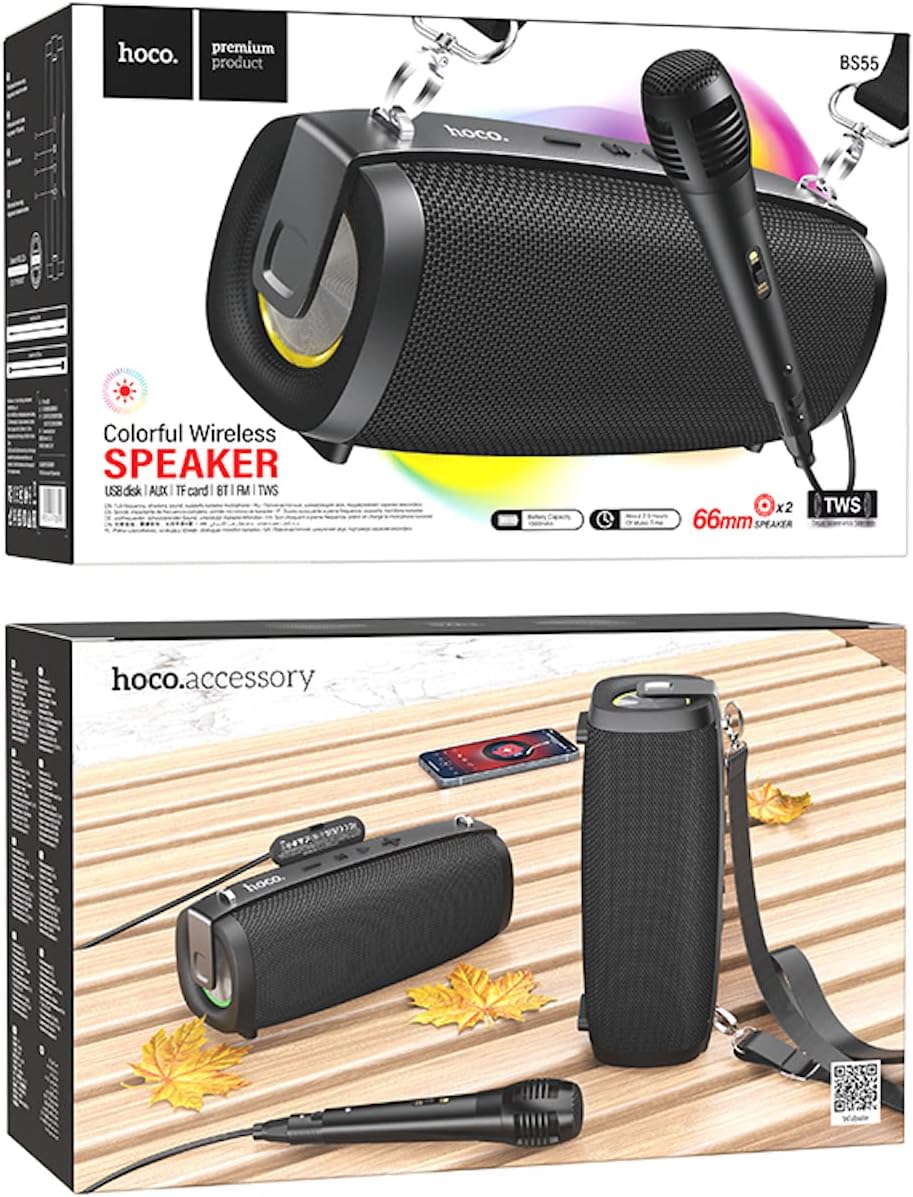
Image: Hoco BS55 Speaker packaging, illustrating the speaker, a wired microphone, and connecting cables.
2.2 スピーカーのコンポーネントとコントロール

Image: The Hoco BS55 speaker, highlighting its control panel with buttons and various input ports.
- 電源ボタン: Press and hold to turn the speaker ON/OFF. Short press to switch between modes.
- '-' ボタン: 短く押すと前のトラックへ、長く押すと音量が下がります。
- 「M」(モード)ボタン: Short press to cycle through input modes (Bluetooth, FM Radio, TF Card, AUX, USB).
- '>' (Play/Pause) Button: 短押しして音楽を再生または一時停止します。
- 「+」ボタン: 短く押すと次のトラックに進みます。長く押すと音量が上がります。
- USBポート: USBフラッシュディスクの再生用。
- TFカードスロット: TF(MicroSD)カードの再生用。
- AUX入力: 3.5mmオーディオケーブルを介して外部オーディオデバイスを接続します。
- マイク入力: 有線マイクを接続します。
- 充電ポート: スピーカーの内蔵バッテリーを充電します。
3. セットアップ
3.1 スピーカーの充電
Before first use, fully charge the speaker. Connect the charging cable to the speaker's charging port and the other end to a USB power adapter (not included) or a computer's USB port. The charging indicator light will illuminate during charging and turn off when fully charged. Charging time is approximately 2 hours.
3.2 電源のオン/オフ
を押し続けます 電源ボタン for a few seconds to turn the speaker ON. You will hear an audible prompt. To turn OFF, press and hold the 電源ボタン また。
4. 操作手順
4.1Bluetoothモード
- スピーカーの電源を入れます。自動的にBluetoothペアリングモードになり、ランプの点滅と音声プロンプトが表示されます。
- モバイルデバイス(スマートフォン、タブレットなど)で Bluetooth を有効にします。
- 検索する "Hoco BS55" in the list of available Bluetooth devices and select it to pair.
- ペアリングが成功すると確認音が聞こえます。これで、デバイスからスピーカーを通して音声を再生できるようになります。
- 使用 '+' そして 「-」 音量調節ボタンと '>' button for play/pause. Short press '+' or 「-」 次のトラック/前のトラックへ移動します。
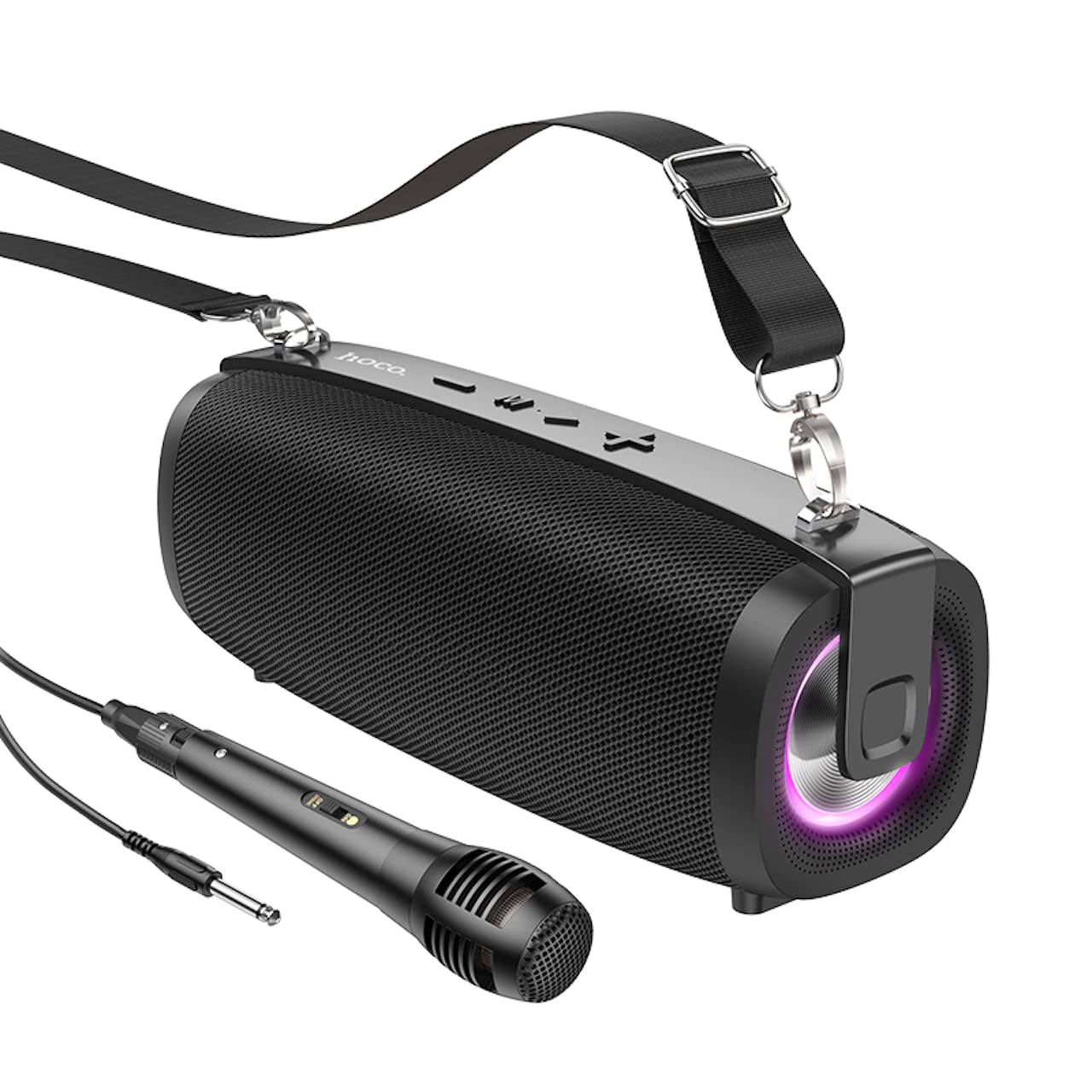
Image: The Hoco BS55 Wireless Outdoor Speaker, ready for use.
4.2 FMラジオモード
- を短く押す 「M」(モード)ボタン until you hear the FM radio prompt.
- 利用可能な放送局を自動スキャンして保存するには、 '>' (Play/Pause) Buttonスピーカーは自動的に放送局をスキャンして保存します。
- を短く押す '+' or 「-」 buttons to switch between saved FM stations.
4.3 TF Card / USB Flash Disk Mode
- Insert a TF (MicroSD) card or a USB flash disk into the corresponding slot.
- The speaker will automatically switch to TF Card or USB mode and begin playing audio files. If it doesn't, short press the 「M」(モード)ボタン 正しいモードを選択します。
- 使用 '+' そして 「-」 buttons for volume control, and short press them for next/previous track. Use the '>' 再生/一時停止のボタン。
4.4 AUX入力モード
- Connect one end of the 3.5mm audio cable to the speaker's AUX input port and the other end to the audio output of your external device (e.g., MP3 player, computer).
- を短く押す 「M」(モード)ボタン until you hear the AUX mode prompt.
- Control playback and volume primarily from your external device. The speaker's volume buttons will also function.
4.5 TWS(トゥルーワイヤレスステレオ)機能
The TWS function allows you to pair two Hoco BS55 speakers together for a stereo sound experience.
- Ensure both BS55 speakers are turned ON and are not connected to any Bluetooth device.
- スピーカーの1つ(プライマリスピーカー)で、 「M」(モード)ボタン ペアリング音が聞こえるまで押し続けます。
- 2つのスピーカーは自動的に互いを検索し、ペアリングします。接続されると確認音が鳴ります。
- 次に、セクション4.1の説明に従って、モバイルデバイスをBluetooth経由でメインスピーカーに接続します。両方のスピーカーからステレオで音声が再生されます。
4.6 Wired Microphone Usage
If your package includes a wired microphone, connect it to the speaker's dedicated microphone input port. The speaker will automatically detect the microphone. Adjust the volume as needed using the speaker's volume controls or your connected device.
5. メンテナンス
- クリーニング: スピーカーのお手入れには、柔らかく乾いた布をご使用ください。研磨剤入りの洗剤や溶剤は使用しないでください。
- ストレージ: スピーカーは直射日光や極端な温度を避け、涼しく乾燥した場所に保管してください。
- バッテリーのケア: バッテリーの寿命を延ばすには、使用していない場合でも定期的にスピーカーを充電してください。バッテリーを頻繁に完全に放電することは避けてください。
- 耐水性: The Hoco BS55 speaker is 耐水性はありません. Avoid exposing it to water, rain, or excessive moisture to prevent damage.
- 衝撃を避ける: スピーカーを落としたり、強い衝撃を与えたりしないでください。
6。 トラブルシューティング
| 問題 | 解決 |
|---|---|
| スピーカーがオンにならない。 | スピーカーが充電されていることを確認してください。電源に接続してもう一度お試しください。 |
| 音が出ません。 | スピーカーと接続デバイスの両方の音量レベルを確認してください。正しい入力モードが選択されていることを確認してください。 |
| Bluetooth経由でペアリングできません。 | Make sure the speaker is in Bluetooth pairing mode. Disable and re-enable Bluetooth on your device. Move the speaker closer to your device. Ensure no other devices are connected to the speaker. |
| FMラジオの受信状態が悪いです。 | Try repositioning the speaker. Perform an auto-scan again. |
| TWSペアリングに失敗します。 | Ensure both speakers are not connected to any other Bluetooth device. Try restarting both speakers and repeating the TWS pairing process. |
7. 仕様
| 特徴 | 仕様 |
|---|---|
| モデル | BS55 |
| 寸法(長さ×幅×高さ) | 202 x 89.5 x 71.4 mm (20.2 x 7.1 x 9 cm) |
| 重さ | 810グラム |
| Bluetoothバージョン | 5.3 |
| Bluetoothチップ | JLAC6965E |
| バッテリー容量 | 1500mAh |
| 充電時間 | 約2時間 |
| 音楽再生時間 | 最大2.5時間 |
| スピーカーユニットサイズ | 66mm×2 |
| 出力電力 | 5W * 2(合計10W) |
| 接続オプション | Bluetooth, FM Radio, TF Card, AUX, USB Flash Disk, TWS |
| マイクのサポート | 有線マイク入力 |
| 耐水性 | 耐水性はありません |
| 色 | 黒 |
8. 保証とサポート
Hoco products are designed and manufactured to the highest quality standards. For warranty information and customer support, please refer to the warranty card included with your purchase or contact your local Hoco distributor or retailer. Keep your proof of purchase for any warranty claims.