
ジズライフ FA50
JISULIFE ポータブルネックファン 取扱説明書
モデル: FA50 | ブランド: JISULIFE
1. はじめに
Thank you for choosing the JISULIFE Portable Neck Fan. This bladeless, hands-free fan is designed to provide optimal personal cooling and air purification, making it ideal for various indoor and outdoor activities. With its advanced features, including 100-speed adjustment, a powerful 6000mAh battery, and negative ion technology, you can enjoy a comfortable and refreshing experience. Please read this manual thoroughly before use to ensure proper operation and maintenance.
2.製品オーバーview
The JISULIFE FA50 Portable Neck Fan features a sleek, ergonomic design that comfortably fits around your neck, delivering 360° cooling airflow. Key components and their functions are outlined below:
- ブレードレスデザイン: Ensures safety for users with long hair and provides a smooth, consistent airflow.
- Adjustable Neck Collar: Allows for a 15° pivot on each side to optimize airflow direction and fit various neck sizes.
- LEDディスプレイ: Shows real-time battery level and current wind speed setting (1-100).
- ローラースイッチ: Used for precise 100-level wind speed adjustment.
- 電源ボタン: Controls power on/off and activates the negative ion function.
- 空気出口: Strategically placed around the neck for comprehensive 360° cooling.
- USB Type-C充電ポート: For fast and convenient recharging.

Figure 2.1: The JISULIFE Portable Neck Fan (Model FA50) and its packaging.

Figure 2.2: The adjustable neck collar allows for a customized fit and optimal airflow.
3. セットアップ
3.1デバイスの充電
Before first use, fully charge your JISULIFE Neck Fan. The device is equipped with a 6000mAh battery and supports 18W fast charging via its USB Type-C port. A full charge takes approximately 1.5 hours.
- Connect the provided USB Type-C cable to the charging port on the fan.
- Plug the other end of the cable into a compatible 18W (or higher) USB power adapter (not included) or a computer USB port.
- The LED display will show the charging progress. Once fully charged, the display will indicate 100%.
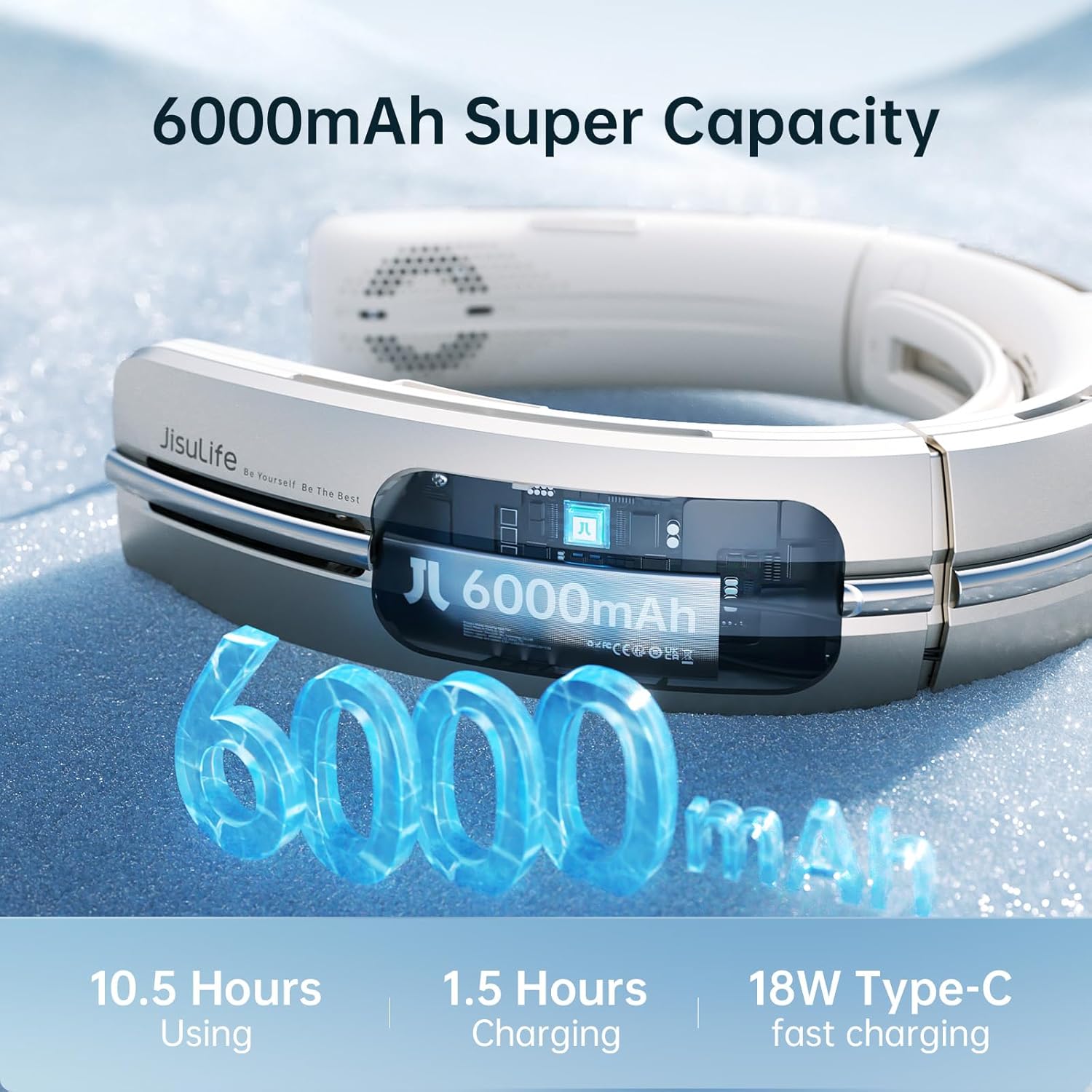
Figure 3.1: The 6000mAh battery provides extended usage and fast charging capabilities.
3.2最初の使用
Once charged, the fan is ready for use. Place the fan around your neck, ensuring the air outlets are positioned comfortably for optimal cooling.
4. 操作手順
4.1 電源オン/オフ
- To power on, press and hold the Power Button located on the side of the fan. The LED display will light up, showing the current wind speed.
- To power off, press and hold the Power Button again until the LED display turns off.
4.2 風速調整
The fan offers 100 levels of wind speed adjustment for precise control over your cooling experience.
- Use the Roller Switch (located near the power button) to adjust the wind speed.
- Roll the switch upwards to increase the wind speed.
- Roll the switch downwards to decrease the wind speed.
- The LED display will show the numerical wind speed level (1-100).

Figure 4.1: Easily adjust the wind speed from 1 to 100 using the roller switch.
4.3 Negative Ion Function
The fan includes a negative ion air purification function to help improve air quality around you.
- To activate the negative ion function, short press the Power Button while the fan is on. A green light on the LED display will indicate that the function is active.
- To deactivate, short press the Power Button again.

Figure 4.2: Activate the negative ion function for cleaner, fresher air.
4.4 Neck Collar Adjustment
The neck collar can be adjusted to fit different neck sizes and optimize airflow.
- Gently push or pull the sides of the neck fan to adjust the width. The fan is designed to pivot up to 15° on each side.
- Ensure a comfortable fit that allows for effective airflow around your neck and face.
4.5使用シナリオ
The JISULIFE Portable Neck Fan is versatile and suitable for a wide range of activities:
- アウトドアアクティビティ: Cycling, hiking, sports, travel, gardening, and more.
- 屋内使用: Office, home, kitchen, school, and general daily use.

Figure 4.3: The fan is designed for comfort and cooling across various activities.
4.6 公式製品ビデオ
ビデオ4.1: 公式製品終了view of the JISULIFE Portable Neck Fan, demonstrating its features and use in various environments.
5. メンテナンス
5.1 クリーニング
Due to its bladeless design, the JISULIFE Neck Fan is easy to clean.
- 清掃する前に、デバイスの電源がオフになっており、プラグが抜かれていることを確認してください。
- 外側の表面は、柔らかく乾いた布で拭いてください。
- For dust accumulation in the air outlets, use a soft brush or compressed air to gently clear them.
- 強力な化学薬品や研磨剤を使用したり、デバイスを水に浸したりしないでください。
5.2 ストレージ
When not in use for extended periods, store the fan in a cool, dry place away from direct sunlight and extreme temperatures. It is recommended to fully charge the device before storing to preserve battery life.
6。 トラブルシューティング
If you encounter any issues with your JISULIFE Portable Neck Fan, please refer to the common problems and solutions below:
| 問題 | 考えられる原因 | 解決 |
|---|---|---|
| デバイスの電源が入りません。 | バッテリー残量が少なくなりました。 | デバイスを完全に充電します。 |
| Fan not blowing air or one side not working (e.g., E2 Error). | Software issue or internal component malfunction. | Try restarting the device. If the issue persists, contact JISULIFE customer support for potential software updates or repair. |
| Wind speed adjustment is unresponsive. | Roller switch malfunction or software glitch. | Restart the device. Ensure the roller switch is clean and free of debris. If unresponsive, contact support. |
| 空気の流れが減少するか、異常なノイズが発生します。 | Blocked air outlets or internal debris. | Clean the air outlets as described in the Maintenance section. |
If you experience any issues not listed above or if the suggested solutions do not resolve the problem, please contact JISULIFE customer support for further assistance.
7. 仕様
| 特徴 | 仕様 |
|---|---|
| ブランド | ジスライフ |
| モデル名 | FA50 |
| 色 | 金 |
| 電動ファンの設計 | ウェアラブルファン |
| 電源 | 電池駆動 |
| バッテリー容量 | 6000mAh(リチウムイオン電池2個付属) |
| 充電時間 | 約1.5時間(18W急速充電時) |
| 運行時間 | 1.5~10.5時間(速度設定により異なります) |
| 製品寸法 | 奥行き2インチ x 幅7.5インチ x 高さ8.4インチ (奥行き51mm x 幅190mm x 高さ213mm) |
| アイテム重量 | 14.8オンス(420グラム) |
| 騒音レベル | 20デシベル |
| パワーレベルの数 | 100 |
| 制御方法 | Touch (Roller Switch, Push Button) |
| 特集 | Negative Ion Air Purification, LED Display, Adjustable Neck Collar |
| 材料 | プラスチック |
| コネクタタイプ | USBタイプC |
8. 保証とサポート
JISULIFE products come with a standard manufacturer's warranty. For detailed warranty information, product support, or to inquire about repairs, please visit the official JISULIFE web公式サイトをご覧いただくか、カスタマーサービスチームに直接お問い合わせください。保証請求の際は、購入証明としてレシートを保管してください。
JISULIFE Customer Service: Please refer to the contact information provided on the product packaging or the official JISULIFE webサイト。
Ask a question about this manual
Ask about setup, troubleshooting, compatibility, parts, safety, or missing instructions. Manuals+ will review the question and use this page’s manual context to help answer it.