
BUFFBEE AK5
Buffbee サウンドマシン(ナイトライト付き)ユーザーマニュアル
Brand: BUFFBEE | Model: AK5
導入
The Buffbee Sound Machine with Night Light is designed to create a soothing environment for improved sleep and relaxation. It features 20 non-looping sleep sounds, customizable glow lights with 10 colors, and can be powered by battery or AC adapter, making it suitable for various settings including nurseries, bedrooms, and travel.

Figure 1: Buffbee Sound Machine with Night Light, showcasing its teal light setting.
安全情報
For safe use of your Buffbee Sound Machine, please observe the following guidelines:
- Always inspect the power cord for any signs of fraying or damage before use. Do not use if damaged.
- Use only the recommended batteries (3 AAA, not included) or the provided AC adapter for power.
- Keep the device away from water or any liquids to prevent electric shock or damage.
- This product is not a toy. Ensure children do not play with the device or its components.
- ご自身でデバイスの分解、修理、改造をしないでください。サポートが必要な場合は、カスタマーサポートにお問い合わせください。
- デバイスが落下しないように、安定した平らな面に置いてください。
設定
The Buffbee Sound Machine offers flexible power options for your convenience.
デバイスに電力を供給する:
- ACアダプタ電源: Connect the included AC adapter to the device's power input port and then plug it into a standard wall outlet. This is recommended for continuous use.
- バッテリー電源: For portable use, insert 3 AAA batteries (not included) into the battery compartment located at the bottom of the device. Ensure correct polarity.

Figure 2: The compact design allows for easy portability, powered by batteries for on-the-go use.
操作手順
Familiarize yourself with the control buttons on the front of the device for optimal use.

Figure 3: The sound machine offers a selection of 20 soothing sounds, including various white noises, fan sounds, and nature sounds.
コントロールオーバーview:

図4:内部 view highlighting the spatial audio feature for enhanced sound quality.

図5:詳細 view of the control panel, indicating functions for each button.
- 電源ボタン(⏻): 押すとデバイスの電源がオンまたはオフになります。
- Sound Selection (⏮ / ⏭): Use these buttons to cycle through the 20 available sleep sounds.
- ライトボタン(💡): Press to turn the night light ON/OFF or to change between the 10 available colors.
- Brightness Control (☀): Adjust the brightness of the night light.
- Volume Control (🔈 / 🔊): Increase or decrease the sound volume.
- Sleep Timer (⏳): Set the device to automatically turn off after 30, 60, or 90 minutes. You can also choose continuous play.
ステップバイステップの操作:
- オンにする: Press the Power button (⏻) to activate the sound machine and night light.
- サウンドを選択: Use the Sound Selection buttons (⏮ / ⏭) to browse through the 20 soothing sounds until you find your preferred one.
- 音量を調整: Use the Volume Control buttons (🔈 / 🔊) to set the desired sound level.
- ナイトライト制御:
- Press the Light button (💡) to turn the light on or off.
- Press the Light button repeatedly to cycle through the 10 available colors.
- Use the Brightness Control button (☀) to adjust the light intensity.
- スリープタイマーを設定する: Press the Sleep Timer button (⏳) to select a shut-off time (30, 60, or 90 minutes) or to enable continuous play. The indicator lights will show the selected timer setting.
- 消す: Press the Power button (⏻) again to turn off the device.
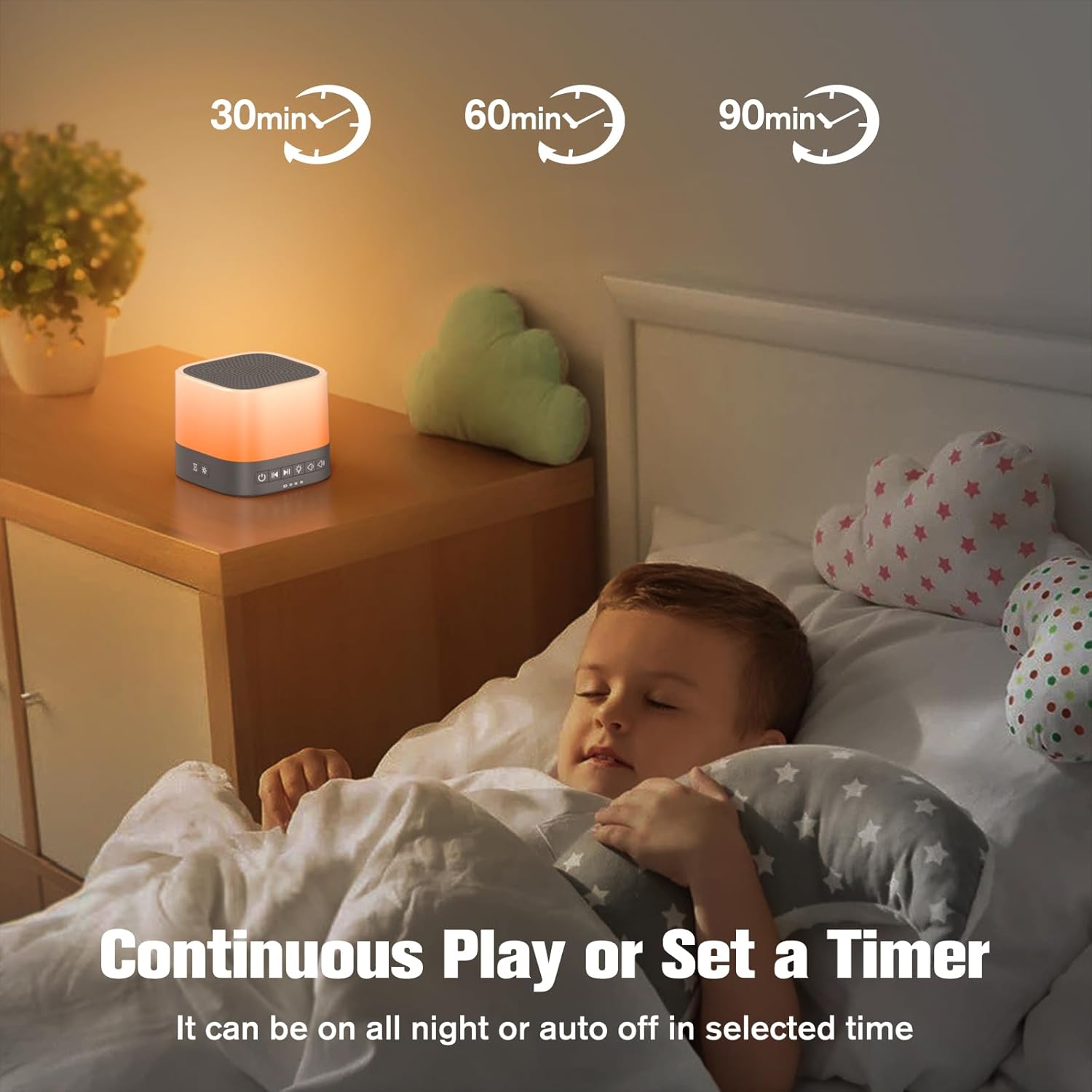
Figure 6: The sleep timer function allows for automatic shut-off after a set duration, or continuous play.
メンテナンス
Proper maintenance ensures the longevity and optimal performance of your sound machine.
- クリーニング: Wipe the device with a soft, dry cloth. Do not use abrasive cleaners, solvents, or immerse in water.
- ストレージ: When not in use for extended periods, store the device in a cool, dry place, away from direct sunlight and extreme temperatures. Remove batteries if storing for a long time.
- バッテリー交換: Replace AAA batteries when the device's performance diminishes or if it fails to power on with batteries.
トラブルシューティング
If you encounter issues with your Buffbee Sound Machine, try the following troubleshooting steps:
| 問題 | 考えられる原因 | 解決 |
|---|---|---|
| デバイスの電源が入らない。 | No power, dead batteries, or faulty adapter. | Ensure AC adapter is securely plugged in. If using batteries, replace with fresh ones. |
| 音が出ない、または音量が低い。 | Volume too low or sound not selected. | Increase volume using the volume up button. Ensure a sound is selected. |
| 夜間照明が機能しません。 | Light turned off or brightness set to minimum. | Press the Light button to turn it on. Adjust brightness using the brightness control. |
| 音質が悪い。 | Interference or device placement. | Move the device away from other electronic devices that may cause interference. Ensure it's on a stable surface. |
If the issue persists after attempting these steps, please contact Buffbee customer support for further assistance.
仕様
| 特徴 | 詳細 |
|---|---|
| モデル名 | Buffbee Sound Machine with Night Light |
| 商品型番 | AK5 |
| ブランド | バフビー |
| 電源 | Battery Powered (3 AAA, not included) or AC Adapter |
| 材料 | プラスチック |
| サウンドオプション | 20 Non-Looping Soothing Sleep Sounds |
| 夜間照明の色 | 10 Customizable Glow Lights |
| タイマーオプション | 30分、60分、90分、または連続再生 |
| パッケージ寸法 | 5.47 x 4.02 x 3.46インチ |
| アイテム重量 | 11.99オンス |
保証とサポート
For warranty information or technical support, please contact BUFFBEE customer service. Refer to the product packaging or the official BUFFBEE web連絡先の詳細についてはサイト。
オンラインサポート: Visit the BUFFBEE Store on Amazon
Ask a question about this manual
Ask about setup, troubleshooting, compatibility, parts, safety, or missing instructions. Manuals+ will review the question and use this page’s manual context to help answer it.