1. はじめに
Thank you for choosing the Ankbit E600 Wireless Over-Ear Bluetooth Headphones. These headphones are designed to provide a superior audio experience with advanced features for both music enjoyment and clear communication. Please read this manual carefully before using the product to ensure proper operation and to maximize its lifespan.
主な特徴:
- ハイレゾオーディオ: Equipped with LDAC, AptX, and AptX HD codecs, along with integrated 40mm dynamic drivers, for high-definition sound and incredible musical detail.
- 効果的なノイズキャンセリング: Features active noise cancellation to reduce ambient distractions, allowing you to focus on your audio.
- クリアな通話品質: Qualcomm cVc Echo 8.0 Noise Cancellation and Suppression (ECNS) technology ensures clear calls even in noisy environments.
- 快適なオーバーイヤーデザイン: Designed for extended wear with a circum-aural form factor.
- 直感的なタッチコントロール: Manage your audio playback and calls with simple touch gestures.
2. 安全情報
安全で適切な操作を確保するために、以下の注意事項を守ってください。
- ヘッドフォンを極端な温度、湿度、腐食性物質にさらさないでください。
- ヘッドホンを落としたり、強い衝撃を与えたりしないでください。
- このヘッドフォンは 防水ではありません. Avoid contact with water or other liquids.
- Do not attempt to disassemble, repair, or modify the headphones yourself. This will void the warranty and may cause damage or injury.
- Prolonged listening at high volume levels can cause permanent hearing damage. Adjust the volume to a safe and comfortable level.
- Exercise caution when using headphones in situations where you need to be aware of your surroundings, such as while driving, cycling, or walking in traffic.
- お子様やペットの手の届かない場所に保管してください。
3. パッケージ内容
開封したらパッケージの内容を確認してください:
- Ankbit E600 Wireless Over-Ear Bluetooth Headphones
- 充電ケーブル
- ユーザーマニュアル(このドキュメント)
4.製品オーバーview
Familiarize yourself with the components and controls of your Ankbit E600 headphones.

Figure 4.1: Ankbit E600 Headphones - Front View. This image shows the overall design of the black over-ear headphones, highlighting the earcups and headband.

Figure 4.2: Ankbit E600 Headphones - Side View with Controls. This image provides a closer look at the right earcup, showing the power button, volume controls, and other touch-sensitive areas.
コントロールとインジケーター:
- 電源ボタン: ヘッドフォンのオン/オフや Bluetooth ペアリングの開始に使用します。
- ボリュームコントロール: オーディオの音量を上げたり下げたり調整します。
- Multi-function Touch Area: For playback control (play/pause, skip tracks) and call management (answer/end calls).
- ANCボタン: Activates or deactivates the Active Noise Cancellation feature.
- LEDインジケーター: 電源状態、ペアリング モード、充電状態を表示します。
- USB-C充電ポート: 充電ケーブルを接続します。
- マイクロフォン: 音声通話用。
5. セットアップ
5.1 ヘッドホンの充電
Before first use, fully charge your Ankbit E600 headphones.
- Connect the provided charging cable to the USB-C charging port on the headphones.
- ケーブルのもう一方の端を USB 電源アダプター (別売) またはコンピューターの USB ポートに接続します。
- The LED indicator will show the charging status. It typically takes approximately 2時間 フル充電まで。
- Once fully charged, the LED indicator will change (e.g., turn off or change color) to indicate completion. Disconnect the charging cable.
Note: The headphones use a Lithium-polymer battery. For optimal battery life, avoid completely draining the battery frequently.
5.2Bluetoothペアリング
To connect your headphones to a Bluetooth-enabled device (e.g., smartphone, tablet, TV), follow these steps:
- 電源オン: Press and hold the Power button on the headphones until the LED indicator lights up.
- ペアリングモードに入る: If this is the first time pairing, the headphones will automatically enter pairing mode, and the LED indicator will flash (e.g., blue and red alternately). If not, press and hold the Power button for an extended period (e.g., 5-7 seconds) until the LED flashes rapidly.
- デバイスで Bluetooth を有効にします。 Go to the Bluetooth settings on your smartphone, tablet, or other device.
- 検索する デバイス: Bluetoothを有効にして、利用可能なデバイスを検索します。
- Select "Ankbit E600": From the list of found devices, select "Ankbit E600".
- 接続を確認: Once connected, the LED indicator on the headphones will stop flashing and may glow solid blue. A voice prompt may also confirm the connection.
Note: The headphones will automatically try to reconnect to the last paired device when powered on. If connection fails, repeat the pairing steps.
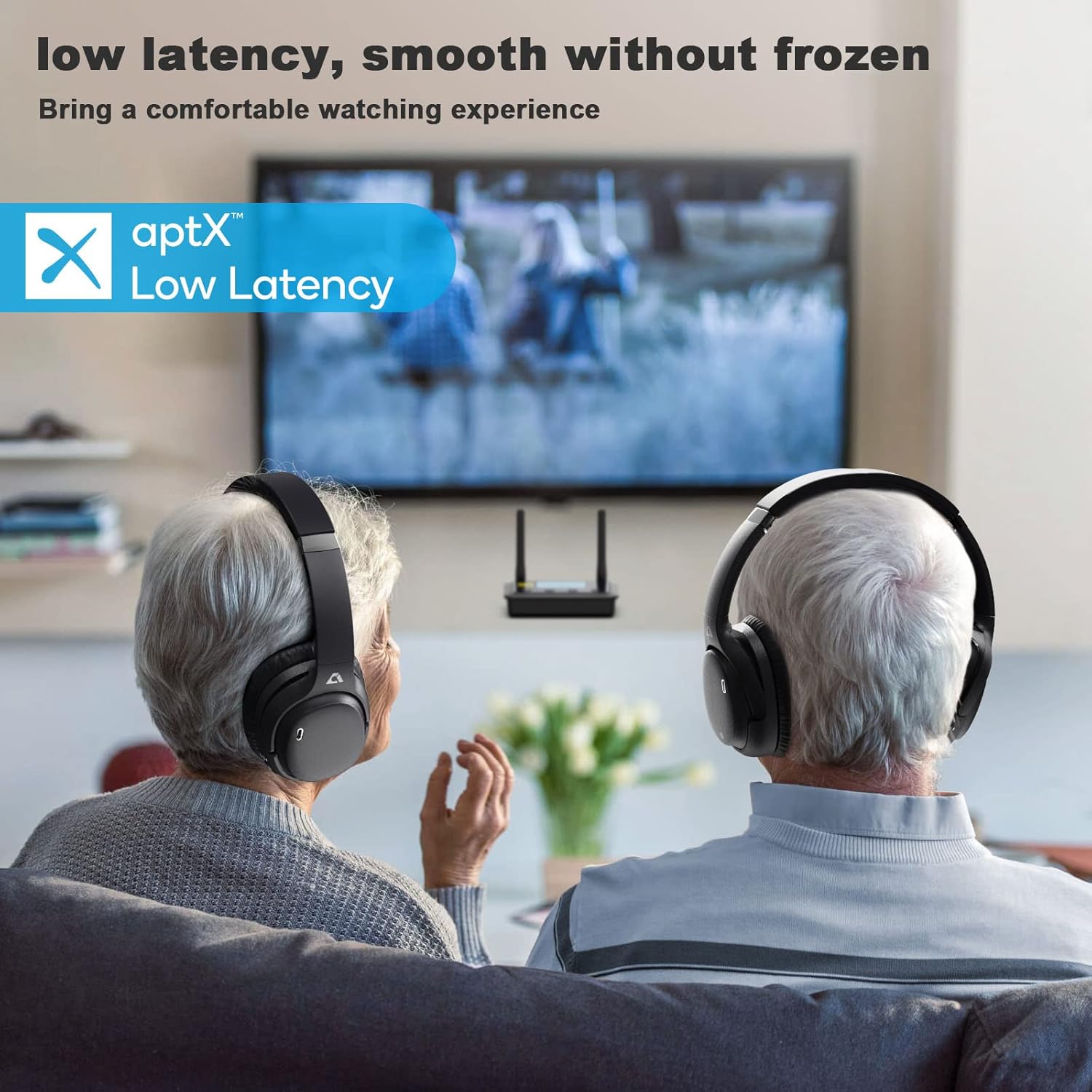
Figure 5.1: Headphones in Use with TV. This image illustrates the headphones being used with a television, emphasizing their low latency capabilities for a smooth viewing の経験。
6. 操作手順
6.1 電源オン/オフ
- 電源オン: Press and hold the Power button for approximately 2-3 seconds until the LED indicator lights up and you hear a power-on prompt.
- 電源を切る: LED インジケータが消え、電源オフのプロンプトが聞こえるまで、電源ボタンを約 3 ~ 4 秒間押し続けます。
6.2音楽の再生
- 再生/一時停止: Tap the Multi-function Touch Area once.
- ボリュームアップ: Tap the Volume Up (+) button.
- ボリュームダウン: Tap the Volume Down (-) button.
- 次のトラック: Double-tap the Multi-function Touch Area.
- 前のトラック: Triple-tap the Multi-function Touch Area.
6.3 通話管理
- 通話の応答/終了: Tap the Multi-function Touch Area once during an incoming call or an active call.
- 通話を拒否: Press and hold the Multi-function Touch Area for approximately 2 seconds during an incoming call.
- 音声アシスタント: Press and hold the Multi-function Touch Area for approximately 1 second to activate your device's voice assistant (Siri, Google Assistant, etc.).
6.4 アクティブノイズキャンセレーション(ANC)
- ANCをアクティブにします。 ANCボタンを1回押します。ANCインジケーターライトが点灯します。
- ANCを非アクティブ化: ANCボタンをもう一度押すと、ANCインジケーターライトが消灯します。
7. メンテナンスとケア
- クリーニング: ヘッドホンのお手入れには、柔らかく乾いた糸くずの出ない布をご使用ください。研磨剤入りの洗剤、アルコール、化学溶剤は使用しないでください。
- ストレージ: 使用しないときは、ヘッドフォンを直射日光や極端な温度を避け、涼しく乾燥した場所に保管してください。
- バッテリーのケア: To preserve battery life, charge the headphones regularly, even if not used for extended periods (e.g., once every 3 months).
- 湿気を避ける: As the headphones are not waterproof, keep them away from rain, spills, and excessive sweat.
8。 トラブルシューティング
| 問題 | 考えられる原因 | 解決 |
|---|---|---|
| ヘッドホンの電源が入りません。 | バッテリー残量が少なくなりました。 | ヘッドホンを完全に充電してください。 |
| デバイスとペアリングできません。 | ヘッドフォンがペアリングモードになっていません。デバイスの Bluetooth がオフになっています。デバイスが遠すぎます。 | Ensure headphones are in pairing mode. Turn Bluetooth on your device. Move device closer to headphones (within 10 meters). Clear previous pairings on your device and try again. |
| 音が出ない、または音が歪む。 | 音量が低すぎる、ヘッドフォンが接続されていない、オーディオソースの問題。 | Increase volume on headphones and device. Reconnect headphones. Check audio source (e.g., app, media player). |
| 通話品質が悪い。 | 信号が弱い、環境ノイズがある、マイクが邪魔になっている。 | Move closer to your device. Ensure microphone is not covered. Try moving to a quieter environment. |
| ANC が効果的に機能していません。 | ANC not activated; specific noise types. | Ensure ANC is activated (check indicator light). ANC is most effective against low-frequency, constant noise. |
9. 仕様
| 特徴 | 詳細 |
|---|---|
| ブランド | Ankbit |
| モデル名 | E600 |
| モデル番号 | アンクビット E600 |
| 接続技術 | ワイヤレス(Bluetooth) |
| フォームファクター | オーバーイヤー(耳覆い型) |
| 耳の位置 | オーバーイヤー |
| 特集 | Active Noise Cancellation, LDAC, AptX, AptX HD, Qualcomm cVc Echo 8.0 |
| コントロールタイプ | タッチコントロール |
| 周波数範囲 | 20 Hz - 20,000 Hz |
| 重さ | 250グラム |
| バッテリー構成 | リチウムポリマー |
| 充電時間 | 約2時間 |
| 耐水性レベル | 防水ではありません |
| 推奨用途 | Music, Gaming, Calls, Watching TV/Movies |
| 対応デバイス | Television, other Bluetooth-enabled devices |
10. 保証とサポート
Ankbit products are designed and manufactured to the highest quality standards. For information regarding warranty coverage, please refer to the warranty card included with your product or visit the official Ankbit webサイト。
- スペアパーツの入手可能性: 情報は入手できません。
- ソフトウェア更新の保証期間: 情報は入手できません。
For technical support, troubleshooting assistance, or any other inquiries, please contact Ankbit customer service through their official channels. Details can typically be found on the product packaging or the official brand webサイト。