
導入
Thank you for choosing the LC-dolida Bluetooth Headband Headphones. This manual provides detailed instructions on how to set up, operate, and maintain your device. Please read this manual thoroughly before use to ensure optimal performance and longevity of your product.
パッケージ内容
パッケージに以下の項目が含まれているか確認してください。
- LC-dolida Bluetooth Headband Headphones (Model LC001)
- USB充電ケーブル
- ユーザーマニュアル
不足または破損した商品がある場合は、カスタマー サポートにお問い合わせください。
製品終了view
The LC-dolida Bluetooth Headband Headphones (Model LC001) are designed for versatile use, combining a comfortable headband with integrated audio technology. They are suitable for various activities including sleep, sports, and general audio listening.

画像: 正面 view of the LC-dolida Bluetooth Headband Headphones, highlighting the control panel.
主な特徴:
- 3-in-1デザイン: Functions as a sports headband, sleep mask, and Bluetooth headphones.
- 快適な素材: Made from highly elastic, breathable, and sweat-wicking fabric.
- Ultra-Thin Speakers: Designed for comfort, especially for side sleepers, with adjustable positioning.
- Bluetooth 5.2接続: Provides stable connections and clear audio.
- 内蔵マイク: ハンズフリー通話が可能になります。

Image: Visual representation of the headband's material properties: soft, sweat-absorbing, elastic, and breathable.

Image: Depiction of the headband's comfort for side sleepers, highlighting the super thin speakers and zero pressure design.
設定
1. 初期充電
- Connect the provided USB charging cable to the charging port on the headband.
- USB ケーブルのもう一方の端を USB 電源アダプタ (別売) またはコンピュータの USB ポートに接続します。
- 充電中はLEDインジケーターライトが点灯します。
- A full charge typically takes 1-2 hours. The LED indicator will change or turn off once charging is complete.

Image: Visual guide for charging time (2 hours) and approximate playtime (14 hours).
2.Bluetoothペアリング
- ヘッドバンドが完全に充電されていることを確認してください。
- Press and hold the Power button on the control panel until the LED indicator light flashes blue and red, indicating pairing mode.
- デバイス(スマートフォン、タブレットなど)で Bluetooth を有効にし、利用可能なデバイスを検索します。
- Select "LC-dolida" from the list of devices.
- 接続されると、通常、LED インジケーターは青色に点灯するか、青色でゆっくり点滅します。
- 自動再接続: After the initial pairing, the headband will automatically attempt to connect to the last paired device when powered on, provided the device's Bluetooth is active and within range.
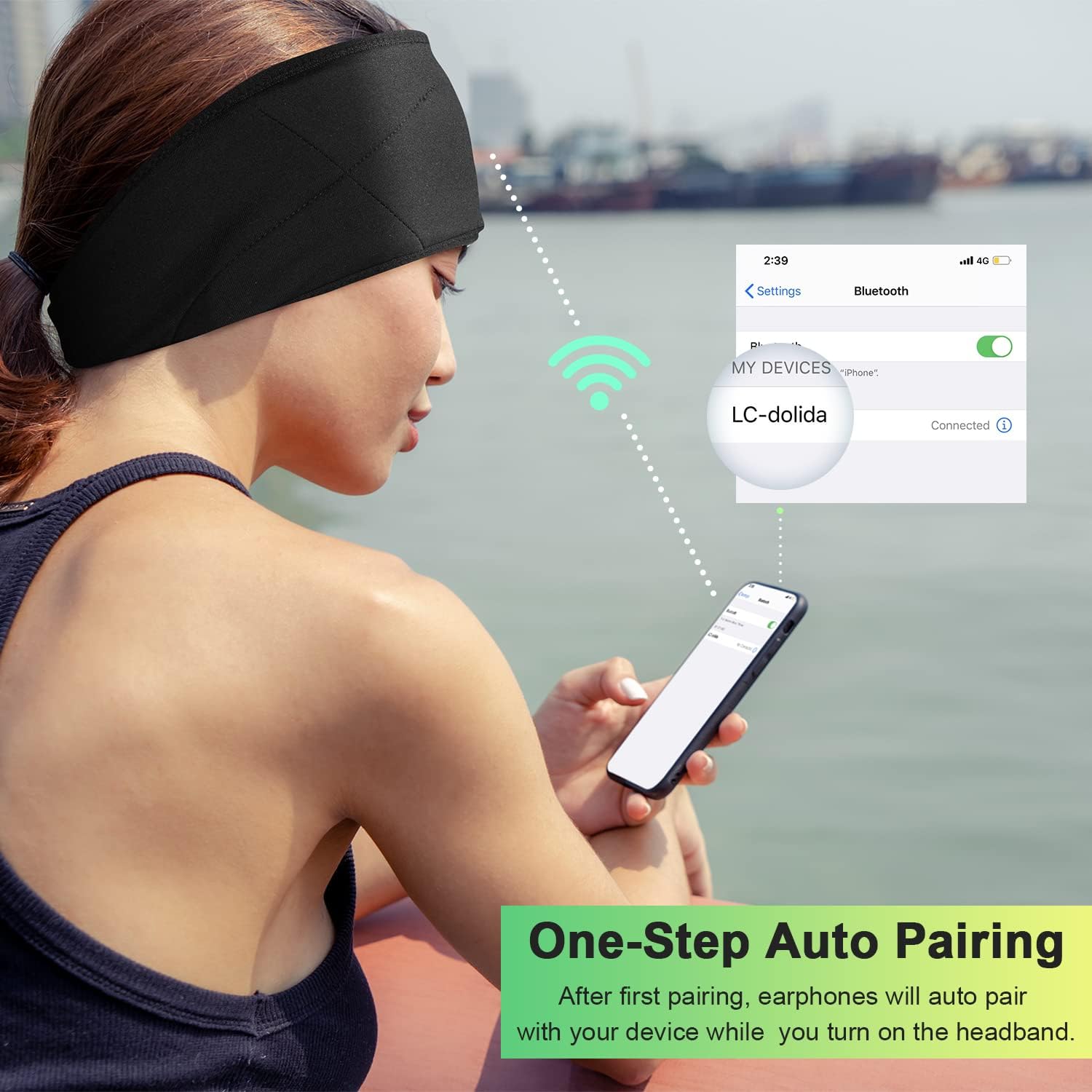
Image: Illustration of the one-step auto pairing process with a smartphone.

Image: Visual confirmation of strong compatibility with various Bluetooth-enabled devices (Android, iOS, Windows).
操作手順
コントロールパネルの機能
The control panel on the headband allows you to manage power, music playback, and calls.
- 電源オン/オフ: Press and hold the Power button (center button) for approximately 3 seconds.
- 音楽の再生/一時停止: 電源ボタンをXNUMX回押します。
- ボリュームアップ: 「+」ボタンを押します。
- ボリュームダウン: 「-」ボタンを押します。
- 次のトラック: 「+」ボタンを2秒間押し続けます。
- 前のトラック: 「-」ボタンを2秒間押し続けます。
- 通話の応答/終了: 電源ボタンをXNUMX回押します。
- 通話を拒否: 電源ボタンを2秒間押し続けます。
- 最後の番号にリダイヤル: 電源ボタンを2回押します。

Image: Visual highlighting of the HIFI music and HD stereo sound capabilities.
スピーカー調整
The ultra-thin speakers inside the headband can be gently moved to align with your ears for optimal sound and comfort. Simply slide them within the fabric casing to find your preferred position.
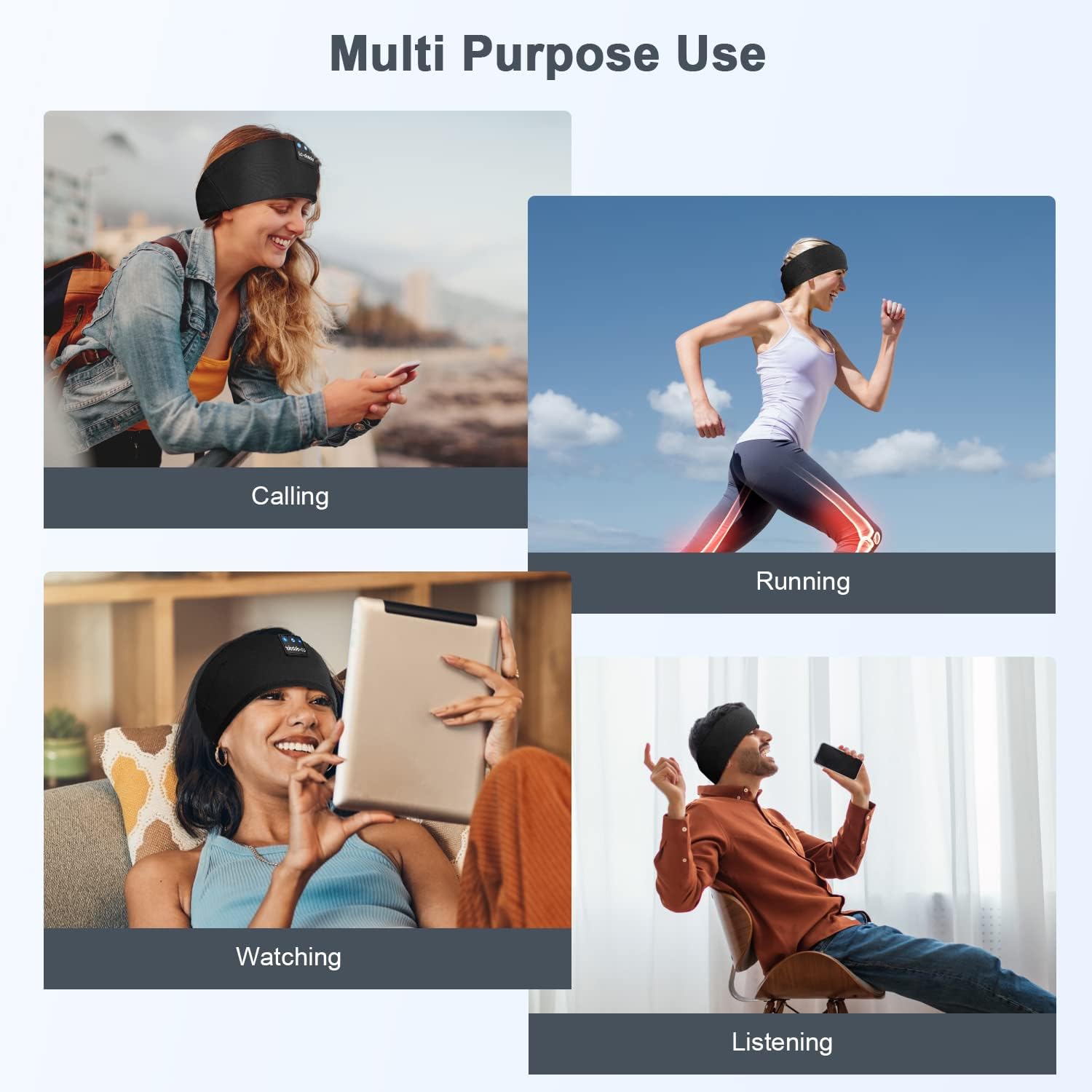
画像: Examples of multi-purpose use, including hands-free calling, running, watching media, and general listening.
メンテナンス
Cleaning the Headband
- Before cleaning, ensure the headband is powered off and disconnected from any charging source.
- Gently remove the electronic module (control panel and speakers) from the fabric headband.
- The fabric headband can be hand-washed with mild soap and cold water. Do not machine wash or tumble dry.
- Allow the fabric headband to air dry completely before reinserting the electronic module.
- Wipe the electronic module with a dry, soft cloth. Do not immerse it in water.
ストレージ
- ヘッドバンドは直射日光や極端な温度を避け、涼しく乾燥した場所に保管してください。
- Avoid placing heavy objects on the headband to prevent damage to the speakers or internal components.
トラブルシューティング
| 問題 | 考えられる原因 | 解決 |
|---|---|---|
| Headband does not power on. | バッテリー残量が少なくなりました。 | ヘッドバンドを1〜2時間充電します。 |
| デバイスとペアリングできません。 | Bluetooth is off on your device; headband is not in pairing mode; device is too far. | Ensure Bluetooth is enabled on your device. Put the headband into pairing mode (flashing blue/red LED). Move device closer to the headband. |
| 音が出ない、または音量が低い。 | Volume too low on headband or device; speakers misaligned; connection issue. | Increase volume on both the headband and your device. Adjust speaker position within the headband. Re-pair the device. |
| 接続が断続的です。 | デバイスが遠すぎる、干渉がある、バッテリー残量が少ない。 | Move closer to your device. Avoid strong electromagnetic interference. Charge the headband. |
| マイクが機能しません。 | マイクがブロックされています。デバイスの設定。 | Ensure the microphone area is clear. Check your device's audio input settings. |
ここに記載されていない問題が発生した場合は、保証とサポートのセクションを参照してください。
仕様
| モデル名 | LC001 |
| 接続技術 | ワイヤレス(Bluetooth) |
| Bluetoothバージョン | 5.2 |
| Bluetooth範囲 | 45フィート |
| オーディオドライバータイプ | ダイナミックドライバ |
| 周波数範囲 | 20Hz - 20,000Hz |
| バッテリー寿命 | Up to 13 Hours (Playback) |
| 充電時間 | 1~2時間 |
| コントロールタイプ | メディアコントロール(ボタン) |
| 耐水性レベル | 耐水性はありません |
| アイテム重量 | 2.89オンス |
| パッケージ寸法 | 7.95 x 3.98 x 0.94インチ |
注:仕様は予告なく変更される場合があります。
保証とサポート
メーカー保証
This LC-dolida product comes with a one-year manufacturer's warranty from the date of purchase, covering defects in materials and workmanship under normal use.
Additionally, a 30-day satisfaction guarantee allows for a refund within 30 days of purchase if you are not satisfied with the product.
カスタマーサポート
For any questions, technical assistance, or warranty claims, please contact our after-sales team via email. We aim to provide a satisfactory solution within 6 hours.
Please visit the official LC-dolida web具体的な連絡先情報については、サイトまたは購入プラットフォームをご覧ください。