
Baseus PPBLD100HD
Baseus Power Bank, 20000mAh 100W PD Fast Charging Portable Charger
取扱説明書
製品終了view
The Baseus 20000mAh 100W PD Fast Charging Portable Charger is a high-capacity power bank designed for efficient and rapid charging of a wide range of devices, including laptops, tablets, and smartphones. Its slim and lightweight design makes it highly portable, while the integrated digital display provides real-time charging status. This power bank incorporates advanced safety features to ensure reliable operation.

Figure 1: Baseus Power Bank with included USB-C cable.
セットアップと初期使用
箱の中身
Upon unboxing your Baseus Power Bank, ensure all components are present:
- 1 x Baseus 100W Laptop Power Bank (20000mAh)
- USB-C - USB-C ケーブル x 1
- ユーザーマニュアル (本書) x 1

Figure 2: Packaging contents including the power bank, USB-C cable, and user manual.
パワーバンクの初期充電
Before first use, it is recommended to fully charge your Baseus Power Bank. Connect the included USB-C to USB-C cable to one of the power bank's USB-C input/output ports and to a compatible 65W USB-C PD wall charger (not included). The power bank supports 60W input, allowing for a full recharge in approximately 1.5 hours.

Figure 3: The power bank connected to a wall charger for fast recharging.
操作手順
デジタルディスプレイの理解
The integrated LED digital display provides essential information about the power bank's status:
- バッテリー残量: 現在のバッテリー残量を表示しますtage.
- 充電電力: リアルタイムのボリュームを表示しますtageと amperage of the charging process.
- Charging Time Left: Indicates the estimated time until the power bank is fully recharged or until the connected device is fully charged.
- An orange lightning icon signifies fast charging is active.

Figure 4: The digital display showing battery percentage, charging power, and time remaining.
デバイスの充電
The Baseus Power Bank features two USB-C ports (PD 3.0 and PPS certified) and two USB-A ports, allowing for versatile charging options.
- 100W電力供給: One USB-C port can deliver up to 100W output, capable of fast charging a MacBook Pro 14-inch up to 50% in approximately 30 minutes.
- 複数デバイスの充電: Charge up to four devices simultaneously using the combination of USB-C and USB-A ports.

Figure 5: The power bank providing 100W fast charging to a laptop.

図6:以上view of the power bank's 20000mAh capacity and four charging ports.

Figure 7: The power bank simultaneously charging a laptop, tablet, smartphone, and earbuds.
BPS Technology
Baseus Power Split (BPS) technology automatically allocates the optimal power to devices being charged, ensuring efficient and safe charging for all connected devices.
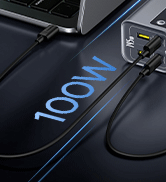
Figure 8: Visual representation of BPS technology for intelligent power distribution.
パススルー充電
The power bank supports pass-through charging, allowing you to recharge the power bank itself while simultaneously charging other devices connected to it.

Figure 9: Illustration of the power bank being charged while also charging other devices.
幅広い互換性
This power bank is compatible with a wide array of electronic devices, including:
- ノートパソコン: MacBook, Chromebook, Surface Pro, Windows OS devices.
- スマートフォン: iOS devices (iPhone Series), Android devices (Samsung Series).
- タブレット: iPad, Samsung Tab.
- 他の: AirPods, handheld fans, iWatch, gaming consoles (Steam Deck).

Figure 10: Visual guide to the various devices compatible with the power bank.
Airline Friendly Design
With its 20000mAh capacity, the Baseus Power Bank meets most airline regulations for carry-on luggage, making it an ideal travel companion.
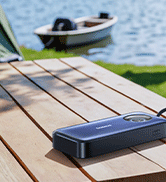
Figure 11: The power bank is designed to be safe for air travel.
メンテナンス
To ensure the longevity and optimal performance of your Baseus Power Bank, follow these maintenance guidelines:
- クリーニング: パワーバンクの外側を拭く際は、柔らかく乾いた布をご使用ください。刺激の強い化学薬品や研磨剤の使用は避けてください。
- ストレージ: パワーバンクは、直射日光、極端な温度、湿度を避け、涼しく乾燥した場所に保管してください。
- バッテリーのケア: For optimal battery health, avoid fully discharging the power bank frequently. Recharge it when the battery level is low.
- 物理的損傷を避ける: 落下、衝撃、過度の圧力からデバイスを保護します。
トラブルシューティング
If you encounter any issues with your Baseus Power Bank, refer to the following common troubleshooting steps:
| 問題 | 考えられる原因 | 解決 |
|---|---|---|
| パワーバンクが充電されない | Faulty cable or adapter; power bank fully charged; loose connection. | Check cable and adapter; ensure secure connection; if fully charged, no action needed. |
| デバイスがパワーバンクから充電されない | Incompatible cable; device fully charged; power bank low on battery; incorrect port used. | Use original or certified cable; check device battery; recharge power bank; ensure correct port (USB-C for PD). |
| 充電速度が遅い | Non-fast charging cable/adapter; multiple devices connected; device not supporting fast charge. | Use PD-compatible cable/adapter; disconnect other devices; ensure device supports fast charging. |
| デジタル表示が動作しない | パワーバンクがオフ。一時的なソフトウェアの不具合です。 | Press power button to activate; try connecting/disconnecting a device. |
The power bank is equipped with multiple safety protections, including Short-circuit protection, Over-discharge protection, Over-heat protection, Over-charge protection, Over-power protection, Restore protection, Over-current protection, Electromagnetic field protection, and Over-voltage protection. If an issue persists, contact customer support.

図12:以上view of the power bank's built-in safety features.
製品仕様
| 特徴 | 詳細 |
|---|---|
| モデル番号 | 型番 |
| バッテリー容量 | 20000ミリamp 営業時間 |
| 製品寸法 | 5.27 x 5.27 x 0.77インチ |
| アイテム重量 | 15.7オンス |
| コネクタタイプ | USB タイプ C、USB タイプ A |
| 特集 | Digital Display, Short Circuit Protection, Slim, Over Charging Protection, Fast Charging |
| 色 | マットブラック |
| メーカー | ベースス |
公式製品ビデオ
Watch these official videos from Baseus for more information and demonstrations of the power bank's features.
Baseus Blade Power Bank for Travel
This video demonstrates the Baseus Blade Power Bank's portability and suitability for travel, highlighting its compact design and ease of use on the go.
保証とサポート
Baseus products typically come with a standard manufacturer's warranty. Please refer to the warranty card included in your product packaging for specific terms and conditions. For further assistance, technical support, or warranty claims, please visit the official Baseus webサイトをご覧いただくか、カスタマー サービスに直接お問い合わせください。
You can also find additional support and resources, including a downloadable PDF user manual, at the following link:
Ask a question about this manual
Ask about setup, troubleshooting, compatibility, parts, safety, or missing instructions. Manuals+ will review the question and use this page’s manual context to help answer it.