
導入
This manual provides essential information for the safe and effective use of your Paladone Green Xbox Icons Light. Please read these instructions carefully before use and retain them for future reference.

The Paladone Green Xbox Icons Light, featuring the iconic Xbox logo and sphere, illuminated in a vibrant green hue.
安全情報
- 小児の手の届かない場所に保管: この商品はおもちゃではありません。
- 屋内使用のみ: 雨や湿気にさらさないでください。
- 電源: Use only the provided USB cable or 3x AAA batteries. Do not mix old and new batteries, or different types of batteries.
- 極端な温度を避けてください: Do not operate in excessively hot or cold environments.
- クリーニング: 清掃する前に電源を切ってください。柔らかく乾いた布を使用してください。液体洗剤は使用しないでください。
- 廃棄: Dispose of batteries and the product responsibly according to local regulations.
パッケージ内容
箱を慎重に開梱し、すべてのアイテムが揃っていることを確認します。
- 1 x Paladone Green Xbox Icons Light Unit
- 1 x USB電源ケーブル

The product packaging, indicating the Xbox Icons Light and its features.
設定
Your Xbox Icons Light can be powered by either the included USB cable or 3x AAA batteries (not included).
Powering via USB:
- Insert the small end of the USB cable into the USB port on the back of the light unit.
- Insert the large end of the USB cable into a powered USB port (e.g., computer, USB wall adapter, game console).
Powering via Batteries:
- ライトユニットの下側にある電池ボックスを見つけます。
- 電池ボックスのカバーを開きます。
- 正しい極性 (+/-) を確認して、単 4 電池 3 本を挿入します。
- 電池カバーをしっかりと閉じてください。

The Xbox Icons Light can be powered using the included USB cable or 3x AAA batteries (not included).
操作手順
The Xbox Icons Light features a power button, typically located on the base or side of the unit. Press this button to cycle through the available lighting modes.
オン/オフするには:
- 電源ボタンをXNUMX回押すと、ライトが点灯します。
- Continue pressing the power button to cycle through the lighting modes.
- Press the power button after the last lighting mode to turn the light off.

The Xbox Icons Light offers dynamic phasing and pulsing light modes for varied visual effects.
照明モード
The Paladone Green Xbox Icons Light offers three distinct lighting modes:
- 標準モード: The light remains steadily illuminated.
- Shifting Mode: The light transitions between different brightness levels or sections.
- Pulsing Mode: The light gently pulses, creating a dynamic effect.
Press the power button repeatedly to switch between these modes.
メンテナンス
クリーニング:
- Ensure the light is turned off and disconnected from any power source before cleaning.
- 柔らかく乾いた、糸くずの出ない布で表面を拭いてください。
- 仕上げを傷める恐れがあるため、研磨剤入りの洗剤、溶剤、または強力な化学薬品は使用しないでください。
バッテリー交換:
- If using batteries, replace all three AAA batteries when the light dims or stops functioning.
- Follow the instructions in the 'Powering via Batteries' section under 'Setup' for safe battery replacement.
- Always dispose of used batteries according to local environmental guidelines.
トラブルシューティング
| 問題 | 考えられる原因 | 解決 |
|---|---|---|
| ライトが点灯しません。 | 電源が供給されていないか、電池が消耗しています。 | Check USB cable connection or replace AAA batteries. |
| 光が暗かったりちらついたりします。 | バッテリー残量が少なくなっています。 | Replace AAA batteries or use USB power. |
| 照明モードを変更できません。 | Power issue or button malfunction. | Ensure stable power. If problem persists, contact support. |
仕様
| 特徴 | 詳細 |
|---|---|
| モデル番号 | PP8961XB |
| 寸法(長さ×幅×高さ) | 12.45cm×4.92cm×2.91cm |
| アイテム重量 | 16オンス(約453グラム) |
| 材料 | プラスチック |
| 電源 | USB Cable (included) or 3x AAA Batteries (not included) |
| 電球の種類 | 導かれた |
| ライトの数 | 1 |
| 巻tage | Operates on low voltage DC (5V via USB, 4.5V via AAA batteries). Listed specification: 230 Volts (AC) for power adapter compatibility (adapter not included). |
| 特集 | ダイナミックPhasing and Pulsing Light Modes |
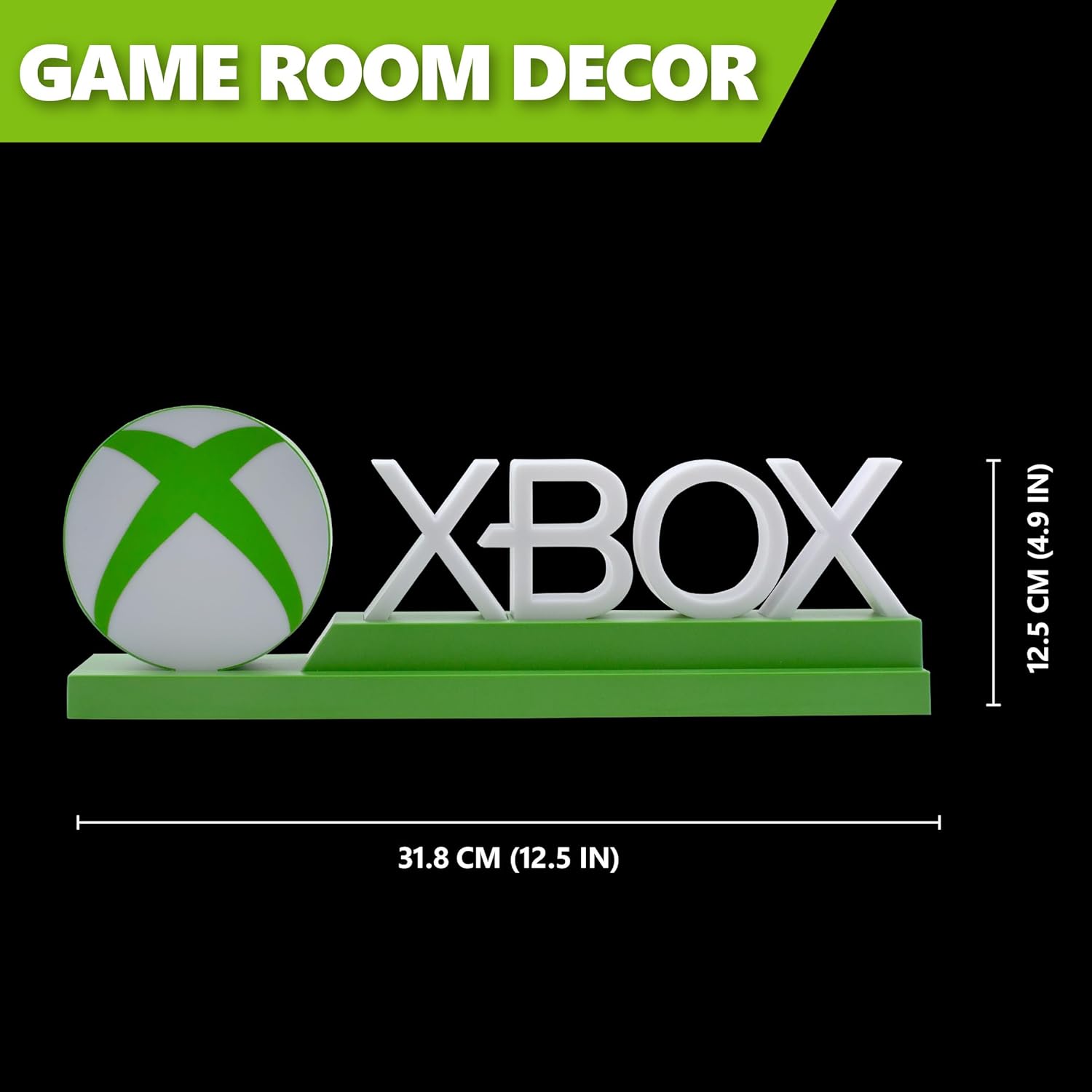
Detailed dimensions of the Xbox Icons Light, measuring 31.8 cm (12.5 inches) in width and 12.5 cm (4.9 inches) in height.
保証とサポート
For warranty information, product support, or to inquire about replacement parts, please refer to the retailer where the product was purchased or visit the official Paladone webサイトでご確認ください。保証請求に備えて購入証明書を保管してください。
Paladone Official Webサイト: パラドン