
UBITracer ZT-28E
UBITracer Multi-Sensor GPS User Manual
Model: ZT-28E
1. はじめに
The UBITracer ZT-28E is a state-of-the-art multi-sensor GPS device designed for comprehensive asset tracking and environmental monitoring. It combines precise location capabilities with medical-grade temperature sensing, making it an ideal solution for a wide range of applications, from logistics and cold chain management to personal asset security.
主な機能は次のとおりです。
- 驚異的なバッテリー寿命: Up to 5 years in low-frequency reporting mode.
- Award-Winning Technology: Recognized at the IoT World Forum & Mobile World Congress.
- 多用途なアプリケーション: Suitable for enterprises, contractors, cold chain, and personal use.
- グローバルサービス Worldwide cellular data in 180+ countries.
- Enhanced Location Accuracy: Wi-Fi-assisted tracking for improved urban and indoor accuracy.
- 高度な監視: Rugged, water-resistant, temper-proof design.

Figure 1.1: UBITracer ZT-28E device and mobile application interface.
2. 箱の中身
Upon opening your UBITracer ZT-28E package, please verify that all the following components are included:
- UBITracer ZT-28E Device
- ZT-28E Quick Starter Guide & Application User Manual
- 充電ケーブル
- マジックテープ

Figure 2.1: Package contents of the UBITracer ZT-28E.
3. セットアップ
To begin using your UBITracer ZT-28E, follow these steps:
- デバイスを充電します。 Connect the provided charging cable to the device's charging port and a USB power source. Ensure the device is fully charged before first use.
- デバイスの登録: Download the UBITracer mobile application from your device's app store. Follow the in-app instructions to register your ZT-28E device. This typically involves scanning a QR code or entering the serial number (SN) and activation code (CODE) found on the device. For detailed instructions, refer to the included Quick Starter Guide.
- Select a Service Plan: A subscription is required for the device to function. The UBITracer app will guide you through selecting a suitable service plan. Plans start from $9.99/month for annual billing.
- 配置: Position the device in a location that allows for optimal GPS signal reception. For best results, avoid placing it in enclosed metal containers or areas with significant signal obstruction.
For a comprehensive installation guide, please refer to the official インストールマニュアル(PDF).
4.デバイスの操作
The UBITracer ZT-28E operates by collecting and transmitting location and temperature data to the UBITracer platform, accessible via the mobile app or web ポータル。
4.1. 位置追跡
The device utilizes GPS and Wi-Fi-assisted positioning for accurate location tracking. In urban and indoor settings, Wi-Fi assistance improves accuracy, typically resulting in a variance of less than 60 feet.

図4.1:例ample of location tracking history in the UBITracer app.
4.2. 温度監視
The ZT-28E is equipped with a medical-grade temperature sensor, providing precise temperature data. You can set customizable alerts within the app to be notified if temperatures exceed or fall below predefined thresholds.

Figure 4.2: Temperature monitoring and alert settings.
4.3. Battery Life and Reporting Frequency
The device offers exceptional battery longevity, which varies based on the reporting frequency:
- Low-Frequency Mode (twice a day): Approximately 4-5 years.
- 4時間ごと: 約1.5年。
- Every hour: 約4ヶ月です。
- 10分ごとに: Approximately 4 weeks.
You can adjust the reporting frequency via the UBITracer mobile application to optimize battery life according to your tracking needs.
4.4. 多用途なアプリケーション
The UBITracer ZT-28E is designed for a multitude of uses:
- 企業: Equipment, trailer, container, reefer, pallet tracking.
- 請負業者: Toolbox, truck monitoring.
- Cold Chain Management: Fridges, cooler boxes, medical samples, vaccines.
- 個人使用: Car, second home, pet, luggage, backpack, storage box, valuables.

Figure 4.3: Diverse applications of the UBITracer ZT-28E.
5. メンテナンス
The UBITracer ZT-28E is built for durability and requires minimal maintenance. Follow these guidelines to ensure optimal performance:
- クリーニング: ソフトでデバイスを拭いてください、damp 布。 刺激の強い化学薬品や研磨剤の入ったクリーナーの使用は避けてください。
- 耐水性: The device is IP67 water-resistant, suitable for cold chain operations and exposure to splashes. However, it is not designed for prolonged submersion. Ensure the charging port cover is securely closed when not charging.
- 温度範囲: Operate the device within its specified temperature range (refer to Specifications section).
- 充電: Recharge the device when the battery low alert is received. Use only the provided charging cable or a compatible USB charger.
- ストレージ: デバイスを長期間保管する場合は、デバイスが部分的に(約 50%)充電された状態で、涼しく乾燥した場所に保管してください。
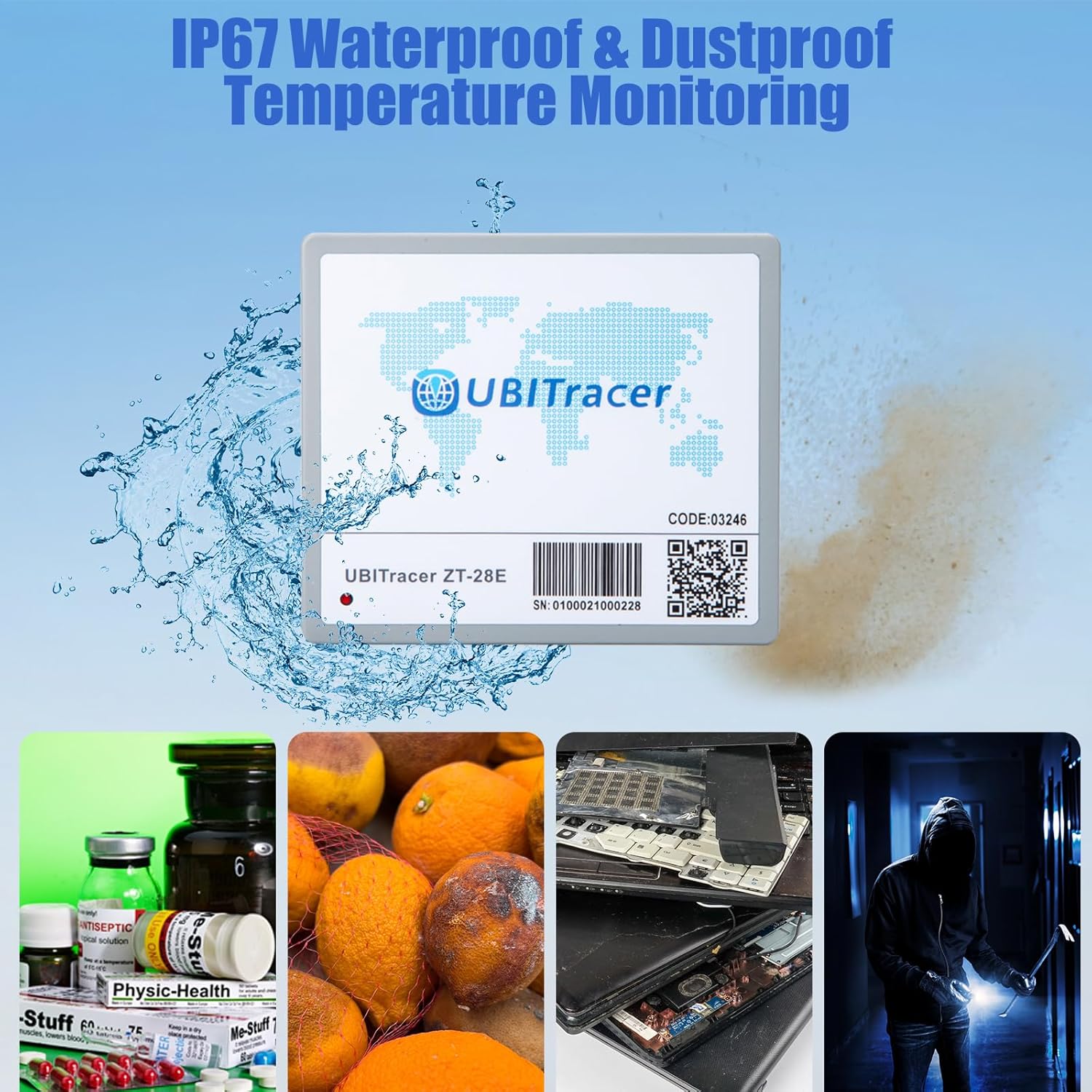
Figure 5.1: IP67 water and dust resistance for enhanced durability.
6。 トラブルシューティング
If you encounter issues with your UBITracer ZT-28E, refer to the following common problems and solutions:
| 問題 | 考えられる原因 | 解決 |
|---|---|---|
| デバイスが位置情報を報告していません。 | No cellular signal; device in an obstructed area (e.g., deep inside a metal container); battery depleted; subscription inactive. | Move the device to an area with better cellular reception. Ensure it is not completely enclosed by metal. Charge the device. Verify your subscription status in the UBITracer app. |
| Location accuracy is poor. | Weak GPS signal; device in a remote area; interference. | デバイスにクリアな view of the sky for optimal GPS. In remote areas, accuracy may naturally decrease. Wi-Fi positioning assists in urban/indoor settings. |
| App not showing most recent location immediately. | App display delay; data refresh rate. | Navigate to the reports or timeline section within the app to view the most recently recorded data points. The map view may not always update instantly. |
| バッテリー寿命が予想より短いです。 | High reporting frequency; frequent movement; extreme temperatures. | Adjust the reporting frequency to a less frequent interval in the app settings. Operating in extreme hot or cold conditions can affect battery performance. |
If you continue to experience issues, please contact UBITracer customer support for assistance.
7. 仕様
| 特徴 | 詳細 |
|---|---|
| モデル番号 | ZT-28E |
| 寸法 | 4.25 x 3.7 x 1.5インチ |
| アイテム重量 | 3.7オンス |
| バッテリー | リチウム金属電池 1 個 (付属) |
| 接続性 | Wireless (Cellular Data) |
| 特集 | Alert Notification, Rechargeable, Geo-Fence, Location History, Real Time Tracking |
| 色 | グレー |
| メーカー | ZillionSource Technologies |
| 原産国 | 中国 |
| サポートされているアプリケーション | アラーム |
| 具体的な用途 | Cold Chain Monitoring, Industrial Asset Tracking |
8. 保証とサポート
For information regarding product warranty, please refer to the terms and conditions provided at the time of purchase or contact UBITracer customer support directly.
8.1. サブスクリプションプラン
The UBITracer ZT-28E requires an active subscription for full functionality. Highly competitive subscription plans are available, starting from $9.99/month for annual billing. Details on various plans and pricing can be found within the UBITracer mobile application or on the official UBITracer webサイト。

Figure 8.1: UBITracer subscription plan overview.
8.2. カスタマーサポート
For technical assistance, troubleshooting, or any inquiries regarding your UBITracer ZT-28E, please utilize the following resources:
- モバイルアプリケーション: The UBITracer mobile app provides access to device settings, data, and support options.
- ユービーアイトレーサー Web ポータル: Business users can access the powerful UBITracer web portal for enterprise-grade device management, rule configuration, and data interchange.
- 公式ドキュメント: 参照 インストールマニュアル(PDF) for detailed setup and usage instructions.
関連文書ZT-28E

Ask a question about this manual
Ask about setup, troubleshooting, compatibility, parts, safety, or missing instructions. Manuals+ will review the question and use this page’s manual context to help answer it.