
導入
This manual provides essential information for the proper setup, operation, and maintenance of your Sony PXW-Z90V 4K HDR XDCAM camcorder. The PXW-Z90V is a compact, palm-style camcorder featuring a 1-inch Exmor RS CMOS sensor, UHD 4K (3840 x 2160) resolution, and Fast Hybrid Autofocus (AF). It is designed for professional video production, including corporate events, broadcast news, and television production.

画像: 前面 view of the Sony PXW-Z90V 4K HDR XDCAM camcorder, showcasinコンパクトなデザインとレンズが魅力です。
箱の中身
以下にリストされているすべてのアイテムがパッケージに含まれていることを確認してください。
- Sony PXW-Z90V 4K HDR XDCAM with Fast Hybrid AF
- XLR Handle
- レンズフード
- レンズキャップ
- 大型アイカップ
- アクセサリーシューキット
- USBケーブル
- Sony NP-FV70A V-Series Battery Pack (1900mAh)
- Sony AC-L200 AC Adapter
- 電源コード
- SecureDigital 64GB Extreme PRO Memory Card
- NP-FV70 Replacement Battery
- 3ピースフィルターキット
- 広角レンズ
- 望遠レンズ
- ラージバッグ
- 外部充電器
- メモリカードリーダー
- メモリーカードウォレット
- レンズキャップキーパー
- クリーニングキット
- HDMIケーブル
設定
1. バッテリーの充電
Before initial use, fully charge the NP-FV70A battery pack using the supplied AC adapter or external charger. Connect the AC adapter to the camcorder or the battery to the external charger, then plug into a power outlet. The charging indicator will illuminate during charging and turn off when complete.
2. メモリーカードの挿入
Locate the memory card slots on the camcorder. Insert a compatible SD card (e.g., the included 64GB Extreme PRO) into one of the slots until it clicks into place. Ensure the card is inserted in the correct orientation.

画像: 背面 view of the camcorder with the LCD monitor open, revealing the memory card slots and control buttons.
3. Attaching the XLR Handle
Align the XLR handle with the accessory shoe on top of the camcorder. Slide it into place and secure it using the locking mechanism. This handle provides additional audio inputs and ergonomic control.
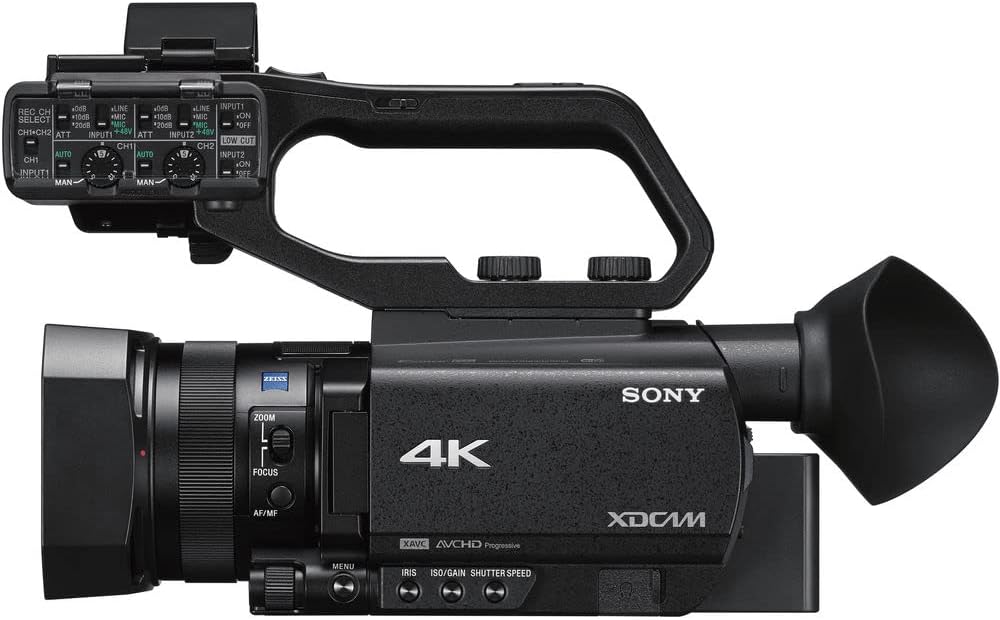
画像: 上 view of the Sony PXW-Z90V camcorder, highlighting the attached XLR handle and its controls.
4. レンズフードの取り付け
Attach the lens hood to the front of the lens by aligning the marks and twisting until it locks. The lens hood helps to prevent glare and protect the lens.
操作手順
1.電源のオン/オフ
To power on the camcorder, slide the POWER switch to the ON position. To power off, slide it to OFF. Ensure the battery is securely inserted or the AC adapter is connected.
2. 基本的な録音
Press the REC START/STOP button to begin and end recording. The camcorder supports UHD 4K (3840 x 2160) up to 30p and HD recording. Select your desired recording format and resolution through the menu system.
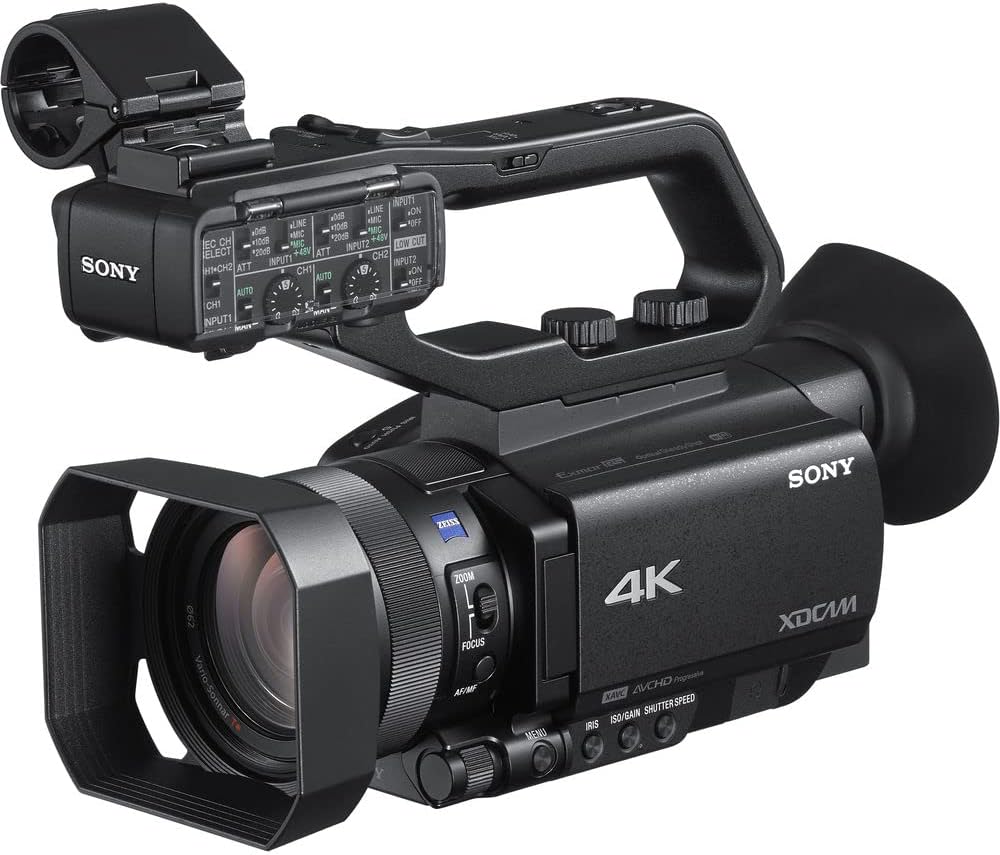
Image: The Sony PXW-Z90V camcorder, ready for recording, showing the main body and lens.
3. Autofocus (AF) Operation
The PXW-Z90V features Fast Hybrid AF. In movie recording mode, phase-detection AF frames appear on the screen to monitor your subject's focus. You can quickly switch focus among subjects by tapping the 3.5-inch touchscreen LCD monitor.

画像: 背面 view of the camcorder with the 3.5-inch touchscreen LCD monitor open, showing potential focus indicators.
4.ズームコントロール
Utilize the zoom rocker on the handle or the zoom ring on the lens for optical zoom (12x Zeiss optical zoom). The camcorder also offers an 18x Clear Image Zoom for extended reach while maintaining image quality.

画像: サイド view of the Sony PXW-Z90V, highlighting the zoom and focus controls on the lens barrel.
5. HDR and Log Settings
The camcorder supports 4K HDR with Hybrid Log-Gamma (HLG) for immediate HDR workflow. For advanced color grading, S-Log3/S-Gamut3 imaging options are available through the menu system.
6. ネットワーク機能
Built-in 2.4/5 GHz Wi-Fi enables multiple streaming via RTMP/RTMPS protocols and FTP options. Configure network settings through the camcorder's menu to utilize these features.
メンテナンス
1. ビデオカメラのクリーニング
Use a soft, dry cloth to clean the camcorder body. For the lens, use a lens brush or a specialized lens cleaning cloth with lens cleaning fluid. Avoid abrasive materials or harsh chemicals.
2. バッテリーのお手入れ
Store batteries in a cool, dry place. Avoid fully discharging lithium-ion batteries for extended periods. Recharge them periodically if not in use.
3. ストレージ
When not in use, store the camcorder in a protective bag or case to prevent dust accumulation and physical damage. Ensure the lens cap is on.
トラブルシューティング
This section addresses common issues you might encounter. For more detailed troubleshooting, refer to the comprehensive online manual or contact support.
電源なし
- バッテリーが完全に充電され、正しく挿入されていることを確認してください。
- AC アダプターがビデオカメラと電源コンセントの両方にしっかりと接続されていることを確認します。
Cannot Record
- メモリカードが挿入されており、十分な空き容量があるかどうかを確認します。
- メモリ カードが書き込み禁止になっていないことを確認してください。
- ビデオカメラが録画モードになっていることを確認します。
オートフォーカスが機能しない
- Check if the AF/MF switch is set to AF.
- Ensure there is sufficient light on the subject.
- Try focusing manually if the scene is complex or low-contrast.
仕様
| モデル名 | PXW-Z90V |
| センサータイプ | 1-inch Exmor RS CMOS |
| ビデオキャプチャ解像度 | UHD 4K (3840 x 2160), HD |
| 光学ズーム | 12x (Zeiss) |
| 鮮明画像ズーム | 18倍 |
| オートフォーカス | Fast Hybrid AF (Phase-Detection) |
| 画面サイズ | 3.5 inches (Touchscreen LCD) |
| Viewファインダ | 有機EL |
| ビデオキャプチャフォーマット | XAVC Long, XAVC-S, MPEG HD |
| オーディオフォーマット | PCM、AAC |
| 接続性 | HDMI, USB, Built-in 2.4/5 GHz Wi-Fi |
| ストレージメディア | SD Card (2 slots) |
| 画像安定化 | はい |
| 重さ | 10.9 pounds (approximate, camcorder only) |
| 色 | 黒 |
保証情報
This Sony PXW-Z90V camcorder comes with a 90日間の限定保証. Please retain your proof of purchase for warranty claims. For specific terms and conditions, refer to the warranty documentation included with your product or visit the official Sony support webサイト。
サポート
さらに詳しいサポート、技術サポート、またはサービスに関するお問い合わせについては、ソニーの公式サポートをご覧ください。 website or contact their customer service. You can find detailed manuals, software updates, and FAQs online.
ソニーサポート Webサイト: https://www.sony.com/electronics/support