
1. はじめに
This manual provides essential information for the safe and effective use of your Laserliner 082.262A Inspection Camera. Please read these instructions carefully before operating the device and keep them for future reference. The Laserliner 082.262A is a robust inspection camera designed for visual inspection of inaccessible areas, featuring a 5mm diameter and 1m length probe.
2. 安全情報
怪我やデバイスの損傷を防ぐために、常に次の安全上の注意事項を守ってください。
- Do not immerse the main unit in water. The camera probe is water-resistant, but the display unit is not.
- 爆発性雰囲気内や可燃性ガスや液体の近くではデバイスを使用しないでください。
- デバイスを子供の手の届かない場所に保管してください。
- Do not attempt to modify or disassemble the device. Refer all servicing to qualified personnel.
- 電池の極性が正しいことを確認してください。長期間使用しない場合は、電池を取り外してください。
- Avoid direct eye exposure to the camera's LED lights.
3. パッケージ内容
開梱時にすべてのアイテムが揃っていることを確認します。
- Laserliner 082.262A Inspection Camera (main unit with display)
- Flexible camera probe (5mm diameter, 1m length)
- 電池(アルカリ)
- ユーザーマニュアル
4.製品オーバーview
Familiarize yourself with the components of your inspection camera.
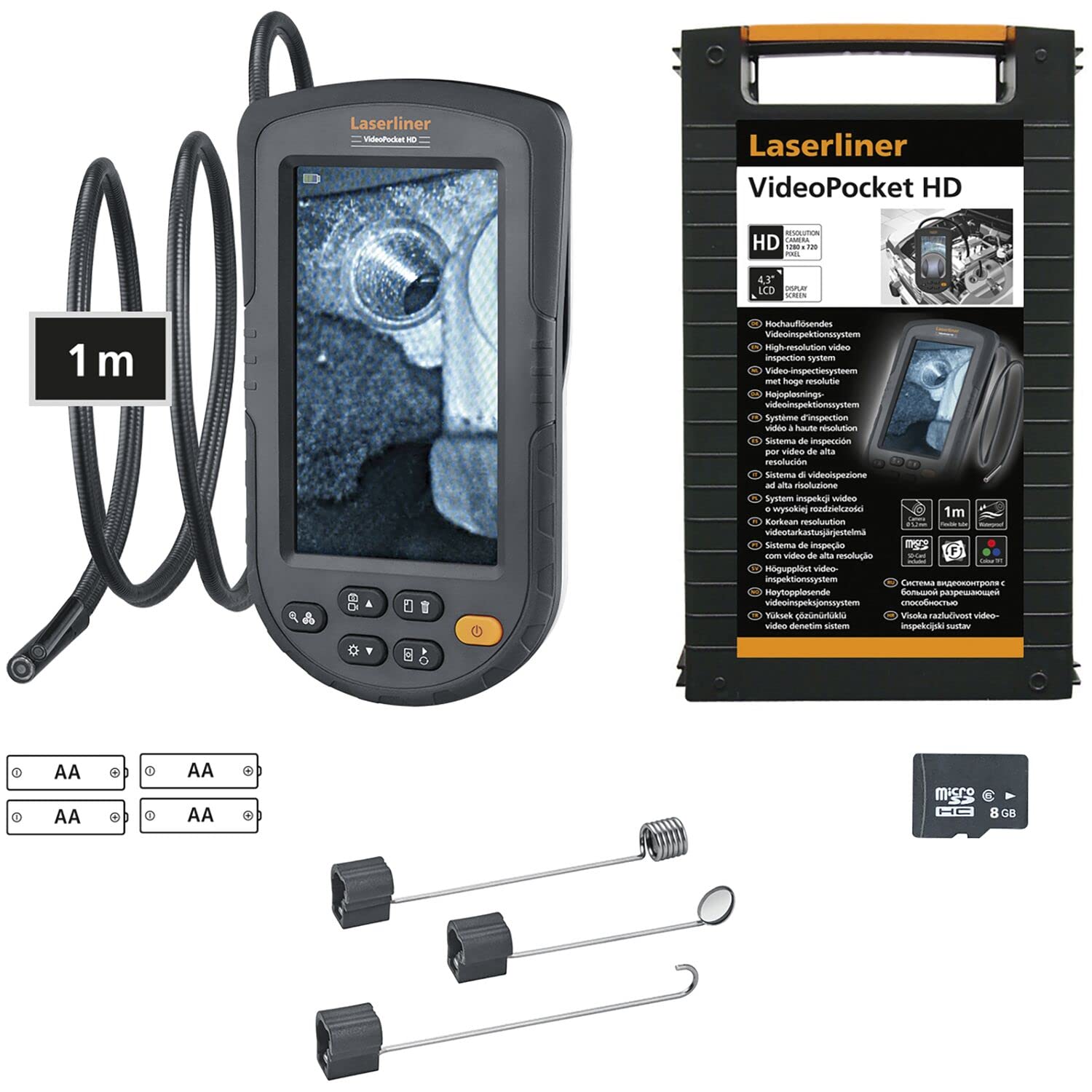
Figure 1: Laserliner 082.262A Inspection Camera. The image shows the handheld display unit connected to the flexible camera probe, ready for use.
The device consists of a main display unit with control buttons and a flexible probe with an integrated camera and LED lighting at its tip. The probe is designed to navigate tight spaces and transmit live video to the display.
5. セットアップ
Follow these steps to prepare your inspection camera for first use:
- バッテリーの取り付け: Open the battery compartment on the rear of the main unit. Insert the provided alkaline batteries, ensuring correct polarity (+/-). Close the compartment securely.
- プローブ接続: Connect the flexible camera probe to the designated port on the main unit. Ensure a firm connection.

図2:背面 view of the inspection camera. This image illustrates the back of the device, including the product label and the area where the flexible probe connects.
6. 操作手順
This section details how to operate your Laserliner 082.262A Inspection Camera.
6.1 電源のオン/オフ
- To power on: Press and hold the power button (usually orange) until the display illuminates.
- 電源を切るには: ディスプレイがオフになるまで電源ボタンをもう一度押し続けます。
6.2 基本的な制御
The main unit features several buttons for controlling the camera and display functions:
- LEDの明るさ: Adjust the intensity of the camera's LED lights for optimal visibility in dark environments.
- 画像の回転: Rotate the image on the display for correct orientation, especially when the probe is twisted.

Figure 3: Image Rotation. This diagram illustrates how the image can be rotated on the display, showing 0, 90, 180, and 270-degree orientations.
6.3 Optimal Focus Distance
The camera has a fixed focus. For clear images, position the camera tip within the optimal focus range, typically a few centimeters from the object.
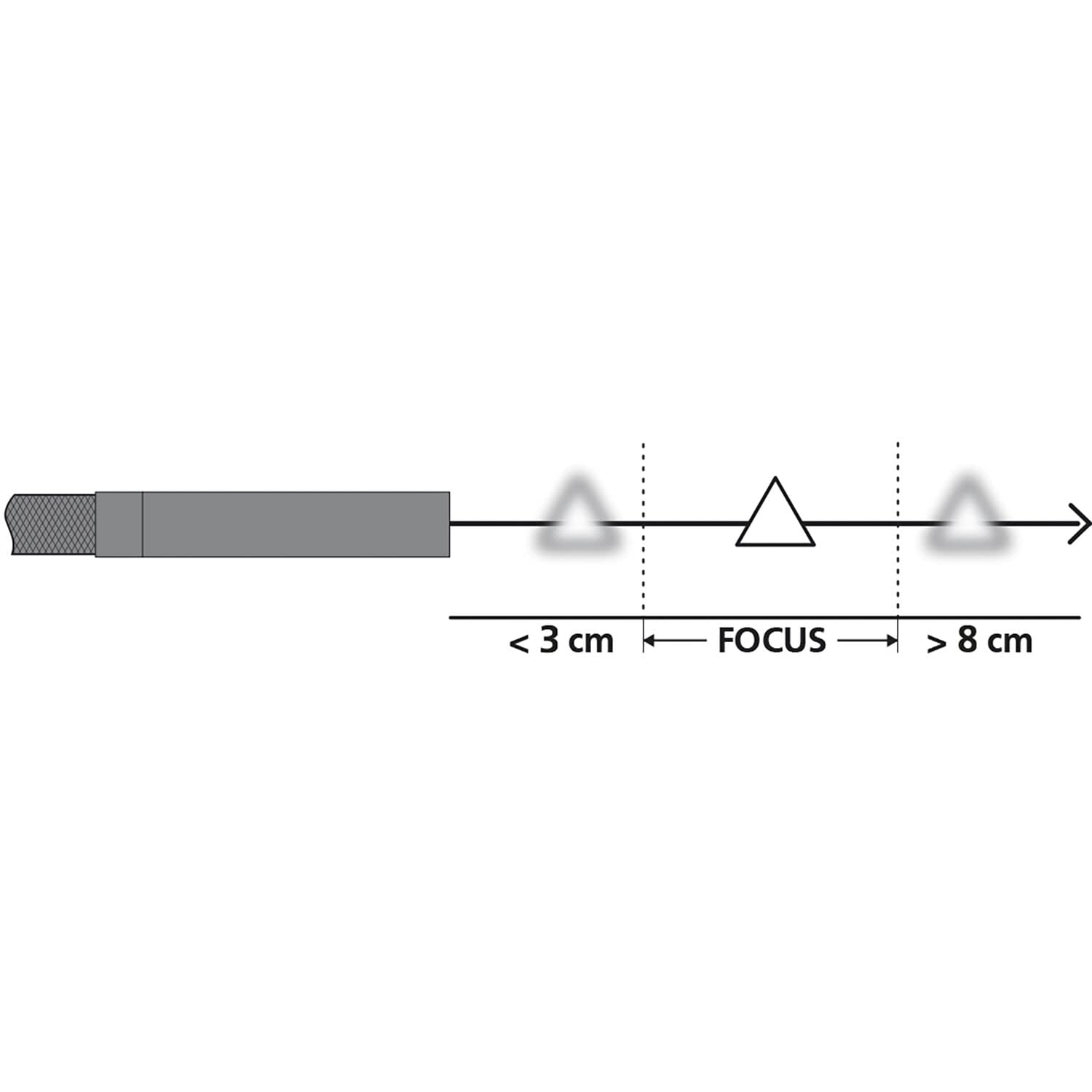
Figure 4: Focus Range. This diagram shows the recommended distance for clear imaging, indicating that objects too close (less than 3 cm) or too far (greater than 8 cm) may appear blurry, with an optimal focus zone in between.
6.4 実用的な応用
The inspection camera is versatile for various tasks:
- アプライアンスの検査: Examine internal components of dishwashers or other household appliances.
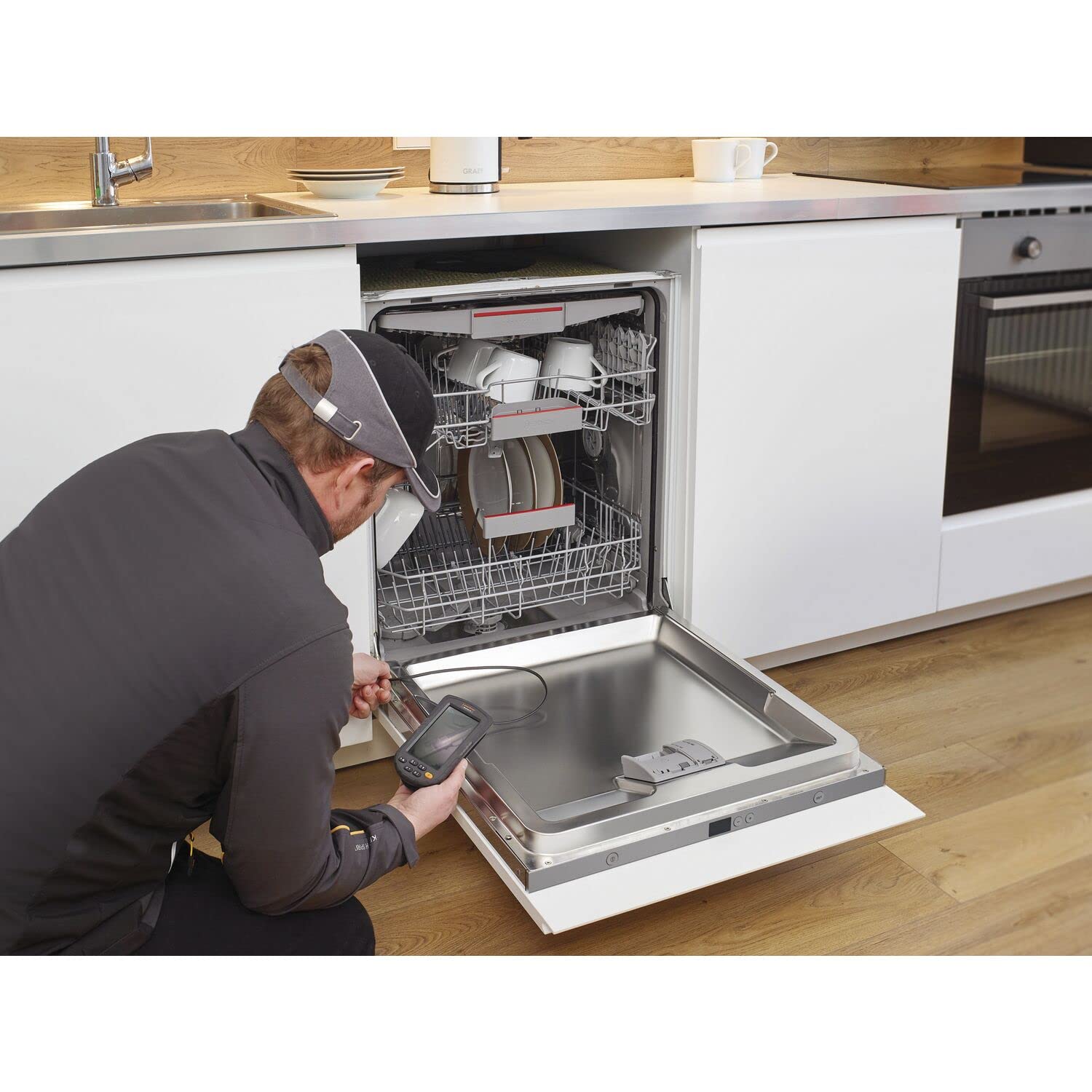
Figure 5: Dishwasher Inspection. A technician uses the inspection camera to view the internal workings of a dishwasher, checking for blockages or damage.
- 自動車診断: Inspect engine compartments, cylinders, or other vehicle parts.

Figure 6: Engine Inspection. The camera probe is inserted into an engine bay, allowing for visual inspection of internal components without extensive disassembly.
- Plumbing and Drainage: Check pipes, drains, and sewage systems for clogs or damage.

Figure 7: Drain Inspection. The camera is used to inspect a floor drain, providing a clear view of the pipe's interior.
- Cavity and Wall Inspections: Explore behind walls, ceilings, or other enclosed spaces.

Figure 8: Ceiling Cavity Inspection. The camera probe is inserted into a ceiling opening to inspect the hidden space above.
- Sink and Shower Drains: アクセスと view blockages or issues in bathroom plumbing.

Figure 9: Sink Drain Inspection. The camera is positioned to inspect the U-bend of a sink drain, revealing any obstructions.

Figure 10: Shower Drain Inspection. The camera probe is inserted into a shower drain to check for blockages or pipe conditions.
- Gutter and Downspout Inspection: Identify debris or damage in exterior drainage systems.
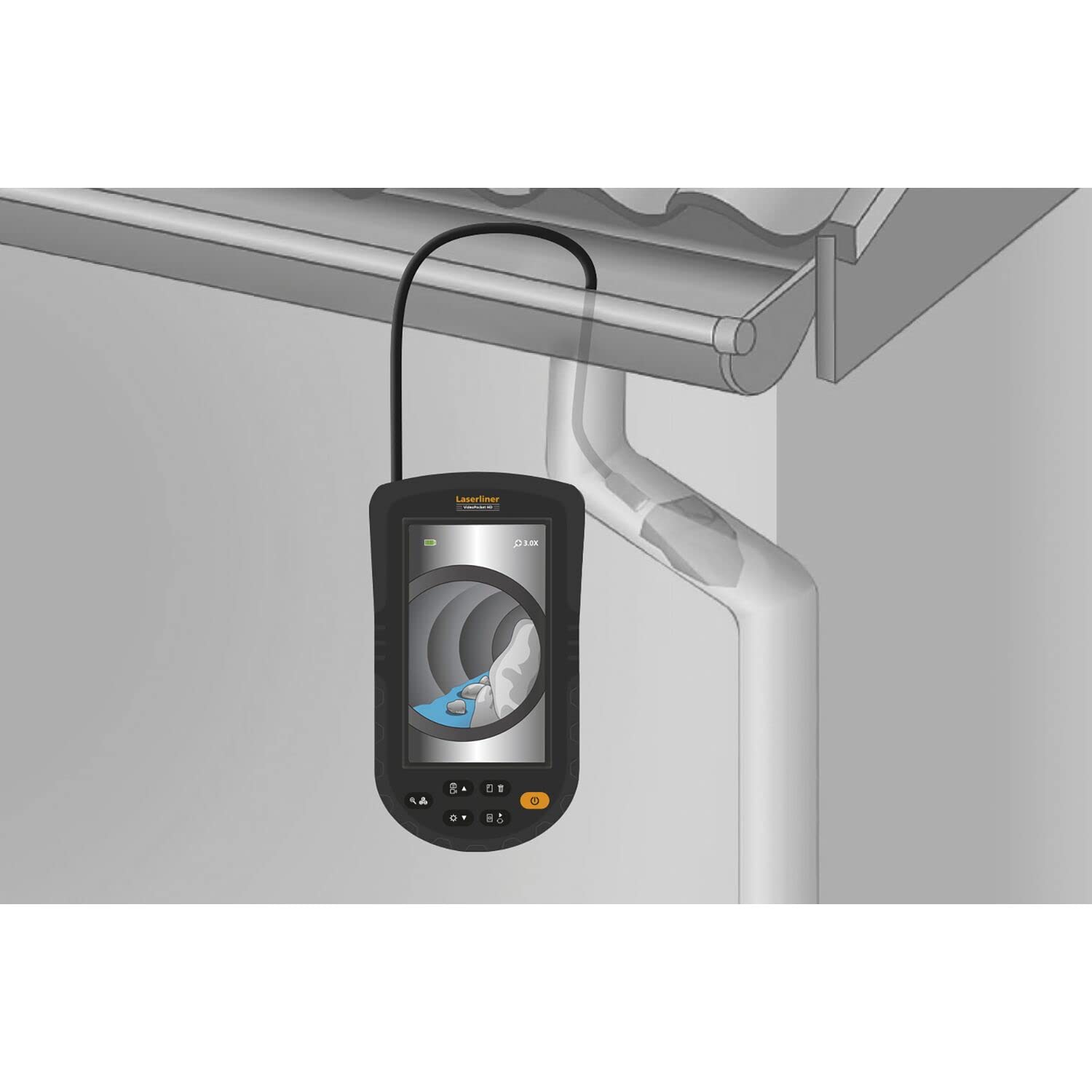
Figure 11: Gutter Inspection. The camera is used to inspect a gutter and downspout, showing the presence of leaves and debris.
7. メンテナンス
適切なメンテナンスを行うことで、デバイスの寿命とパフォーマンスが保証されます。
- クリーニング: Wipe the main unit with a soft, dry cloth. The camera probe can be cleaned with a damp cloth and mild detergent. Ensure no liquid enters the main unit.
- バッテリーのケア: Replace batteries when the low battery indicator appears. Remove batteries if the device is not used for extended periods to prevent leakage.
- ストレージ: Store the device in a cool, dry place, away from direct sunlight and extreme temperatures. Coil the probe loosely to avoid kinking.
8。 トラブルシューティング
問題が発生した場合は、次の一般的な問題と解決策を参照してください。
| 問題 | 考えられる原因 | 解決 |
|---|---|---|
| デバイスの電源が入らない | 電池残量が少ない、または電池切れ。電池の取り付けが間違っている。 | 電池を交換してください。電池の極性を確認してください。 |
| 表示される画像がありません | Probe not connected properly; Damaged probe | Ensure probe is securely connected; Contact support if probe is damaged |
| 画像がぼやけている | Object too close or too far from camera; Dirty camera lens | Adjust distance to object (refer to focus diagram); Clean camera lens gently |
| LEDライトが動作しない | LED brightness set to minimum; Faulty LEDs | Increase LED brightness using controls; Contact support |
If the problem persists after trying these solutions, please contact Laserliner customer support.
9. 仕様
Detailed technical specifications for the Laserliner 082.262A Inspection Camera:
| 特徴 | 仕様 |
|---|---|
| メーカー | レーザーライナー |
| 製品寸法(長さ x 幅 x 高さ) | 12 x 19 x 14 cm |
| 商品型番 | 082.262A |
| 材料 | プラスチック |
| 形 | 四角 |
| パッケージ内のアイテム数 | 1 |
| 測定システム | インジケータ |
| 電池付属 | はい |
| 電池が必要 | はい |
| バッテリー構成 | アルカリ |
| アイテム重量 | 370グラム |
| 原産国 | 中国 |
| ASIN | B0BYKBV8ZC |
10. 保証とサポート
For warranty information, please refer to the documentation provided with your purchase or visit the official Laserliner website. For technical support or service inquiries, contact Laserliner customer service directly.
スペアパーツの入手可能性: 情報がありません。
11. 廃棄に関する情報
Electronic devices and batteries must not be disposed of with household waste. Please dispose of them according to local regulations at designated collection points for electronic waste and batteries. Proper disposal helps protect the environment and human health.