
1. はじめに
This manual provides detailed instructions for the LUCORB Portable Gym Timer, model B0BYH9SP13. This device is designed to assist with various fitness activities by providing accurate timekeeping for interval training, countdowns, count-ups, and stopwatch functions. Please read this manual thoroughly before using the product to ensure proper operation and to maximize its lifespan.
2. 安全情報
- デバイスを操作する前に、すべての指示をよくお読みください。
- Keep the timer away from water and excessive moisture to prevent damage.
- 本製品を分解または改造しないでください。保証が無効になります。
- 充電には付属の USB 充電ケーブルまたは認定された同等品のみを使用してください。
- タイマーを極端な温度や直射日光に長時間さらさないでください。
3.製品オーバーview
The LUCORB Portable Gym Timer is a compact and versatile device designed for various workout needs. It features a clear LED display, multiple timing modes, and a magnetic back for convenient placement.
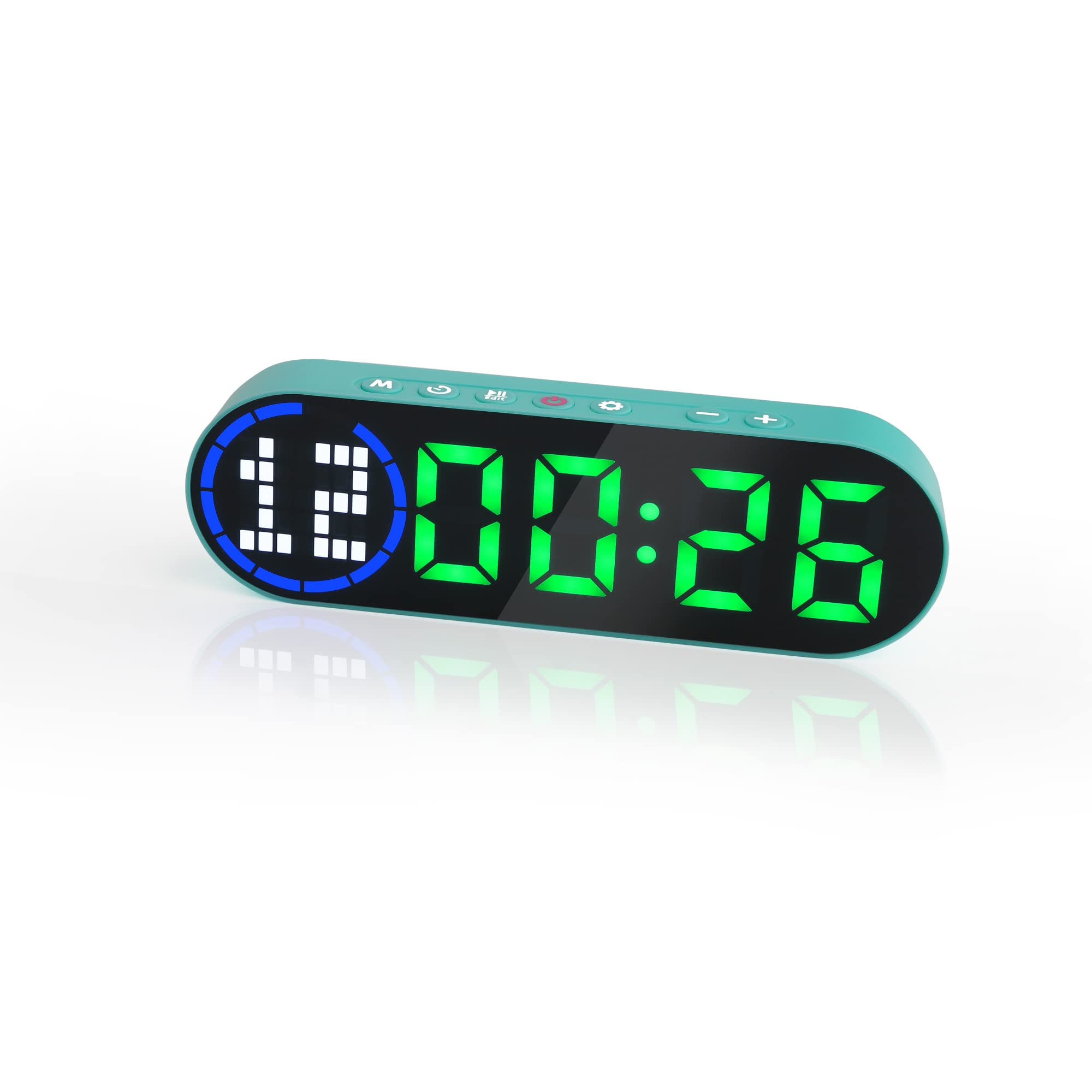
Image 3.1: The LUCORB Portable Gym Timer, highlighting its compact and portable dimensions (approximately 6.3 inches long, 2 inches wide, and 0.9 inches thick). The image also indicates it is rechargeable and battery-powered.
主な特徴:
- コンパクトでポータブルなデザイン: 持ち運びが簡単でどこでも使用できます。
- 磁気バック: 金属表面への確実な取り付けが可能です。
- 充電式バッテリー: Provides long-lasting power for workouts.
- 複数のタイミングモード: Includes Interval Timer, Countdown, Count Up, and Stopwatch.
- Time Progress Bar: Visual indicator for workout progress.
- Adjustable Sound and Countdown: Customizable settings for personalized use.
4. パッケージ内容
パッケージに以下の項目が含まれているか確認してください。
- LUCORB Portable Gym Timer (1)
- USB充電ケーブル(1)
- ユーザーマニュアル (1)
5. セットアップ
5.1 タイマーの充電
Before first use, fully charge the timer. Connect the provided USB charging cable to the timer's charging port and plug the other end into a standard USB power adapter (not included) or a computer's USB port. The display will indicate charging status. A full charge typically takes 2-3 hours.
5.2 電源オン/オフ
- 電源を入れるには: を押し続けます 電源ボタン (usually located on the side or top) for 3 seconds until the display lights up.
- 電源を切るには: を押し続けます 電源ボタン for 3 seconds until the display turns off.
5.3 配置
The LUCORB Gym Timer features a strong magnetic back, allowing it to be securely attached to any metal surface, such as gym equipment, racks, or whiteboards. Ensure the surface is clean and stable before attaching.
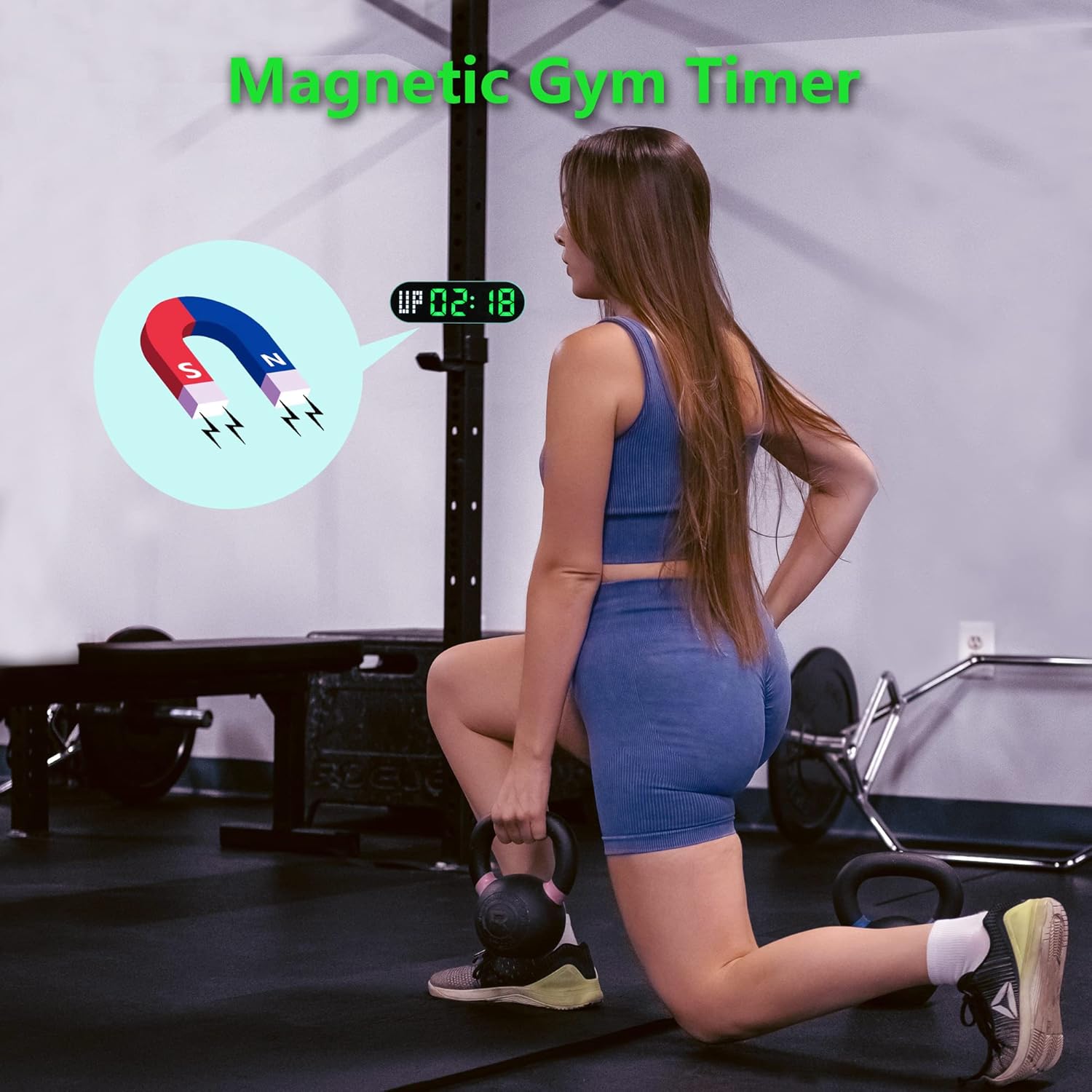
Image 5.1: The timer demonstrating its magnetic attachment capability to a metal gym rack, providing convenient visibility during workouts.
6. 操作手順
The timer has several buttons for navigation and settings. Refer to the diagram below for button identification (buttons are typically located on the top edge of the device).
- モードボタン: Cycles through different timing modes (Interval, Countdown, Count Up, Stopwatch).
- SETボタン: Enters setting mode for the current timing program.
- スタート/一時停止ボタン: Starts or pauses the current timer.
- +/- ボタン: 設定モード時に値を調整します。
6.1 表示の見方
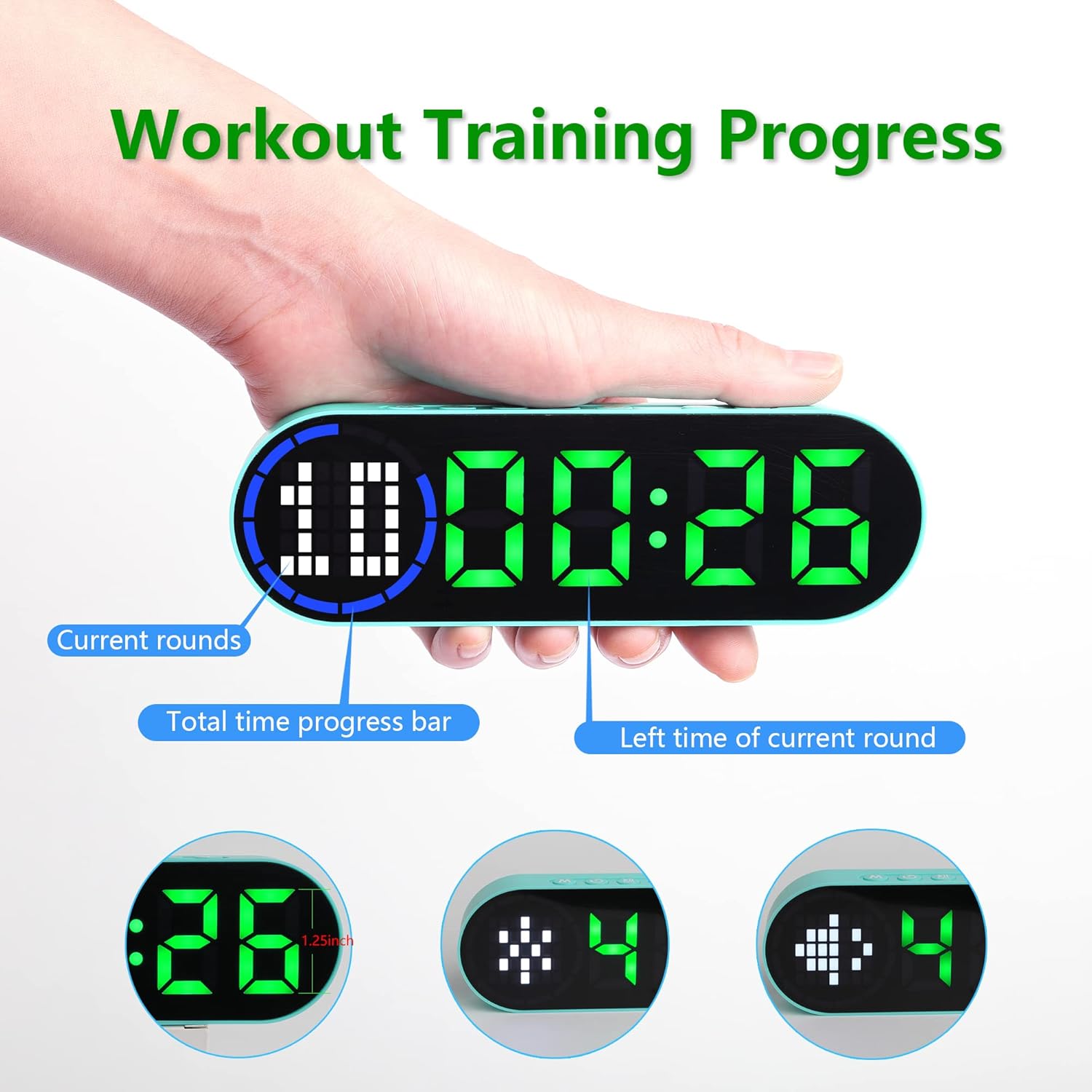
Image 6.1: The timer display indicating "Current rounds" (left), "Total time progress bar" (top segment), and "Left time of current round" (right). This visual feedback helps track workout progress.
6.2つのタイミングモード
を押す モードボタン to cycle through the available timing modes:

Image 6.2: The timer displaying examples of its four main modes: Interval Timer, Count Down, Count Up, and Stopwatch, each with distinct visual indicators.
6.2.1 Interval Timer (e.g., HIIT, Tabata)
- プレス モード until "F" (Work) and "C" (Rest) indicators appear.
- プレス セット to enter setting mode. The time for the first interval (Work) will flash.
- 使用 +/-ボタン to adjust minutes and seconds for the Work period. Press セット to confirm and move to the Rest period.
- Adjust minutes and seconds for the Rest period using +/-ボタン。 プレス セット to confirm and move to the number of rounds.
- Adjust the number of rounds. Press セット 設定を保存して終了します。
- プレス 開始/一時停止 to begin the interval workout. The timer will count down the Work period, then the Rest period, for the set number of rounds.
6.2.2カウントダウンタイマー
- プレス モード until "dn" or a countdown format (e.g., 00:00) is displayed.
- プレス セット to enter setting mode. The time will flash.
- 使用 +/-ボタン to set the desired countdown time (minutes and seconds). Press セット 各セグメントを確認します。
- プレス 開始/一時停止 カウントダウンを開始します。
6.2.3 Count Up Timer
- プレス モード until "UP" or a count-up format (e.g., 00:00) is displayed.
- The timer will typically start from 00:00.
- プレス 開始/一時停止 to begin counting up. Press again to pause.
- リセットするには、 開始/一時停止 ボタンまたは専用の リセット button (if available) while paused.
6.2.4ストップウォッチ
- プレス モード until "ST" or a stopwatch format (e.g., 00:00:00) is displayed.
- プレス 開始/一時停止 to begin counting. Press again to pause.
- To reset the stopwatch to zero, press and hold the 開始/一時停止 ボタンまたは専用の リセット button (if available) while paused.
6.3つの調整可能な設定
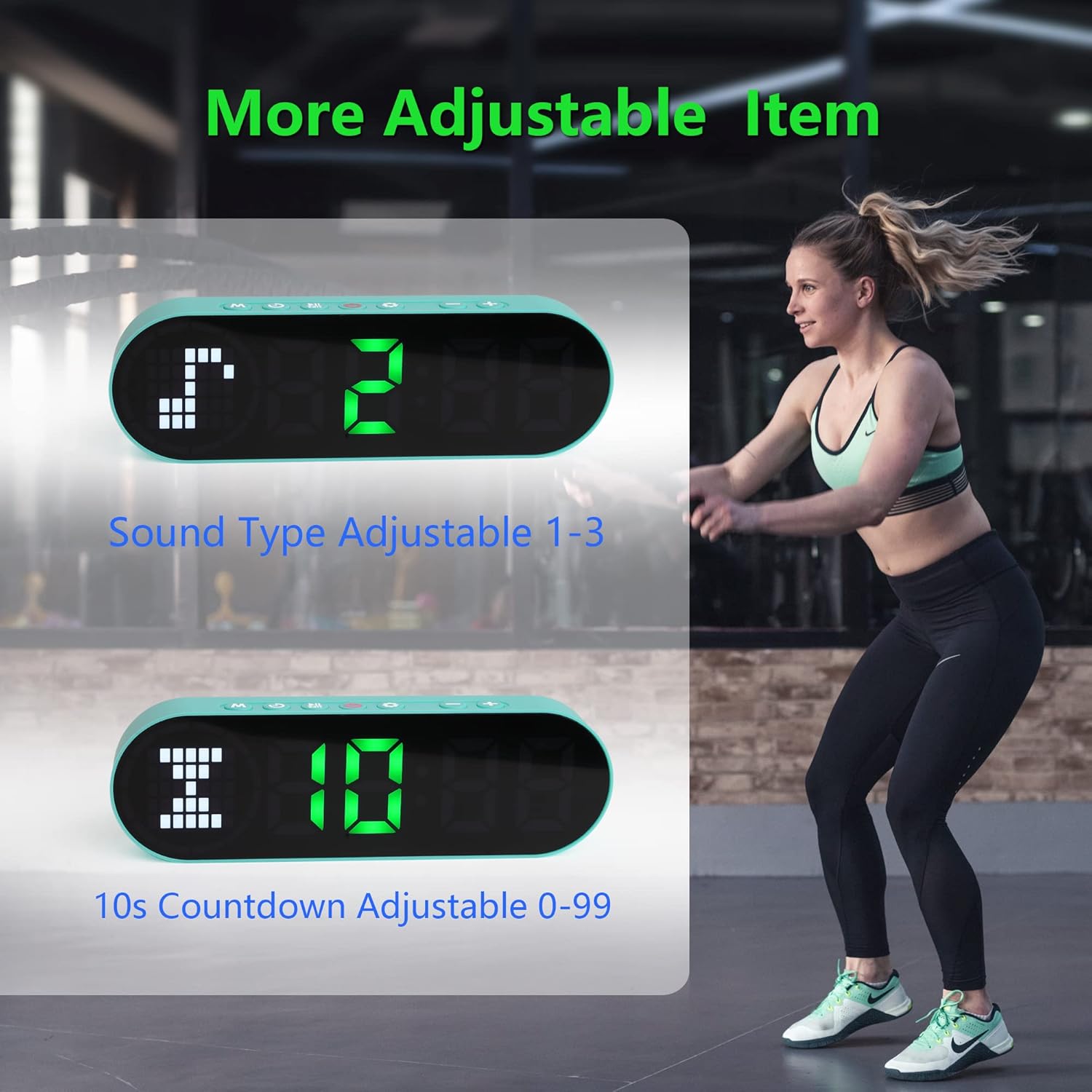
Image 6.3: The timer illustrating adjustable features, including Sound Type (1-3) and a customizable 10-second countdown (0-99 seconds) before a program starts.
6.3.1 Sound Type Adjustment
Some modes allow adjustment of the sound type or volume. While in a setting mode (e.g., Interval Timer setup), look for an option to adjust "Sound Type" (often indicated by a speaker icon or "SND"). Use the +/-ボタン to cycle through available sound options (e.g., 1, 2, 3 for different tones or volumes). Press セット 確認します。
6.3.2 Initial Countdown Adjustment
Before starting a timed program (like Interval or Countdown), the timer may offer an initial preparation countdown (e.g., 10 seconds). This can often be adjusted from 0 to 99 seconds. While in a setting mode, look for a "10s Countdown" or "PREP" setting. Use the +/-ボタン to set the desired pre-countdown duration. Press セット 確認します。
7. メンテナンス
7.1 クリーニング
To clean the timer, gently wipe the surface with a dry, soft cloth. Do not use abrasive cleaners, solvents, or harsh chemicals, as these can damage the display or casing.
7.2 ストレージ
When not in use for extended periods, store the timer in a cool, dry place, away from direct sunlight and extreme temperatures. Ensure the battery is partially charged before storing to maintain battery health.
8。 トラブルシューティング
- タイマーがオンにならない:
- Ensure the battery is charged. Connect the timer to a power source using the USB cable.
- 電源ボタンを3秒間押し続けます。
- ディスプレイが暗い、または反応しない:
- バッテリーを充電してください。
- デバイスの電源をオフにしてからもう一度オンにしてみてください。
- ボタンが反応しない:
- Restart the timer by powering it off and then on.
- Ensure your fingers are dry and clean when pressing buttons.
- Timer not holding a charge:
- 充電ケーブルがしっかりと接続されていることを確認してください。
- 別の USB 電源アダプタまたはポートを試してください。
- 問題が解決しない場合は、カスタマーサポートに連絡してください。
9. 仕様
| ブランド | ルコルブ |
| モデル番号(ASIN) | B0BYH9SP13 |
| アイテム重量 | 127グラム |
| アイテムの寸法(LxWxH) | 160 x 50 x 23ミリメートル |
| 色 | ライトグリーン |
| 電源 | 電池式(USB経由で充電可能) |
10. 保証とサポート
For warranty information, technical support, or any inquiries regarding your LUCORB Portable Gym Timer, please refer to the product packaging or contact LUCORB customer service through the retailer where the product was purchased. Please have your model number (B0BYH9SP13) and purchase date available when contacting support.