
1. はじめに
Thank you for choosing the LFF DAB/FM Digital Radio YT81107. This manual provides essential information for the safe and efficient use of your new radio. Please read these instructions carefully before operating the device and retain them for future reference.
安全情報
- 火災や感電を防ぐため、ユニットを雨や湿気にさらさないでください。
- cを開けないでくださいasing. すべての修理は資格を持った担当者に依頼してください。
- 指定された電源アダプターまたは電池のみを使用してください。
- 極端な温度、直射日光、ほこりの多い環境は避けてください。
2.製品オーバーview
The LFF DAB/FM Digital Radio YT81107 offers versatile listening options with DAB+ and FM radio, Bluetooth connectivity, and convenient features like a dual alarm and sleep timer. Its compact design and dual power options make it suitable for various environments.
主な特徴
- DAB+ and FM Digital Radio Tuner
- Bluetooth Connectivity for Audio Streaming
- フルカラーLCDディスプレイ
- 60 Preset Stations (30 DAB+, 30 FM)
- デュアルアラームクロック機能
- 調整可能なスリープタイマー
- 3.5mmヘッドフォンジャック
- AC Power Adapter or Battery Operated (4x AA batteries, not included)

図2.1: 前面 view of the LFF DAB/FM Digital Radio highlighting its main features.
コントロールとコンポーネント
Familiarize yourself with the buttons and ports on your radio:

図2.2: 前面と上面 view of the radio with labeled controls.
- 電源/モードボタン: Turns the radio on/off and switches between modes (DAB, FM, Bluetooth).
- メニュー/情報ボタン: Accesses menu settings or displays station information.
- アラームボタン: アラームを設定および管理します。
- プリセットボタン(1~5): 保存したお気に入りのステーションにすばやくアクセスできます。
- Volume Knob/Select: 回転させて音量を調整したり、メニューを移動したりします。押すと選択が確定します。
- Tuning/Scroll Buttons: ステーションまたはメニュー オプション間を移動します。
- 画面: Full-color LCD screen.
- スピーカー: 統合オーディオ出力。
- アンテナ: ラジオ受信用の伸縮式アンテナ。
- DC INポート: AC電源アダプターを接続します。
- ヘッドフォンジャック: プライベートリスニング用の3.5mm出力。
- バッテリーコンパートメント: 背面に単三電池 4 本を収納します。
3. セットアップ
ラジオの電源
Your radio can be powered by the included AC adapter or by batteries for portable use.
- AC電源: Connect the supplied AC adapter to the DC IN port on the back of the radio and plug it into a standard wall outlet.
- バッテリー電源: Open the battery compartment on the back and insert 4x 1.5V AA (LR6) batteries (not included), ensuring correct polarity. Close the compartment securely.

Figure 3.1: Power options and physical dimensions of the radio.
アンテナ調整
For optimal radio reception, fully extend the telescopic antenna. Adjust its position for the best signal quality.
4. 操作手順
電源のオン/オフとモードの選択
- を押す パワー/モード ラジオのオン/オフを切り替えるボタン。
- While on, press the パワー/モード ボタンを繰り返し押すと、使用可能なモード(DAB、FM、Bluetooth)が切り替わります。
DAB/FMラジオの操作
最適な受信状態を得るために、アンテナが完全に伸びていることを確認してください。

Figure 4.1: Radio reception ranges and preset capacity.
- 自動スキャン: DABまたはFMモードでは、 メニュー/情報 button to initiate an automatic scan for available stations. The radio will store them automatically.
- 手動チューニング: 使用 Tuning/Scroll 周波数を手動で調整するためのボタン。
- ステーションの選択: 回転する Volume Knob/Select to browse through available stations. Press the knob to select a station.
- プリセットの保存: 放送局を保存するには、希望の放送局にチューニングし、 プリセットボタン(1~5) until the display confirms it's saved. You can save up to 30 DAB+ and 30 FM stations.
- プリセットの呼び出し: いずれかのボタンを短く押すと、 プリセットボタン(1~5) 保存したステーションを呼び出します。
Bluetoothモード
スマートフォン、タブレット、その他の Bluetooth 対応デバイスを接続して、オーディオをワイヤレスでストリーミングします。
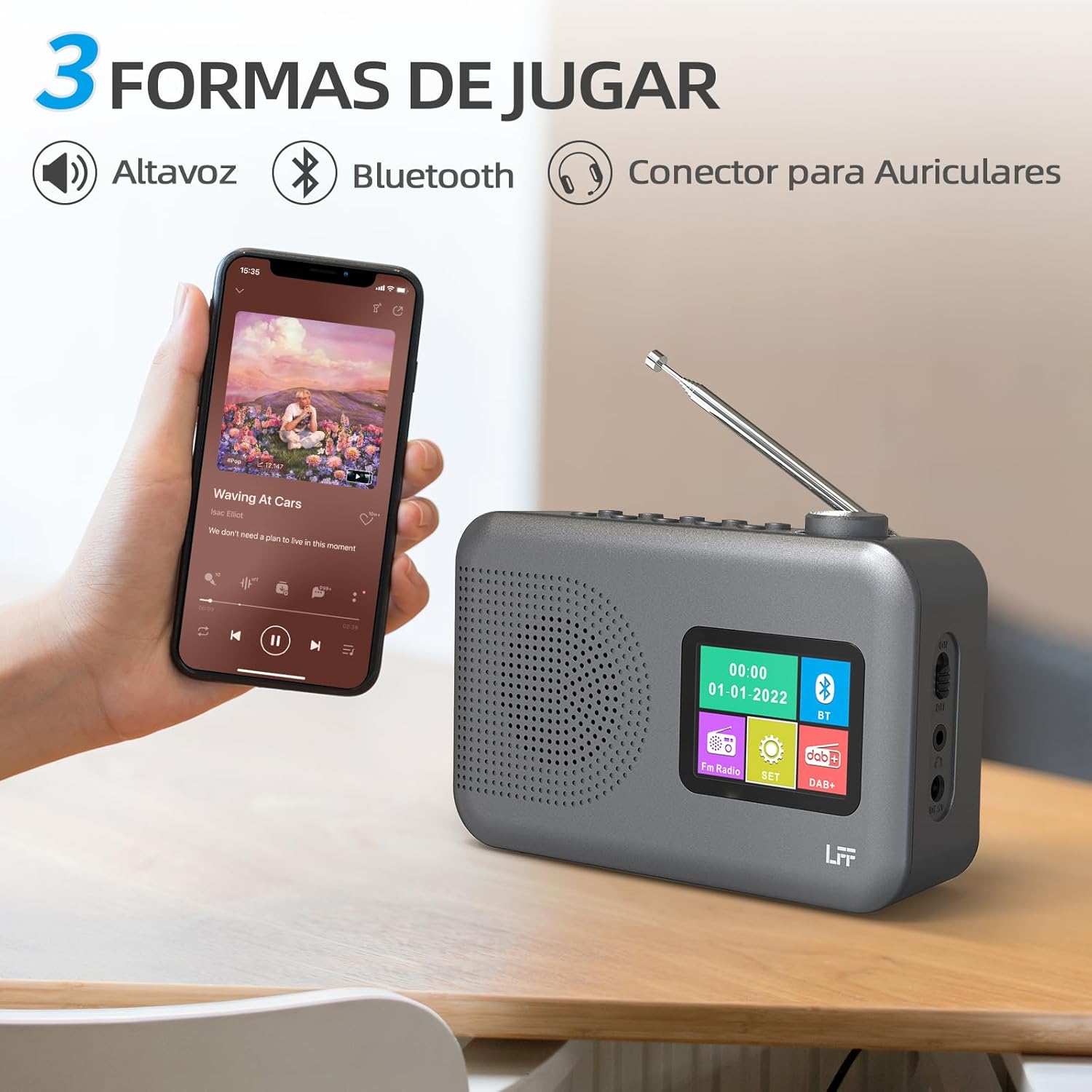
Figure 4.2: Bluetooth connectivity and audio playback options.
- ラジオをBluetoothモードに切り替えるには、 パワー/モード ボタンを押します。ディスプレイに「Bluetooth ペアリング」などのメッセージが表示されます。
- On your device, enable Bluetooth and search for "LFF YT81107" (or similar).
- Select the radio to pair. Once connected, you can play audio from your device through the radio's speaker.
- Adjust volume using the radio's ボリュームノブ or your connected device.
目覚まし時計機能
最大 2 つの独立したアラームを設定できます。
- を押す アラーム アラーム設定を入力するボタン。
- 使用 Tuning/Scroll ボタンと Volume Knob/Select to set the alarm time, source (DAB, FM, or buzzer), and frequency (daily, weekdays, weekends, once).
- を押す アラーム button again to confirm and activate the alarm.
- When an alarm sounds, press any button (except Power) to snooze, or press the パワー/モード ボタンをオフにします。
スリープタイマー
スリープタイマーを使用すると、設定された時間が経過するとラジオが自動的にオフになります。

Figure 4.3: Sleep timer function in use.
- を押す メニュー/情報 メインメニューにアクセスするためのボタン。
- Navigate to the "Sleep Timer" option using the Tuning/Scroll ボタンを押して、 Volume Knob/Select.
- Select your desired duration (15, 30, 45, 60, 90, or 120 minutes) and confirm. The radio will automatically turn off after the selected time.
ヘッドフォンの使用
For private listening, connect standard 3.5mm headphones to the headphone jack on the side of the radio. The internal speaker will be muted automatically.
Note: This radio does not support Bluetooth headphones. The 3.5mm headphone jack is for wired headphones only.
5. メンテナンス
- クリーニング: ラジオは柔らかく乾いた布で拭いてください。研磨剤入りの洗剤や溶剤は使用しないでください。
- バッテリー交換: If using batteries, replace all four AA batteries when the low battery indicator appears on the display or when performance degrades. Ensure proper disposal of old batteries.
- ストレージ: ラジオを長期間保管する場合は、液漏れを防ぐために電池を取り外してください。
6。 トラブルシューティング
| 問題 | 考えられる原因 | 解決 |
|---|---|---|
| 電源なし | AC アダプターが接続されていないか故障しています。または、電池が消耗しているか、正しく挿入されていません。 | Check AC adapter connection and power outlet. Replace batteries or ensure correct polarity. |
| ラジオの受信状態が悪い | アンテナが伸びていない、信号が弱いエリアがある、干渉がある。 | 伸縮アンテナを完全に伸ばして調整してください。ラジオを別の場所に移動してみてください。 |
| Bluetoothが接続されない | Radio not in Bluetooth mode; device not in pairing mode; radio already connected to another device. | Ensure radio is in Bluetooth mode. Put your device in pairing mode. Disconnect from other Bluetooth devices. |
| アラームが鳴らない | Alarm not activated; volume too low; incorrect alarm settings. | Check alarm settings and ensure it is enabled. Increase volume. Verify alarm time and source. |
7. 仕様
| 特徴 | 詳細 |
|---|---|
| モデル番号 | YT81107 |
| ブランド | LFF |
| チューニング技術 | 軽打+、FM |
| サポートされている無線帯域 | DAB+(174.928 - 239.2 MHz)、FM(87.5 - 108 MHz) |
| 接続性 | Bluetooth、3.5mmヘッドフォンジャック |
| 電源 | AC Adapter (included), 4x 1.5V AA (LR6) Batteries (not included) |
| 寸法(長さ×幅×高さ) | 16.1 cm x 5.9 cm x 10.9 cm |
| 色 | グレー |
| 特集 | DAB Radio, DAB Plus Radio, DAB+ Radio, FM Radio, Color Display, Bluetooth, Dual Alarm, Sleep Timer |
| 対応デバイス | Headphones, MP3 Player, Smartphone, Laptop, Speaker, Tablet |
8. 保証とサポート
LFF is committed to providing high-quality products. If you encounter any quality issues with your LFF DAB/FM Digital Radio YT81107, please contact us directly. Our customer support team is available to assist you and resolve any problems you may experience.
具体的な保証条件および連絡先情報については、購入書類を参照してください。


