
miisso 10K95
miisso 10000mAh Slim Portable Charger
Model: 10K95 - User Manual
1. はじめに
This user manual provides comprehensive instructions for the miisso 10000mAh Slim Portable Charger, Model 10K95. It covers product features, setup, operation, maintenance, troubleshooting, and safety guidelines. Please read this manual thoroughly before using the device to ensure proper function and longevity.
2.製品オーバーview
The miisso 10000mAh Slim Portable Charger is a compact and high-capacity power bank designed for on-the-go charging of various mobile devices. It features built-in Type-C cables for direct compatibility and multiple output ports for simultaneous charging.

Figure 2.1: miisso 10000mAh Slim Portable Charger with built-in cables.
主な特徴:
- ポケットサイズ: Compact dimensions (4.25 x 2.74 x 0.67 inches) for easy portability.
- 内蔵ケーブル: Includes two built-in Type-C cables for direct device connection.
- 大容量: 10000mAh battery capacity, sufficient for multiple charges of most smartphones.
- 複数の出力: Capable of charging up to three devices simultaneously.
- ユニバーサル互換性: Compatible with a wide range of devices including iPhone 15/16 series, Samsung Galaxy, AirPods, and other USB-C enabled devices.
- 安全保護: Equipped with a 15-Layer SmartProtect System for enhanced safety.

図2.2: スリムプロfile of the miisso portable charger.

図2.3:以上view of the 3-in-1 power bank outputs.
3. セットアップ
パワーバンクの初期充電:
- Before first use, fully charge your miisso portable charger.
- Connect the provided USB charging cable to the Type-C input port on the power bank.
- Plug the other end of the USB charging cable into a compatible USB wall adapter (not included) or a computer's USB port.
- The indicator lights on the power bank will illuminate to show charging progress. Once all lights are solid, the power bank is fully charged.
4. 操作手順
デバイスの充電:
- 内蔵Type-Cケーブルの使用: Extend one of the built-in Type-C cables from the power bank. Connect the Type-C connector directly into your compatible device's charging port.
- USB-C出力ポートの使用: For devices requiring a different cable type or if both built-in cables are in use, connect your device's charging cable to the USB-C input/output port on the power bank.
- パワーバンクは自動的にデバイスの充電を開始します。充電が開始されない場合は、電源ボタンを1回押して充電を開始してください。
- You can charge up to three devices simultaneously using the two built-in Type-C cables and the additional USB-C output port.

図 4.1: 複数のデバイスを同時に充電します。
バッテリー残量の確認:
電源ボタンを1回押すと view the current battery level indicated by the LED lights on the power bank.
5. メンテナンス
- クリーニング: パワーバンクの表面を拭く際は、柔らかく乾いた布をご使用ください。液体クリーナーやエアゾールは使用しないでください。
- ストレージ: パワーバンクは、直射日光、極端な温度、湿度を避け、涼しく乾燥した場所に保管してください。
- バッテリーのケア: バッテリー寿命を延ばすため、定期的に使用しない場合でも、少なくとも3ヶ月に1回はパワーバンクをフル充電してください。バッテリーを頻繁に完全に使い切らないようにしてください。
- ケーブルのお手入れ: Handle the built-in cables gently. Avoid sharp bends or excessive force when extending or retracting them to prevent damage.
6。 トラブルシューティング
| 問題 | 考えられる原因 | 解決 |
|---|---|---|
| パワーバンクが充電されない | Charging cable or adapter faulty; Power bank fully charged; Loose connection. | Try a different USB cable and adapter. Ensure connections are secure. Check indicator lights. |
| デバイスがパワーバンクから充電されない | Power bank battery low; Device cable faulty; Power bank not activated; Incompatible device. | Recharge the power bank. Try a different cable. Press the power button on the power bank. Ensure device is compatible with Type-C output. |
| 充電が遅い | Using a low-power adapter; Device drawing high current; Cable resistance. | より高いワット数を使用するtage USB adapter (e.g., 5V/2A or 5V/3A). Ensure cables are in good condition. |
| Power bank turns off automatically | No device connected; Device fully charged; Overload protection activated. | This is normal behavior to save power. Reconnect device or check if device is fully charged. If an overload is suspected, disconnect all devices and restart. |
7. 仕様
| 特徴 | 詳細 |
|---|---|
| モデル番号 | 10K95 |
| バッテリー容量 | 10000ミリamp 時間 (mAh) |
| 製品寸法 | 4.25 x 2.74 x 0.67インチ |
| アイテム重量 | 7オンス |
| コネクタタイプ | USB Type C (Built-in cables and input/output port) |
| 入力(USB-C) | 5V-3.0A(最大) |
| Output (Built-in Type-C cables) | 5V-2.0A (MAX) per cable |
| 出力(USB-Cポート) | 5V-3.0A(最大) |
| 電池のタイプ | リチウムポリマー |
| 特集 | Built-in Cable, Lightweight, Pocket Size, Short Circuit Protection, Slim |
8. 安全情報
安全な操作を確保し、製品の損傷や怪我を防ぐために、次の安全上の注意事項を守ってください。
- パワーバンクを極端な温度(高温または低温)、直射日光、高湿度にさらさないでください。
- デバイスを落としたり、ぶつけたり、分解したりしないでください。
- 水やその他の液体に近づけないでください。
- パワーバンクに目に見える損傷、膨張、または液漏れがある場合は使用しないでください。
- お子様の手の届かない場所に保管してください。
- パワーバンクは、地域の電子廃棄物に関する規制に従って責任を持って廃棄してください。
15-Layer SmartProtect System:
The miisso power bank is equipped with advanced safety features, including:
- 充電低温および高温保護
- 放電低温および高温保護
- バッテリー温度保護
- 出力overvoltag電子保護
- 充電不足電圧tag電子保護
- Overcurrent recovery protection
- バッテリー過放電保護
- 出力過電流保護
- 充電過剰tag電子保護
- USB-C overcharge protection
- 充電過電流保護
- 放電過電流保護
- Short-circuit recovery protection
- Type-C port overheat protection
- 入力overvoltag電子保護
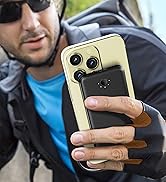
Figure 8.1: 15-Layer SmartProtect System.

Figure 8.2: Superior Tensile Strength and Durability Testing.
9. 保証とサポート
Your miisso 10000mAh Slim Portable Charger comes with a user guide and a USB charging cable. For specific warranty details and support, please refer to the documentation included with your product packaging or visit the official miisso brand store.
For further assistance, you may contact miisso customer support through their official channels, typically found on their webサイトまたは製品の販売ページをご覧ください。
Visit the miisso Store: https://www.amazon.com/stores/MIISSO/page/1839350A-9202-4C38-BD4E-1AF754E6550B
Ask a question about this manual
Ask about setup, troubleshooting, compatibility, parts, safety, or missing instructions. Manuals+ will review the question and use this page’s manual context to help answer it.