
Victron Energy PSC242553095
Victron Energy Smart IP43 24V 25A 3-Output Battery Charger (Model PSC242553095) User Manual
1. はじめに
This manual provides comprehensive instructions for the installation, operation, and maintenance of the Victron Energy Smart IP43 24-Volt 25 AMP 120-240 VAC, 3 Output Battery Charger with Bluetooth. Please read this manual thoroughly before using the product to ensure safe and efficient operation.
1.1.製品オーバーview
The Victron Energy Smart IP43 Charger is designed for charging up to three independent battery banks. It features built-in Bluetooth Smart for monitoring, control, and firmware updates via the VictronConnect app. The charger also includes automatic voltage compensation to account for voltage drop in DC cabling.
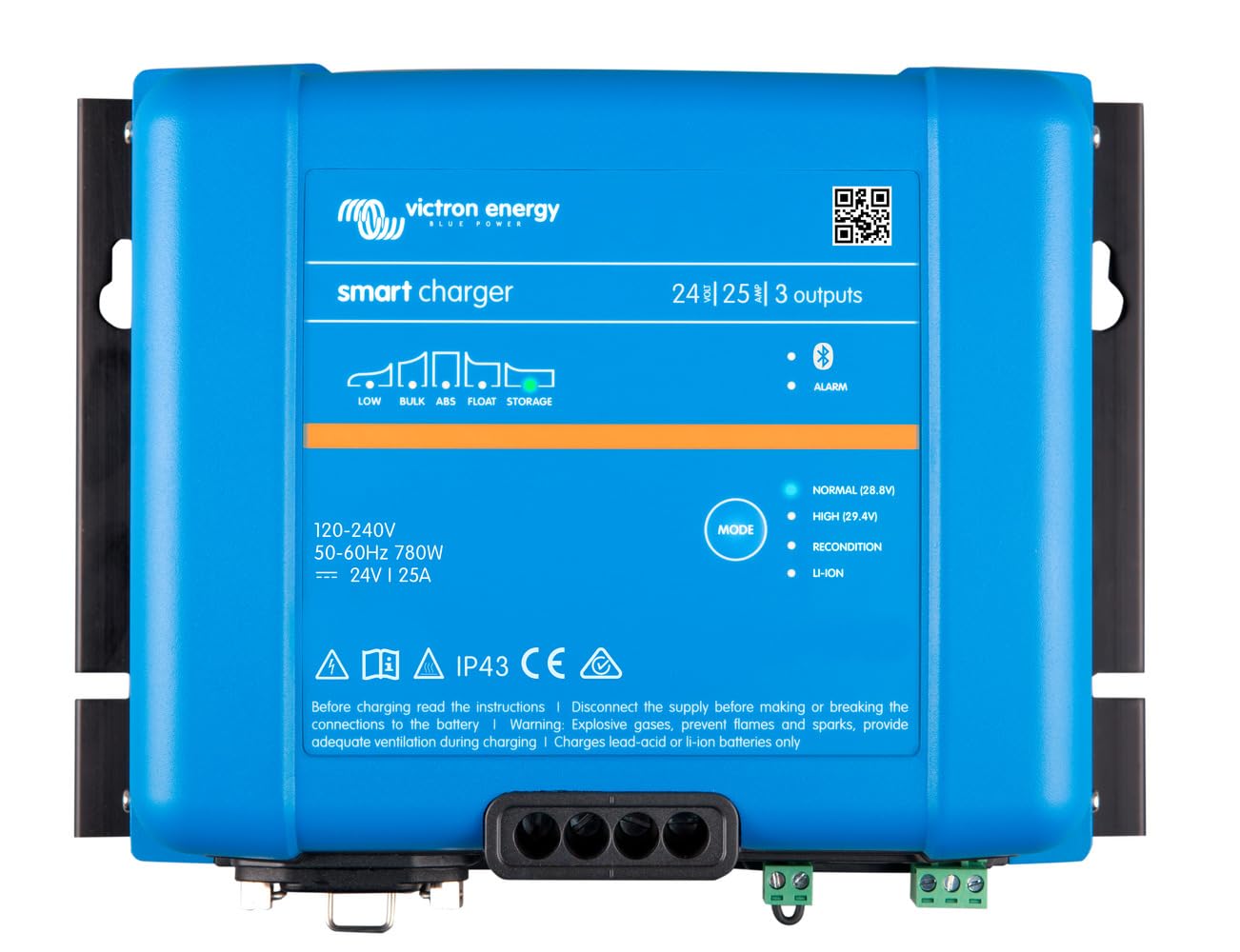
画像: 正面 view of the Victron Energy Smart IP43 24V 25A 3-Output Battery Charger.
1.2. 箱の中身
開梱したら、すべてのコンポーネントが揃っていることを確認してください。
- Victron Energy Phoenix Smart IP43 24-Volt 25 AMP 120-240 VAC, 3 Output Battery Charger with Bluetooth (Model PSC242553095)
- ユーザーマニュアル(このドキュメント)
- 取り付け用ハードウェア(該当する場合)
2. 安全に関する注意事項
警告: この製品には、癌、先天異常、またはその他の生殖障害を引き起こすことがカリフォルニア州で知られている化学物質が含まれています。詳細については、次のサイトを参照してください。 www.p65warnings.ca.gov.
- DC 接続を行う前、または切断する前に必ず AC 電源を切断してください。
- 充電器の周囲に適切な換気を確保してください。
- 充電器を雨や湿気にさらさないでください。
- Consult a qualified electrician for installation if you are unsure.
- Use appropriate cable sizes for all connections to prevent overheating.
- This device is designed for indoor use or protected outdoor environments (IP43 rating).
3. セットアップとインストール
3.1. 充電器の取り付け
Select a suitable location for mounting the charger. The location should be dry, well-ventilated, and protected from direct sunlight and excessive heat. Ensure there is sufficient space around the unit for air circulation.
- Mount the charger vertically on a non-flammable surface.
- Use appropriate screws and fasteners for the mounting surface.
- Ensure all connections are easily accessible after mounting.
3.2. 電気接続
The charger has three full current outputs designed to charge up to three separate battery banks. The total current drawn across all three outputs combined must not exceed the charger's rated output current (25 Amps)。
- DCバッテリー接続:
- Connect the positive (+) terminals of your battery banks to the corresponding positive output terminals on the charger.
- Connect the negative (-) terminals of your battery banks to the common negative terminal on the charger.
- Use marine-style battery connectors (ring terminals or battery clamps) as appropriate for your setup.
- すべてのDC接続がしっかりと固定されていることを確認し、過電圧を防止してください。tag落下や過熱を防ぎます。
- AC 入力接続:
- Connect the standard AC power cord (5-15P) to a compatible 120-240 VAC power outlet.
- 入力ボリュームを確認するtage matches the charger's specifications.
4. 操作
4.1. 初期電源投入
Once all connections are secure, plug the AC power cord into the wall outlet. The charger will initiate its startup sequence. Status indicators (LEDs) on the unit will provide information on the charging process.
4.2. Bluetooth Connectivity (VictronConnect App)
The charger features built-in Bluetooth Smart for advanced monitoring and control via the VictronConnect app. This app allows you to:
- Monitor real-time charging status and battery voltage.
- Configure charging parameters and battery presets (e.g., Gel, Lithium Iron Phosphate).
- Update the charger's firmware.
- Synchronize with other Victron Energy Smart devices.
Download the VictronConnect app from your device's app store. Follow the in-app instructions to connect to your charger via Bluetooth.

Image: Screenshot of the VictronConnect app interface on a smartphone, showing monitoring and configuration options.
4.3.自動巻tage補償
The charger automatically compensates for voltage drop that occurs over the DC cabling. As the DC current increases, the charger slightly increases its output voltage to ensure the batteries receive the correct charging voltage, optimizing charging efficiency and battery life.
4.4. Multi-Output Charging
The three outputs allow for simultaneous charging of up to three battery banks. While each output can deliver the full rated current, the combined total current from all three outputs will not exceed the charger's maximum output of 25 Amps.
Video: This video demonstrates the VictronConnect App for monitoring performance, showing how users can check key monitoring data, see device performance, and use simple controls for configuration and firmware updates.
Video: This video illustrates the Victron Remote Management (VRM) portal, demonstrating how to master remote systems by checking remote systems at a glance, managing devices with simple controls, and monitoring system performance in detail.
5. 仕様
| 特徴 | 仕様 |
|---|---|
| ブランド | ビクトロンエナジー |
| モデル番号 | PSC242553095 |
| 製品寸法 | 奥行き4.6インチ x 幅9.8インチ x 高さ7.1インチ |
| アイテム重量 | 2.6キログラム |
| 出力巻tage | 24 ボルト (DC) |
| 入力ボリュームtage | 120~240ボルト(AC) |
| 現在の評価 | 25 Amps |
| 出力数 | 3 |
| コネクタタイプ | Marine-style battery connectors (ring terminals or battery clamps) and standard AC power cord (5-15P) |
| ブルートゥース | Built-in Bluetooth Smart for VictronConnect app |
| 認定資格 | CE、FCC |
6. メンテナンス
- 定期点検: Periodically inspect the charger and its connections for any signs of damage, corrosion, or loose wiring.
- クリーニング: Keep the charger clean and free from dust and debris. Use a dry cloth for cleaning. Do not use liquid cleaners or solvents.
- 換気: 過熱を防ぐため、通気口がふさがれていないことを確認してください。
- ファームウェアの更新: Regularly check for and install firmware updates via the VictronConnect app to ensure optimal performance and access to new features.
7。 トラブルシューティング
If you encounter issues with your Victron Energy Smart IP43 charger, refer to the following common problems and solutions:
| 問題 | 考えられる原因 | 解決 |
|---|---|---|
| 充電器が入らない | AC入力電源なし | Check AC power cord connection and wall outlet. Ensure circuit breaker is not tripped. |
| 充電出力なし | Loose battery connections; Battery voltage too low for detection | Verify all DC battery connections are secure. If battery voltage is extremely low, try a different charging method to bring it to a detectable level. |
| 過熱 | Insufficient ventilation; Blocked air vents | Ensure adequate airflow around the charger. Clear any obstructions from the air vents. Reduce load if possible. |
| Bluetooth接続の問題 | Distance from device; Interference; App issues | Move closer to the charger. Restart the VictronConnect app and your mobile device. Ensure Bluetooth is enabled. |
If the problem persists after attempting these solutions, please contact Victron Energy customer support.
8. 保証とサポート
8.1. 保証情報
This product comes with a manufacturer's warranty. Please refer to the "Warranty Description" provided with your product or visit the official Victron Energy web保証条件の詳細については、ウェブサイトをご覧ください。保証請求の際は、購入証明書を保管してください。
8.2. カスタマーサポート
For technical assistance, troubleshooting, or service inquiries, please contact Victron Energy customer support through their official website or authorized service centers. You can also find additional resources and FAQs on the Victron Energy webサイト。
Ask a question about this manual
Ask about setup, troubleshooting, compatibility, parts, safety, or missing instructions. Manuals+ will review the question and use this page’s manual context to help answer it.