
ZOUKAI F3
ZOUKAI 骨伝導 Bluetooth 5.3 オープンイヤークリップヘッドホン ユーザーマニュアル
モデル: F3
1. はじめに
Thank you for choosing the ZOUKAI Bone Conduction Bluetooth 5.3 Open Ear Clip Headphones. This manual provides essential information for the proper use, setup, and maintenance of your new headset. Please read it thoroughly before use to ensure optimal performance and longevity.
2.製品オーバーview
2.1 主な特徴
- オープンイヤーデザイン: Allows you to enjoy audio while remaining aware of your surroundings, enhancing safety during outdoor activities.
- 骨伝導技術: Delivers sound through vibrations to your cheekbones, bypassing the eardrum.
- Bluetooth 5.3接続: Ensures stable and efficient wireless connection with compatible devices.
- 快適な耳クリップデザイン: Lightweight (4.5g per earbud) and ergonomic for pain-free, secure wearing, even with glasses.
- 自動ペアリング: Simplifies connection after initial setup.
- 直感的なコントロール: Easy single-hand operation for music playback, calls, and voice assistant.
- ENCノイズ低減: 通話の明瞭度が向上します。
- 防水設計: Suitable for use during exercise and in wet conditions.
- 長いバッテリー寿命: Up to 72 hours music time (with charging case), 30 days standby, 1 hour fast charging.
2.2 パッケージ内容
The ZOUKAI Bone Conduction Bluetooth 5.3 Open Ear Clip Headphones package includes:
- ZOUKAI Bone Conduction Bluetooth 5.3 Open Ear Clip Headphones (Left and Right Earbuds)
- 充電ケース
- 充電ケーブル
- ユーザーマニュアル(このドキュメント)
2.3 製品図

Image: ZOUKAI Bone Conduction Bluetooth 5.3 Open Ear Clip Headphones with their charging case. The earbuds are white and have an open-ear clip design. The charging case is also white with a green indicator light.
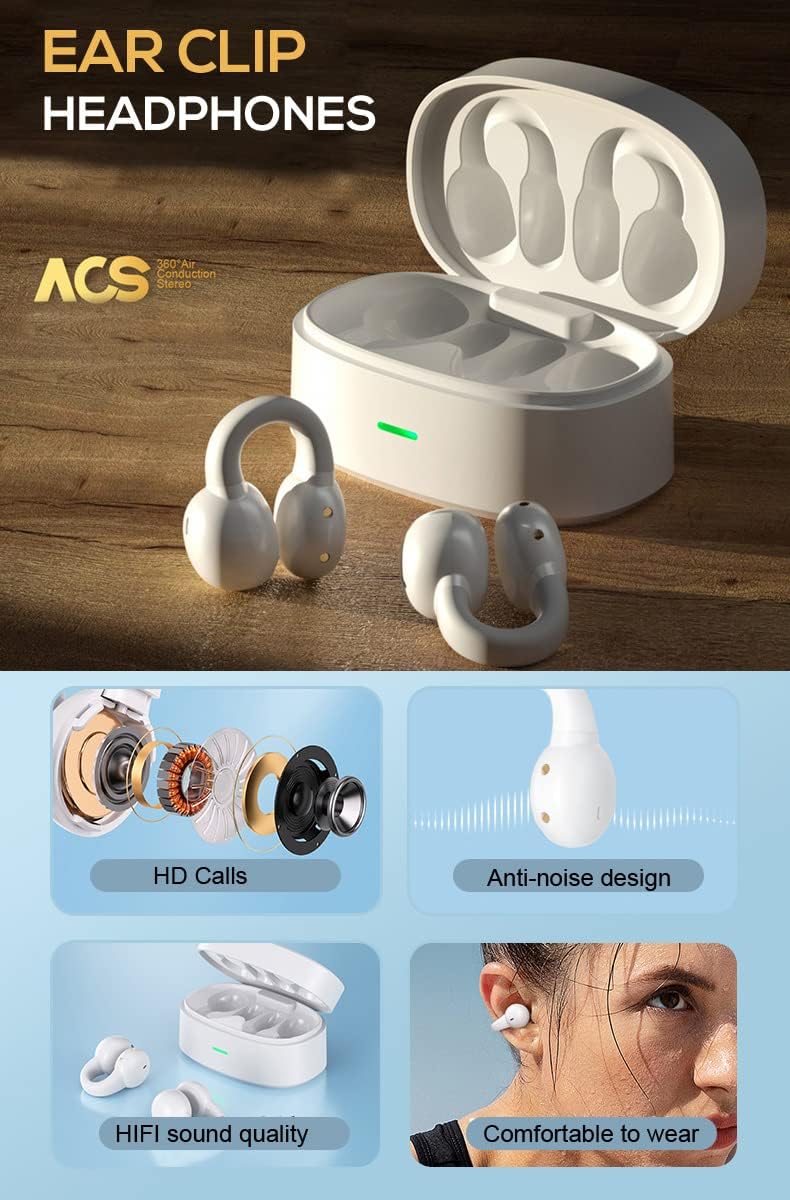
Image: A detailed diagram showing the internal components of the ZOUKAI ear clip headphones, including the bone conduction driver, coil, and other sound elements. Also shows the headphones in their charging case.
3. セットアップ
3.1 初期充電
Before first use, ensure the headphones and charging case are fully charged. Connect the provided charging cable to the charging case and a compatible USB power source. The indicator light on the case will show charging status.
- フル充電には約1時間かかります。
- The charging case provides multiple charges for the earbuds.
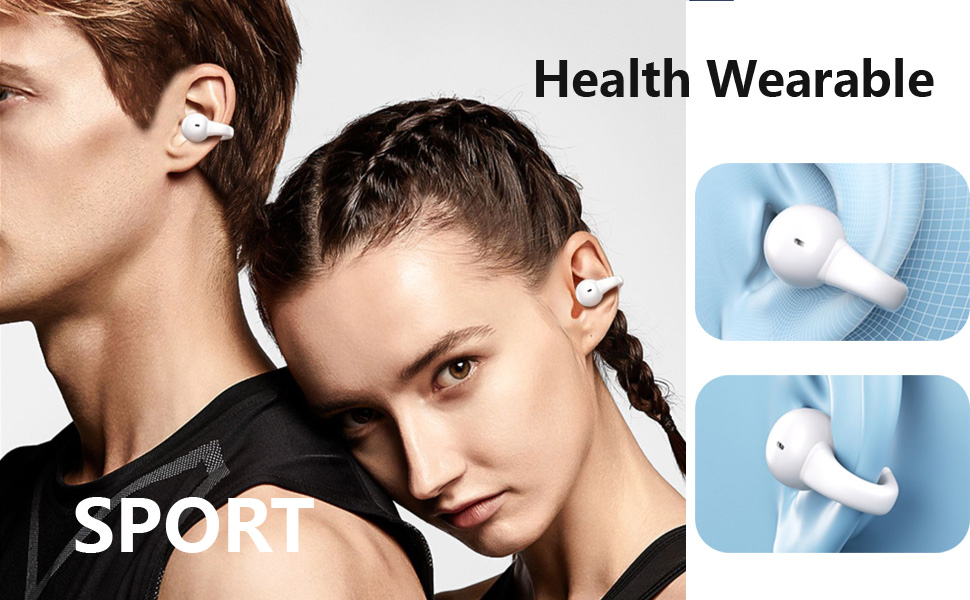
Image: An illustration highlighting the long battery life of the ZOUKAI headphones, showing 72 hours music time, 30 days standby time, and 1 hour fast charging, with the charging case and earbuds in the background.
3.2 Bluetoothデバイスとのペアリング
- ヘッドフォンが充電されており、充電ケースに入っていることを確認します。
- 充電ケースの蓋を開けると、ヘッドホンは自動的にペアリングモードになります。
- デバイス(スマートフォン、タブレット、ラップトップ)で Bluetooth 設定に移動し、Bluetooth をオンにします。
- 検索する available devices. Select "ZOUKAI F3" (or similar name) from the list.
- Once connected, the headphones will indicate successful pairing (e.g., a voice prompt or indicator light change).
Note: After the first successful pairing, the headphones will automatically connect to the last paired device when the charging case lid is opened, provided Bluetooth is enabled on the device.

Image: An illustration demonstrating the broad compatibility of the ZOUKAI headphones with Bluetooth 5.3 enabled devices, including smartphones and tablets. It also shows the ear clip design being comfortable even for users wearing glasses.
4. 操作手順
4.1 ヘッドホンの装着
Gently clip the headphones onto your earlobe. The open-ear design ensures comfort and allows ambient sound awareness. Adjust for a secure and comfortable fit.

Image: A man wearing the white ZOUKAI ear clip headphones, demonstrating their comfortable and discreet fit.

Image: Close-up illustrations showing how the ZOUKAI ear clip headphones are worn, highlighting their secure and comfortable placement on the earlobe for sports and daily use.
4.2 基本操作(タッチセンシティブ)
The headphones feature touch controls for easy operation:
| アクション | 関数 |
|---|---|
| シングルタップ | 音楽の再生/一時停止、通話の応答/終了 |
| ダブルタップ(左イヤホン) | 音量を下げる |
| ダブルタップ(右イヤホン) | 音量を上げる |
| トリプルタップ(左イヤホン) | 前の曲 |
| トリプルタップ(右イヤホン) | 次の曲 |
| 長押し(2秒) | 通話を拒否し、音声アシスタントを起動する |
5. メンテナンス
5.1 クリーニング
定期的にクリーニングすると、ヘッドフォンのパフォーマンスと衛生状態を維持するのに役立ちます。
- イヤホンと充電ケースを柔らかく乾いた糸くずの出ない布で拭いてください。
- 頑固な汚れには、軽くamp布に水を含ませてください。刺激の強い化学薬品や研磨剤の使用は避けてください。
- Do not submerge the headphones or charging case in water, despite their waterproof rating, to prevent damage to charging contacts or internal components.
5.2 ストレージ
When not in use, store the headphones in their charging case to protect them from dust, dirt, and physical damage.
- 高温多湿、直射日光を避けて保管してください。
- 湿度の高い環境での保管は避けてください。
5.3バッテリーケア
- Charge the headphones regularly, even if not used frequently, to prolong battery life.
- 充電する前にバッテリーを完全に使い切らないようにしてください。
- 付属の充電ケーブルまたは認定された同等品のみを使用してください。
6。 トラブルシューティング
If you encounter issues with your ZOUKAI headphones, refer to the following common solutions:
| 問題 | 考えられる原因 / 解決策 |
|---|---|
| ヘッドホンがオンになりません。 | Battery is low. Place headphones in the charging case and charge fully. |
| デバイスとペアリングできません。 |
|
| 音が出ない、または音量が低い。 |
|
| Intermittent connection / audio drops. |
|
| 通話中にマイクが機能しません。 |
|
7. 仕様
| 特徴 | 詳細 |
|---|---|
| モデル名 | F3 |
| 接続技術 | ワイヤレス(Bluetooth) |
| Bluetoothバージョン | 5.3 |
| オーディオドライバータイプ | 骨伝導ドライバー |
| 耳の位置 | 耳を開ける |
| フォームファクター | 耳クリップ |
| コントロールタイプ | Volume Control, Voice Control, Noise Control (Touch) |
| 騒音制御 | アクティブノイズキャンセリング(通話用ENC) |
| 耐水性レベル | 防水 |
| 周波数範囲 | 20Hz~20,000Hz |
| 材料 | プラスチック |
| アイテム重量 | 4.2オンス(パッケージ全体) |
| 色 | 白 |
| 含まれるコンポーネント | ケーブル |
| メーカー | ぞうかい |
| 欧州連合 | 768399192675 |
8. 保証とサポート
For warranty information and customer support, please refer to the purchase platform or contact ZOUKAI customer service directly. Keep your proof of purchase for warranty claims.
オンラインサポート: Visit the official ZOUKAI web小売業者のサイトまたは製品ページ webFAQ と追加のサポート リソースについては、こちらのサイトをご覧ください。
Ask a question about this manual
Ask about setup, troubleshooting, compatibility, parts, safety, or missing instructions. Manuals+ will review the question and use this page’s manual context to help answer it.