
miisso 5K95
miisso 6000mAh Ultra Slim Built-in Cables Power Bank Instruction Manual
モデル: 5K95
導入
Thank you for choosing the miisso 6000mAh Ultra Slim Built-in Cables Power Bank. This portable charger is designed for convenience and efficiency, featuring integrated cables for various devices. Please read this manual carefully to ensure proper use and maintenance of your device.
パッケージ内容
- miisso 6000mAh Ultra Slim Built-in Cables Power Bank (Model: 5K95) x 1
- USB-C充電ケーブルx1
- ユーザーガイド x 1
製品終了view
The miisso 6000mAh Ultra Slim Power Bank is a compact and versatile charging solution. It features built-in Type-C and other compatible cables, eliminating the need to carry extra charging accessories. Its credit card-sized design and lightweight construction make it highly portable.
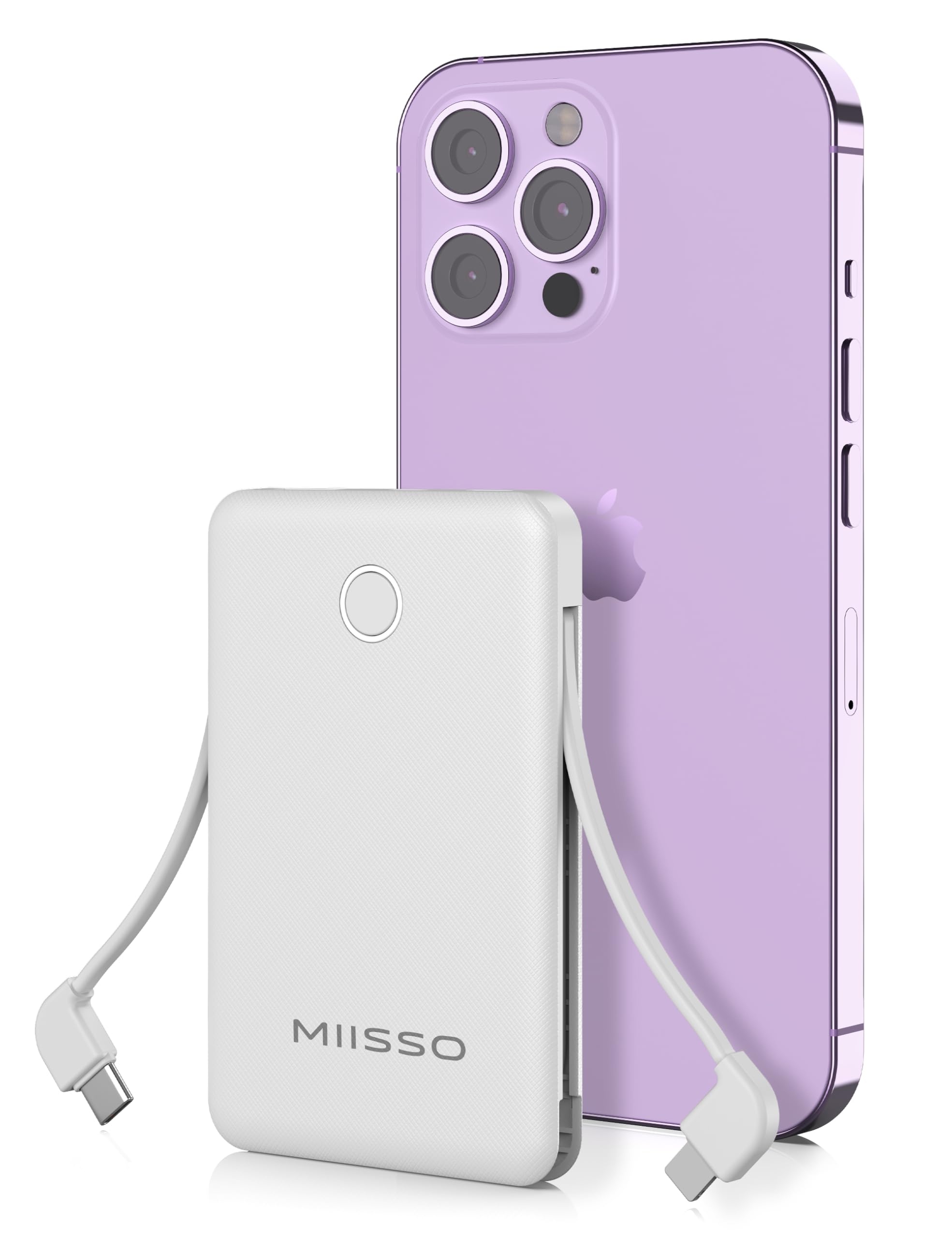
Figure 1: miisso 6000mAh Ultra Slim Power Bank with built-in cables.
Figure 2: The compact, credit card-sized design of the power bank.
設定
パワーバンクの初期充電
- Connect the provided USB-C charging cable to the power bank's input port.
- USB-C ケーブルのもう一方の端を、互換性のある USB 壁面アダプター (別売) またはコンピューターの USB ポートに差し込みます。
- The LED indicators on the power bank will illuminate to show the charging status. A full charge typically takes 2.5-3 hours with a 2A charger.
- Once fully charged, all LED indicators will remain solid. Disconnect the power bank from the charging source.
バッテリー残量の確認
電源ボタンを1回押すと view 現在のバッテリーレベルは LED ライトで示されます。
操作手順
デバイスの充電
The miisso power bank offers multiple output options:
- 内蔵Type-Cケーブル: Pull out the integrated Type-C cable and connect it directly to your compatible device.
- Built-in Other Compatible Cable: Pull out the integrated compatible cable (e.g., Lightning) and connect it directly to your device.
- USB出力ポート: Use your device's own USB charging cable and plug it into the standard USB output port on the power bank.
The power bank can charge up to 3 devices simultaneously using its two built-in cables and one USB output port.
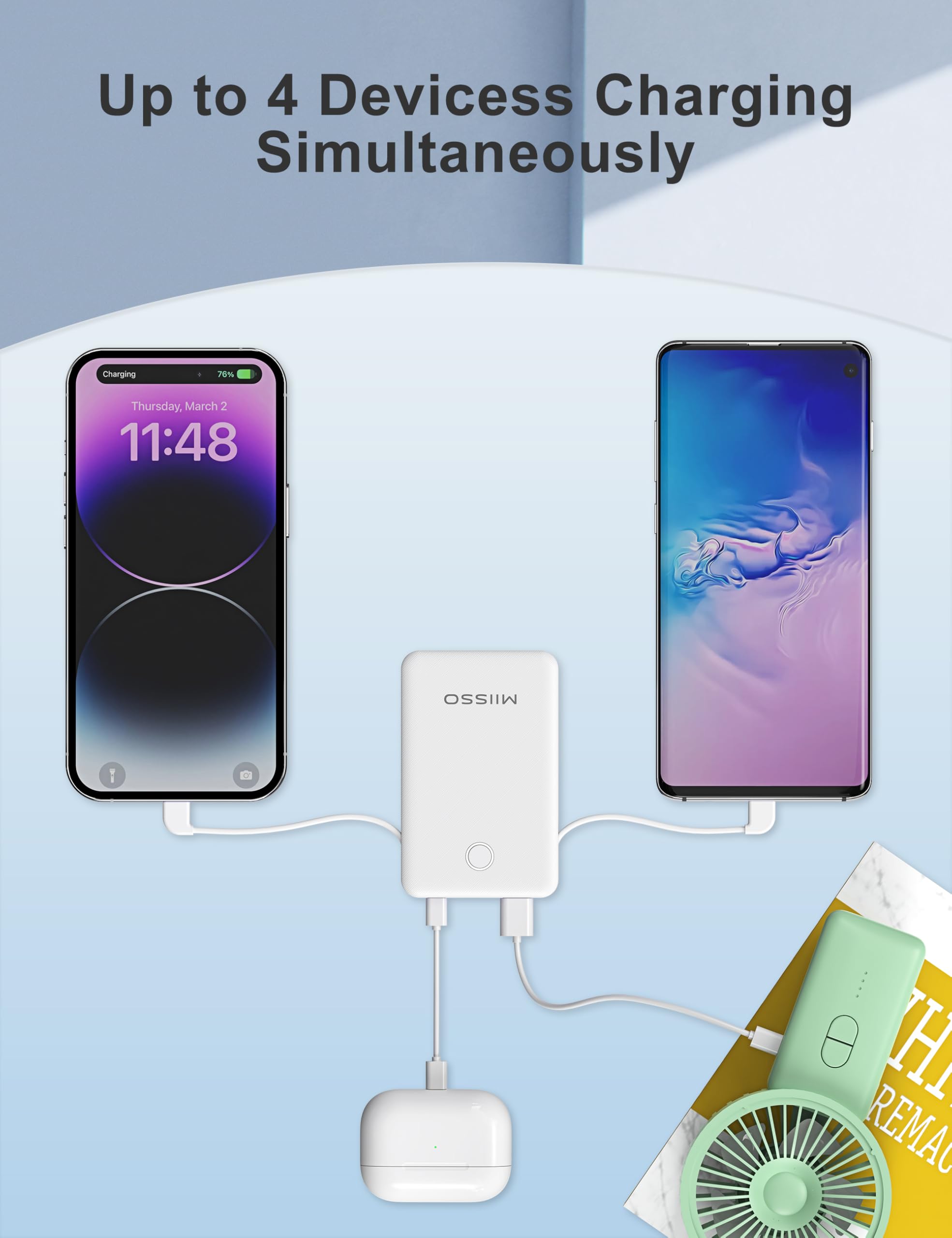
Figure 3: Charging multiple devices with the power bank.
Video 1: Demonstration of the Ultra Slim Built-in Cables Power Bank in use.
ビデオ2: 終了view of the 6000mAh Colorful Ultra Slim Built-in Cables Power Bank features.
メンテナンス
- パワーバンクを水、湿気、極端な温度から遠ざけてください。
- 落としたり、強い衝撃を与えないでください。
- パワーバンクは柔らかく乾いた布で拭いてください。刺激の強い化学薬品や研磨剤は使用しないでください。
- モバイルバッテリーを使用しないときは、涼しく乾燥した場所に保管してください。
- バッテリー寿命を最適に保つには、定期的に使用しない場合でも、少なくとも 3 か月に 1 回はパワーバンクを完全に充電してください。

Figure 4: The power bank is constructed from durable ABS material.
トラブルシューティング
| 問題 | 考えられる解決策 |
|---|---|
| パワーバンクが充電されません。 | 充電ケーブルがモバイルバッテリーと電源の両方にしっかりと接続されていることを確認してください。別のケーブルまたは電源アダプターをお試しください。 |
| デバイスがパワーバンクから充電されません。 | Check if the power bank has sufficient charge. Ensure the device's cable (built-in or external) is properly connected. Try a different output port or cable. |
| 充電が遅い。 | Verify that the cables and adapters used support fast charging if desired. Ensure the device being charged is compatible with the power bank's output. |
| LEDインジケーターが動作しません。 | Press the power button to activate the indicators. If still unresponsive, the unit may require charging or service. |
仕様
- モデル: 5K95
- バッテリー容量: 6000ミリamp 営業時間
- 製品寸法: 4.13 x 2.6 x 0.51インチ
- 商品の重量: 4.3オンス
- 特集: Built-in Cables (USB Type C and other compatible cables)
- メーカー: 深セン威来神ニアオ技術有限公司

Figure 5: The 15-Layer SmartProtect System ensures safe charging.
保証とサポート
For warranty information and customer support, please refer to the documentation included with your purchase or visit the official miisso website. Contact details for the manufacturer are typically provided in the user guide or on the product packaging.
メーカー: 深セン威来神ニアオ技術有限公司
Ask a question about this manual
Ask about setup, troubleshooting, compatibility, parts, safety, or missing instructions. Manuals+ will review the question and use this page’s manual context to help answer it.