
ワンズview W7
ワンズview 2K セキュリティカメラ W7 ユーザーマニュアル
モデル:W7
1.製品オーバーview
ワンズview 2K Security Camera W7 is a high-resolution outdoor surveillance camera designed to provide comprehensive home security. Featuring 2K (3MP) video capture, full-color night vision, two-way audio, and advanced motion detection, it offers reliable monitoring day and night. The camera is IP65 waterproof, ensuring durability in various weather conditions, and supports both local SD card storage and cloud storage options.

図1.1: wansview 2K Security Camera W7 and its mobile application interface.
2.セットアップガイド
2.1. パッケージ内容
- ワンズview 2K Security Camera W7
- USB電源コード
- コンセント
- インストールガイド
- Mounting Screws (2 sets)
2.2. 初期設定
- 電源接続: Connect the USB power cord to the camera and then to the power plug. Plug the power plug into a standard electrical outlet. The camera requires a wired power connection for operation.
- アプリをダウンロード: Download the "Wansview Cloud" app from the Apple App Store or Google Play Store on your smartphone.
- アカウント登録: WANを開きますview Cloud app and register for a new account or log in if you already have one.
- デバイスを追加: Tap the "+" icon in the app to add a new device. Select the W7 camera model.
- Wi-Fi接続: Follow the in-app instructions to connect the camera to your 2.4GHz Wi-Fi network. Ensure your Wi-Fi signal is strong at the camera's intended mounting location. You will be prompted to scan a QR code displayed on your phone screen with the camera's lens.
- 取り付け: Once the camera is successfully connected, choose a suitable outdoor location for mounting. Use the provided mounting screws and the installation guide to securely attach the camera to a wall. The camera is designed for wall-mounted installation.

Figure 2.1: Key features and weather resistance of the wansview W7 camera.
3. 操作手順
3.1.ライブ View パン/チルトコントロール
Access the live video feed from your camera through the Wansview Cloud app. You can remotely control the camera's viewing angle with its 350° pan and 55° tilt capabilities to monitor a wide area.
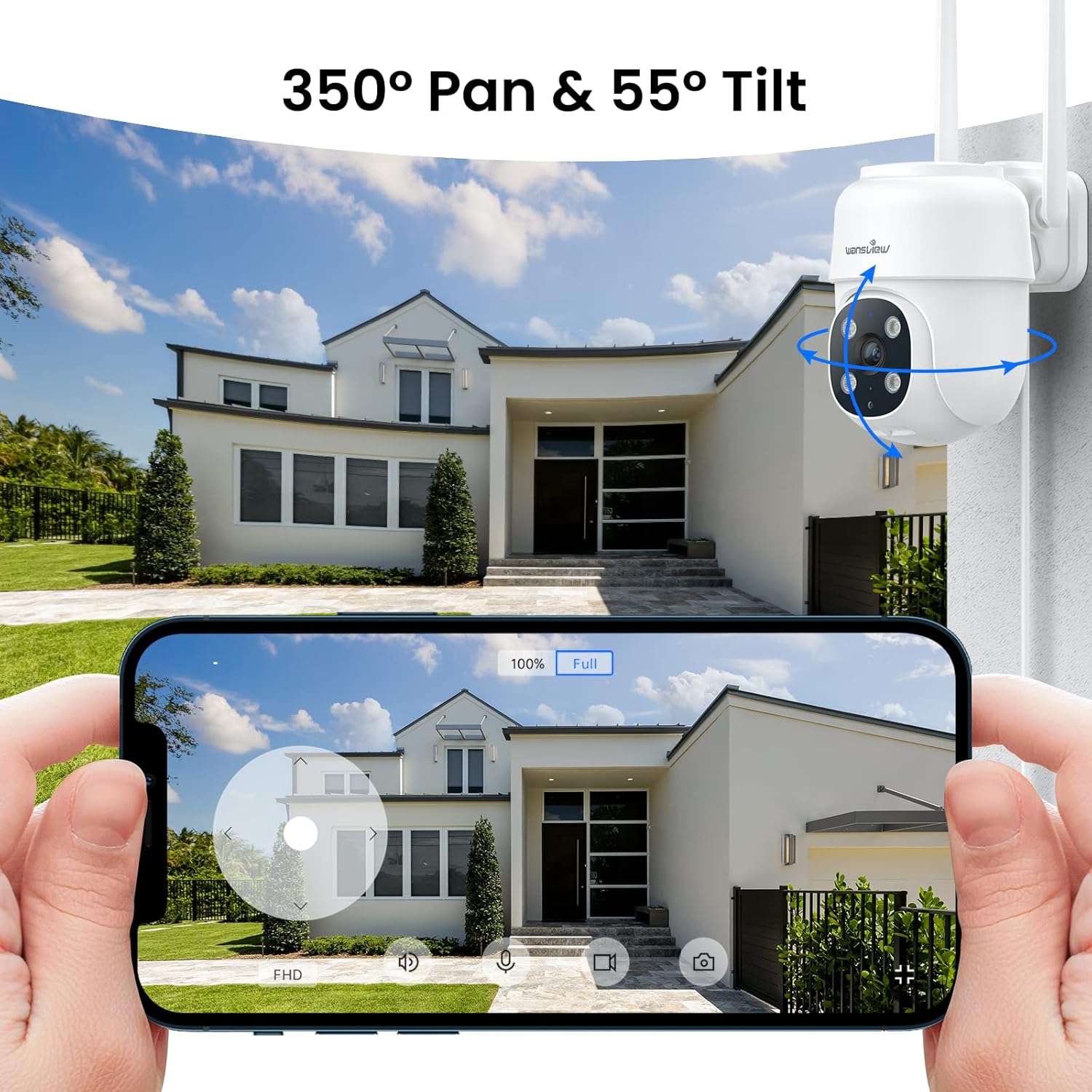
Figure 3.1: Remote pan and tilt control via the Wansview クラウドアプリ。
3.2. 双方向オーディオ
The camera features a built-in microphone and speaker, enabling two-way communication. Use the app to speak to visitors or deter unwanted guests from your property.
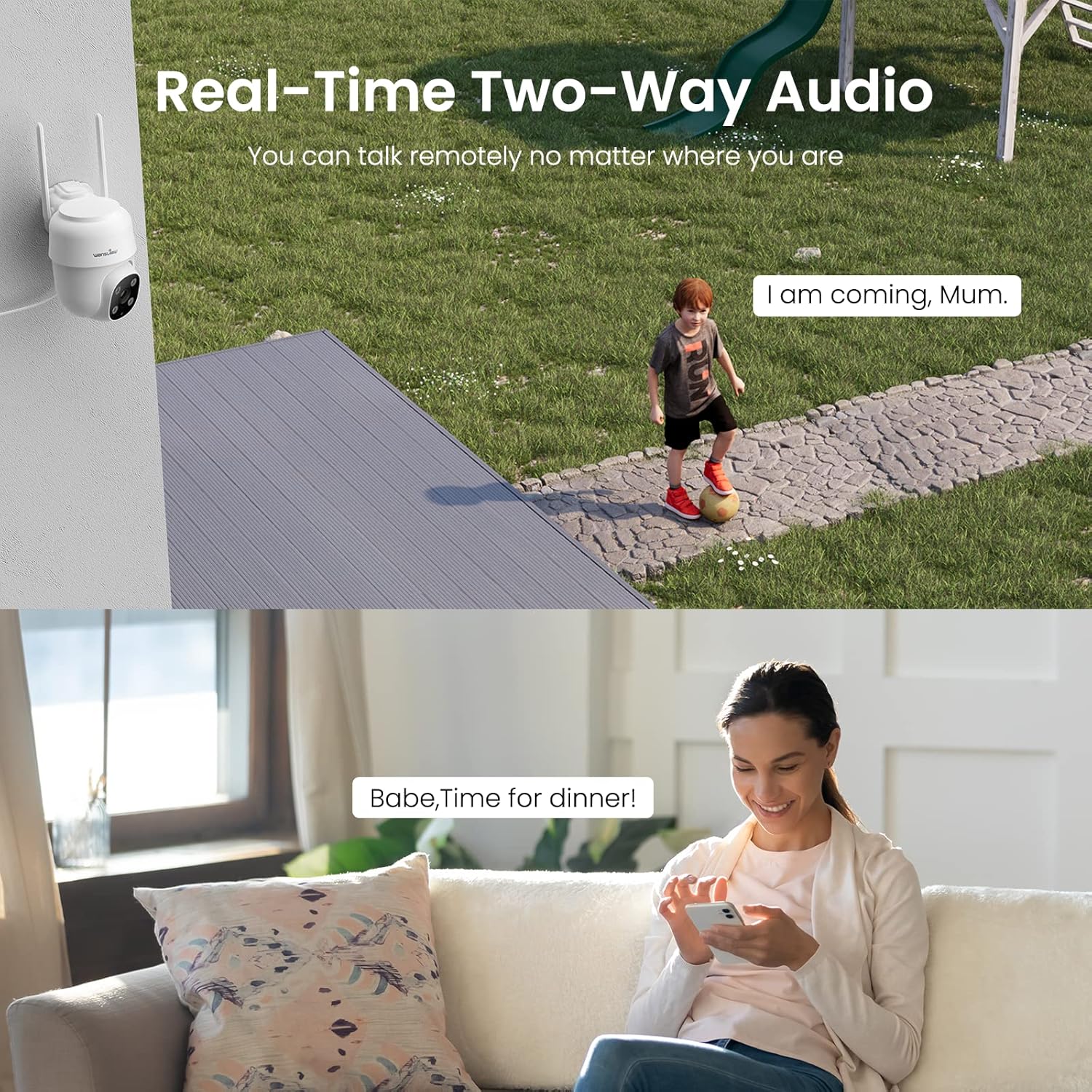
Figure 3.2: Demonstrating the real-time two-way audio functionality.
3.3. ナイトビジョンモード
The W7 camera offers two night vision modes for clear visibility in low-light conditions:
- 赤外線ナイトビジョン: 完全な暗闇でも鮮明な白黒画像を提供します。
- フルカラーナイトビジョン: Utilizes built-in white lights to display color images at night when activated.

Figure 3.3: Visual comparison of infrared and full-color night vision.
3.4. 動きの検知とアラート
The camera's built-in sensor detects motion and can trigger real-time alerts to your phone. You can customize the motion detection sensitivity and define specific detection areas within the app to minimize false alarms.
- ライトアラーム: The camera's white light can be set to turn on automatically or manually upon motion detection.
- サイレンアラーム: 侵入者を阻止するために可聴サイレンを鳴らすことができます。
- 通知: 動きが検出されると、スマートフォンにプッシュ通知が届きます。
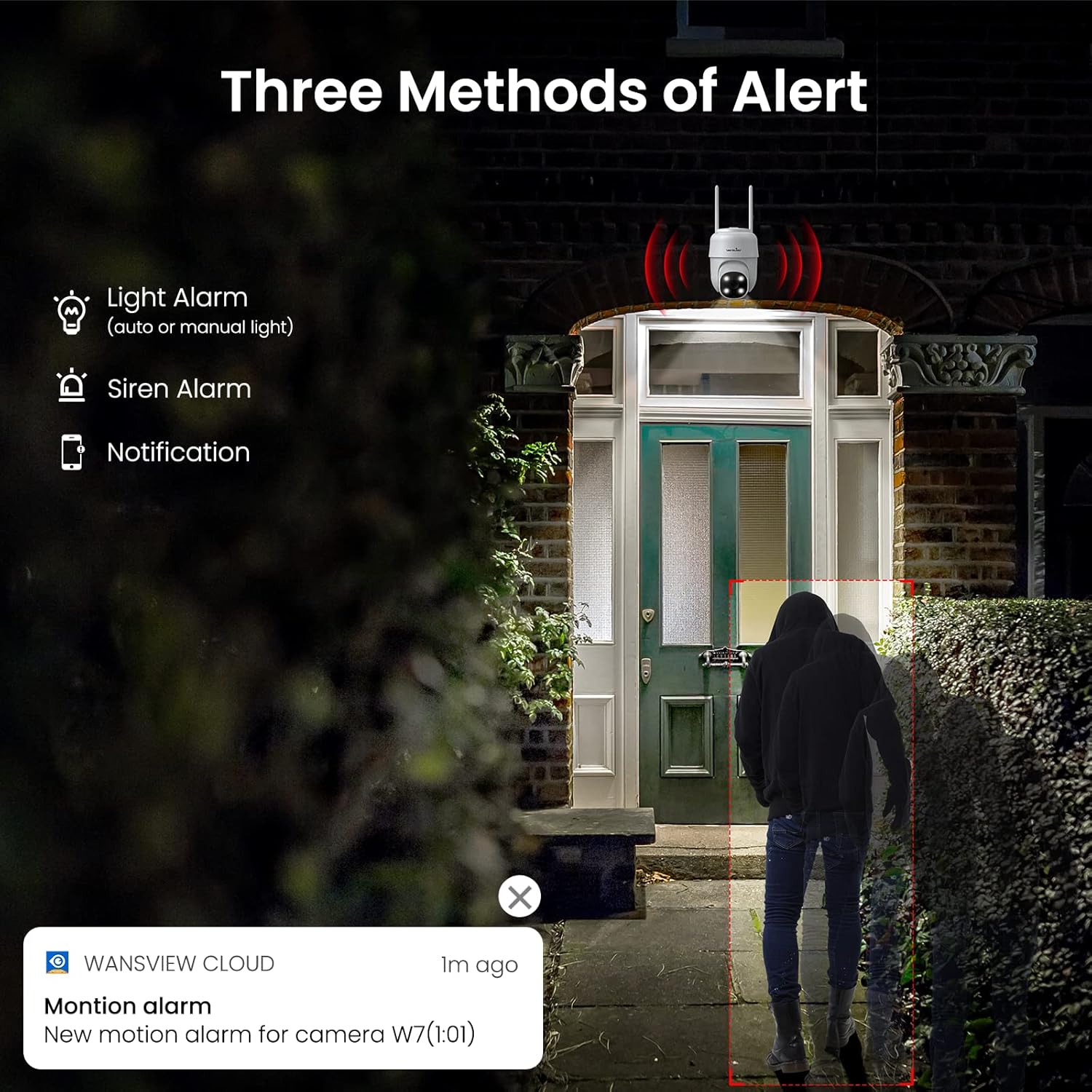
図3.4:以上view of the three alert methods available.

Figure 3.5: Customizing the motion detection area for precise alerts.
3.5. 記録と保存
The W7 camera supports continuous 24/7 recording to ensure no important moments are missed. You have two primary storage options:
- SDカードストレージ: 録画をローカルに保存するには、カメラに microSD カード (最大 128 GB、別売) を挿入します。
- クラウドストレージ: Optional cloud storage provides a secure backup for your video footage.
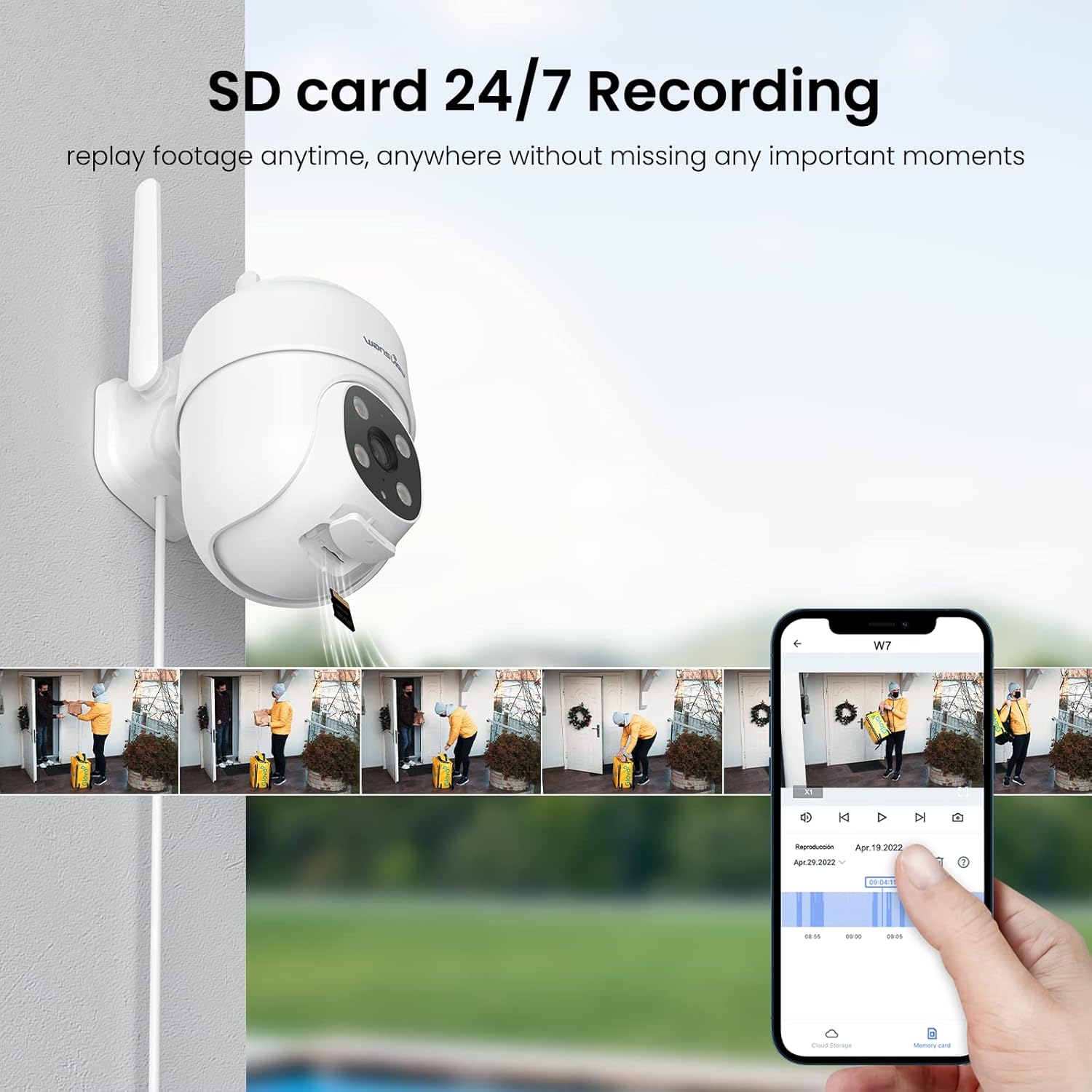
Figure 3.6: SD card storage and playback of recorded footage.
3.6. スマートホーム統合
ワンズview W7 camera is compatible with Amazon Alexa Echo Show and Google Home. You can use voice commands to view your camera's live feed on compatible smart displays.

Figure 3.7: Integrating the camera with smart home assistants like Alexa.
3.7. マルチユーザーアクセス
You can share camera access with family members or trusted individuals through the Wansview Cloud app, allowing multiple users to view ライブフィードと録画を同時に表示します。

Figure 3.8: Sharing camera access with family and friends.
4. メンテナンス
- クリーニング: Regularly clean the camera lens and body with a soft, dry cloth to ensure clear image quality. Avoid using harsh chemicals or abrasive materials.
- 電源接続: Periodically check the power cord and plug for any signs of damage. Ensure the connection remains secure.
- Wi-Fi信号: Verify that the camera maintains a strong 2.4GHz Wi-Fi signal at its installed location for optimal performance. Consider a Wi-Fi extender if the signal is weak.
- ファームウェアの更新: Keep the Wansview Cloud app updated to the latest version, as this often includes firmware updates for the camera that improve performance and security.
- SDカード管理: If using an SD card for storage, periodically check its status in the app. Format the SD card as needed to maintain optimal recording performance.
5。 トラブルシューティング
5.1. よくある問題と解決策
| 問題 | 考えられる原因 | 解決 |
|---|---|---|
| カメラがオフライン/接続できません | No power; Weak Wi-Fi signal; Incorrect Wi-Fi password; Router issues. | Check power connection. Ensure camera is within Wi-Fi range. Verify Wi-Fi password. Restart router and camera. |
| ビデオ品質が悪い | レンズの汚れ、照明不足、ネットワーク帯域幅の問題。 | Clean the camera lens. Ensure adequate lighting for optimal 2K resolution. Check network speed. |
| Motion alerts are inaccurate/too frequent | Sensitivity too high; Detection area too broad. | Adjust motion detection sensitivity in the app (e.g., set to 'Normal'). Refine the detection area to focus on critical zones. |
| Night vision not clear/not activating | Obstruction in front of lens; Ambient light interference. | カメラの視界を遮るものがないことを確認してください view. Minimize external light sources that might interfere with infrared sensors. |
| 双方向オーディオの問題 | マイク/スピーカーがブロックされています。アプリの権限があります。ネットワークが遅延しています。 | Check for obstructions around microphone/speaker. Ensure app has microphone permissions. Check network stability. |
| SDカードに録画されない | SD カードがいっぱい/破損しています。フォーマットが正しくありません。カードが正しく挿入されていません。 | Format the SD card via the app. Ensure the card is correctly inserted. Replace if corrupted. |
5.2. カメラのリセット
If issues persist, you can reset the camera to its factory settings through the Wansview Cloud app under device management. This can resolve many software-related problems.
6. 仕様
| 特徴 | 詳細 |
|---|---|
| モデル番号 | W7 |
| ビデオ解像度 | 2K(3メガピクセル) |
| 屋内/屋外での使用 | 屋外 |
| 電源 | コード式電気(5ボルト、5ワット) |
| 接続性 | 2.4GHz Wi-Fi |
| パン/チルト範囲 | 350°パン、55°チルト |
| View角度 | 95度 |
| ナイトビジョン | Full-Color Night Vision, Infrared Night Vision (up to 10 meters) |
| 防水等級 | IP65 |
| 動作温度 | -10℃~50℃(14°F~122°F) |
| ストレージオプション | MicroSDカード(最大128GB、別売)、クラウドストレージ |
| 寸法(長さ×幅×高さ) | 4.5 x 3.44 x 4.8インチ |
| アイテム重量 | 13.3オンス |
| 含まれるコンポーネント | Camera, USB cable, Plug, Installation guide, Mounting screws |
7. 保証とサポート
保証情報およびテクニカルサポートについては、公式のWANSを参照してください。view website or contact wansview customer service directly. Customer support can assist with setup, troubleshooting, and product inquiries.
提供されたデータに基づくと、埋め込み可能な公式製品ビデオはありませんでした。
Ask a question about this manual
Ask about setup, troubleshooting, compatibility, parts, safety, or missing instructions. Manuals+ will review the question and use this page’s manual context to help answer it.