
1. 安全情報
Please read all instructions carefully before using the Taurus Inception Precission Smart Bathroom Scale. Retain this manual for future reference.
- ペースメーカーやその他の体内医療機器を装着している場合は、このデバイスを使用しないでください。
- 妊娠中の方はこの装置を使用しないでください。
- The scale is designed for household use only.
- 体重計は硬くて平らな面に置いてください。カーペットなどの柔らかい面で使用すると、精度に影響が出る可能性があります。
- スケールの表面は濡れていると滑りやすくなります。乗る前に表面が乾いていることを確認してください。
- 体重計に飛び乗らないでください。
- スケールを極端な温度、直射日光、高湿度から遠ざけてください。
- はかりを水に浸さないでください。
- お子様の手の届かない場所に保管してください。
2.製品オーバーview
The Taurus Inception Precission is a smart bathroom scale designed to measure weight, body fat percentage、体水分率tage. It features a sleek design, tempered glass platform, and an easy-to-read LCD display.
主な特徴:
- Measures weight, body fat percentage、体水分率tage.
- High precision: 0.1 kg / 0.2 lb increments.
- Maximum capacity: 180 kg / 396 lb.
- Minimum weight for measurement: 3 kg / 6.6 lb.
- 大きくて読みやすい LCD ディスプレイ。
- 耐久性のある強化ガラスプラットフォーム。
- Automatic power-on and 8-second automatic shut-off.
- Memory for up to 10 distinct users.
- すぐに使える電池が付属しています。
コンポーネント:
- Weighing Platform (Tempered Glass)
- LCDディスプレイ
- Electrodes (metal pads for body composition analysis)
- バッテリーコンパートメント(下側にあります)
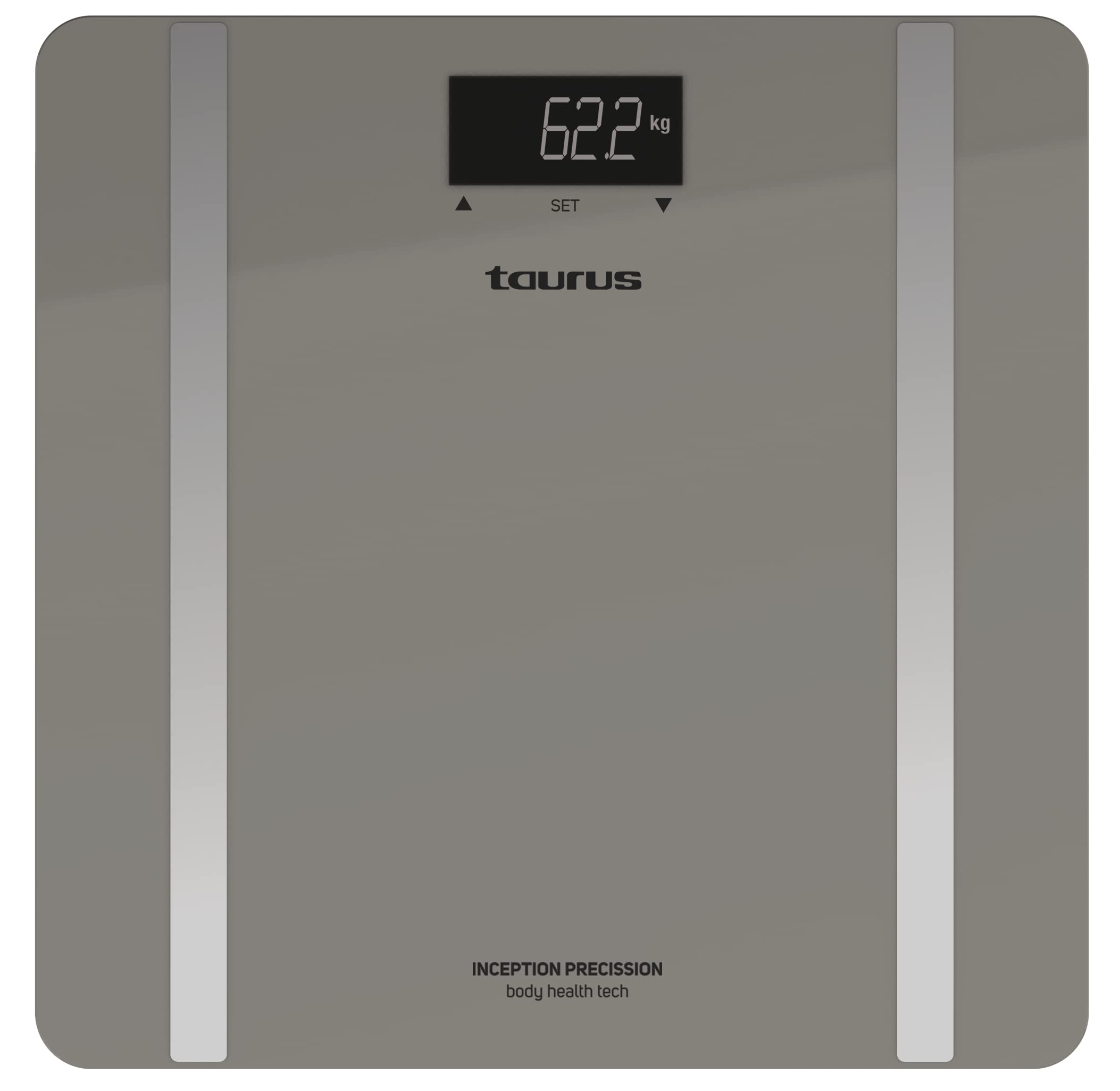
Image: Taurus Inception Precission Smart Bathroom Scale, grey color, with an LCD display and a tempered glass platform.
3. セットアップ
3.1. バッテリーの取り付け
- スケールを裏返すと、下側の電池ボックスが開きます。
- 電池ボックスのカバーを開きます。
- Insert the included 1 AA battery, ensuring the correct polarity (+/-).
- 電池カバーをしっかりと閉じてください。
3.2. 初期配置
- Place the scale on a hard, flat, and stable surface (e.g., tile, hardwood floor). Avoid carpets or uneven surfaces.
- スケールが熱源の近くや直射日光の当たらない場所に置かれていることを確認してください。
4. 操作手順
4.1. 基本的な体重測定
- 体重計の中央を足で軽く叩くと体重計が作動します。ディスプレイに「0.0」または「0.00」と表示されます。
- Once "0.0" or "0.00" appears, step onto the scale barefoot and stand still.
- Your weight will be displayed and flash a few times before stabilizing.
- Step off the scale. It will automatically turn off after approximately 8 seconds.
4.2. Body Composition Measurement (Body Fat & Body Water)
For body composition analysis, you need to set up a user profile体重計は最大10人のユーザーのデータを保存できます。
4.2.1. ユーザープロの設定file
The specific method for setting up user profiles (e.g., age, height, gender) is typically done via buttons on the scale or an associated app. As no app is mentioned, assume basic profile selection on the scale.
- スケールをタップしてアクティブにします。
- Look for a 'SET' or 'MODE' button, or a user selection button (often indicated by arrows or a 'P' for profile).
- Use the buttons to select an empty user slot (P1-P10).
- Follow the on-screen prompts to input personal data such as age, height, and gender. Confirm each input.
- プロになったらfile is set, the scale is ready for measurement.
4.2.2. Taking a Body Composition Measurement
- Activate the scale and select your user profile (P1-P10) if it doesn't automatically recognize you.
- 裸足で体重計に乗り、足が金属電極の上に置かれていることを確認してください。そのまま静止してください。
- 体重計は最初に体重を表示し、次に体脂肪率を表示します。tageと体水分率tage.
- Step off the scale once all measurements are displayed. The data will be stored in your profile.
4.3. Changing Weight Units (kg/lb)
The unit switch is usually located on the underside of the scale, near the battery compartment.
- スケールを裏返します。
- Locate the unit switch (often a small button or slider labeled "UNIT" or "kg/lb").
- Press or slide the switch to toggle between kilograms (kg) and pounds (lb).
- Turn the scale back over and activate it to confirm the new unit on the display.
5. メンテナンスとケア
- 広告でスケールを掃除するamp 布と中性洗剤を使用してください。研磨剤入りの洗剤を使用したり、水に浸したりしないでください。
- Avoid dropping or striking the scale, as this may damage the tempered glass or internal components.
- If the scale will not be used for an extended period, remove the battery to prevent leakage.
- スケールは涼しく乾燥した場所に保管してください。
6。 トラブルシューティング
| 問題 | 考えられる原因 | 解決 |
|---|---|---|
| 「Lo」と表示 | バッテリー残量が少なくなりました。 | 単三電池を交換してください。 |
| 「Err」が表示される | 過負荷または不安定な測定。 | Ensure weight does not exceed 180 kg. Place scale on a flat, stable surface. Step on and stand still. |
| 不正確な測定値 | Scale on soft surface, not calibrated, or moved. | Place scale on a hard, flat surface. Tap to activate, wait for "0.0", then weigh. If moved, recalibrate by tapping and waiting for "0.0" before weighing. |
| 表示なし | Battery issue or scale not activated. | Check battery installation and charge. Tap the scale to activate. |
| Body composition not measured | Not barefoot, feet not on electrodes, or user profile 設定されていません。 | Step on barefoot. Ensure feet cover the metal electrodes. Set up your user profile as per section 4.2.1. |
7. 仕様
- ブランド: おうし座
- モデル: Inception Precission
- モデル番号: 8414234905567
- 最大積載量: 180 kg / 396 ポンド
- 最小重量: 3 kg / 6.6 ポンド
- 精度: 0.1 kg / 0.2 ポンド
- 表示タイプ: 液晶
- 材料: 強化ガラス
- 電源: 単三電池1本(付属)
- ユーザーメモリ: 最大10ユーザー
- 自動遮断: Yes (after 8 seconds of inactivity)
- 色: グレー
8. 保証とサポート
For warranty information and customer support, please refer to the documentation provided with your purchase or contact Taurus customer service. Keep your proof of purchase for any warranty claims.


