1. はじめに
Thank you for choosing the HDWR wagPRO-P500 Platform Scale. This manual provides essential information for the safe and efficient operation, setup, and maintenance of your new scale. Please read this manual thoroughly before use and keep it for future reference.
The HDWR wagPRO-P500 is a robust platform scale designed for precise weighing of larger items in industrial, warehouse, agricultural, and logistics environments. It features a high capacity, accurate measurements, and a user-friendly interface.
2 製品の特徴
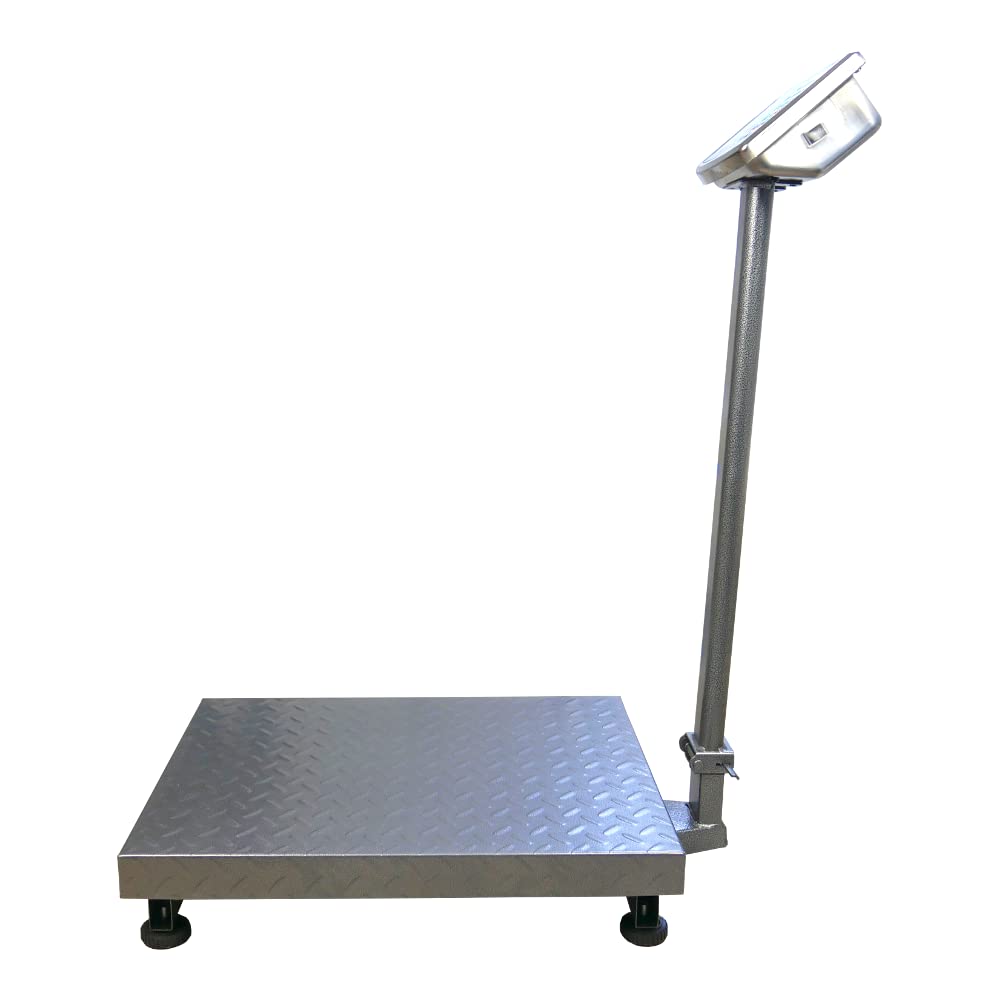
- プラットフォーム: The scale features a spacious 60 x 45 cm platform for easy placement of goods, equipped with special tabs to prevent accidental slipping.
- 正確な測定: Offers precise measurement for items weighing from 200 grams up to a maximum capacity of 500 kg, with an accuracy of 0.2 kg.
- ユーザーフレンドリーなインターフェース: Features three easy-to-read, green backlit LCD digital displays showing product weight and unit price.
- 追加機能: Includes useful functions such as Tare, unit price input, and totalization.
- 電源操作: An integrated 4 Ah battery provides wireless operation for approximately 150 hours.

Image: Key features of the HDWR wagPRO-P500 scale, including display, hold function, unit conversion, accuracy, tare, and battery power.

Image: Details on measurement accuracy, charging process, the robust platform, and the clear display of the scale.
3. セットアップ手順
- 開梱: Carefully remove all components from the packaging. Verify that all parts are present: platform, display unit, support column, power adapter, and user manual.
- Assemble the Support Column: Attach the display support column to the platform base. Ensure it is securely fastened using the provided hardware.
- ディスプレイユニットを取り付けます。 Mount the display unit onto the top of the support column. Connect the cable from the platform to the display unit.
- 配置: Place the scale on a firm, level, and stable surface to ensure accurate readings. Avoid areas with excessive vibration, drafts, or extreme temperature changes.
- 初期充電: Connect the scale to a power outlet using the supplied mains adapter. Allow the internal battery to fully charge before the first wireless use. The charging indicator on the display will show the charging status.

Image: An assembled HDWR wagPRO-P500 platform scale, ready for use.
4. 操作手順
4.1 電源オン/オフ
- 体重計の電源を入れるには、 [オン/オフ] ボタン。
- To power off the scale, press and hold the [オン/オフ] ディスプレイが消えるまでボタンを押し続けます。
4.2 基本的な計量
- スケールの電源がオンになっており、ディスプレイに「0.00」が表示されていることを確認します。
- Carefully place the item to be weighed onto the center of the platform.
- 画面に表示される重量を読み取ります。
4.3風袋機能
The Tare function allows you to subtract the weight of a container or packaging, so only the net weight of the contents is measured.
- Place the empty container onto the platform. The display will show its weight.
- を押す 【風袋】 ボタンを押します。表示は「0.00」にリセットされます。
- Place the items to be weighed into the container. The display will now show only the weight of the items.
- To clear the tare, remove the container and items, then press 【風袋】 また。
4.4単位変換
The scale supports measurement in kilograms (kg) and pounds (lb).
- 単位を切り替えるには、 [単位] button (or similar button as indicated on your display). The active unit will be shown on the display.
4.5 Price Calculation (if applicable)
If your model supports price calculation, follow these steps:
- アイテムをプラットフォーム上に置きます。
- Using the numeric keypad, enter the unit price.
- The total price will be displayed automatically.
画像: 詳細な view of the scale's green backlit LCD display and control keypad, showing weight, unit price, and total price fields.
5. メンテナンス
5.1 クリーニング
- 清掃する前に必ずスケールを電源から外してください。
- Wipe the platform and display unit with a soft, damp 布。 必要に応じて中性洗剤を使用してください。
- Do not use abrasive cleaners, solvents, or immerse any part of the scale in water.
- Ensure no liquid enters the display unit or internal components.
5.2バッテリーケア
- ディスプレイに電池残量低下インジケーターが表示されたら、電池を充電してください。
- バッテリー寿命を最適にするには、バッテリーを頻繁に完全に消耗させないようにしてください。
- If the scale is not used for an extended period, charge the battery every 3 months to prevent deep discharge.
5.3 ストレージ
- Store the scale in a dry, clean environment, away from direct sunlight and extreme temperatures.
- Avoid placing heavy objects on the platform during storage.

画像: クローズアップ view of the durable, textured metal platform, designed for secure placement of items.
6。 トラブルシューティング
| 問題 | 考えられる原因 | 解決 |
|---|---|---|
| スケールがオンになりません。 | バッテリーが放電しているか、電源アダプターが接続されていません。 | Connect the power adapter and charge the battery. Ensure the power outlet is functional. |
| 不正確な測定値。 | Scale not on a level surface, external vibrations, or overload. | Place the scale on a stable, level surface. Remove any sources of vibration. Do not exceed the maximum weight capacity. |
| Display shows 'Err' or similar error. | Overload, internal error, or unstable reading. | Remove the load from the platform. Power off and restart the scale. If the error persists, contact customer support. |
| ディスプレイが暗くなったり、ちらついたりします。 | バッテリー残量が少なくなりました。 | Recharge the battery using the provided power adapter. |
7. 仕様
- モデル: wagPRO-P500
- ブランド: HDWR
- 寸法(長さ×幅×高さ): 75 x 45 x 88 cm
- プラットフォーム寸法: 60 x 45 cm
- 重さ: 11.6キロ
- 最大積載量: 500キロ
- Reading Precision: 200グラム(0.2 kg)
- 測定精度: +/- 0.2%
- 材料: 金属
- 表示タイプ: 緑のバックライト付きLCD
- バッテリー: Integrated 4 Ah (approx. 150 hours wireless operation)
- 特別な機能: Backlit display, high load capacity, tare function, large display, portable.
- 推奨用途: Industry, agriculture, logistics, wholesale.

Image: Dimensions of the wagPRO-P500 platform scale, illustrating its robust design and size.
8. 保証とサポート
This product is supplied with a user manual. For information regarding warranty coverage, please refer to the documentation provided at the time of purchase or contact your retailer.
For technical support, service, or inquiries about spare parts, please contact HDWR customer service through their official website or the contact information provided with your purchase. Please have your model number (wagPRO-P500) and purchase date ready when contacting support.