
1. はじめに
Thank you for choosing the Baseus A2 Pro Handheld Vacuum Cleaner. This compact and powerful cordless vacuum is designed for efficient cleaning in various environments, from your car to your home or office. Its lightweight design, strong suction, and versatile attachments make it an ideal tool for quick clean-ups and reaching tight spaces. Please read this manual thoroughly before use to ensure proper operation and maintenance.
2. 箱の中身
Your Baseus A2 Pro package includes the following components:
- Baseus A2 Pro Handheld Vacuum Cleaner Unit
- 2-in-1 Brush and Crevice Nozzle
- ブロワーノズル
- USB-C充電ケーブル
- ユーザーマニュアル

Figure 2.1: Baseus A2 Pro Handheld Vacuum Cleaner with included accessories.
3.製品オーバーview
Familiarize yourself with the components of your Baseus A2 Pro vacuum cleaner:
- 本体: モーター、バッテリー、コントロール ボタンが含まれています。
- ダストカップ: Transparent compartment for collecting debris.
- HEPAフィルター: Located inside the dust cup, filters fine particles.
- 電源ボタン: Turns the vacuum on/off.
- モードボタン: Adjusts suction power levels.
- USB-C充電ポート: 内蔵バッテリーを充電します。
- 2 in 1 ノズル: Features a brush for agitation and a crevice tool for narrow gaps.
- ブロワーノズル: Attaches to the exhaust port for blowing dust.

Figure 3.1: Close-up of the versatile 2-in-1 nozzle and the blower nozzle.
4. セットアップ
4.1 組み立て
- Ensure the HEPA filter is correctly seated inside the transparent dust cup.
- Align the dust cup with the main unit and twist clockwise until it locks securely into place.
- Attach the desired nozzle (2-in-1 or blower) to the appropriate port. For vacuuming, attach the 2-in-1 nozzle to the suction inlet. For blowing, attach the blower nozzle to the exhaust port at the rear of the unit.
4.2 充電
初めて使用する前に、掃除機を完全に充電してください。
- USB-C充電ケーブルを掃除機の充電ポートに接続します。
- Plug the other end of the USB-C cable into a compatible 5V/2A USB power adapter (not included) or a car USB port.
- The charging indicator light will illuminate during charging. A full charge typically takes approximately 3-4 hours.
- 完全に充電されると、モデルによってはインジケーター ライトの色が変わったり、消灯したりすることがあります。
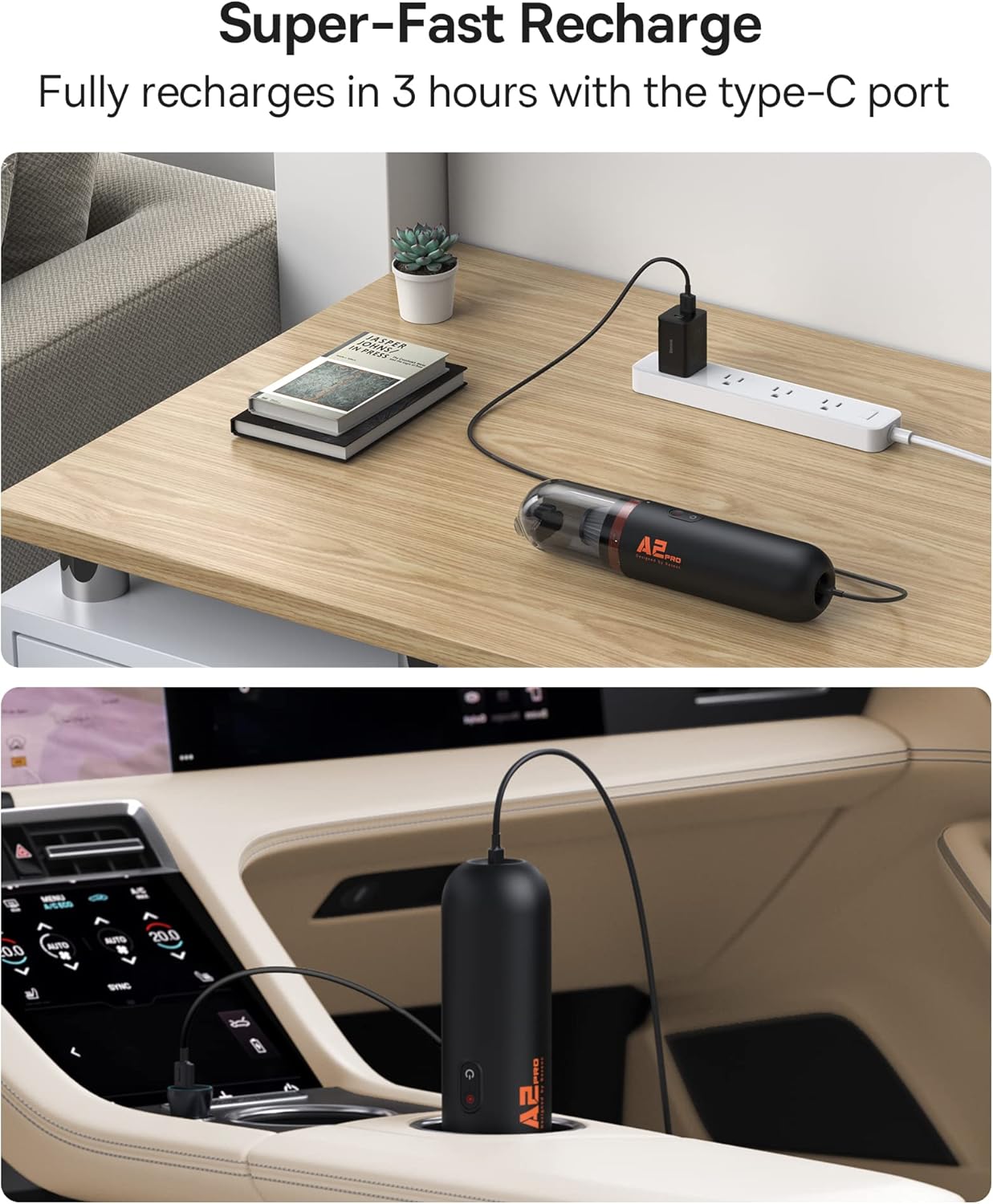
Figure 4.1: Charging the Baseus A2 Pro in different environments.
5. 操作手順
5.1 電源オン/オフ
Press and hold the Power Button (usually marked with a power symbol) to turn the vacuum cleaner on or off.
5.2 吸引力の調整
The Baseus A2 Pro features two power levels. While the vacuum is on, press the Mode Button (often located near the power button) to switch between low and high suction modes. The indicator lights will show the current power level.
5.3 掃除機をかける
- Attach the 2-in-1 nozzle to the suction inlet.
- For general cleaning, use the brush attachment to agitate debris on surfaces like car seats, carpets, or keyboards.
- For tight corners, crevices, or between seats, slide the brush back to expose the crevice tool.
- Move the vacuum slowly over the area to be cleaned, ensuring the nozzle makes good contact with the surface.

Figure 5.1: Vacuuming a couch with the Baseus A2 Pro, highlighting its low noise level.

Figure 5.2: Effective cleaning of car interiors, including hard-to-reach areas.
5.4 吹き出し機能
The Baseus A2 Pro can also be used as a blower to clear dust from hard-to-reach areas.
- Remove the dust cup and any attached nozzle from the suction inlet.
- Attach the blower nozzle to the exhaust port located at the rear of the main unit.
- Turn on the vacuum cleaner and direct the airflow to blow away dust from keyboards, car vents, or other delicate surfaces.
6. メンテナンス
定期的なメンテナンスにより、最適なパフォーマンスが確保され、掃除機の寿命が延びます。
6.1 ダストカップを空にする
- 掃除機の電源がオフになっていることを確認してください。
- Twist the dust cup counter-clockwise to detach it from the main unit.
- Carefully empty the collected debris into a waste bin.
6.2 HEPAフィルターの清掃
The HEPA filter is washable and reusable. Clean it regularly, especially when suction power decreases.
- ダストカップを空にした後、HEPAフィルターを取り外します。
- Rinse the HEPA filter under running water until it is clean. Do not use detergents or hot water.
- Allow the filter to air dry completely for at least 24 hours before reinserting it into the dust cup. Ensure it is completely dry to prevent mold or damage.
- Reassemble the filter into the dust cup and attach the dust cup back to the main unit.
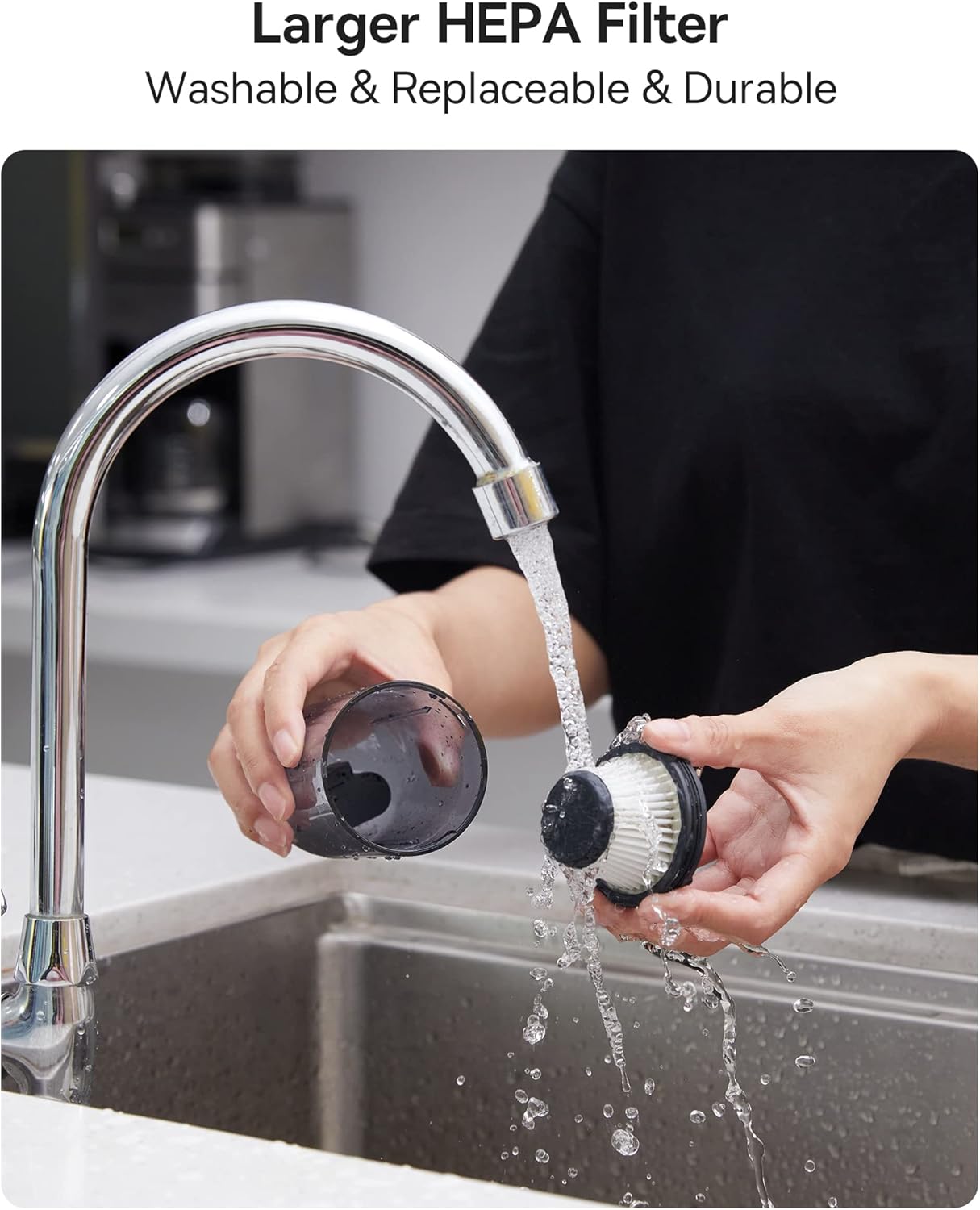
Figure 6.1: Cleaning the washable HEPA filter.
7。 トラブルシューティング
If you encounter any issues with your Baseus A2 Pro, refer to the following troubleshooting guide:
| 問題 | 考えられる原因 | 解決 |
|---|---|---|
| バキュームがオンにならない | バッテリーが消耗しています。電源ボタンが正しく押されていません。 | バッテリーを完全に充電します。電源ボタンを 2 ~ 3 秒間押し続けます。 |
| 吸引力が弱い | Dust cup is full; Filter is clogged; Nozzle is blocked | Empty the dust cup; Clean or replace the HEPA filter; Clear any obstructions from the nozzle. |
| 充電しない | Charging cable or adapter is faulty; Charging port is dirty | 別の USB-C ケーブルとアダプターを試してください。充電ポートを丁寧に清掃してください。 |
| 動作中に異音がする | Obstruction in the nozzle or dust cup; Loose components | Check and clear any blockages; Ensure all components are securely assembled. |
8. 仕様
| 特徴 | 詳細 |
|---|---|
| ブランド | ベースス |
| モデル名 | A2プロ |
| 吸引力 | 80AW |
| 騒音レベル | Less than 60dB (as per feature bullets) |
| 電池のタイプ | リチウムイオン(3*2000mAh) |
| ランタイム | 約 25-30分 |
| 充電時間 | 約3~4時間 |
| 充電ポート | USB-C |
| フィルタータイプ | HEPAフィルター(洗える) |
| ダストカップ容量 | 120ミリリットル |
| アイテム重量 | 1.6 ポンド |
| 寸法(長さ×幅×高さ) | 長さ2.4インチ x 幅2.4インチ x 高さ10.55インチ |
9.保証とサポート
Baseus products are manufactured to the highest quality standards. For warranty information, technical support, or any questions regarding your Baseus A2 Pro Handheld Vacuum Cleaner, please refer to the warranty card included in your package or contact Baseus customer support directly. Keep your purchase receipt as proof of purchase for warranty claims.


