
導入
Thank you for choosing the Baseus Adaman Digital Display Power Bank (Model: PPAD070001). This portable power bank is designed to provide reliable and efficient charging for your electronic devices. Please read this manual carefully before use to ensure proper operation and to maximize the lifespan of your device.
安全情報
- パワーバンクを極端な温度、直射日光、火気にさらさないでください。
- デバイスの落下、分解、改造は避けてください。
- 水やその他の液体に近づけないでください。
- 認定された充電ケーブルとアダプターのみを使用してください。
- お子様の手の届かない場所に保管してください。
- パワーバンクが膨張したり、液漏れしたり、異臭がしたりした場合は、直ちに使用を中止してください。
パッケージ内容
- Baseus Adaman Digital Display Power Bank (PPAD070001)
- USB充電ケーブル
- ユーザーマニュアル
製品終了view
The Baseus Adaman Power Bank (Model PPAD070001) is a portable charging solution featuring a digital display for battery status and multiple ports for wide compatibility. Its slim design makes it convenient for travel.

画像: トップ view of the Baseus Adaman Power Bank showing its various input and output ports. From left to right: Type-C (Input/Output), IP/IN (Input), Micro/IN (Input), USB2 (Output), USB1 (Output).

画像: サイドプロfile of the Baseus Adaman Power Bank, highlighting its slim and portable design.
- タイプCポート: Supports both input and output (PD 3.0).
- USB1/USB2 ポート: Output ports for charging devices (QC 3.0).
- マイクロUSBポート: パワーバンクを充電するための入力ポート。
- IP/IN Port: Input port for charging the power bank (e.g., for Apple Lightning cables).
- デジタルディスプレイ: リアルタイムのバッテリー残量を表示tage.
設定
Before first use, fully charge the power bank. This ensures optimal battery performance.
パワーバンクの充電
- Connect the provided USB charging cable to one of the input ports on the power bank (Type-C, Micro-USB, or IP/IN).
- ケーブルのもう一方の端を USB 壁充電器 (別売) に接続します。
- デジタルディスプレイに充電状態とバッテリー残量が表示されますtage.
- Once the display shows 100%, the power bank is fully charged. Disconnect it from the charger.
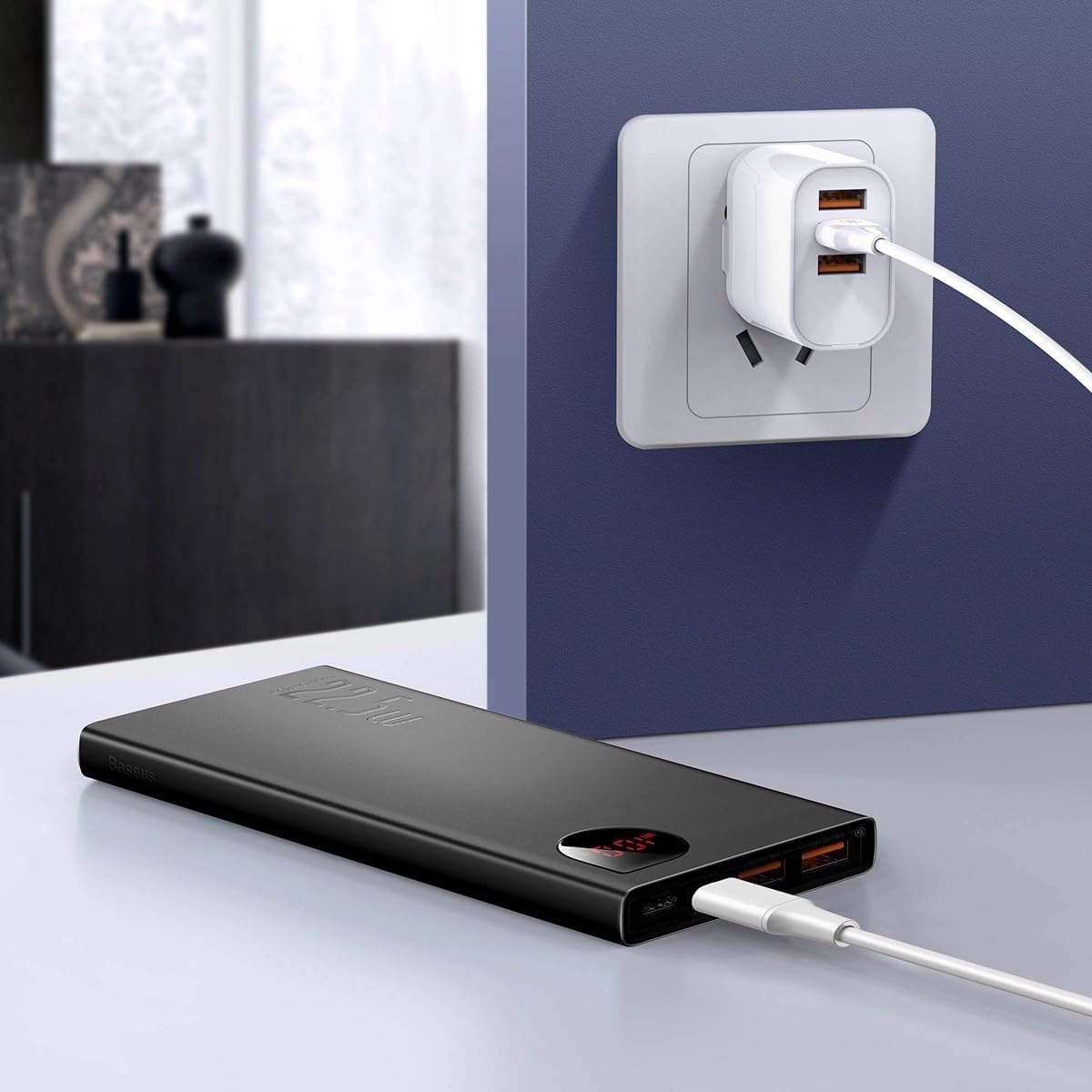
画像: The Baseus Adaman Power Bank connected to a wall charger via a USB cable, illustrating the process of recharging the power bank itself.
操作手順
デバイスの充電
- Connect your device's charging cable to one of the output ports on the power bank (Type-C, USB1, or USB2).
- ケーブルのもう一方の端をデバイスに接続します。
- パワーバンクは自動的にデバイスの充電を開始します。デジタルディスプレイにバッテリー残量(%)が表示されます。tage.
- 充電を停止するには、デバイスをパワーバンクから取り外すだけです。

画像: A smartphone being charged by the Baseus Adaman Power Bank, demonstrating the device's charging capability for mobile phones.
バッテリー残量の確認
The digital display on the power bank will show the current battery percentage when it is in use or when a device is connected. If the power bank is idle, you may need to briefly press the power button (if available, not explicitly mentioned but common) to activate the display.
メンテナンス
- パワーバンクは柔らかく乾いた布で拭いてください。刺激の強い化学薬品や研磨剤は使用しないでください。
- モバイルバッテリーを使用しないときは、涼しく乾燥した場所に保管してください。
- For optimal battery health, fully charge and discharge the power bank at least once every three months if it's not used regularly.
トラブルシューティング
| 問題 | 考えられる原因 | 解決 |
|---|---|---|
| パワーバンクがデバイスを充電しません。 | Low battery, faulty cable, incompatible device. | Charge the power bank. Try a different cable. Ensure your device is compatible. |
| パワーバンクが充電されません。 | Faulty charging cable/adapter, damaged port. | Try a different charging cable and wall adapter. Check ports for damage. |
| デジタル表示が機能しません。 | Power bank is off, low battery, malfunction. | Ensure power bank is on or connected to a device. Charge the power bank. If issue persists, contact support. |
仕様
| 特徴 | 詳細 |
|---|---|
| モデル番号 | PPAD070001 |
| ブランド | ベースス |
| バッテリー容量 | 10000mAh |
| 特集 | デジタルディスプレイ |
| コネクタの種類 | Input: USB Type-C, Micro-USB, IP/IN; Output: USB Type-C, USB-A (x2) |
| 巻tage | 5ボルト |
| 現在 | 5 Amps |
| 出力 | Up to 22.5W (PD 3.0, QC 3.0) |
| バッテリーセルの構成 | リチウムポリマー |
| 出力ポート数 | 3 (1x Type-C, 2x USB-A) |
| Number of Input Ports | 3 (1x Type-C, 1x Micro-USB, 1x IP/IN) |
| 対応デバイス | All Smartphones and other USB-powered devices |
| ポータブル | はい |
保証とサポート
この製品には 保証なし as per the provided specifications. For any technical support or inquiries, please refer to the official Baseus webサイトをご覧いただくか、販売店にお問い合わせください。
詳細については、以下をご覧ください。 www.baseus.com