
PPLEE CR1002M
PPLEE 5-in-1 White Noise Machine User Manual
Model: CR1002M
導入
Thank you for choosing the PPLEE 5-in-1 White Noise Machine. This versatile device combines a white noise machine with 42 soothing sounds, a high-fidelity Bluetooth speaker, a dual digital alarm clock, a multi-color night light, and a convenient charging station. Designed to enhance your sleep quality, relaxation, and daily routine, this manual provides detailed instructions for setup, operation, and maintenance.

Figure 1: PPLEE 5-in-1 White Noise Machine Overview
箱の中身
- 1 x PPLEE Bluetooth Noise Machine Alarm Clock
- 1 x 5V 2A Power Adapter and Cord
- ユーザーマニュアル x 1
セットアップガイド
1. 電源接続
Connect the provided 5V 2A power adapter to the DC jack on the back of the device and plug it into a standard electrical outlet. The device will power on automatically.
2. Battery Installation (Memory Function)
For memory function and to retain time/alarm settings during power outages, install 1 CR2032 battery (not included) into the battery compartment on the bottom of the unit. This battery does not power the main functions of the device, only the memory backup.
3.時間を設定する
- Press and hold the 'TIME SET' button (usually labeled 'HOUR' or 'MIN' with a clock icon) until the hour display flashes.
- Use the 'HOUR' and 'MIN' buttons to adjust the time.
- 「TIME SET」をもう一度押して確定し、時間設定モードを終了します。
- 12 時間形式と 24 時間形式を切り替えるには、「12/24H」ボタンを押します。
操作手順
サウンドマシンの操作
The device offers 42 natural soothing sounds across four categories: white noise, fan sounds, lullabies, and nature sounds.
- サウンドの選択: Press the 'SOUND' button (often represented by a music note or sound wave icon) to cycle through the available sound categories and individual sounds.
- 音量調整: Use the 'VOL+' and 'VOL-' buttons to adjust the volume across 16 levels.
- 目覚まし時計: Press the 'TIMER' button repeatedly to set an automatic shut-off timer for 15, 30, 60, 90, 120, 180, or 480 minutes. The display will show the selected time. To cancel the timer, press the 'TIMER' button until 'OFF' or no timer duration is displayed.

Figure 2: Sound Selection and Timer Functions
Bluetoothスピーカーの操作
Connect your smartphone or tablet wirelessly to play your favorite audio.
- ペアリング: Press the 'MODE' button until the Bluetooth icon appears on the display and starts flashing. On your device, enable Bluetooth and select 'CR1002M' (or similar) from the list of available devices. The icon will become solid when paired.
- オーディオの再生: Once paired, play audio from your connected device. Use the 'PREV', 'PLAY/PAUSE', and 'NEXT' buttons on the machine to control playback, or control directly from your device.
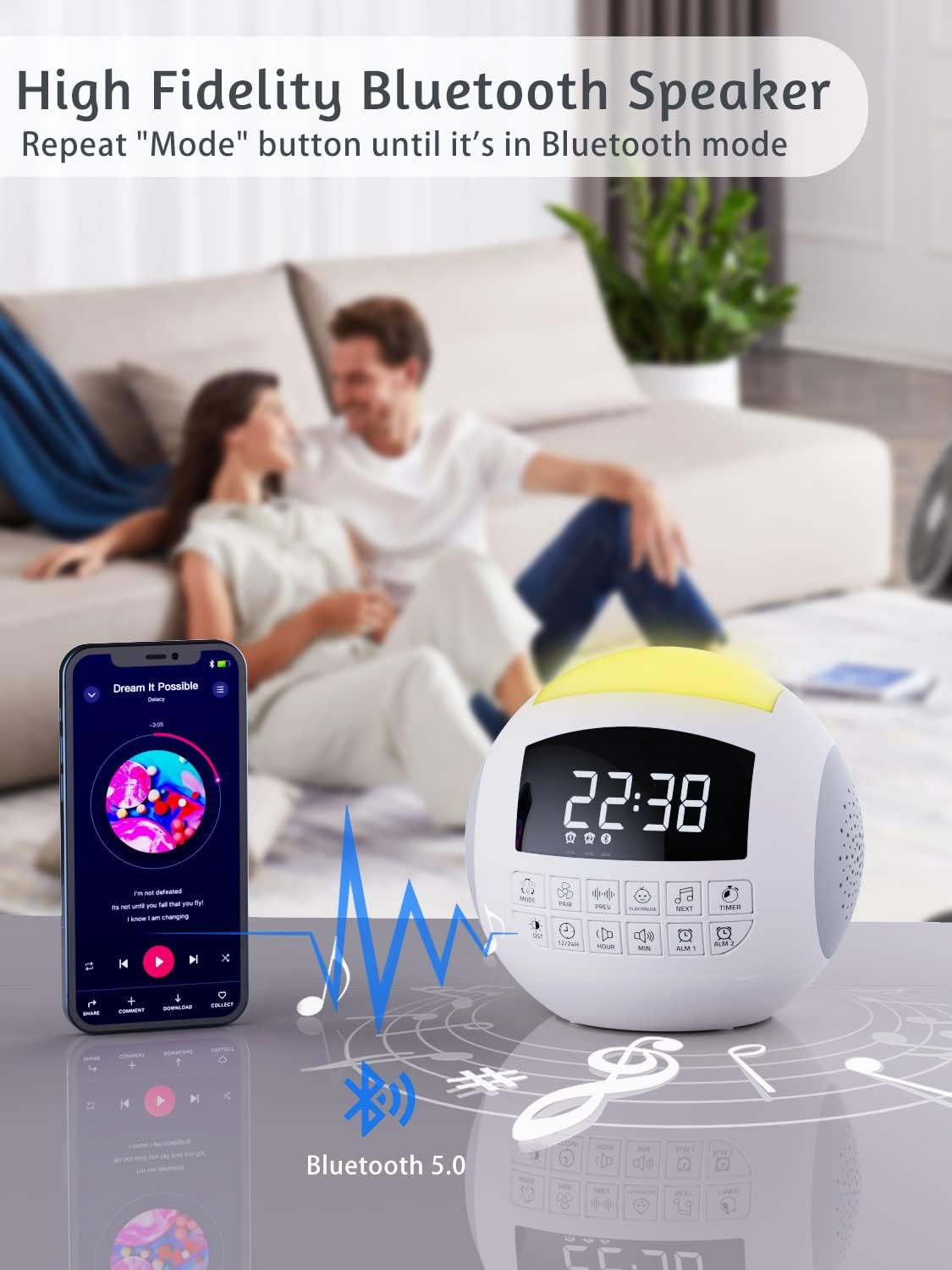
図3: Bluetooth接続
目覚まし時計の操作
The device features dual alarms with customizable sounds and snooze functionality.
- アラームの設定: Press and hold 'ALARM 1' or 'ALARM 2' button until the alarm time flashes. Use 'HOUR' and 'MIN' buttons to set the desired alarm time. Press the alarm button again to confirm.
- アラーム音の選択: After setting the time, press the alarm button again to select from 9 different alarm sounds.
- アラームの有効化/無効化: Press the 'ALARM 1' or 'ALARM 2' button briefly to toggle the alarm on or off. An alarm icon will appear on the display when active.
- スヌーズ機能: When the alarm sounds, press the large 'SNOOZE' button on top to temporarily silence it for 9 minutes.

Figure 4: Dual Alarm Clock Settings
ナイトライト操作
The integrated night light offers 7 colors and adjustable brightness.
- 色の変更: Press the 'LIGHT' button (often represented by a light bulb icon) to cycle through the 7 solid colors and a gradient color mode.
- 明るさの調整: Press and hold the 'LIGHT' button to adjust the brightness level (5 levels available).

Figure 5: 7-Color Night Light with Brightness Control
充電機能
The device includes a Type-C charging port for the unit itself and dual USB-A ports for charging external devices.
- デバイスの充電: The unit is powered via its Type-C port using the provided adapter.
- External Device Charging: Connect your smartphone, tablet, or other USB-powered devices to the dual USB-A ports on the back of the unit to charge them.

Figure 6: Charging Ports for External Devices
メモリ機能
The memory function ensures that your time and alarm settings are retained even if the main power is interrupted, thanks to the installed CR2032 battery.

Figure 7: Memory Function with Battery Backup
メンテナンス
- クリーニング: 柔らかく乾いた布で拭いてください。液体クリーナーや研磨剤は使用しないでください。
- ストレージ: 長期間使用しない場合は、デバイスを涼しく乾燥した場所に保管してください。
- バッテリー交換: Replace the CR2032 battery annually or if memory function fails.
トラブルシューティング
| 問題 | 考えられる原因 | 解決 |
|---|---|---|
| デバイスの電源が入りません。 | 電源アダプターが接続されていないか、コンセントに障害があります。 | Ensure adapter is securely plugged into device and a working outlet. |
| 音が出ない、または音量が低い。 | Volume too low or incorrect sound selected. | Increase volume using 'VOL+' button. Cycle through sounds to ensure one is playing. |
| Bluetoothが接続されていません。 | Device not in pairing mode or too far from source. | Ensure device is in Bluetooth pairing mode (flashing icon). Move source closer. Try re-pairing. |
| アラームは鳴りません。 | アラームが作動していないか、音量が低すぎます。 | Check if alarm icon is displayed. Increase alarm volume. Verify alarm time is set correctly. |
| 電源を切ると時間/設定がリセットされますtage. | CR2032 battery is dead or not installed. | CR2032 電池を取り付けるか交換します。 |
仕様
| 特徴 | 詳細 |
|---|---|
| 製品寸法 | 5.32 x 5.95 x 6.1インチ |
| アイテム重量 | 1.39ポンド |
| モデル番号 | CR1002M |
| 色 | 白 |
| 電源 | AC Powered (with CR2032 battery backup for memory) |
| 音楽トラック | 42 (White Noise, Fan, Lullabies, Nature Sounds) |
| 夜間照明の色 | 7 Colors + Gradient |
| 音量レベル | 16 |
| 明るさレベル | 5 |
| タイマー | 15、30、60、90、120、180、480分 |
| アラーム音 | 9 |
| 充電ポート | デュアルUSB-A |
保証とサポート
PPLEE products are designed for reliability and performance. For warranty information or technical support, please refer to the contact details provided with your purchase or visit the official PPLEE website. A digital version of this user manual is also available for download at https://manuals.plus/m/f23b430e063d58de8cd25ce8d0ed17a6ff4bc5a117e3aca8867779d575e1b4e3.
Ask a question about this manual
Ask about setup, troubleshooting, compatibility, parts, safety, or missing instructions. Manuals+ will review the question and use this page’s manual context to help answer it.