
1. はじめに
This manual provides detailed instructions for the setup, operation, maintenance, and troubleshooting of your REDMAGIC Shadow Blade Gamepad. This mobile gaming controller is designed for Android devices, offering a precise and ergonomic gaming experience.

画像1.1: 上 view of the REDMAGIC Shadow Blade Gamepad, showcasing its transparent design and button layout.
2 製品の特徴
The REDMAGIC Shadow Blade Gamepad incorporates several features designed to enhance mobile gaming:
- Futuristic Transparent Design: The gamepad features a transparent casing with a matte texture and orderly key arrangement.
- ホールリニアトリガー: These triggers utilize electromagnetic induction for precise input, offering a linear and smooth pressure response.
- 2x Custom Back Triggers (M1, M2): Two programmable rear buttons allow for mapping up to 10 key combinations, improving control and gameplay fluidity.
- Gamepad Key Mapping: Supports mapping of 20 key positions for customized control schemes.
- Type-Cポート接続: Connects directly to your phone via a Type-C port with 51 degrees of flexibility, ensuring zero latency.
- ユニバーサルフィット: The gamepad stretches from 110mm to 179mm, compatible with a wide range of phone heights.

Image 2.1: The gamepad's transparent design, highlighting its internal components and aesthetic.

画像2.2: サイドプロfile illustrating the Hall Linear Triggers, designed for precise and smooth input.

Image 2.3: Illustration of the M1 and M2 custom back triggers, positioned for ergonomic access during gameplay.
3. セットアップ手順
3.1 携帯電話の取り付け
- Gently extend the left side of the gamepad to accommodate your phone. The gamepad supports phone heights between 110mm and 179mm.
- Align your Android phone's USB-C port with the gamepad's USB-C connector. The connector has 51 degrees of flexibility to assist with alignment.
- Carefully insert your phone into the USB-C connector, ensuring a secure and stable connection.
- Release the extended side of the gamepad, allowing it to firmly grip your phone.

Image 3.1: Detail of the Type-C port connection, showing the flexible connector and phone attachment.

Image 3.2: Diagram illustrating the gamepad's stretch capability, accommodating phones from 110mm to 179mm in height.
3.2 初期接続
Upon successful connection, your Android phone should recognize the gamepad automatically. No additional drivers are typically required for basic functionality.
4. 操作手順
4.1 基本的な制御
The gamepad features standard gaming controls including joysticks, a D-pad, action buttons (A, B, X, Y), shoulder buttons (L1, R1), and triggers (L2, R2). Familiarize yourself with the layout for optimal gameplay.
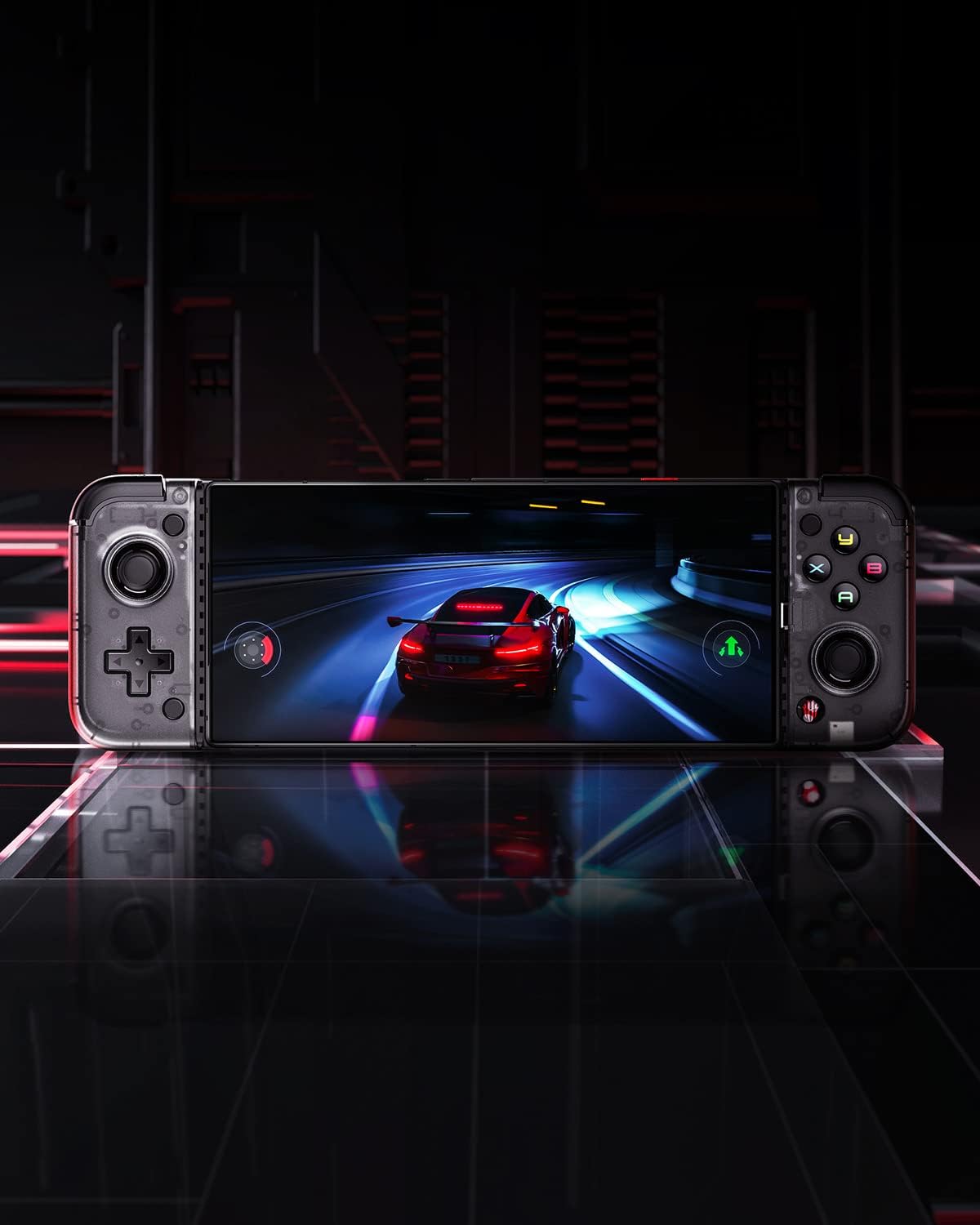
Image 4.1: The gamepad connected to a phone, actively displaying a racing game, demonstrating its use.
4.2 Custom Key Mapping
The REDMAGIC Shadow Blade Gamepad supports customization of up to 20 key positions. Refer to your phone's or game's settings for specific key mapping options. Many games allow in-app controller configuration.

Image 4.2: A visual representation of the gamepad's key mapping capabilities, allowing users to customize controls.
4.3 Using Custom Back Triggers (M1, M2)
The two custom back triggers (M1 and M2) can be programmed to execute complex commands or frequently used actions. Consult the gamepad's companion application (if available) or your game's settings for programming these triggers.
4.4 パススルー充電
The gamepad includes a USB-C port on its right side, allowing for passthrough charging of your phone while gaming. Connect a USB-C charging cable to this port to charge your phone without disconnecting the gamepad.

画像4.3: 側面 view of the gamepad, highlighting the secondary USB-C port for passthrough charging of the connected phone.
5. メンテナンス
To ensure the longevity and optimal performance of your REDMAGIC Shadow Blade Gamepad, follow these maintenance guidelines:
- クリーニング: Use a soft, dry cloth to clean the gamepad. Avoid abrasive cleaners or solvents.
- ストレージ: ゲームパッドは、直射日光や極端な温度を避け、涼しく乾燥した場所に保管してください。
- 取り扱い: ゲームパッドを落としたり、強い衝撃を与えたりしないでください。
- コネクタのお手入れ: Ensure the USB-C connector is free from dust and debris before connecting your phone.

Image 5.1: The gamepad shown in both its compact, folded state and extended, ready-to-use configuration, demonstrating its portability.
6。 トラブルシューティング
6.1 Gamepad Not Recognized
- Ensure your phone's USB-C port is clean and the gamepad is securely connected.
- Restart your phone and try reconnecting the gamepad.
- Verify that your phone's operating system is Android and supports external controllers.
6.2 ボタンまたはジョイスティックが反応しない
- Check in-game settings to ensure controller input is enabled and correctly mapped.
- Test the gamepad with another compatible game or device to isolate the issue.
- ボタンの押下やジョイスティックの動きを妨げる物理的な障害物がないことを確認します。
6.3 Phone Not Charging via Passthrough
- Verify that the charging cable and power adapter are functional.
- Ensure the charging cable is securely connected to both the gamepad's passthrough port and the power source.
- Some phones may require specific charging protocols; ensure your charger is compatible.
7. 仕様
| 特徴 | 仕様 |
|---|---|
| ブランド | レッドマジック |
| モデル名 | REDMAGIC Shadow Blade Gamepad |
| 対応デバイス | Google Pixels, Samsung (Android phones with USB-C) |
| コントローラータイプ | ゲームパッド |
| 接続技術 | USB-C 対応 |
| オペレーティング·システム | アンドロイド |
| 特集 | Ergonomic, Universal fit (110-179mm stretch) |
| ヒューマンインターフェイス入力 | Buttons, Joysticks, D-pad, Triggers |
| 色 | 黒 |
| アイテム重量 | 13.4オンス |
| パッケージ寸法 | 9.33 x 5.47 x 2.8インチ |
8. 保証とサポート
For warranty information and technical support, please refer to the official REDMAGIC web購入サイトをご覧いただくか、カスタマーサービスまでお問い合わせください。保証請求のために購入証明書を保管してください。
