
Unitech TS100
Unitech TS100 2D Hands-Free Presentation Barcode Scanner
ユーザーマニュアル
導入
This manual provides essential information for the proper setup, operation, and maintenance of your Unitech TS100 2D Hands-Free Presentation Barcode Scanner. Please read this manual thoroughly before using the device to ensure optimal performance and to prevent damage.
The Unitech TS100 is an omnidirectional USB wired desktop barcode reader designed for efficient and intuitive scanning of 1D and 2D barcodes, including PDF417 and Data Matrix, in retail and other point-of-sale environments.
安全情報
- スキャナーを極端な温度、湿度、または直射日光にさらさないでください。
- スキャナーを落としたり、強い衝撃を与えたりしないでください。
- スキャナーを分解または改造しないでください。保証が無効になります。
- 接続には付属の USB ケーブルのみを使用してください。
- 正確なバーコード読み取りを実現するために、スキャンウィンドウを清潔に保ってください。
パッケージ内容
パッケージの内容をチェックして、すべてのアイテムが揃っていることを確認してください。
- Unitech TS100 2D Presentation Barcode Scanner
- USBケーブル
- クイックスタートガイド(該当する場合)
製品終了view
The Unitech TS100 features a compact design with a large scan window for easy barcode presentation. Its omnidirectional scanning capability allows for quick and efficient data capture.
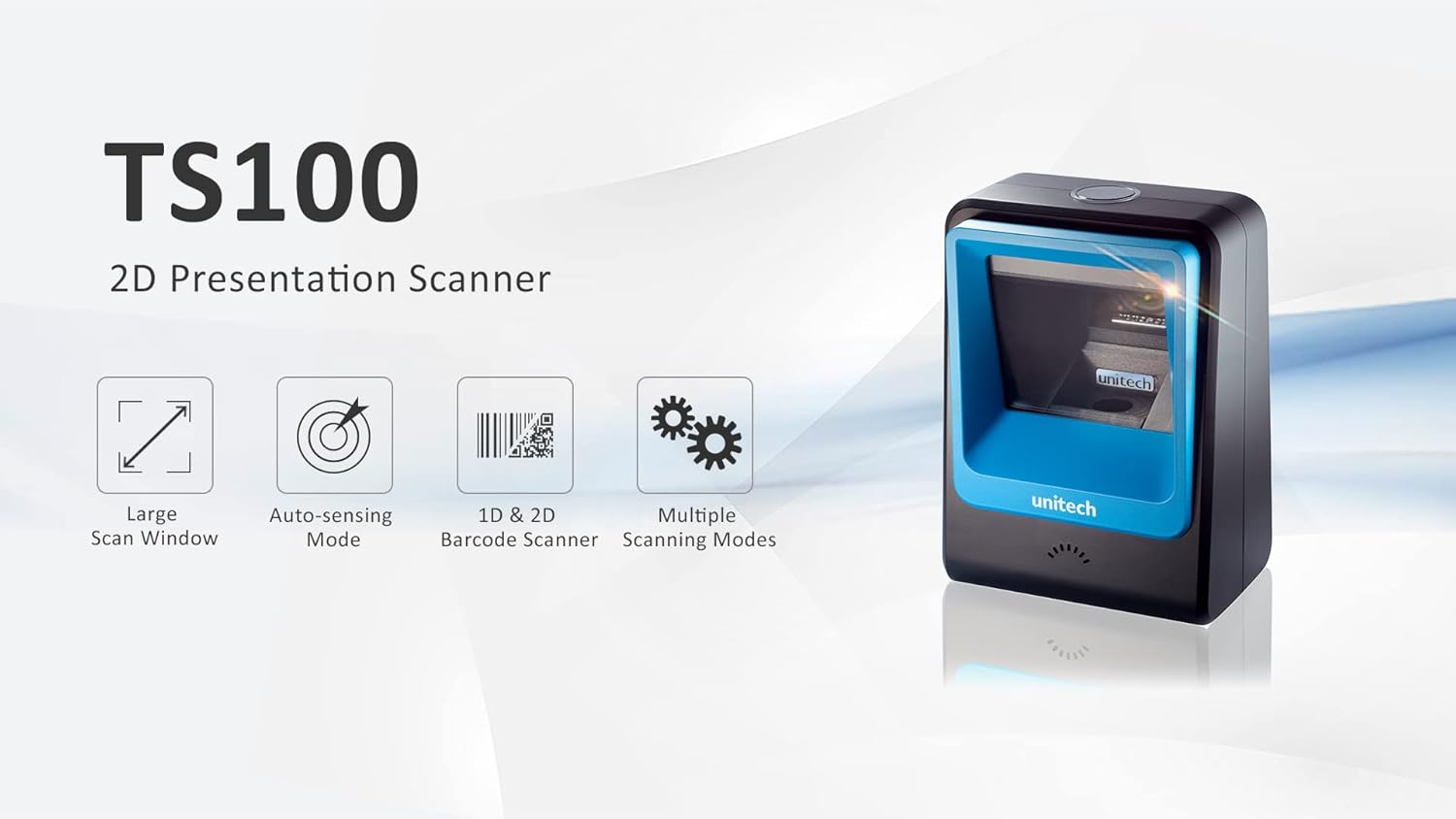
Figure 1: Unitech TS100 2D Presentation Scanner highlighting its large scan window, auto-sensing mode, 1D & 2D barcode scanning, and multiple scanning modes.

図2: 前面 view of the Unitech TS100 scanner, showing the blue scanning window and the Unitech logo.

図3:戻る view of the Unitech TS100 scanner, displaying the product label with model number TS100-SUCB00-SG and power specifications.
設定
Follow these steps to set up your Unitech TS100 barcode scanner:
- スキャナーを開梱します。 Carefully remove the TS100 scanner and its accessories from the packaging.
- USB ケーブルを接続します。 Insert the USB cable into the port at the back of the scanner.
- ホストデバイスに接続します: Plug the other end of the USB cable into an available USB port on your computer, laptop, or POS system.
- ドライバーのインストール: The scanner is typically plug-and-play. Your operating system should automatically detect and install the necessary drivers. Wait for the installation to complete.
- 電源オン: The scanner will power on automatically once connected to a powered USB port. A beep and/or LED indicator will confirm it is ready for use.
操作手順
The Unitech TS100 is designed for hands-free operation, offering multiple scanning modes for various applications.
基本的なスキャン
- バーコードをスキャナの読み取り範囲内に置きます view, facing the scanning window.
- The scanner will automatically detect the barcode and emit a successful scan indication (e.g., a beep and/or green LED).
- The scanned data will be transmitted to your connected host device as keyboard input.
スキャンモード
The TS100 supports multiple scanning modes to optimize performance for different barcode types and environments:
- 通常モード: Standard scanning for most 1D and 2D barcodes.
- Smartphone Mode: Optimized for reading barcodes displayed on smartphone screens, which can sometimes be reflective.
- 高速モード: Designed for faster scanning of multiple barcodes in quick succession.
Refer to the full programming manual (available on the Unitech website) for instructions on how to switch between these modes using configuration barcodes.
メンテナンス
Proper maintenance ensures the longevity and performance of your scanner:
- スキャンウィンドウのクリーニング: 柔らかく糸くずの出ない布を軽く拭いてください。amp水または低刺激性の非研磨性洗剤で洗ってください。刺激の強い化学薬品や研磨剤は使用しないでください。
- 外装の清掃: スキャナーの外側を柔らかく乾いた布で拭いてください。
- ストレージ: 使用していないときは、スキャナーを直射日光や極端な温度を避け、清潔で乾燥した環境に保管してください。
トラブルシューティング
If you encounter issues with your TS100 scanner, refer to the table below for common problems and solutions:
| 問題 | 考えられる原因 | 解決 |
|---|---|---|
| スキャナーの電源が入りません。 | USB cable not properly connected or host device USB port is not powered. | USBケーブルがスキャナーとホストデバイスの両方にしっかりと接続されていることを確認してください。別のUSBポートまたはホストデバイスを試してください。 |
| スキャナーがバーコードを読み取りません。 | Barcode is damaged, poorly printed, or not supported. Scanning window is dirty. Incorrect scanning mode. | Ensure the barcode is clear and undamaged. Clean the scanning window. Verify the barcode symbology is supported. Try switching scanning modes (e.g., Smartphone Mode for screen barcodes). |
| スキャンされたデータが正しくないか不完全です。 | Poor barcode quality. Scanner configuration issues. | Ensure the barcode is clear. Refer to the programming manual for advanced configuration settings. |
| スキャナーはビープ音を鳴らしますが、データは送信されません。 | Host device not recognizing the scanner as a keyboard input. | Ensure the cursor is in a text field on your host device. Reconnect the USB cable. Restart the host device. |
仕様
Detailed technical specifications for the Unitech TS100 scanner:
| 特徴 | 仕様 |
|---|---|
| センサー | Image Sensor with 1280x800 pixels |
| 照明 | 650nm RED LED |
| スキャンレート | 60fps |
| スキュー角度 | Horizontal Angle: 50°; Vertical Angle: 35° |
| ピッチ角 | ±65° |
| ロール角 | 360° |
| 光学的分解能 | 1D: 4 mil; 2D: 6.7 mil |
| Printing Contrast Scale | 25% |
| ホストインターフェース | USB |
| 寸法(長さ×幅×高さ) | 4.1 インチ x 5.7 インチ x 2.7 インチ (105mm x 146mm x 70mm) |
| 重さ | 12.1 oz / 345g (without cable) |
| 1D Symbologies Supported | UPC-A/E, EAN-8/13, UPC/EAN Supplementals, EAN-8 Extend, Code 128, Code 39, Code 93, Code 11, Interleaved 2 of 5, Matrix 2 of 5, Codabar, MSI Plessey, GS1 DataBar, China Postal, Korean Postal, etc. |
| 2D Symbologies Supported | PDF417, MicroPDF417, DataMatrix, DataMatrix-Inverse, Maxicode, QRcode, MicroQR, Aztec, Aztec Inverse, Han Xin, Han Xin Inverse |
| インジケータ | LED、ブザー |
| 動作温度 | 32°F ~ 122°F (0°C ~ 50°C) |
| 保管温度 | -40°F ~ 158°F (-40°C ~ 70°C) |
| 相対湿度 | 0% ~ 95% 結露なし |
保証とサポート
The Unitech TS100 barcode scanner main unit comes with a 1年間保証 購入日から。この保証は通常の使用における材料および製造上の欠陥をカバーします。
For technical support, warranty claims, or further assistance, please contact Unitech customer service or visit the official Unitech webサイトでご確認ください。保証サービスを受けるための購入証明として、購入レシートを保管してください。
ユニテックアメリカ Webサイト: www.unitechamerica.com
Ask a question about this manual
Ask about setup, troubleshooting, compatibility, parts, safety, or missing instructions. Manuals+ will review the question and use this page’s manual context to help answer it.