
導入
Thank you for choosing the Baseus Bipow Digital Display Power Bank 10000mAh 15W, model PPBD10. This portable charger is designed to provide efficient and reliable power for your electronic devices on the go. Featuring a clear digital display for battery status and versatile charging options, it ensures your devices stay powered when you need them most. Please read this manual carefully to understand the product's features, proper usage, and maintenance.
製品終了view

Image: The Baseus Bipow Digital Display Power Bank 10000mAh 15W, black color, showing its sleek design and digital display.
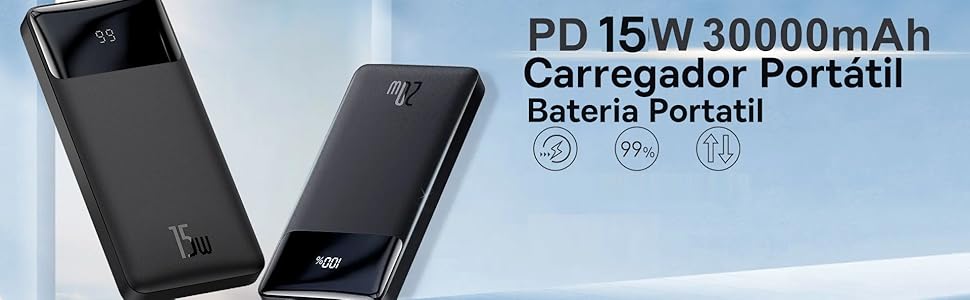
Image: A close-up of the power bank's digital display, indicating battery percentage and charging status, highlighting its two-way fast charging capability.
主な特徴:
- 10000mAh容量: ほとんどのスマートフォンを複数回充電できます。
- 15W急速充電: Supports efficient power delivery to compatible devices.
- デジタルディスプレイ: バッテリー残量をパーセンテージで明確に表示tage.
- 双方向急速充電: Allows for fast charging of both the power bank and connected devices.
- 複数のポート: Equipped with Micro USB, USB Type-A, and USB Type-C ports for broad compatibility.
- NTC Temperature Protection: Integrated sensors monitor temperature to prevent overheating during charging.
パッケージ内容:
- Baseus Bipow Digital Display Power Bank 10000mAh 15W (Model PPBD10)
- マイクロUSBケーブル
- ユーザーマニュアル(このドキュメント)
設定
パワーバンクの初期充電:
- Before first use, fully charge your Baseus Bipow Power Bank.
- Connect the provided Micro USB cable or a USB-C cable (not included) to the corresponding input port on the power bank.
- ケーブルのもう一方の端を互換性のある USB 壁充電器 (別売) に接続します。
- The digital display will show the charging progress. Allow the power bank to charge until the display shows 100%.
注記: For optimal charging speed, use a 15W or higher power adapter.
操作手順
デバイスの充電:
- Ensure the power bank has sufficient charge, as indicated by the digital display.
- Connect your device's charging cable to one of the power bank's output ports (USB Type-A or USB Type-C).
- ケーブルのもう一方の端をデバイスに接続します。
- The power bank will automatically begin charging your device. The digital display will show the power bank's remaining battery level.
- 充電を停止するには、デバイスをパワーバンクから取り外すだけです。

Image: The power bank connected to a smartphone, demonstrating its ability to charge devices. The digital display shows the battery percentage.
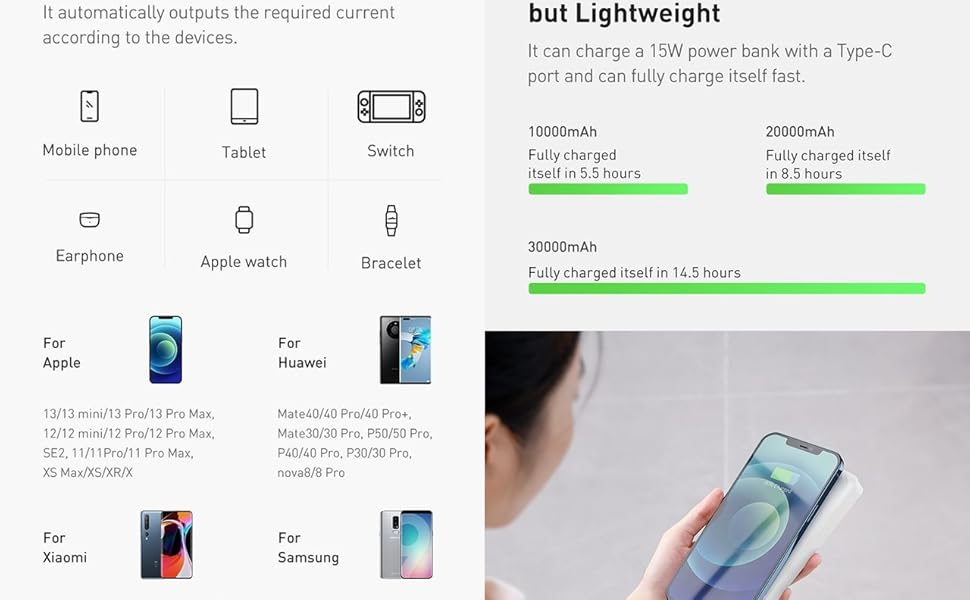
Image: The power bank simultaneously charging a tablet and a smartphone, showcasin複数デバイスの充電機能を備えています。
互換性:
The Baseus Bipow Power Bank is compatible with a wide range of devices, including:
- Smartphones (e.g., iPhone, Motorola, Samsung)
- タブレット
- スマートウォッチ
- ヘッドフォン
- GPSデバイス
- その他のUSB電源デバイス

Image: The power bank shown with an iPhone, indicating compatibility with Apple 8-13 fast charging series.

Image: The power bank shown with various Android smartphones, highlighting compatibility with fast charging Huawei, Xiaomi, and Samsung devices.
メンテナンス
- ストレージ: パワーバンクは、直射日光や極端な温度を避け、涼しく乾燥した場所に保管してください。
- クリーニング: パワーバンクの表面を拭く際は、柔らかく乾いた布をご使用ください。刺激の強い化学薬品や研磨剤は使用しないでください。
- バッテリーのケア: バッテリーの寿命を延ばすには、使用していない場合でも、少なくとも3ヶ月に1回はパワーバンクをフル充電してください。バッテリーを頻繁に完全に使い切らないようにしてください。
- 取り扱い: Avoid dropping or subjecting the power bank to strong impacts, as this can damage internal components.
- 水への露出: パワーバンクを水やその他の液体から遠ざけてください。
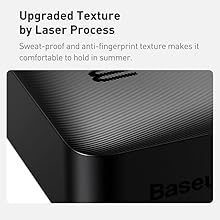
画像: クローズアップ view of the power bank's upgraded texture, designed to be sweat-proof and anti-fingerprint for comfortable handling.
トラブルシューティング
| 問題 | 考えられる原因 | 解決 |
|---|---|---|
| パワーバンクが充電されない | Cable or adapter issue, power bank fully charged, faulty port. |
|
| デバイスがパワーバンクから充電されない | Power bank low on charge, cable issue, device incompatibility, faulty port. |
|
| 充電が遅い | Cable quality, adapter output, device input limits. |
|
| パワーバンクの過熱 | Overload, environmental temperature, internal fault. |
|

Image: A diagram illustrating the NTC Temperature Protection mechanism, showing how internal sensors detect and regulate temperature during charging to prevent overheating.
仕様
| 特徴 | 詳細 |
|---|---|
| ブランド | ベースス |
| モデル名 | PPBD10 |
| モデル番号 | PPBD050001 |
| バッテリー容量 | 10000mAh |
| 出力電力 | 15W |
| 出力電流 | 3 Ampエルス |
| 入力ポート | マイクロUSB、USBタイプC |
| 出力ポート | USB タイプ A x 2、USB タイプ C x 1 |
| 色 | 黒 |
| 特集 | Fast Charging, Digital Display, NTC Temperature Protection |
| 電池のタイプ | リチウムポリマー(付属) |
| アイテム重量 | 248グラム |
| 商品の寸法 (長さ x 幅 x 高さ) | 約。 15cm×7cm×1cm |
| 外部テスト認証 | 電話: 19421-2-211440 |

Image: Technical drawing showing dimensions (153mm x 68.8mm x 29.5mm) for a 20000mAh version of the Bipow Power Bank. The 10000mAh model will have similar proportions but may vary slightly in thickness and weight.
保証とサポート
The Baseus Bipow Digital Display Power Bank 10000mAh 15W (Model PPBD10) comes with a 1年間保証 provided by the reseller. Please retain your proof of purchase for any warranty claims.
For technical support or warranty inquiries, please contact your original point of purchase or visit the official Baseus webさらにサポートが必要な場合は、サイトをご覧ください。
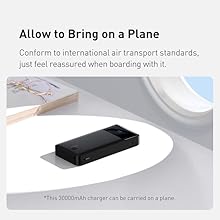
Image: The power bank with an airplane window in the background, indicating compliance with international air transport standards for carrying on a plane.