
BUFFBEE BK11
BUFFBEE Sound Machine & Alarm Clock
Model: BK11 - User Manual
導入
Thank you for choosing the BUFFBEE Sound Machine & Alarm Clock. This versatile 2-in-1 device combines a high-quality sound machine with a fully functional alarm clock, designed to help you achieve restful sleep and wake up refreshed. Its intuitive controls and customizable features make it an essential addition to any bedroom.

Image: The Buffbee Sound Machine and Alarm Clock highlighting its dual functionality as both a sound machine and an alarm clock.
安全情報
- デバイスを水や過度の湿気にさらさないでください。
- 熱源や直射日光を避けてください。
- 付属の電源アダプターのみを使用してください。
- 自分でデバイスを分解したり修理したりしないでください。 サポートが必要な場合は、カスタマー サポートにお問い合わせください。
- デバイスが安定した平らな面に置かれていることを確認してください。
パッケージ内容
- BUFFBEE Sound Machine & Alarm Clock (Model: BK11)
- 電源アダプター
- ユーザーマニュアル
製品終了view
デバイスのコンポーネントとコントロールについて理解しておきましょう。

Image: A detailed diagram illustrating the top panel controls (Alarm, Volume Control, Sound Machine, Night Light) and the rear panel (Display Dimmer, Adapter port).
- トップパネルのコントロール: Alarm button, Timer button, Volume Up/Down, Previous/Next Sound, Sound Machine button, Night Light button.
- フロントディスプレイ: デジタル時計表示。
- ボトムライト: Integrated colored light.
- 後面パネル: DC 5V Adapter port, 0-100% Display Dimmer knob.
設定
- 配置: Place the device on a stable surface, such as a nightstand or desk.
- 電源接続: Insert the power adapter into the DC 5V port on the rear of the device, then plug it into a standard electrical outlet.
- 初回電源オン: 時計の表示が点灯します。
- 時間設定: Refer to the 'Operating Instructions' section for setting the current time.
操作手順
時間の設定
- を押し続けます 時間 button (clock icon) on the top panel until the hour digits flash.
- 使用 前の (◀︎) or 次 (▶︎) buttons to adjust the hour.
- を押す 時間 もう一度ボタンを押すと時間が確定し、分の設定に移ります。
- 使用 前の (◀︎) or 次 (▶︎) buttons to adjust the minutes.
- を押す 時間 button one more time to confirm the minutes and exit time setting.
アラームを設定する
- を押し続けます アラーム button (bell icon) on the top panel until the alarm hour digits flash.
- 使用 前の (◀︎) or 次 (▶︎) buttons to adjust the alarm hour.
- を押す アラーム button again to confirm the hour and move to alarm minute setting.
- 使用 前の (◀︎) or 次 (▶︎) buttons to adjust the alarm minutes.
- を押す アラーム button one more time to confirm the minutes. The alarm icon will appear on the display, indicating the alarm is set.
- アラームをオフにするには、 アラーム ボタンを一度押します。アラームアイコンが消えます。
サウンドマシンの使用
The device offers 18 soothing sounds, including 5 white noises, 3 fan sounds, and 10 nature sounds (ocean, lullaby, waves, rain, thunderstorm, brook, croaking, bird chirping, summer night, and camp火)。
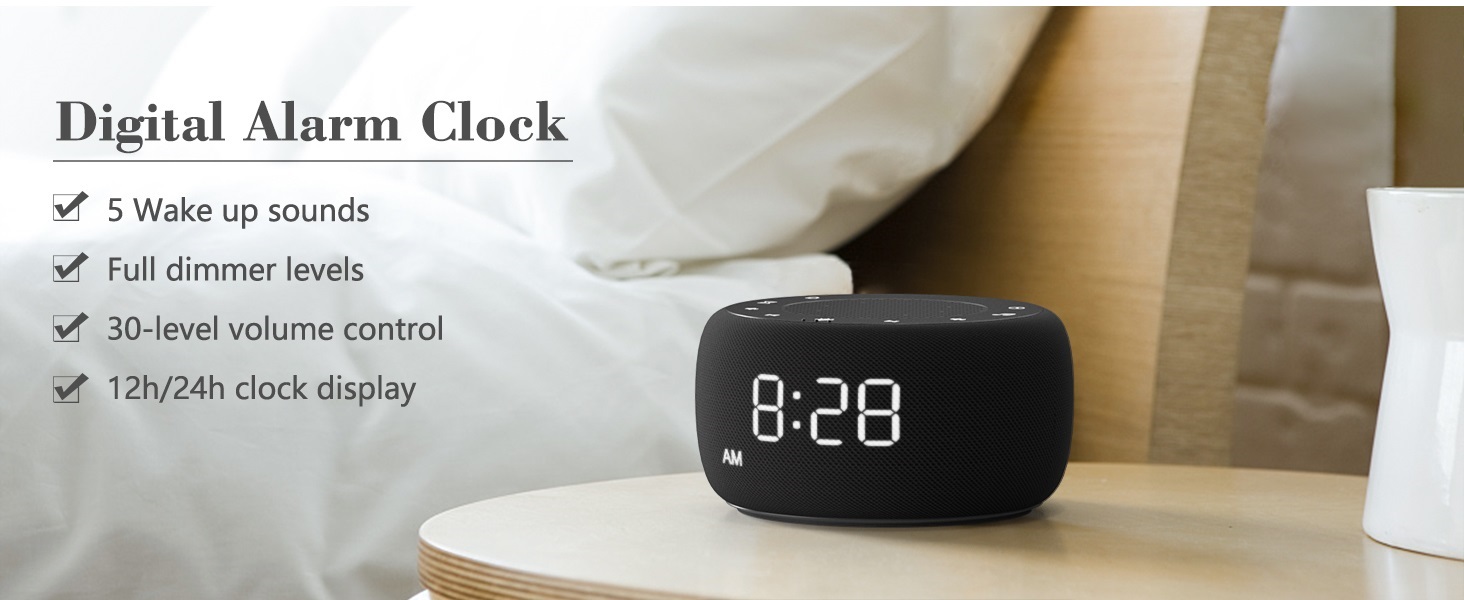
Image: An infographic displaying the 18 soothing sounds categorized into 3 fan sounds, 5 white noises, and 10 nature sounds, including ocean, lullaby, waves, rain, thunderstorm, brook, croaking, bird chirping, summer night, and camp火。
- を押す サウンドマシン button (music note icon) to cycle through the available sounds.
- 使用 音量を上げる (▲)と 音量を下げる (▼) buttons to adjust the volume (30 levels).
- To turn off the sound, press the サウンドマシン button until no sound is playing.
スリープタイマー
Set a timer for the sound machine to automatically turn off.

Image: The top panel of the Buffbee Sound Machine, highlighting the Auto-Off Timer button and the Volume Control buttons.
- を押す タイマー button (hourglass icon) to cycle through timer options: 15, 30, 60, 90, 120 minutes, or continuous play.
- The selected timer duration will be displayed on the screen.
Adjusting Clock Face Brightness
The clock display brightness can be adjusted from 0% (completely dark) to 100%.

Image: The Buffbee Sound Machine demonstrating its 0-100% display dimmer feature, showing the clock face at 0%, partial, and 100% brightness.
- 見つける ディスプレイ調光器 knob on the rear of the device.
- Rotate the knob to increase or decrease the brightness of the clock display to your preference.
Using the Bottom Colored Light
The device features a bottom light with 7 color options to create a relaxing ambiance.

Image: The Buffbee Sound Machine displaying its bottom colored light feature, showing various color options and the ability to turn it on or off.
- を押す ナイトライト button (light bulb icon) to cycle through the 7 color options.
- Continue pressing the button to turn the light off.
メンテナンス
- クリーニング: 柔らかく乾いた布で拭いてください。研磨剤入りの洗剤や溶剤は使用しないでください。
- ストレージ: 長期間使用しない場合は、デバイスを涼しく乾燥した場所に保管してください。
トラブルシューティング
| 問題 | 考えられる原因 | 解決 |
|---|---|---|
| デバイスの電源が入りません。 | 電源アダプターが正しく接続されていないか、電源コンセントに問題があります。 | 電源アダプターがデバイスにしっかりと差し込まれていること、およびコンセントが機能していることを確認してください。別のコンセントをお試しください。 |
| 時計の表示が明るすぎる/暗すぎる。 | Display dimmer setting needs adjustment. | Adjust the 0-100% Display Dimmer knob on the rear of the device. |
| 音は十分に大きくありません。 | 音量の設定が低すぎる。 | を押す 音量を上げる (▲) button to increase the volume. The device has 30 volume levels. |
| アラームは鳴りません。 | アラームが設定されていないか、オフになっています。 | アラームが正しく設定され、アラーム アイコンがディスプレイに表示されていることを確認します。 |
仕様
| 特徴 | 詳細 |
|---|---|
| モデル番号 | BK11 |
| 寸法 | 5.63 x 4.57 x 3.03インチ |
| 重さ | 11.64オンス |
| 電源 | Battery Powered (for backup) / AC Adapter |
| スピーカー出力 | 5W |
| サウンドオプション | 18 (5 white noises, 3 fan sounds, 10 nature sounds) |
| 音量レベル | 30 |
| スリープタイマー | 15、30、60、90、120分、または連続 |
| 時計表示の明るさ | 0〜100%調整可能 |
| Bottom Light Colors | 7つのオプション |
| 材料 | プラスチック、アクリロニトリル ブタジエン スチレン (ABS) |
保証とサポート
For warranty information and customer support, please refer to the contact details provided on the product packaging or visit the official BUFFBEE webサイト。 保証請求に備えて購入時のレシートを保管しておいてください。
Ask a question about this manual
Ask about setup, troubleshooting, compatibility, parts, safety, or missing instructions. Manuals+ will review the question and use this page’s manual context to help answer it.