
1. はじめに
Thank you for choosing the Gevi 12 Cup Programmable Drip Coffee Maker. This manual provides essential information for the safe operation, maintenance, and troubleshooting of your new coffee maker. Please read it thoroughly before first use and retain it for future reference.

Image: The Gevi 12 Cup Programmable Drip Coffee Maker, showcasing its sleek design and digital display, ready to brew coffee.
2。 構成部品
Your Gevi coffee maker includes the following components:
- メインコーヒーメーカーユニット
- Glass Coffee Pot (Carafe)
- コーヒースクープ
- 永久フィルター
- ユーザーマニュアル(このドキュメント)

Image: An illustration showing the individual components of the Gevi Drip Coffee Maker, including the filter, filter basket, glass carafe, and coffee scoop, alongside the main unit.
3. セットアップ
- 開梱: コーヒーメーカーから梱包材をすべて慎重に取り除きます。
- 保護フィルム: Remove the protective film from the control panel before use.
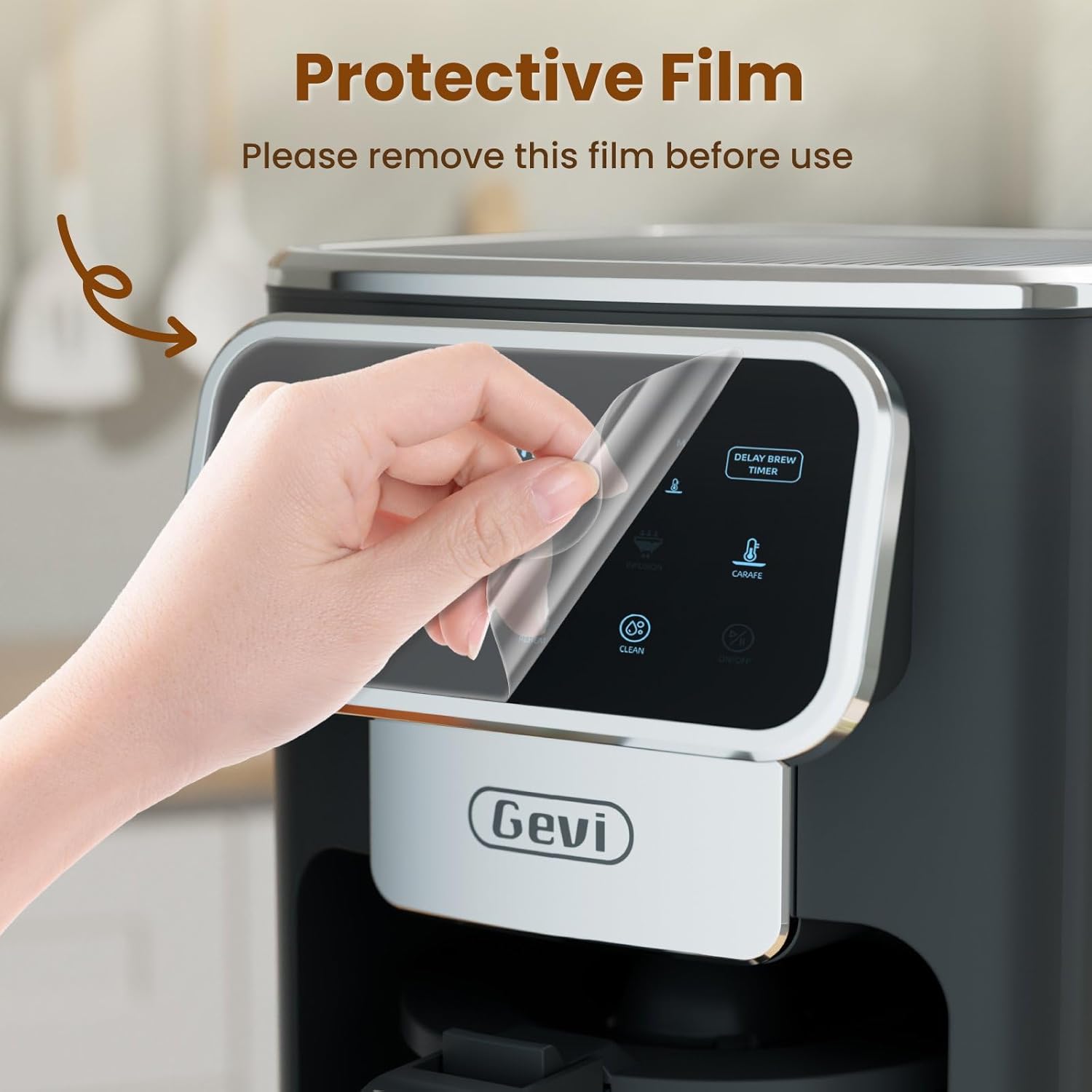
Image: A hand gently peeling off the protective film from the touchscreen control panel of the coffee maker.
- 初期クリーニング: Before first use, wash the permanent filter, glass carafe, and coffee scoop with warm, soapy water. Rinse thoroughly.
- 最初の抽出サイクル(クリーニング): Fill the water reservoir to the maximum level with clean water. Do not add coffee grounds. Run a full brew cycle to clean the internal components. Discard the water.
4. 操作手順
4.1時計の設定
- Press the "ON/OFF" button to turn on the coffee maker.
- When the timer display blinks, press the "Hour" and "Minute" buttons to adjust the time.
- Press the "ON/OFF" button again to confirm the clock time.
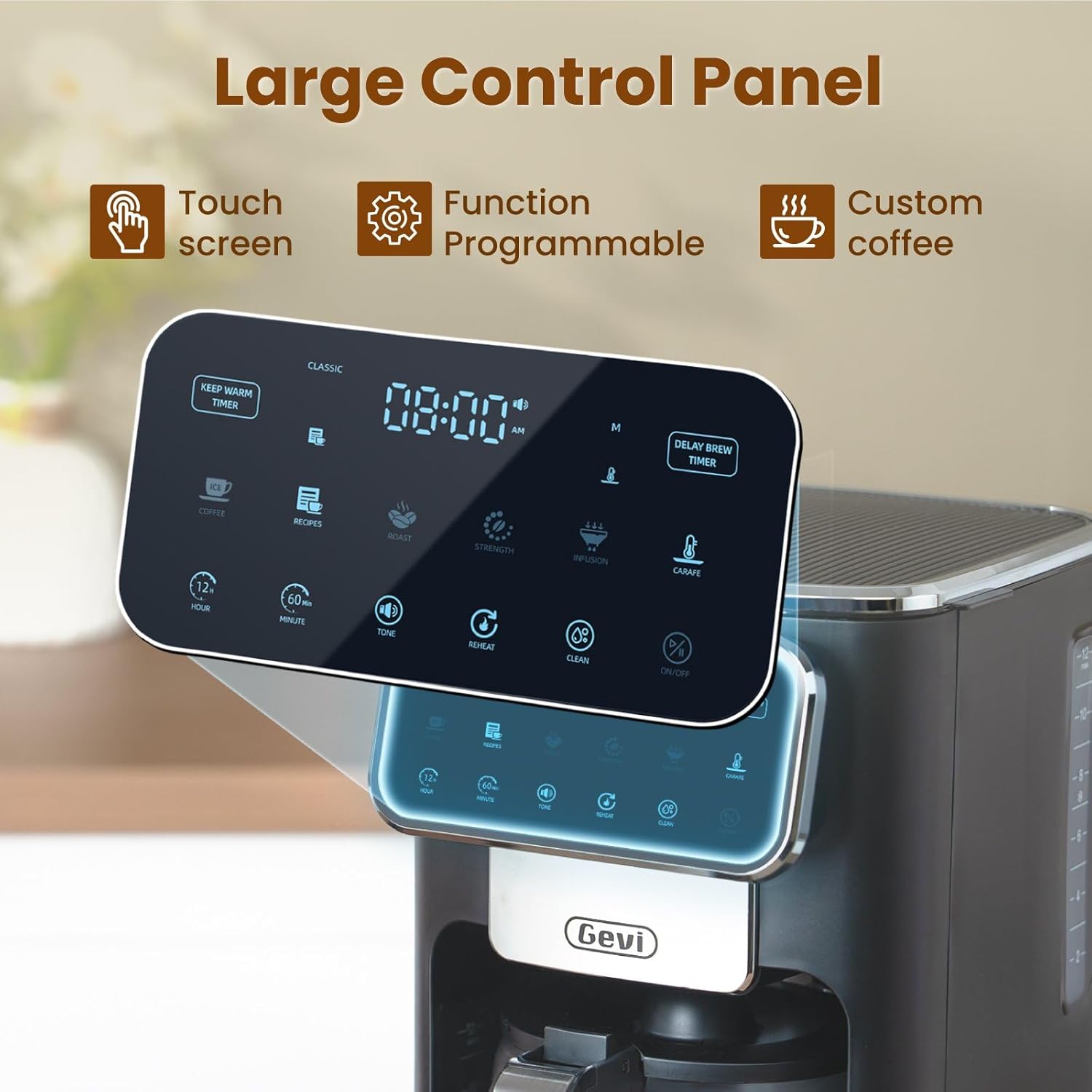
画像: 詳細な view of the coffee maker's large touch control panel, showing various settings and the digital clock display.
4.2 Setting the Delay Brew Timer
- After setting the current clock time, press the "Delay Brew Timer" button.
- When the timer display blinks, use the "Hour" and "Minute" buttons to set your desired delay brewing time.
- Press the "Delay Brew Timer" button again to confirm the delay brewing time.
- 注記: Pressing the "ON/OFF" button after setting the delay brew timer will cancel the delay brew setting.
- The machine will automatically begin brewing at the preset time.
4.3 コーヒーの淹れ方
- 水を溜めます: Open the top lid and pour fresh, cold water into the water reservoir. Use the water level markings on the side of the coffee maker as a guide.

Image: A hand pouring water into the transparent water tank of the coffee maker, showing the water level indicators.
- コーヒーかすを追加します。 Place the permanent filter (or a paper filter) into the filter basket. Add your desired amount of ground coffee using the provided scoop. Close the top lid.

Image: A hand scooping coffee grounds into the reusable filter basket, which is placed inside the coffee maker.
- 抽出の強さを選択: Use the touch screen to select your preferred coffee strength: クラシック, 激しい、 または リッチ.

Image: Four different coffee preparations: Classic, Intense, Rich, and Iced, demonstrating the various brewing strengths and options.
- 醸造を開始します: Press the "ON/OFF" button to begin the brewing process. The coffee maker features a pre-infusion system for optimal flavor extraction.

Image: A cutaway diagram showing the pre-infusion process, where water is evenly distributed over coffee grounds for deep extraction.
- 保温機能: The coffee maker includes an adjustable keep-warm timer, typically ranging from 5 minutes to 3 hours and 59 minutes, to maintain coffee temperature after brewing.

Image: The coffee maker's warming plate, glowing red, indicating the keep-warm function is active, with a cup of hot coffee nearby.
4.4 Iced Coffee Function
To brew iced coffee, select the "Ice" option on the touch screen. This function is designed to provide a concentrated brew suitable for pouring over ice, ensuring a flavorful iced coffee experience.
4.5ビデオガイド
For a visual demonstration of the coffee maker's features and operation, please watch the official product video below:
Video: An official product video demonstrating the Gevi 12 Cup Programmable Drip Coffee Maker's features and brewing process.
5. メンテナンスと清掃
定期的に清掃することで、最適なパフォーマンスが確保され、コーヒーメーカーの寿命が延びます。
- Filter and Carafe: The permanent filter and glass carafe can be easily cleaned with warm water and mild soap. Rinse thoroughly after washing.
- 外観: コーヒーメーカーの外側を広告で拭きますamp 布で拭いてください。本体を水に浸さないでください。
- スケール除去: Periodically descale your coffee maker to remove mineral buildup. Refer to a general coffee maker descaling guide or contact customer support for specific instructions.
6。 トラブルシューティング
| 問題 | 考えられる原因 | 解決 |
|---|---|---|
| コーヒーメーカーがオンにならない。 | プラグが差し込まれていない; 電源が切れているtage. | 電源コードがコンセントにしっかりと差し込まれていることを確認してください。ご家庭のブレーカーもご確認ください。 |
| Clock loses time or runs fast. | Internal clock mechanism variation. | Reset the clock periodically as needed. If the issue persists significantly, contact customer support. |
| Brewing less than expected amount of coffee. | Water reservoir not filled sufficiently; clogged filter/drip system; carafe not properly seated. | Ensure water reservoir is filled to the desired level. Clean the filter and drip system. Verify the carafe is correctly positioned on the warming plate. |
| コーヒーの味が薄かったり、濃すぎたりします。 | コーヒーと水の比率が正しくありません。挽き具合が間違っています。濃度の設定が間違っています。 | Adjust the amount of coffee grounds. Use a medium grind for drip coffee. Select a different brew strength setting (Classic, Intense, Rich). |
7. 仕様
| 特徴 | 詳細 |
|---|---|
| ブランド | ゲビ |
| モデル名 | DCMA0-BK0A1 |
| 容量 | 12 Cups (60 oz / 1.8 L) |
| 色 | 黒 |
| 製品寸法(奥行き×幅×高さ) | 12.1インチ x 8インチ x 13.8インチ |
| 重さ | 7.48 ポンド |
| 特集 | Iced Coffee, Keep Warm Timer, Permanent Filter, Programmable, Touchscreen |
| コーヒーメーカーの種類 | ドリップコーヒーマシン |
| 操作モード | 完全自動 |
| ワットtage | 1100ワット |
| 巻tage | 120ボルト |
| ヒューマンインターフェイス入力 | タッチスクリーン |
| コーヒー入力タイプ | 挽いたコーヒー |
| 電源 | ACアダプター |
| 食器洗い機対応 | いいえ(本体) |

Image: The Gevi coffee maker with its physical dimensions (depth, width, height) clearly indicated.
8. 保証とサポート
Gevi values your satisfaction. Every Gevi product purchased via official or authorized channels includes a 12-month warranty and lifetime technical support.
If you encounter any issues with your Gevi coffee maker, please refer to the operation videos on the official Gevi store or contact customer service directly for assistance.
さらにサポートが必要な場合は、 Gevi Store on Amazon.


