
導入
This manual provides essential information for the setup, operation, maintenance, and troubleshooting of your Bmax X15 Plus 15.6-inch laptop. Please read this guide thoroughly to ensure proper use and to maximize the lifespan of your device.
設定
1. 開梱と初期検査
すべてのコンポーネントをパッケージから慎重に取り出します。以下のものが含まれていることを確認してください。
- Bmax X15 Plus Laptop
- 電源アダプター/充電器
- ユーザーマニュアル(このドキュメント)
ノートパソコンに物理的な損傷がないか点検してください。部品が不足または破損している場合は、直ちにカスタマーサポートにご連絡ください。
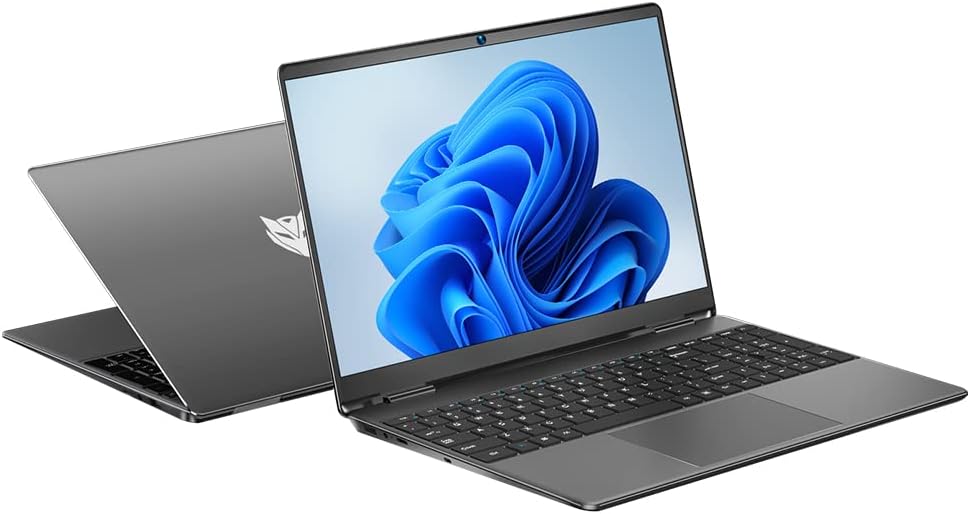
Image: The Bmax X15 Plus laptop displayed open, showing the screen and keyboard.
2. 電源アダプタの接続
Before first use, connect the power adapter to the laptop's charging port and then to a power outlet. It is recommended to fully charge the battery before initial operation.
画像: クローズアップ view of the laptop's side ports, highlighting the power input, USB 3.0, mini HDMI, and security lock slot.
3. 初回電源投入とオペレーティングシステムのセットアップ
Press the power button to turn on the laptop. Follow the on-screen instructions to complete the operating system (OS 11) setup, including language selection, network connection, and user account creation.
ノートパソコンの操作
1. キーボードとタッチパッド
The Bmax X15 Plus features a full-sized keyboard with a numeric keypad and a large trackpad for comfortable navigation and input.

画像: トップダウン view of the Bmax X15 Plus laptop, showcasing the full keyboard with numeric pad and large touchpad.
2. 表示機能
Your laptop is equipped with a 15.6-inch Full HD (1920x1080) IPS display, offering wide viewing angles and vibrant colors. The narrow bezel design maximizes screen space.
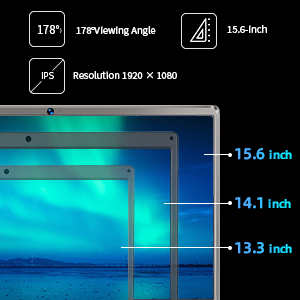
Image: A diagram illustrating the 15.6-inch display size in comparison to smaller screens, emphasizing the IPS technology and 1920x1080 resolution.
3. パフォーマンスとストレージ
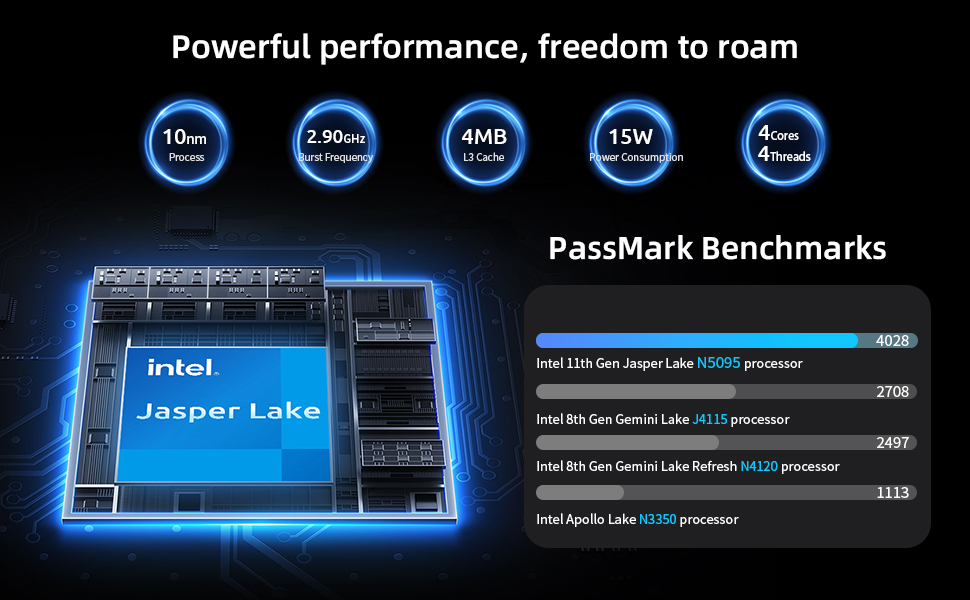
The laptop features an Intel 11th Gen Celeron N5095 Quad-Core Processor (up to 2.9GHz), 12GB DDR4 RAM, and a 512GB SSD for efficient multitasking and fast data access.
4. 接続性
Connect to networks using 2.4GHz/5GHz Dual Band Wi-Fi. Peripheral connectivity includes two USB 3.0 ports, a Micro SD card reader, and a mini HDMI port.
メンテナンス
1. ノートパソコンの掃除
To maintain optimal performance and appearance, regularly clean your laptop. Use a soft, lint-free cloth for the screen and exterior. For stubborn marks, a slightly dampened cloth with water or a specialized electronics cleaner can be used. Avoid harsh chemicals.
2. ストレージのアップグレード
The Bmax X15 Plus includes an M.2 2280 expandable slot, allowing for easy SSD upgrades up to 1TB to suit your storage needs. Refer to the diagram below for the location of the M.2 slot. It is recommended to consult a professional for hardware upgrades if you are unsure.
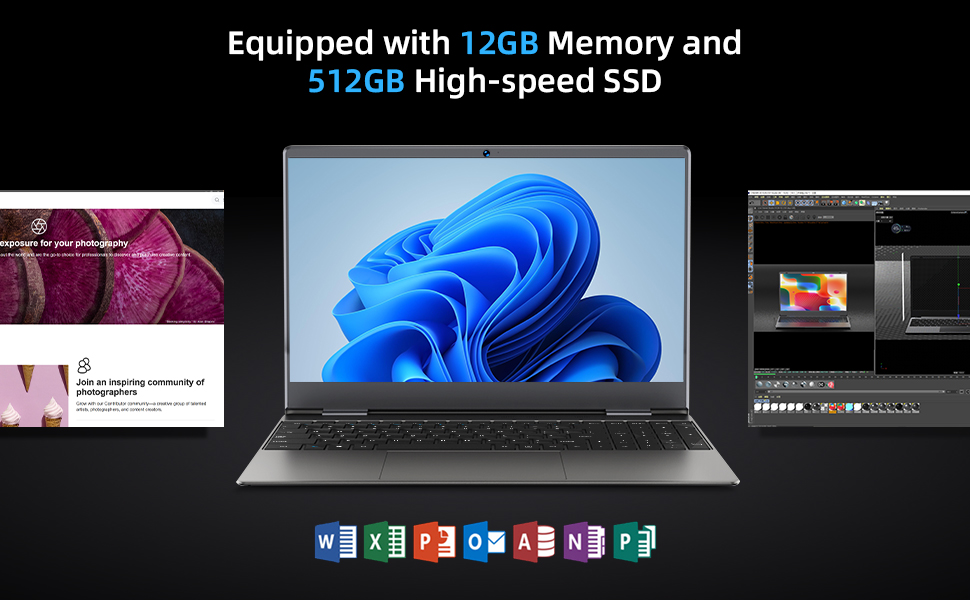
Image: Diagram indicating the M.2 2280 expandable slot on the bottom of the laptop for storage upgrades.
トラブルシューティング
If you encounter issues with your Bmax X15 Plus laptop, refer to the following common troubleshooting steps:
- ノートパソコンの電源が入らない: Ensure the power adapter is securely connected to both the laptop and a working power outlet. Verify the power outlet is functional. If the battery is completely drained, allow it to charge for at least 30 minutes before attempting to power on again.
- Screen remains black after power on: Try connecting an external monitor to the mini HDMI port to check if the display output is working. If an external monitor works, the laptop's internal display may have an issue. If no display on external monitor, try restarting the laptop.
- システムが遅い、または応答しない: Close unnecessary applications. Check for available system updates and install them. Ensure sufficient free space on the SSD. Consider running a system diagnostic or antivirus scan.
- Wi-Fi 接続の問題: Verify that Wi-Fi is enabled in the operating system settings. Restart your router and modem. Ensure you are within range of a Wi-Fi signal.
- タッチパッドが応答しません: Check if the touchpad has been accidentally disabled via a function key (often Fn + F-key combination). Restart the laptop.
問題が解決しない場合は、Bmax カスタマー サポートにお問い合わせください。
仕様
| 特徴 | 詳細 |
|---|---|
| ブランド | ビーマックス |
| モデル名 | X15プラス |
| 画面サイズ | 15.6インチ |
| 画面解像度 | 1920 x 1080ピクセル(FHD IPS) |
| プロセッサ | Intel Celeron N5095(最大2.9GHz、4コア) |
| ラム | 12GB LPDDR4 |
| ハードドライブ | 512 GB SSD(シリアルATA-600) |
| 拡張可能なストレージ | M.2 2280 slot (up to 1TB SSD) |
| グラフィックスコプロセッサ | インテルUHDグラフィックス |
| オペレーティング·システム | OS11 について |
| ワイヤレスタイプ | 802.11a/b/g/n/ac (Dual Band Wi-Fi) |
| USBポート | USB 2 ポート x 3.0 |
| その他のポート | Mini HDMI, 3.5mm Headset Jack, Micro SD Card Reader |
| アイテム重量 | 3.52ポンド(約1.6kg) |
| 製品寸法(長さx幅x高さ) | 14.1 x 9.5 x 0.78インチ |
| バッテリー | 1 Lithium Polymer battery (38Wh) |
保証情報
The Bmax X15 Plus laptop comes with a 12ヶ月保証 from the date of purchase. This warranty covers manufacturing defects and ensures the product functions as intended under normal use. Additionally, a 30日間の返品ポリシー お客様の安心のためにご提供いたします。
Please retain your proof of purchase for warranty claims. The warranty does not cover damage caused by misuse, accidents, unauthorized repairs, or normal wear and tear.
カスタマーサポート
For any questions, technical assistance, or warranty claims, please contact Bmax customer service. Our team is available to provide friendly support.
- オンラインサポート: 公式Bmaxをご覧ください webFAQ とサポート リソースのサイト。
- メールサポート: Refer to your product packaging or the official Bmax web専用のサポート メール アドレスについては、サイトをご覧ください。
- 電話サポート: Contact numbers may be available on the official Bmax webサイト。
When contacting support, please have your laptop's model number (X15 Plus) and purchase information readily available.