
1. はじめに
The Divoom Ditoo-Mic is an innovative Bluetooth speaker that combines high-quality audio with a unique pixel art display and a functional mechanical keyboard. It comes equipped with a mini karaoke microphone, making it perfect for entertainment. Beyond music, it offers various smart features and customization options through its dedicated mobile application.
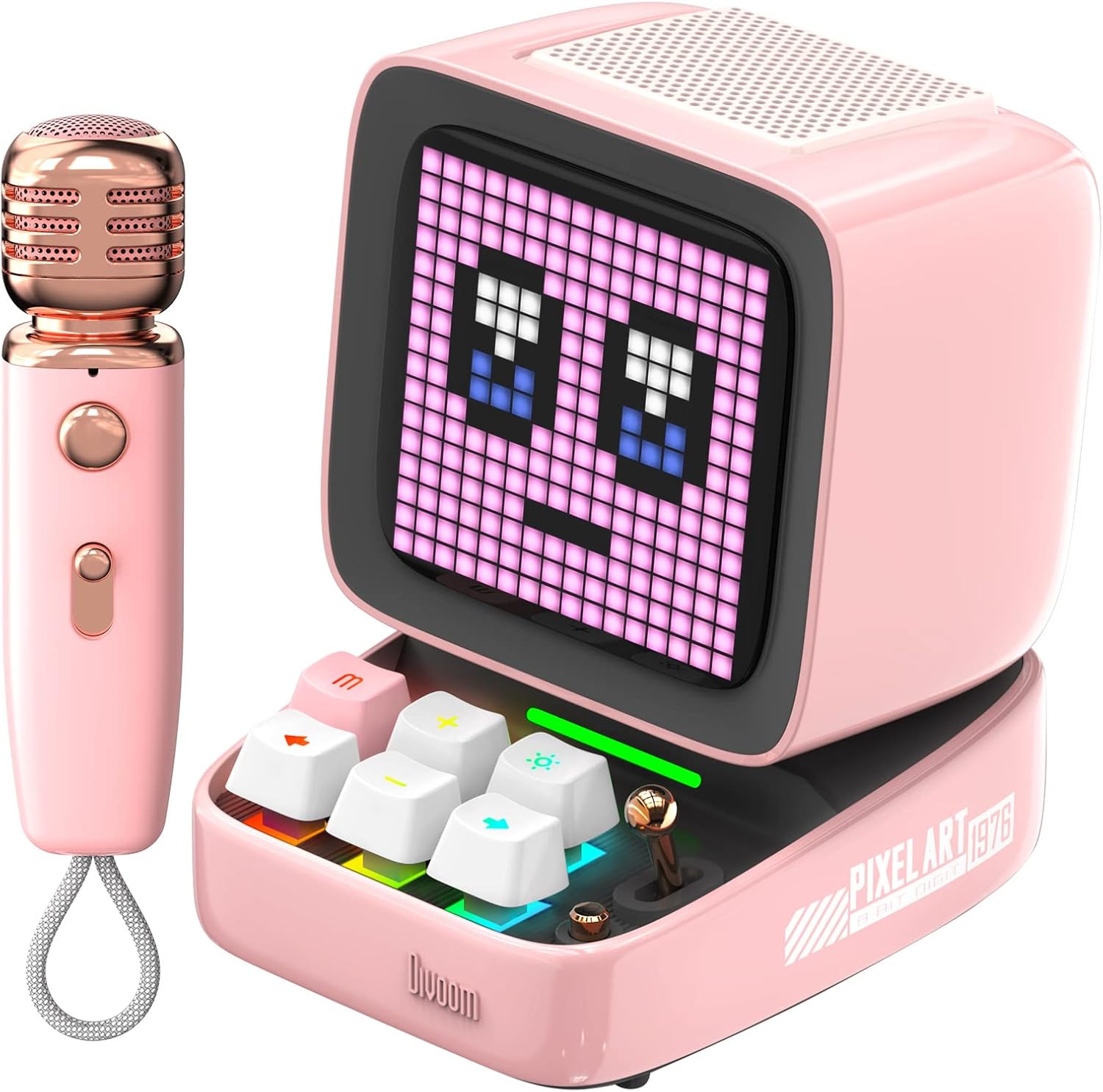
Figure 1: Divoom Ditoo-Mic Speaker and Microphone
2. セットアップ
2.1 開梱と初期充電
Carefully remove all components from the packaging. Before first use, fully charge the Ditoo-Mic speaker and the mini microphone using the provided USB cable. The speaker requires 4 hours of charging for 8 hours of playtime.

Figure 2: Divoom Ditoo-Mic in its packaging
2.2 電源オン/オフ
Locate the power switch on the back of the Ditoo-Mic speaker. Slide the switch to the 'ON' position to power on the device. The pixel display will light up. To power off, slide the switch to the 'OFF' position.
2.3Bluetoothペアリング
Once powered on, the Ditoo-Mic will automatically enter Bluetooth pairing mode. On your smartphone or other Bluetooth-enabled device, search for 'Ditoo-Mic' in the Bluetooth settings and select it to connect. A confirmation sound will indicate successful pairing.
3. 操作手順
3.1 Divoom Mobile Application
For full functionality and customization, download the 'Divoom' app from your device's app store. The app allows you to control pixel art animations, music playback, alarm settings, and access various other features.
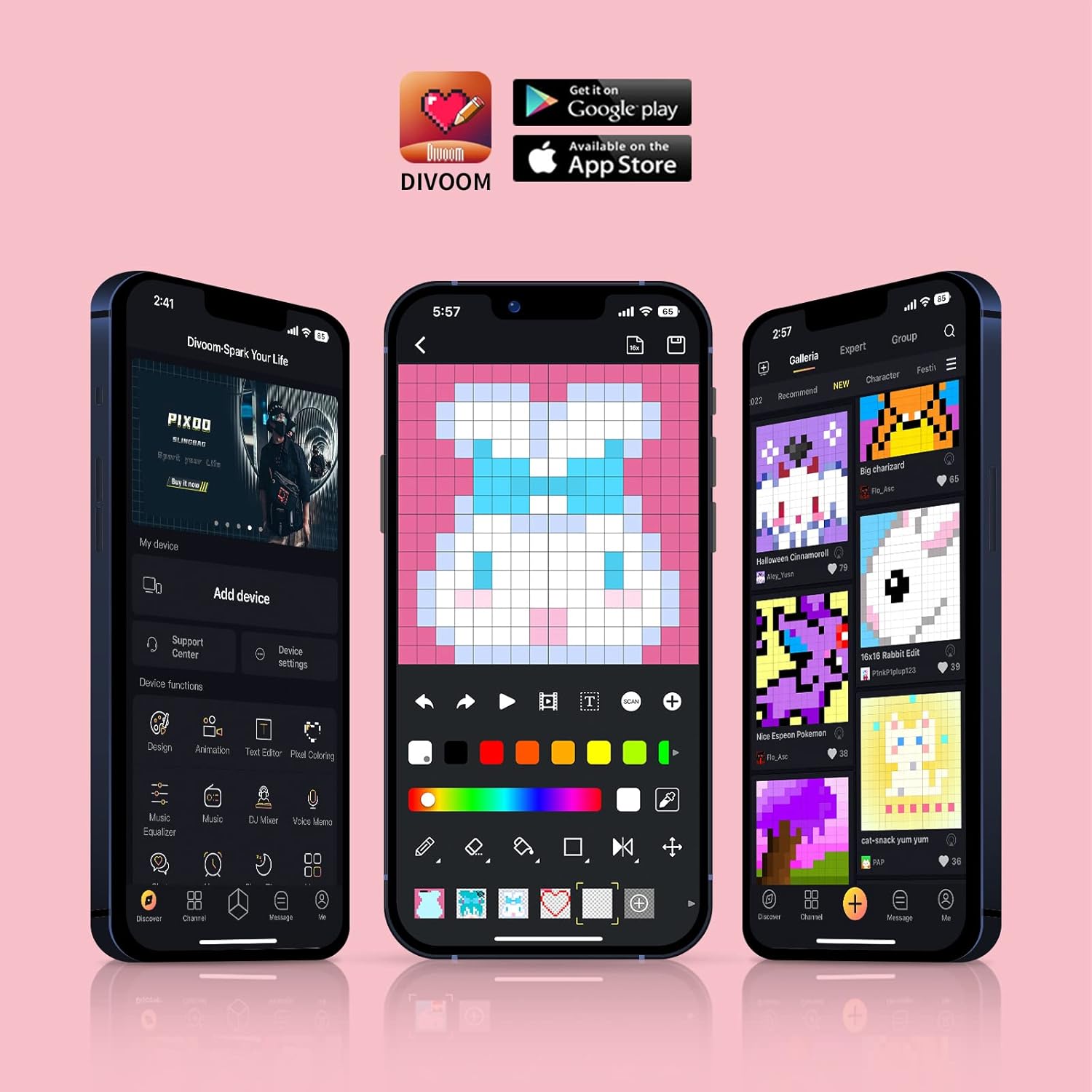
Figure 3: Divoom Mobile Application Interface
3.2 カラオケ機能
Connect the mini microphone to the Ditoo-Mic speaker via Bluetooth. The speaker supports various karaoke profiles, allowing for different vocal effects. Adjust volume and effects directly on the microphone or through the Divoom app.

Figure 4: Using the Karaoke Microphone
3.3 Pixel Art Display & Creation
The Ditoo-Mic features a customizable pixel art display. You can select from a vast gallery of existing pixel art designs within the Divoom app or create your own unique animations and images in real-time using your finger on the app interface. The display on the speaker will update instantly.

Figure 5: Real-time Pixel Art Creation

Figure 6: Explore the Divoom Pixel Art Community
3.4 Pixel Mini Games
The Ditoo-Mic includes several built-in pixel mini-games that can be played directly on the device using its mechanical keyboard. These games provide an interactive and nostalgic experience.
3.5 Smart Alarm and Notifications
Utilize the Divoom app to set smart alarms, manage your planner, and receive social media notifications directly on the Ditoo-Mic's pixel display. It can also show weather information and act as a noise meter.

Figure 7: Smart Alarm Features

Figure 8: Social Media Notifications
3.6 公式製品ビデオ
Video 1: Ditoo Mic Speaker with microphone - This official video from Divoom showcases the various features and uses of the Ditoo-Mic speaker and its accompanying microphone, including music playback, karaoke, and pixel art display.
4. メンテナンス
To ensure the longevity of your Divoom Ditoo-Mic, follow these maintenance guidelines:
- 柔らかく乾いた布で拭いて、デバイスを清潔に保ちましょう。研磨剤入りの洗剤や溶剤の使用は避けてください。
- デバイスを極端な温度、直射日光、高湿度にさらさないでください。
- デバイスを使用しないときは、涼しく乾燥した場所に保管してください。
- デバイスを落としたり、強い衝撃を与えたりしないでください。
5。 トラブルシューティング
If you encounter issues with your Divoom Ditoo-Mic, try the following steps:
- 電源なし: デバイスが完全に充電されていることを確認してください。電源に接続し、充電インジケーターを確認してください。
- Bluetooth接続の問題: Make sure Bluetooth is enabled on your device and the Ditoo-Mic is in pairing mode. Try unpairing and re-pairing the device. Ensure no other devices are interfering with the Bluetooth signal.
- 音が出ない: Check the volume levels on both the Ditoo-Mic and your connected device. Ensure the microphone is properly connected and powered on if using the karaoke function.
- 表示の不具合: Restart the device. If the issue persists, check the Divoom app for any firmware updates.
6. 仕様
| 特徴 | 詳細 |
|---|---|
| 製品寸法 | 7.5 x 7.5 x 10.2インチ |
| アイテム重量 | 1.18ポンド |
| モデル番号 | Ditoo-Mic |
| バッテリー | 1 個のリチウムポリマー電池が必要 (付属) |
| ブランド | ディヴォーム |
| 特集 | 内蔵マイク |
| 色 | ピンク |
| 含まれるコンポーネント | ミニマイク |
| 推奨用途 | 家 |
7. 保証とサポート
For warranty information and technical support, please refer to the official Divoom webご購入の際は、ウェブサイトをご覧いただくか、カスタマーサービスまで直接お問い合わせください。保証請求の際は、購入証明としてレシートを保管してください。
訪問する AmazonのDivoomストア 詳細な製品情報とサポート リソースについては、こちらをご覧ください。