
PRORECK SP-15
PRORECK SP-15 Powered PA Speaker & Stageモニターユーザーマニュアル
モデル: SP-15
導入
Thank you for choosing the PRORECK SP-15 15-inch 1400W P.M.P.O Stereo Powered Stage Monitor and PA Speaker. This versatile audio system is designed to deliver powerful and clear sound for a wide range of applications, including churches, weddings, conferences, ballrooms, and live performances. Featuring a built-in Digital Signal Processor (DSP), Bluetooth 5.0 connectivity, and multiple input channels, the SP-15 offers exceptional flexibility and control over your audio. Please read this manual thoroughly before operating the unit to ensure proper use and to maximize its performance and longevity.
安全情報
感電、火災、または怪我を防ぐために、常に次の安全上の注意事項を守ってください。
- 電源: 指定された電源電圧にのみユニットを接続してくださいtage. 電源コードが損傷したり挟まれたりしていないことを確認します。
- 換気: 通気口を塞がないでください。スピーカーの過熱を防ぐため、周囲に十分な空気の流れを確保してください。
- 水と湿気: 本体を雨や湿気にさらさないでください。花瓶など、液体の入った物を本体の上に置かないでください。
- 熱源: ユニットをラジエーター、暖房口、ストーブ、その他の機器(電気を含む)などの熱源から遠ざけてください。 amp熱を発生する装置。
- クリーニング: Unplug the unit from the power outlet before cleaning. Use only a dry cloth.
- サービス: 本製品の修理はご自身で行わないでください。修理は必ず資格のあるサービス担当者にご依頼ください。電源コードやプラグの破損、液体のこぼれや異物の混入、雨や湿気への曝露、正常に動作しない、落下など、本製品が何らかの損傷を受けた場合は、修理が必要です。
- 配置: Place the speaker on a stable, flat surface or a suitable speaker stand. Avoid placing it in unstable positions where it could fall and cause injury or damage.
パッケージ内容
パッケージにすべてのアイテムが揃っていることを確認してください:
- PRORECK SP-15 Powered PA Speaker
- Power Cord (5-inch, 3-prong)
- ユーザーマニュアル(このドキュメント)
製品終了view
フロントとサイド View
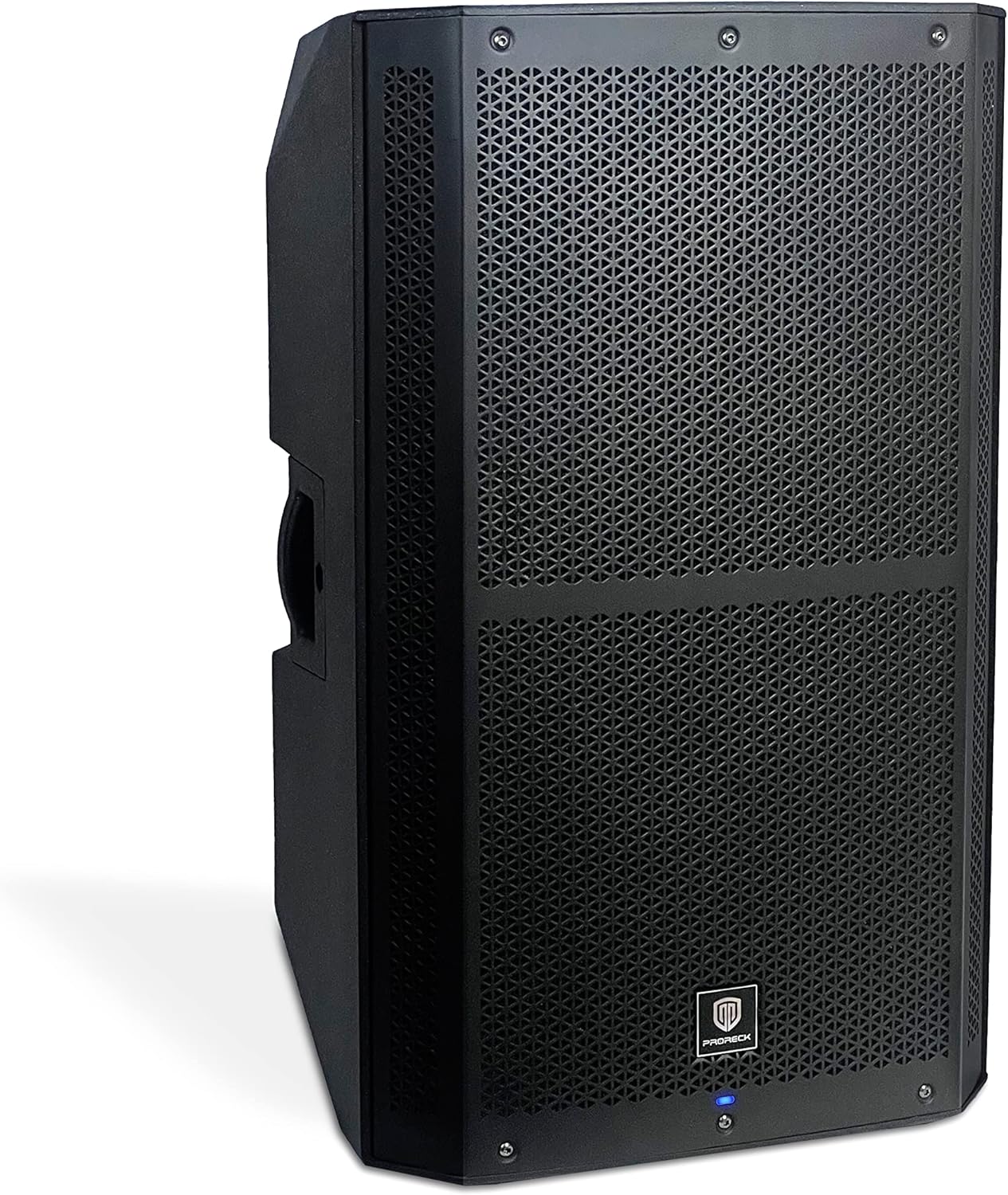
図1: 前面と側面 view of the PRORECK SP-15 speaker, showcasing its robust polypropylene enclosure and front grille.

図2:側面 view of the PRORECK SP-15, highlighting the integrated handle for easy transport.
The PRORECK SP-15 features a durable polypropylene construction designed to reduce resonance and enhance sound quality. It includes an integrated handle for convenient portability. The front grille protects the 15-inch woofer and 1.75-inch horn coil, which are engineered for powerful and clear audio output.

Figure 3: Illustration of the 15-inch woofer with 3-inch voice coil and 1.75-inch horn coil for enhanced sound.
Rear Panel and Controls (4-Channel Mixer)

図4:詳細 view of the PRORECK SP-15's rear panel, showing the 4-channel mixer and DSP controls.

Figure 5: Full rear panel view, including power input and switch.
The rear panel houses all the essential inputs, outputs, and controls for the SP-15. It features a comprehensive 4-channel mixer with a built-in Digital Signal Processor (DSP) for precise audio adjustments.
- DSP USB SET: USB port for DSP settings and updates.
- Bluetooth Switch Button: Bluetooth ペアリング モードを有効/無効にします。
- Stereo RCA Input: RCA 出力を備えたデバイスを接続します。
- XLRミックス出力: For connecting to another speaker or mixer.
- LED 表示画面: Shows DSP menu, levels, and settings.
- Function Selection Knob (DSP CONTROL): Navigates and selects options within the DSP menu.
- 1/4"/XLR Combo Aux/Line Input: Versatile input for auxiliary or line-level signals.
- 1/4"/XLR Combo Mic/Line Input: Versatile input for microphone or line-level signals.
- Line/Mic Switch button: Toggles input sensitivity between line and microphone levels for the combo inputs.
- ゲインコントロールノブ: Adjusts the input gain for connected devices.
設定
初期配置
The PRORECK SP-15 can function as both a traditional PA speaker and a stage monitor. Its design allows for flexible placement:
- PA Speaker Mode: For general sound reinforcement, place the speaker upright on a flat, stable surface or mount it on a compatible speaker stand.
- Stage Monitor Mode: For use as a floor monitor, position the speaker on its side, utilizing its angled design to direct sound towards the performer.

Figure 6: The PRORECK SP-15 configured as a PA speaker (left) and a stage monitor (right).
電源接続
- 背面パネルの電源スイッチが「OFF」の位置になっていることを確認してください。
- Connect the provided 3-prong power cord to the AC inlet on the rear panel of the speaker.
- 電源コードのもう一方の端を接地されたコンセントに差し込みます。
オーディオソースの接続
The SP-15 offers multiple input options:
- Microphones/Line-level Instruments: Use the 1/4"/XLR Combo Mic/Line Input (8). Ensure the Line/Mic Switch button (9) is set appropriately for your source.
- Auxiliary/Line-level Devices: Use the 1/4"/XLR Combo Aux/Line Input (7).
- RCA Devices: Connect devices like CD players or DJ mixers to the Stereo RCA Input (3).
- Bluetoothデバイス: For wireless audio streaming, refer to the "Bluetooth Pairing" section under Operating Instructions.
After connecting your sources, you can use the XLR Mix Output (4) to link the SP-15 to another powered speaker or a main mixer, expanding your sound system.
操作手順
電源のオン/オフ
- Before powering on, ensure all gain control knobs are turned down to their minimum setting.
- Flip the power switch on the rear panel to the "ON" position. The LED display screen (5) will illuminate.
- Slowly increase the Gain Control Knob (10) for your active input to the desired listening level.
- To power off, turn down all gain controls, then flip the power switch to the "OFF" position.
Using the DSP Processor
The built-in Digital Signal Processor (DSP) allows for advanced sound customization:
- Press the Function Selection Knob (DSP CONTROL) (6) to enter the DSP menu on the LED Display Screen (5).
- Rotate the knob to navigate through the menu options (e.g., EQ settings, crossover, delay, presets).
- Press the knob again to select an option.
- Rotate the knob to adjust the selected parameter.
- Press the knob to confirm the setting or exit the sub-menu.
- The DSP allows you to set up your speaker with personal sound styles, optimizing it for different environments or audio content.
Bluetoothペアリング
The SP-15 features Bluetooth 5.0 for wireless audio streaming:
- Press the Bluetooth Switch Button (2) on the rear panel. The LED display will indicate Bluetooth pairing mode (e.g., "BT Pairing").
- On your Bluetooth-enabled device (e.g., smartphone, tablet), go to its Bluetooth settings and search for available devices.
- Select "PRORECK SP-15" from the list.
- Once connected, the LED display will confirm the successful pairing.
- You can now stream audio wirelessly from your device to the SP-15.

Figure 7: Illustrates Bluetooth connectivity between a smartphone and the PRORECK SP-15 speaker.
Using as PA Speaker or Stageモニター
The SP-15 is designed for dual functionality:
- PA Speaker: 理想的なのは amplifying sound to a large audience. Position upright on a stand or flat surface.
- Stage モニター: Perfect for musicians to hear themselves on stage. Position on its side with the angled design facing the performer.
The 1400W peak power and 3-inch voice coil ensure penetrating sound, capable of accommodating up to 100 persons in a typical setting.
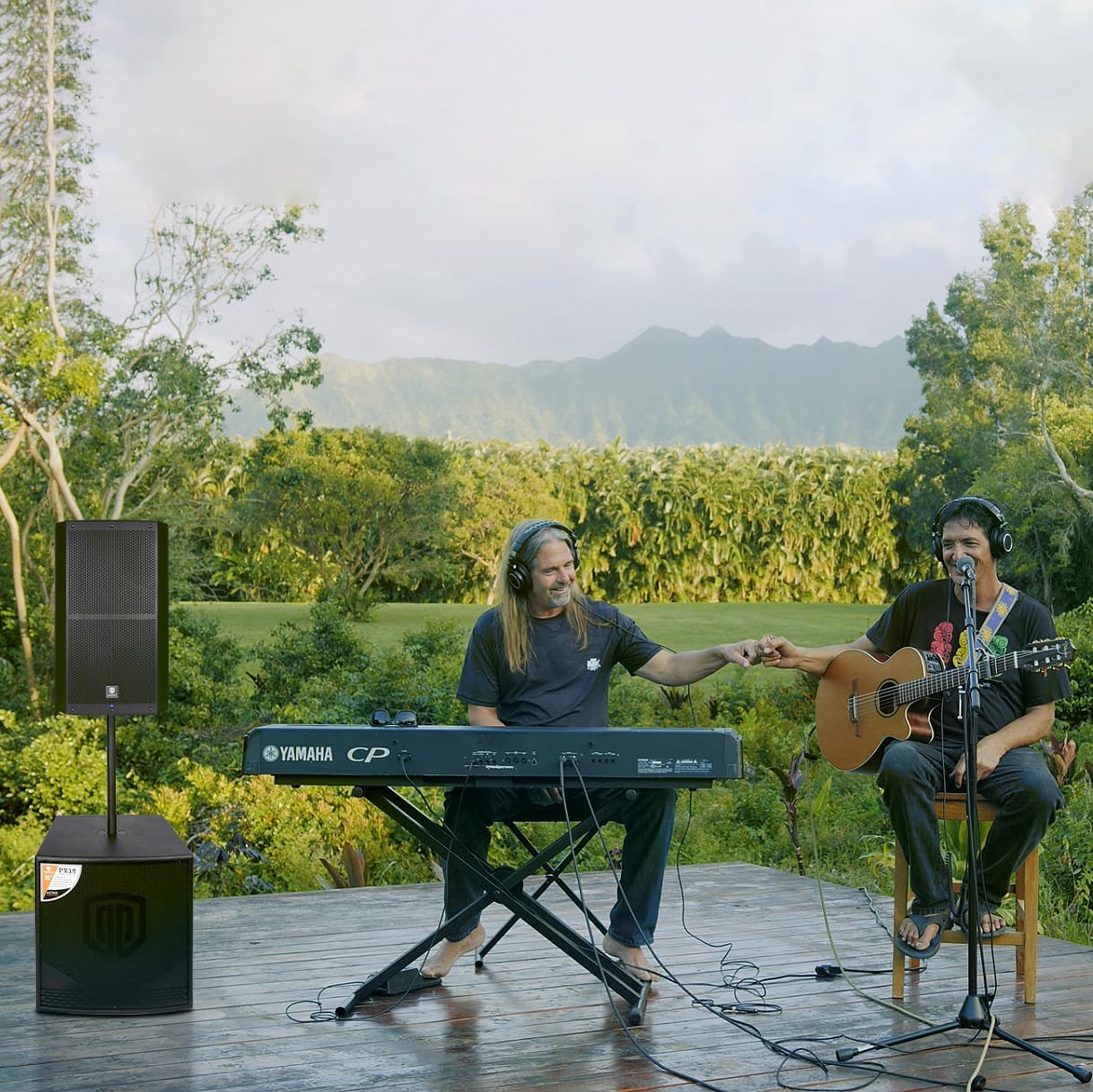
Figure 8: The PRORECK SP-15 being used in an outdoor musical performance, demonstrating its versatility.
メンテナンス
- クリーニング: スピーカーを清掃する前に、必ず電源プラグを抜いてください。表面は柔らかく乾いた布で拭いてください。研磨剤入りの洗剤、ワックス、溶剤は使用しないでください。
- ストレージ: If storing the speaker for an extended period, keep it in a cool, dry place, away from direct sunlight and extreme temperatures.
- 換気: Regularly check that the ventilation openings are clear of dust and debris to ensure proper heat dissipation.
- ケーブル: Inspect power and audio cables periodically for any signs of wear or damage. Replace damaged cables immediately.
トラブルシューティング
| 問題 | 考えられる原因 | 解決 |
|---|---|---|
| 電源なし | Power cord not connected; Power outlet faulty; Power switch off; Blown fuse. | Ensure power cord is securely connected. Try a different outlet. Turn power switch ON. Check and replace fuse if necessary (T5A fuse). |
| 音声出力なし | Input gain too low; Incorrect input selected; Audio cable faulty; Source device not playing; Bluetooth not paired. | Increase gain control. Verify correct input connection. Test with a different audio cable. Ensure source device is playing audio. Re-pair Bluetooth device. |
| 歪んだ音 | Input gain too high; Source signal too strong; DSP settings incorrect. | Reduce input gain. Lower output volume on source device. Adjust DSP settings (e.g., EQ, limiters). |
| Bluetoothが接続されない | Speaker not in pairing mode; Device too far; Interference; Device already connected to another speaker. | Press Bluetooth switch button to enter pairing mode. Move device closer to speaker. Reduce interference from other wireless devices. Disconnect from other Bluetooth devices. |
| ハミング音またはブザー音 | グランド ループ、ケーブルの障害、他の電子機器からの干渉。 | Ensure all equipment is on the same electrical circuit. Try different cables. Move speaker away from other electronic devices. |
仕様
| 特徴 | 詳細 |
|---|---|
| モデル名 | SP-15 |
| スピーカータイプ | Monitor / Powered PA Speaker |
| Ampリファイアタイプ | CLASS D BI-Ampリファイアー |
| スピーカー最大出力 | 1400 Watts (P.M.P.O) |
| ウーファー直径 | 15 Inches (with 3-inch voice coil) |
| Horn Coil Size | 1.75インチ |
| 周波数範囲 | 40Hz~18kHz |
| カバレッジ角度 | 120°×60° |
| 接続技術 | Bluetooth 5.0, Auxiliary, USB, XLR |
| 入力 | Stereo RCA, XLR 1/4-inch combo Aux/Line, XLR 1/4-inch combo Mic/Line |
| 出力 | XLR ミックス出力 |
| 材料 | ポリプロピレン(PP) |
| 色 | 黒 |
| 製品寸法(奥行き×幅×高さ) | 18インチ x 19インチ x 30インチ (45.7cm x 48.3cm x 76.2cm) |
| パッケージ重量 | 23.3 キログラム / 51.5 ポンド |
| 電源 | コード式電気 |
| 特集 | Built-in Digital Signal Processor (DSP) |

Figure 9: Dimensions of the PRORECK SP-15 speaker (15 inch / 380mm width, 16.5 inch / 420mm depth, 27 inch / 690mm height).
保証とサポート
The PRORECK SP-15 comes with a limited warranty. For specific details regarding warranty coverage, duration, and terms, please refer to the warranty card included with your product or visit the official PRORECK website. For technical support, troubleshooting assistance beyond this manual, or service inquiries, please contact PRORECK customer service through their official channels. You can often find contact information on the PRORECK webサイトまたは製品パッケージに記載されています。
PRORECK Official Store: Visit PRORECK Store on Amazon
Ask a question about this manual
Ask about setup, troubleshooting, compatibility, parts, safety, or missing instructions. Manuals+ will review the question and use this page’s manual context to help answer it.