
1. はじめに
Thank you for choosing the Cecotec TotalPure 2in1 MoonStyle Dark Fan and Air Purifier. This innovative appliance combines the functions of a powerful bladeless fan and an efficient air purifier, designed to enhance your indoor comfort and air quality. Featuring a DC motor, Wi-Fi control, an intuitive LED display, and multiple operating modes, this device offers a superior user experience. Please read this manual thoroughly before use to ensure proper operation, maintenance, and safety.

Image 1.1: The Cecotec TotalPure 2in1 MoonStyle Dark Fan and Air Purifier in a bedroom setting, showcasin洗練されたデザイン。
2. 安全に関する注意事項
火災、感電、または怪我のリスクを軽減するために、常に次の基本的な安全上の注意事項に従ってください。
- 機器を使用する前にすべての説明書をお読みください。
- 電源のボリュームを確認してくださいtage は機器の定格ラベルと一致します。
- 機器、電源コード、プラグを水やその他の液体に浸さないでください。
- 使用していないとき、清掃する前、またはメンテナンスを行う前には、機器を電源コンセントから抜いてください。
- 本製品を子供やペットの手の届かない場所に保管してください。
- コードやプラグが損傷した状態で、またはアプライアンスが誤動作したり、落下または損傷した後は、アプライアンスを操作しないでください。
- Do not block air openings or operate near curtains or other objects that could block air intake.
- この機器は、このマニュアルに記載されているとおり、本来の家庭用としての使用にのみ使用してください。
- Do not attempt to repair or disassemble the appliance yourself. Contact authorized service personnel.
3.製品オーバーview およびコンポーネント
The Cecotec TotalPure 2in1 MoonStyle Dark is designed with user convenience and performance in mind. Below are the main components and key features of your device.

図3.1: 前面 View

図3.2:側面 View
主な特徴:
- 高出力(35W): Delivers strong airflow for effective cooling.
- ブレードレステクノロジー: Provides a safe and elegant design, reducing noise and making cleaning easier.
- 高効率フィルター: Ensures powerful air purification, capturing airborne particles.
- Wi-Fiコントロール: Manage settings conveniently via your smartphone.
- LEDスクリーン: Displays all operational parameters and air quality information.
- タッチコントロールとリモートコントロール: Offers multiple ways to interact with the device.
- 120°振動: 部屋全体に空気を均等に分配します。
- 9 Speeds & 4 Modes: Customize your experience for various needs and preferences.
- 8時間タイマー: Set the device to automatically turn off after a specified period.

High Power 35W

ブレードレスデザイン

空気清浄
4. セットアップ
4.1開梱と組み立て
- パッケージからすべてのコンポーネントを慎重に取り出します。
- ベースを平らで安定した面に置きます。
- Insert the main body of the fan/purifier into the base, ensuring it clicks securely into place.
- Connect the power cord to the appliance and then plug it into a suitable electrical outlet.
4.2 Wi-Fi接続の設定
To utilize the smart features of your device, connect it to your home Wi-Fi network via the Cecotec smartphone application.
- Download the "Cecotec" app from your smartphone's app store (available for iOS and Android).
- Register or log in to your Cecotec account.
- Follow the in-app instructions to add your new device. This typically involves putting the device into pairing mode (refer to the LED screen for indicators) and connecting to its temporary Wi-Fi hotspot before linking it to your home network.
- Once connected, you can control the fan/purifier remotely and access additional features.
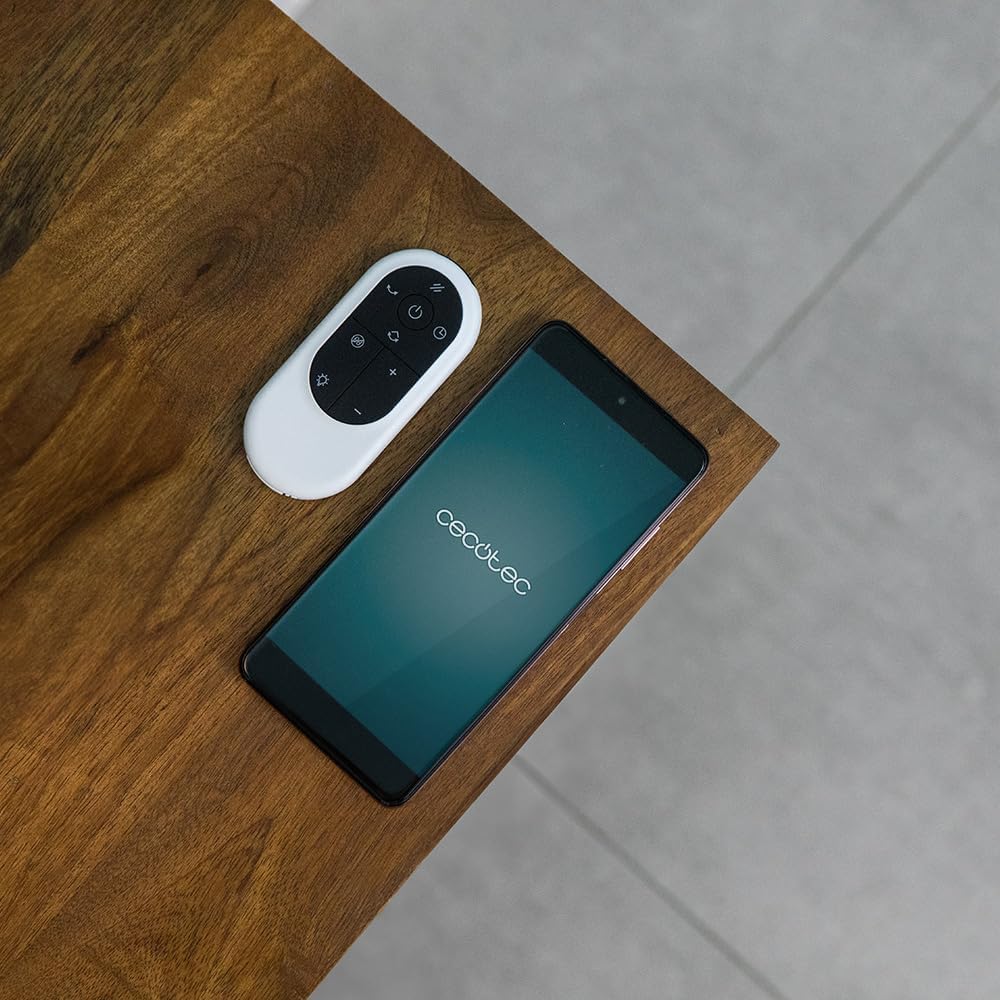
Image 4.1: The remote control and a smartphone displaying the Cecotec app, illustrating the control options.
5. 操作手順
5.1コントロールパネルとLEDディスプレイ
The device features a touch-sensitive control panel and an LED display for easy operation. The LED screen shows current settings, air quality, and other relevant information.

Image 5.1: A hand interacting with the touch control panel on the device.

画像5.2: クローズアップ view of the LED display, showing current settings.
5.2 モードと速度
The fan/purifier offers 9 speed settings and 4 distinct operating modes:
- 通常モード: Constant airflow at your selected speed.
- スリープモード: 静かにゆっくりとした速度で作動し、邪魔されずに休むことができます。
- ナチュラルモード: ファン速度を変化させて自然な風をシミュレートします。
- 自動モード: Adjusts fan speed automatically based on detected air quality.

図5.3:以上view of 9 speeds, 4 modes, and 8-hour timer.
5.3 振動機能
Activate the oscillation function to distribute purified and cooled air across a wider area. The device can oscillate up to 120 degrees.

Image 5.4: The fan demonstrating its 120-degree oscillation capability.
5.4 タイマー機能
Set the timer for up to 8 hours to automatically turn off the appliance, saving energy and providing convenience.
6. メンテナンス
Regular maintenance ensures the longevity and optimal performance of your Cecotec TotalPure 2in1 MoonStyle Dark.
6.1 機器の清掃
- 清掃する前に必ず電源プラグを抜いてください。
- 外側の表面を柔らかい布で拭きます。amp 布で拭いてください。研磨剤や溶剤は使用しないでください。
- Use a soft brush or vacuum cleaner with a brush attachment to gently clean the air intake and outlet grilles.
6.2フィルターの交換
The air purification function relies on a high-efficiency filter. The filter needs to be replaced periodically to maintain purification effectiveness. The LED display may indicate when a filter change is due.

Image 6.1: The internal air filter of the Cecotec TotalPure 2in1 MoonStyle Dark.
- 機器のプラグを抜いてください。
- Locate the filter compartment, usually at the rear or side of the main unit.
- コンパートメントを開き、古いフィルターを慎重に取り外します。
- Insert a new genuine Cecotec replacement filter, ensuring it is correctly oriented.
- フィルター収納部をしっかりと閉めてください。
- Reset the filter life indicator on the device or via the app, if applicable.
Note: Availability of replacement filters may vary. Please contact Cecotec customer support or check their official web購入サイトasing 交換用フィルター。
7。 トラブルシューティング
If you encounter any issues with your Cecotec TotalPure 2in1 MoonStyle Dark, please refer to the following common problems and solutions:
| 問題 | 考えられる原因 | 解決 |
|---|---|---|
| アプライアンスの電源が入らない。 | プラグが差し込まれていない、電源コンセントに障害がある、電源ボタンが押されていない。 | 電源コードがコンセントにしっかりと差し込まれていることを確認してください。電源ボタンを押してください。 |
| 空気の流れが弱い。 | 低速設定、空気吸入口/排気口の詰まり、フィルターの汚れ。 | Increase speed setting. Check for obstructions. Clean or replace the air filter. |
| 空気清浄が悪い。 | Dirty or old filter. | Replace the air filter as per maintenance instructions. |
| Wi-Fi接続の問題。 | Incorrect Wi-Fi password; device too far from router; app issues. | Re-enter Wi-Fi password. Move device closer to router. Restart app and device. |
| 異常なノイズ。 | Obstruction inside; unstable surface. | Unplug and check for foreign objects. Place on a stable, flat surface. If noise persists, contact support. |
これらの解決策を試しても問題が解決しない場合は、Cecotec カスタマー サポートにお問い合わせください。
8. 仕様
Detailed technical specifications for the Cecotec TotalPure 2in1 MoonStyle Dark Fan and Air Purifier:
| 特徴 | 仕様 |
|---|---|
| ブランド | セコテック |
| モデル番号 | 08249 |
| 色 | 暗い |
| 力 | 35ワット |
| 巻tage | 230ボルト |
| 材料 | 金属とプラスチック |
| 速度の数 | 9 |
| 特集 | Timer, Wi-Fi Control, Bladeless Technology, LED Display, Oscillation |
| アイテム重量 | 8.7キログラム |
| 製品寸法 | 10P x 10W x 10H millimeters (Approximate, based on provided data) |
| 推奨用途 | Cooling, Air Purification |
| 取り付けタイプ | フロアマウント |
9. 保証とサポート
Cecotec products are manufactured to the highest quality standards. This product comes with a standard manufacturer's warranty. For specific warranty terms and conditions, please refer to the warranty card included with your purchase or visit the official Cecotec webサイト。
For technical support, troubleshooting assistance, or to inquire about replacement parts (such as filters), please contact Cecotec customer service through their official channels. You can usually find contact information on the Cecotec webサイトまたは製品パッケージに記載されています。
オンラインサポート: www.cecotec.com