
はじめに以上view
The Gustard A26 DAC is a high-fidelity digital-to-analog converter designed for discerning audio enthusiasts. It features dual AK4499EX DAC chips and an AK4191 modulator, ensuring exceptional audio performance. The A26 also includes streamer and renderer capabilities, allowing for versatile integration into modern audio systems.
Key features of the Gustard A26 include:
- Dual AK4499EX & AK4191 DAC Chips for superior sound quality with independent power supply and grounding.
- Integrated Streamer/Renderer supporting Roon, UPnP, and HQ Player NAA for high-quality online audio streaming.
- Precision Clock Synthesization with K2 ultra-low noise clock synthesizer, minimizing interference from input sources.
- FPGA Exclusive Technology for advanced signal routing, clock management, and decoding.
- Discrete LPF Circuits designed specifically for the AK4499EX, allowing for fine-tuned audio performance.
- XMOS XU216 Solution supporting high-resolution audio formats up to PCM768 (with MQA-support) and DSD512.
- Dual Toroidal Transformers for dedicated digital and analog power supply, reducing interference.
- Adjustable brightness OLED display and touch panel for user-friendly operation.
- Full-functional remote control for convenient operation.
箱の中身
パッケージを開封したら、以下のアイテムがすべて揃っていることを確認してください。
- 1 x Gustard A26 DAC Unit
- AC電源ケーブル x 1
- USBケーブル1本
- リモコン x 1
- 保証カード x 1

Image: The Gustard A26 DAC unit shown with its included remote control, power cable, USB cable, and warranty card.
Video: An unboxing demonstration of the Gustard A26 DAC, showing the contents of the package and initial handling of the device.
設定
デバイスの接続
Before connecting the Gustard A26, ensure the unit is placed on a stable, level surface with adequate ventilation. Identify the various input and output ports on the rear panel.

Image: Rear panel of the Gustard A26 DAC, illustrating the various input and output connections including RCA, XLR, USB, LAN, IIS, Coaxial, AES/EBU, and Optical ports. Dimensions of the unit are also shown.

Image: A detailed diagram highlighting the various connections on the rear panel of the Gustard A26, including Line out RCA (Right and Left), Line out XLR (Right and Left), USB input, LAN input (for firmware updates), IIS input, Coaxial input, Optical input, AES input, Clock input, 220V/110V Voltage switching, Fuse, Power supply input, and Power switch.
- 電源接続: Connect the supplied AC power cable to the power supply input on the rear panel. Ensure the 115V/230V switch is set correctly for your region before plugging into a wall outlet.
- オーディオ出力: Connect the A26 to your ampライファイアまたはプレamplifier using either the balanced XLR outputs or unbalanced RCA outputs.
- RCA pinout: 1-Ground, 2-Hot, 3-Cold
- XLR pinout: 1-Ground, 2-Hot, 3-Cold
- デジタル入力: Connect your digital audio sources (e.g., computer, CD player, streamer) to the appropriate digital input ports:
- USB: For connecting to a computer. Supports DSD64-DSD512, PCM 44.1K-768K, MQA 8X.
- LAN: For network streaming (Roon/UPnP/HQPlayer NAA) and firmware updates. Supports DSD64-DSD512, PCM 44.1K-768K, MQA 8X.
- IIS: For high-quality digital audio transmission. Supports DSD64-DSD512, PCM 44.1K-768K, MQA 8X.
- COAX/AES/OPT: For traditional digital audio connections. Supports DSD64 (DoP), PCM 44.1K-192K, MQA 8X.
- 10M Clock In: For external clock synchronization (50Ω BNC, 0dBm-20dBm, square wave 0.2-3.3V, sinewave 0.5-3.3V).
Video: A demonstration of connecting the power supply, USB input, and RCA line outputs to the Gustard A26 DAC.
操作手順
フロントパネルコントロール
The Gustard A26 features a clean front panel with essential controls and an OLED display.

Image: A diagram illustrating the front panel controls of the Gustard A26, including the Waiting/using switch (power button), Screen, '+' and '-' buttons, and Input/menu button.
- Power Button (Waiting/using switch): A short press toggles the unit between standby and active modes. The unit defaults to waiting (standby) when powered on.
- 画面: The OLED display shows current input, format, sampレート、音量レベル。
- 「+」と「-」ボタン:
- In the main screen: Adjusts the volume.
- In the menu: Changes the value of the selected item.
- 入力/メニューボタン:
- Short press: Switches between input channels.
- Long press: Enters or exits the menu system.
リモートコントロール機能
The included remote control provides full functionality for operating the A26 DAC from a distance.

Image: A diagram of the Gustard A26 remote control, detailing button functions: 1. Standby, 2. Menu, 3. Back, 4. Choose option (left/right arrows), 5. Change value (up/down arrows), 6. Save and exit (central key to mute/unmute), 7. VOL-/VOL+, 8. Control decoder products, 9. Control the amplifier, 10. Control player products.
- Standby (1): 電源のオン/オフを切り替えます。
- メニュー(2): メニュー システムに入ります。
- Back (3): メニュー内を戻ります。
- Navigation Arrows (4, 5): Use left/right arrows to choose options, and up/down arrows to change values within the menu.
- Central Key (6): Saves settings and exits the menu. Also functions as mute/unmute.
- VOL-/VOL+ (7): 音量レベルを調整します。
- Additional buttons (8, 9, 10) are for controlling other compatible Gustard decoder, amplifier, and player products.
MQA再生
The Gustard A26 supports MQA (Master Quality Authenticated) playback, allowing you to experience audio as the artist intended. MQA technology captures and authenticates the original studio master, then folds it into a smaller file size for streaming or download. The A26 can fully unfold MQA files, delivering the highest possible sound quality.
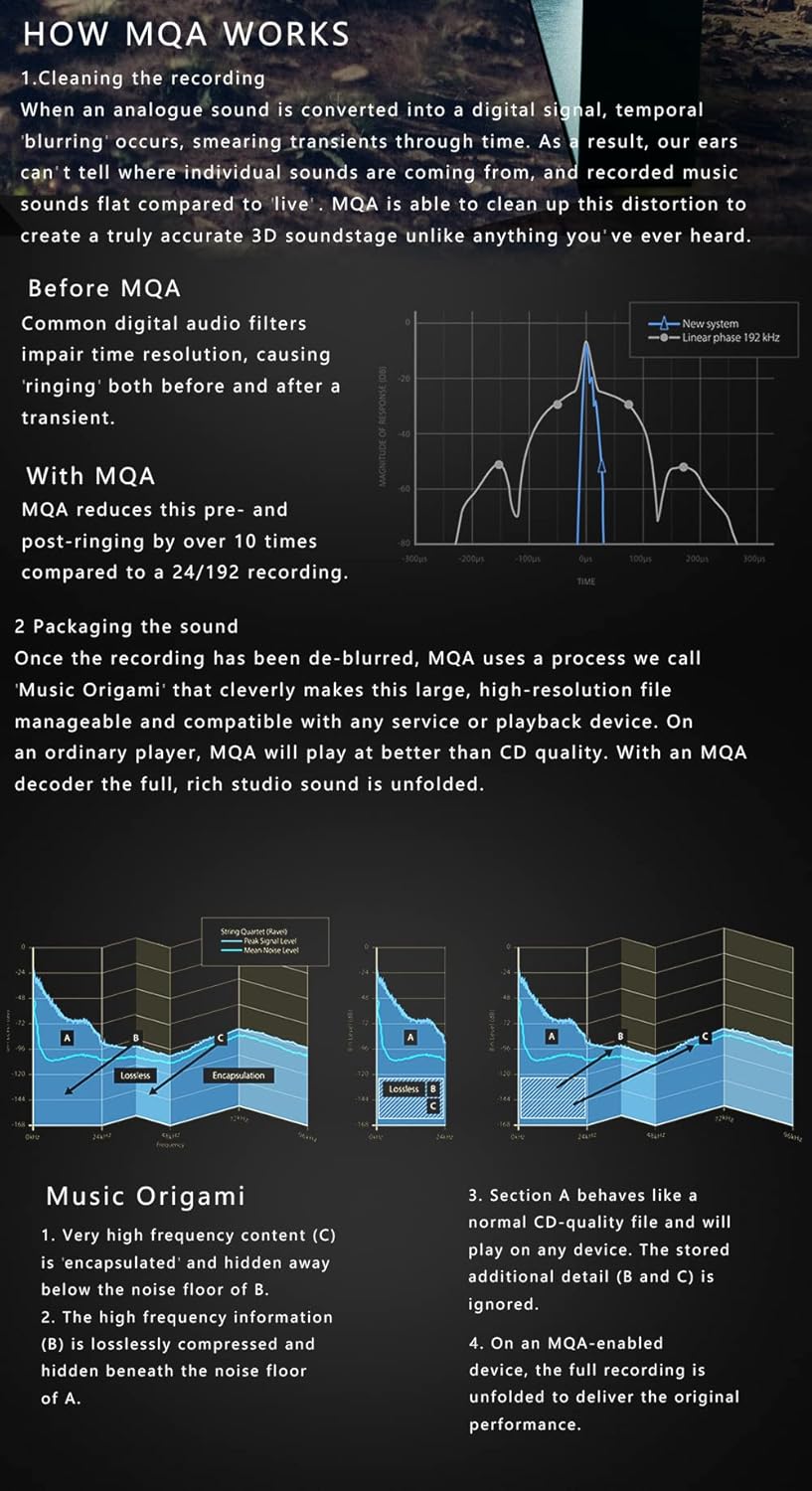
Image: An explanation of MQA technology, highlighting its ability to preserve timing information for a 3D sonic picture and how it reduces pre- and post-ringing compared to common digital audio filters.
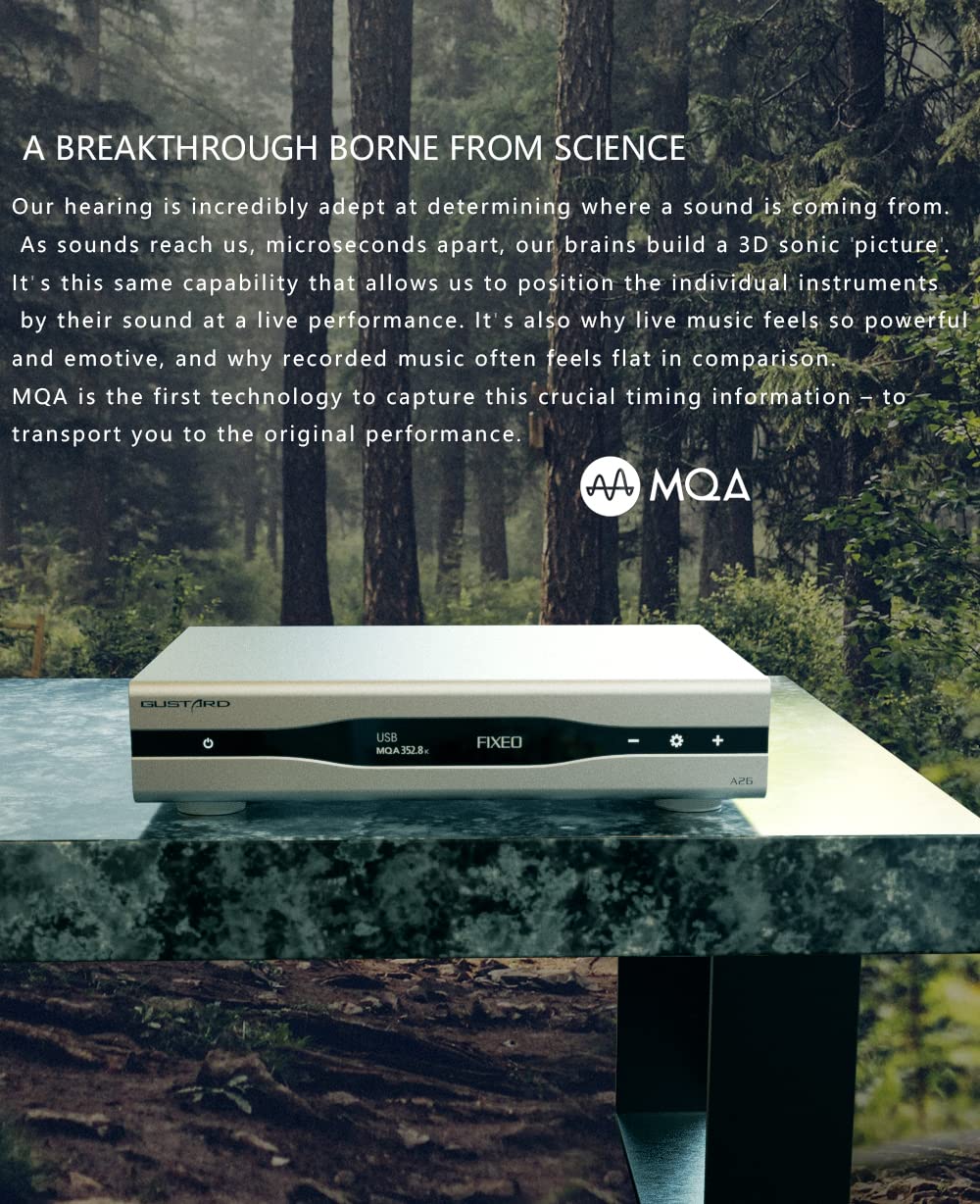
Image: A diagram illustrating the "Music Origami" process of MQA, showing how high-frequency content is encapsulated and how the full recording is unfolded by an MQA-enabled device.
仕様
| カテゴリ | 仕様 |
|---|---|
| DACチップ | Dual AK4499EX & AK4191 Modulator |
| Input (IIS/USB/LAN) | DSD64-DSD512, PCM 44.1K-768K, MQA 8X |
| Input (COAX/AES/OPT) | DSD64 (DoP), PCM 44.1K-192K, MQA 8X |
| LAN プロトコル | Roon/UPnP/HQPlayer NAA |
| 10M Clock In | 50Ω BNC, 0dBm-20dBm, square wave 0.2-3.3V, sinewave 0.5-3.3V |
| 周波数応答 | 20-20kHz(±0.2dB) |
| ダイナミックレンジ | >127デシベル |
| 信号対ノイズ比 | >126デシベル |
| クロストーク | -139dB @1kHz |
| THD+N | ≤0.0001% @1kHz |
| 内分泌腫瘍 | ≈0.001% @-1dbfs |
| RCA出力 | 2.5Vrms (VOLUME FIXED) 100Ω |
| XLR出力 | 5.0Vrms (VOLUME FIXED) 100Ω |
| 電源 | AC115V / 230V 50 / 60Hz |
| 消費電力 | <30W |
| 寸法(幅×奥行き×高さ) | 330mm * 260mm * 65mm (protrusion not included) |
| 重量(パッケージ付き) | 7kg |
| ケース素材 | Sandblasted aluminum alloy |

Image: A comprehensive table detailing the features, output specifications, input capabilities, and other general specifications of the Gustard A26 DAC.
メンテナンス
To ensure the longevity and optimal performance of your Gustard A26 DAC, follow these maintenance guidelines:
- クリーニング: 本体の外装は、柔らかく乾いた布で拭いてください。研磨剤入りの洗剤や溶剤は、表面の仕上げを傷める可能性があるため、使用しないでください。
- 換気: Ensure the unit has adequate airflow around it. Do not block the ventilation slots.
- ファームウェアの更新: Periodically check for firmware updates to improve performance and add new features. Note that currently, the A26 firmware upgrade only supports Windows. Please contact the seller for details and instructions on how to perform updates.
トラブルシューティング
If you encounter any issues with your Gustard A26 DAC, refer to the following common troubleshooting steps:
- 電源なし:
- 電源ケーブルが本体と壁のコンセントの両方にしっかりと接続されているかどうかを確認してください。
- Verify that the power switch on the rear panel is in the 'On' position.
- ボリュームを確保するtagスイッチ(115V/230V)が地域に合わせて正しく設定されていることを確認します。
- 背面パネルのヒューズを確認してください。切れている場合は、同じタイプと定格のヒューズと交換してください。
- サウンド出力なし:
- Confirm that the correct input source is selected on the A26.
- Check the connections between the A26 and your ampリファイアー/プレamplifier。
- Ensure the volume level on the A26 is not set to minimum or muted.
- あなたの ampリファイアー/プレamp充電器の電源がオンになっており、正しい入力に設定されています。
- 歪んだ音:
- Check the quality of your input digital signal.
- すべてのケーブルがしっかりと接続され、損傷がないことを確認してください。
- を確認しますample rate and format displayed on the A26 match your source.
- ネットワークストリーミングの問題:
- LAN ケーブルが確実に接続されていることを確認してください。
- Verify your network connection and router settings.
- Restart the A26 and your network equipment.
If the problem persists after attempting these steps, please contact HIFI College customer support for further assistance.
保証とサポート
The Gustard A26 DAC is covered by a warranty provided by HIFI College. HIFI College aims for 100% customer satisfaction and offers support for their products.
- 保証範囲: The product enjoys a one-year warranty. For specific details regarding warranty terms and conditions, please refer to the included warranty card or contact HIFI College directly.
- カスタマーサポート: HIFI College is ready to answer any questions you have 24/7. They are responsible for repair and shipping costs during the warranty period.
- 公式ユーザーガイド: For a more detailed technical manual, you can download the official User Guide in PDF format: ユーザーガイド(PDF)をダウンロード.


