
導入
This instruction manual provides essential information for the safe and efficient operation of your ALLVIEW 40ATC6000-F 40-inch Full HD TV. Please read this manual thoroughly before using the television and retain it for future reference. Following these instructions will ensure optimal performance and extend the lifespan of your device.
重要な安全情報
感電、火災、または怪我を防ぐために、常に次の安全上の注意事項を守ってください。
- テレビを雨や湿気にさらさないでください。
- テレビを開けないでくださいasing; すべてのサービスは資格を持った担当者に依頼してください。
- 適切な換気を確保し、換気口を塞がないようにしてください。
- 電源コードが踏まれたり挟まれたりしないように保護してください。
- 雷雨のときや長期間使用しない場合は、テレビの電源プラグを抜いてください。
- テレビを直射日光、熱源、強い磁場から遠ざけてください。
パッケージ内容
Before installation, check that all items listed below are included in your package:
- 全てVIEW 40ATC6000-F 40-inch Full HD TV
- リモートコントロール
- 電源コード
- テレビ台(2台)
- テレビスタンド用ネジ
- 取扱説明書(本書)
設定
1. テレビスタンドの取り付け
- 画面の損傷を防ぐため、テレビを画面を下にして柔らかく平らな面に慎重に置いてください。
- 各スタンド部分をテレビの下部にある対応するネジ穴に合わせます。
- 付属のネジを使用して、各スタンド部分を固定します。しっかりと締められていることを確認してください。
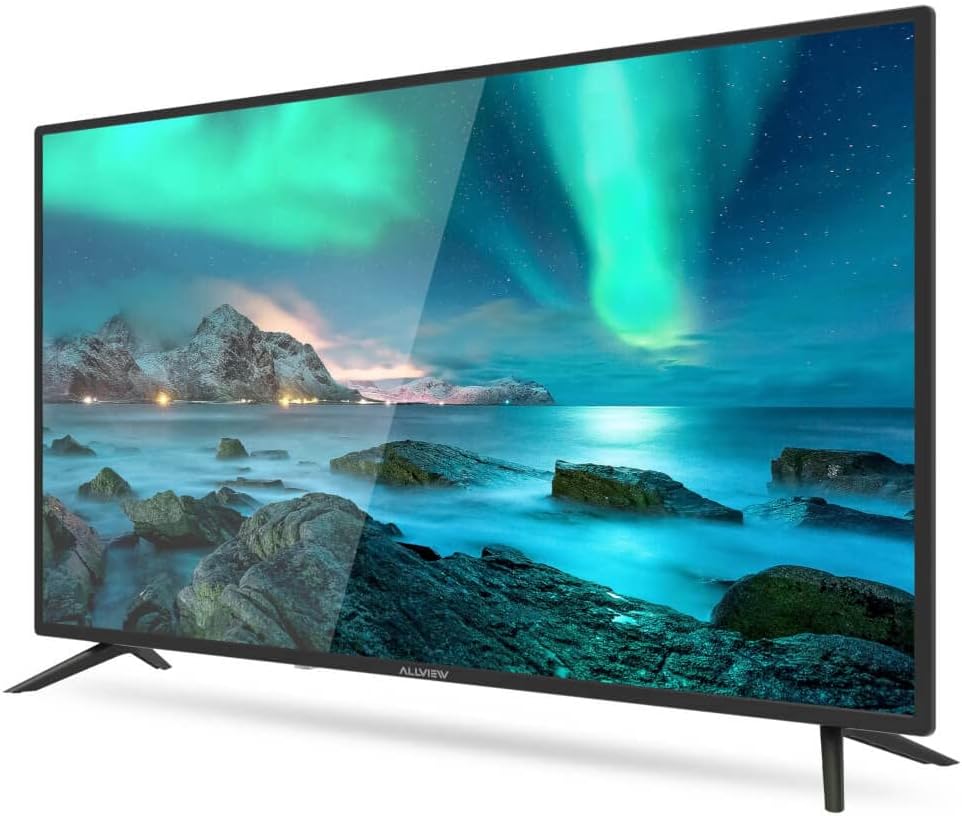
図1: 前面 view of the ALLVIEW 40ATC6000-F TV with stand.
2. 壁掛け(オプション)
If you choose to wall mount your TV, remove the stand first. Use a VESA-compatible wall mount kit (not included) that matches the TV's VESA mounting pattern. Consult a professional for wall mounting to ensure safety and proper installation.
3. 外部機器の接続
The rear panel of your TV provides various ports for connecting external devices.

Figure 2: Rear panel connections of the ALLVIEW 40ATC6000-F TV.
- 力: 電源コードをテレビの電源入力に接続し、次に壁のコンセントに接続します。
- HDMI: Use HDMI cables to connect devices like Blu-ray players, game consoles, or set-top boxes.
- アンテナ/ケーブル: Connect an antenna or cable TV feed to the ANT/CABLE input for broadcast channels.
- USB: メディアを再生するには USB ドライブを挿入します。
- オーディオ出力: 外部オーディオ システムまたはヘッドフォンを接続します。
4. 初回セットアップウィザード
Upon first power-on, the TV will guide you through an initial setup process. This includes selecting your language, country, time zone, and scanning for available channels. Follow the on-screen prompts to complete the setup.
テレビの操作
1. リモートコントロールview
The remote control allows you to access all TV functions. Insert two AAA batteries (not included) into the remote control, ensuring correct polarity.

Figure 3: ALLVIEW TV Remote Control.
- 電源スイッチ (⏻): テレビの電源をオンまたはオフにします。
- 音量アップ/ダウン(VOL +/-): 音のレベルを調整します。
- チャンネルアップ/ダウン(CH +/-): テレビのチャンネルを変更します。
- Source Button (SOURCE): 入力ソース(HDMI、AV、TV)を選択します。
- メニューボタン(MENU): 設定のメイン メニューを開きます。
- ナビゲーション ボタン (▲ ▼ ◀ ▶): メニューとオプションをナビゲートします。
- OK/Enterボタン: 選択を確定します。
- Exit Button (EXIT): Closes the current menu or returns to the previous screen.
2.基本機能
- 電源オン/オフ: Press the Power button on the remote or the TV's control panel.
- 音量調整: Use VOL +/- buttons.
- チャンネル選択: Use CH +/- buttons or the numeric keypad.
- 入力ソースの選択: Press the SOURCE button repeatedly to cycle through available inputs, or press it once and use navigation buttons to select.
3. メニューナビゲーションと設定
Press the MENU button to access the TV's main settings. Use the navigation buttons to move between categories and options, and the OK button to confirm. Common settings include:
- 画像設定: Adjust brightness, contrast, color, sharpness, and picture mode (e.g., Standard, Dynamic, Movie).
- サウンド設定: Adjust volume, bass, treble, balance, and sound mode (e.g., Standard, Music, Movie). This model supports Dolby Digital.
- チャンネル設定: チャンネルをスキャンし、チャンネル リストを編集します。
- 時間設定: 現在の時刻、スリープタイマー、自動電源オフを設定します。
- システム設定: 言語、工場出荷時設定へのリセット、ソフトウェアの更新。
メンテナンス
テレビの掃除
- 掃除する前に必ずテレビの電源プラグを抜いてください。
- 画面とキャビネットを拭くときは、柔らかく乾いた糸くずの出ない布を使用してください。
- 頑固な汚れには、軽くamp布に水または専用のスクリーンクリーナーを含ませてください。テレビに直接液体を吹きかけないでください。
- 研磨剤入りの洗剤、ワックス、溶剤の使用は避けてください。
トラブルシューティング
カスタマー サポートに連絡する前に、一般的な問題に対する次の解決策を試してください。
| 問題 | 考えられる原因 | 解決 |
|---|---|---|
| 電源なし | 電源コードが接続されていないため、コンセントが機能していません。 | 電源コードがしっかりと差し込まれていることを確認してください。別のデバイスでコンセントをテストしてください。 |
| 映像はないが、音声はある | 間違った入力ソースが選択されました。バックライトの問題です。 | Press the SOURCE button to select the correct input. Check if the TV is in a power-saving mode. |
| 音はないが、映像は表示される | 音量がミュートされているか低すぎる、またはオーディオ出力設定が正しくありません。 | Unmute the TV or increase volume. Check audio settings in the menu. |
| リモコンが動作しない | 電池が消耗しているか正しく挿入されていない、または障害物がある。 | 電池を交換してください。極性が正しいことを確認してください。リモコンとテレビの間に障害物があれば取り除いてください。 |
| 画質が悪い | 信号が弱い、画像設定が正しくない。 | アンテナ/ケーブルの接続を確認してください。画像設定(明るさ、コントラスト、シャープネス)を調整してください。 |
仕様
| 特徴 | 詳細 |
|---|---|
| モデル番号 | 40ATC6000-F |
| 画面サイズ | 40インチ(101 cm) |
| 解決 | フルHD |
| ブランド | 全てVIEW |
| 特集 | ドルビーデジタル |
| 寸法(長さ×幅×高さ) | 24 x 69 x 2.5 centimeters (Note: This dimension seems unusually small for a 40-inch TV, likely referring to a component or packaging. User should refer to actual product for full dimensions.) |
| ASIN | B0BPMKJVTC |
| メーカー | 全てview |
保証とサポート
For warranty information, technical support, or service inquiries, please refer to the warranty card included with your product or visit the official ALLVIEW website. Do not attempt to repair the TV yourself, as this may void your warranty and cause further damage.