
導入
The j5create USB4 8K Multi-Function Hub (JCD403) is designed to expand the connectivity of your USB4, Thunderbolt 4, or Thunderbolt 3 host device. It provides multiple ports including HDMI for high-resolution video output, 2.5 Gigabit Ethernet for fast network access, USB-A and USB-C ports for data transfer, and Power Delivery for charging your host device. This manual provides instructions for setup, operation, and troubleshooting to ensure optimal performance.

画像: 上view of the j5create USB4 8K Multi-Function Hub (JCD403) highlighting its various ports and compact design.
製品の特徴
- USB4 Technology: Provides up to 40Gbps data transfer rates and upgraded bandwidth for video and data. Backward compatible with Thunderbolt 4, Thunderbolt 3, and other USB-C host devices.
- 8K60 / 4K144 HDMI Output: Supports ultra-high-resolution video output up to 8K at 60Hz or 4K at 144Hz for a high-quality visual experience in both mirror and extended display modes.
- 2.5Gイーサネットポート: Offers a wired network connection with speeds up to 2500Mbps (2.5Gbps) for faster file transfers and stable streaming.
- 電力供給(PD)充電: Features a USB-C PD port with up to 100W power delivery to charge your host laptop. The hub consumes approximately 5W for normal operation.
- 高速 USB データ ポート: Includes two USB-A data ports and one USB-C data port, all supporting up to 10Gbps transfer speeds for connecting various peripherals.

Image: Diagram illustrating the internal components and high-speed capabilities of the USB4 technology within the hub.
パッケージ内容
- j5create USB4 8K Multi-Function Hub (JCD403)
- 取扱説明書
セットアップ手順
- ホストデバイスに接続します: Plug the integrated USB-C cable of the JCD403 hub into an available USB4, Thunderbolt 4, or Thunderbolt 3 port on your laptop or compatible device.
- 電源アダプターを接続します(オプションですが推奨されます): For optimal performance and to charge your host device, connect your laptop's USB-C power adapter (up to 100W) to the USB-C PD input port on the JCD403 hub.
- HDMIディスプレイを接続します: Connect an HDMI cable from your monitor to the HDMI port on the JCD403. Ensure your monitor and HDMI cable support the desired resolution (e.g., 8K60Hz or 4K144Hz).
- イーサネットケーブルを接続します: For a wired network connection, plug an Ethernet cable into the 2.5G Ethernet port on the hub.
- USB周辺機器を接続する: Connect your USB-A and USB-C devices (e.g., keyboard, mouse, external drives) to the corresponding data ports on the JCD403.

Image: The j5create JCD403 hub connected to a laptop, illustrating the various ports in use, including USB-C PD, USB-C data, USB-A data, RJ45 Ethernet, and HDMI.
操作手順
- 自動検出: The hub is designed for plug-and-play operation. Your operating system should automatically detect the connected devices and external display.
- ディスプレイ構成: Access your computer's display settings to configure mirror or extended display modes, adjust resolution, and refresh rates for the connected HDMI monitor.
- 電力供給: When a compatible USB-C power adapter is connected to the hub's PD port, it will pass power through to charge your host laptop while the hub is in use.
- データ転送: Use the USB-A and USB-C data ports to connect and transfer data with your external storage devices, keyboards, mice, and other USB peripherals.
- ネットワークアクセス: The 2.5G Ethernet port provides a stable and high-speed wired internet connection. Ensure your network infrastructure supports 2.5G speeds for optimal performance.
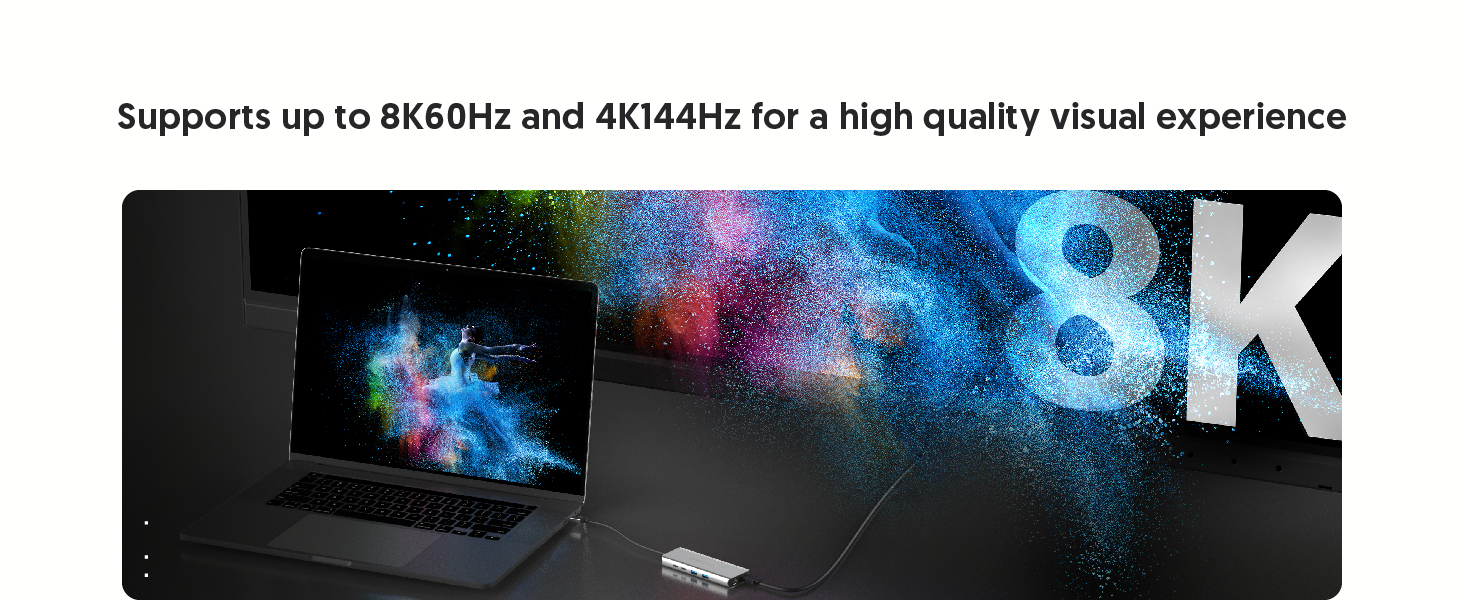
Image: A laptop connected to an external monitor via the hub, displaying an 8K resolution image, demonstrating the high-resolution HDMI output capability.
メンテナンス
- クリーニング: ハブの外側を拭く際は、柔らかく乾いた布をご使用ください。液体クリーナーや溶剤は使用しないでください。
- ストレージ: ハブを使用しないときは、直射日光や極端な温度を避け、涼しく乾燥した場所に保管してください。
- 放熱: The aluminum housing and vent design assist in heat dissipation. Ensure the hub is placed in a well-ventilated area to prevent overheating during prolonged use.

Image: Illustration showing the aluminum housing and vent design of the JCD403 hub, indicating its effective heat dissipation capabilities.
トラブルシューティング
- ディスプレイ出力がない、または解像度が正しくない:
- HDMI ケーブルがハブとモニターの両方にしっかりと接続されていることを確認します。
- Verify that your host device, HDMI cable, and monitor all support the desired resolution and refresh rate.
- Check your computer's display settings to ensure the external monitor is detected and configured correctly (e.g., extended or mirrored).
- For macOS, note that HDR support with certain HDMI adapters may require specific monitor settings or EDID profile adjustments. macOS typically supports up to 4K60Hz with HDMI output.
- イーサネット速度が遅い:
- Confirm your Ethernet cable and network infrastructure (router/switch) support 2.5G speeds.
- Ensure your host device's drivers for the Ethernet adapter are up to date.
- Test with a different Ethernet cable or port if possible.
- USBデバイスが認識されない、またはデータ転送が遅い:
- Ensure USB devices are properly connected to the hub's ports.
- Some high-power USB devices may require external power or a powered hub.
- Verify that your host device's USB drivers are current.
- 電力供給の問題:
- Ensure your USB-C power adapter is connected to the hub's PD input port and is capable of providing sufficient wattage(最大100W)。
- The hub itself consumes approximately 5W; ensure your power adapter provides enough wattagハブとラップトップの両方に使用できます。
- Intermittent Connectivity or Device Instability:
- ハブをホストデバイスから切断し、再度接続します。
- すべての接続が安全であることを確認します。
- If experiencing system crashes on macOS, ensure your operating system is updated and try connecting the hub and peripherals in a specific sequence (e.g., hub first, then power, then display, then USB devices).
仕様
| モデル | JCD403 |
| 製品寸法 | 7.87 x 2.01 x 5.31インチ |
| アイテム重量 | 6オンス |
| ハードウェアインターフェイス | Ethernet, HDMI, Thunderbolt, USB, USB 3.0, USB Type C |
| 特集 | Fast Charging (Power Delivery up to 100W) |
| 色 | スペースグレイ |
互換性
The j5create USB4 8K Multi-Function Hub (JCD403) is compatible with a wide range of devices supporting Type-C, Thunderbolt 3, Thunderbolt 4, or USB4 interfaces. This includes:
- 2022 MacBook Pro/Air M2
- 2021 MacBook Pro 14-inch, 16-inch (M1 Pro)
- 2020 MacBook Pro/Air M1
- 2019/2018/2017/2016 MacBook Pro
- 2018 MacBook Air
- 2021 iMac M1, 2019/2017 iMac, iMac Pro
- マックミニM1
- 2022 iPad Air M1, 2021 iPad Pro M1, 2020/2018 iPad Pro, 2020 iPad Air
- Other laptops and devices supporting Type-C, Thunderbolt 3, Thunderbolt 4, or USB4 interfaces.

Image: Two laptops, one Windows and one macOS, connected to the JCD403 hub, illustrating its broad compatibility with Thunderbolt and USB4 devices.
保証とサポート
For warranty information and technical support, please refer to the official j5create web公式サイトをご覧いただくか、カスタマーサービスに直接お問い合わせください。保証請求のために購入時のレシートを保管してください。