
1. はじめに
The SIIG Thunderbolt 4 Docking Station (Model: JU-DK0U11-S1) is designed to expand the connectivity of your laptop, providing a comprehensive workstation solution. This docking station offers 15 ports, enabling connections for multiple displays, peripherals, network, and power through a single Thunderbolt 4 cable. It supports high-speed data transfer and versatile display configurations for both Mac and Windows systems.

Image 1.1: SIIG Thunderbolt 4 Docking Station (JU-DK0U11-S1) overview.
2. パッケージ内容
パッケージにすべてのアイテムが含まれていることを確認します。
- SIIG Thunderbolt 4 Docking Station (JU-DK0U11-S1)
- 150W電源アダプター
- サンダーボルト4ケーブル
- ユーザーマニュアル

Image 2.1: Contents included in the SIIG Thunderbolt 4 Docking Station package.
3.製品オーバーview
3.1 フロントパネルポート
- 3.5mm Stereo Out: ヘッドフォンまたは外部スピーカー用。
- SD 3.0 カードスロット: Supports SD 3.0 UHS-1 memory cards up to 2TB.
- USB-A 3.2 Gen 1 (5Gbps) Ports (x2): For connecting USB-A peripherals, supporting 5V/0.9A charging.
- サンダーボルト 4 ポート: For connecting Thunderbolt 4 devices or displays.
- 電源ボタン: ドッキング ステーションの電源をオンまたはオフにします。

画像3.1: 詳細 view of the front panel ports.
3.2 背面パネルのポート
- DC Power Jack (20V/7.5A): 付属の150W電源アダプターに接続します。
- Thunderbolt 4 Port (Host PD 60W): Connects to your laptop via the Thunderbolt 4 cable, providing up to 60W power delivery.
- 3.5mmマイク入力: 外部マイクを接続します。
- Micro SD (TF) 3.0 Card Slot: Supports Micro SD (TF) 3.0 UHS-1 memory cards up to 2TB.
- USB-A 2.0 (480Mbps) Ports (x2): For connecting USB-A peripherals, supporting 5V/1.5A charging.
- ギガビットイーサネットポート: 有線ネットワーク接続用。
- ディスプレイポート出力: 外部ディスプレイを接続します。
- HDMI出力: 外部ディスプレイを接続します。
- Thunderbolt 4 Ports (x2): For connecting additional Thunderbolt 4 devices or displays, providing 45W power delivery.

画像3.2: 詳細 view of the rear panel ports.
4. セットアップ手順
- 接続電源: Plug the included 150W power adapter into the DC Power Jack on the rear of the docking station, then connect it to a power outlet.
- ホスト ラップトップに接続します。 Use the provided Thunderbolt 4 cable to connect the Thunderbolt 4 Host port (60W PD) on the rear of the docking station to your laptop's Thunderbolt 4 or USB-C port.
- 電源オン: Press the power button on the front panel of the docking station. The power indicator LED should illuminate.
- ディスプレイを接続する: Connect your monitors to the available DisplayPort, HDMI, and Thunderbolt 4 output ports on the docking station. Refer to the 'Display Configuration' section for supported setups.
- 周辺機器を接続します。 Connect your USB devices, Ethernet cable, and audio devices to the corresponding ports on the docking station.
5. 操作手順
5.1 表示設定
The docking station supports various display setups, including single 8K or quad 4K displays, utilizing Thunderbolt 4 and DisplayLink technology. Ensure DisplayLink drivers are installed for optimal performance, especially for additional displays beyond native Thunderbolt outputs.
- 単一ディスプレイ出力: Supports up to 8K resolution.
- デュアルディスプレイ出力: Supports up to 2x 4K resolution via two Thunderbolt 4 ports.
- Quad Display Output: Achieved by combining two Thunderbolt 4 ports with the DisplayPort and HDMI ports, enabling four 4K displays.

図5.1: 例ample of a quad display setup using the docking station.

Image 5.2: Display compatibility and resolution matrix for Windows and Mac M1/M2 systems.
5.2 電力供給
The docking station provides power to your connected devices:
- ノートパソコンの充電: Up to 60W Power Delivery (PD) to the host laptop via the Thunderbolt 4 host port.
- Thunderbolt 4 ポート: Each of the three downstream Thunderbolt 4 ports provides up to 45W of power.
- USB-A Fast Charging: Two USB-A 5Gbps ports support 5V/0.9A charging, and two USB-A 2.0 ports support 5V/1.5A charging.

Image 5.3: Power delivery capabilities of the docking station.
5.3データ転送
Experience high-speed data transfer for efficient workflow:
- サンダーボルト4: Up to 40Gbps data transfer speed, 8 times faster than USB 3.0.
- USB-A 3.2 Gen 1: Up to 5Gbps data transfer speed.
- メモリーカードリーダー: Supports SD 3.0 UHS-1 and Micro SD (TF) 3.0 UHS-1 with data transfer rates up to 104MB/s.
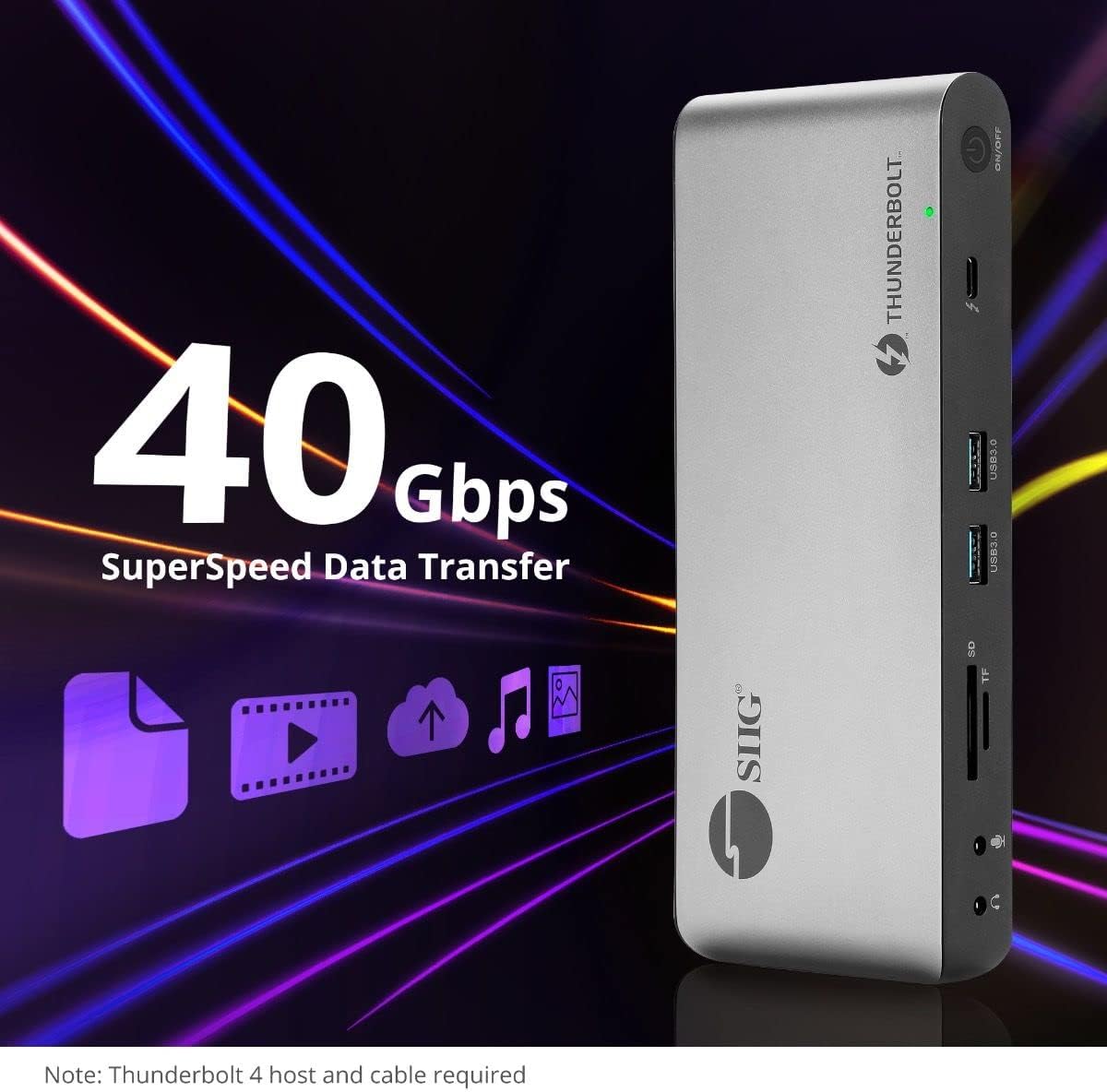
画像 5.4: 高速データ転送機能。
6. 互換性
The SIIG Thunderbolt 4 Docking Station is broadly compatible with various systems:
- オペレーティング システム: Mac M1/M2/M3 Pro & Max, Intel chip Macs, Windows PCs (Intel/AMD/Snapdragon), and Chromebooks.
- 下位互換性: Fully compatible with Thunderbolt 3, USB4, and USB-C equipped computers.
7. メンテナンス
ドッキング ステーションの寿命を延ばし、最適なパフォーマンスを確保するには、次のメンテナンス ガイドラインに従ってください。
- クリーニング: デバイスの外装を清掃する際は、柔らかく乾いた布をご使用ください。液体クリーナーや溶剤の使用は避けてください。
- 換気: 過熱を防ぐため、ドッキングステーションは必ず換気の良い場所に設置してください。通気口を塞がないでください。
- ストレージ: デバイスは直射日光や極端な温度を避け、涼しく乾燥した場所に保管してください。
- 取り扱い: 落としたり、強い衝撃を与えないでください。
8。 トラブルシューティング
If you encounter issues with your SIIG Thunderbolt 4 Docking Station, refer to the following common problems and solutions:
- 電源なし:
- 電源アダプタがドッキング ステーションと正常な電源コンセントの両方にしっかりと接続されていることを確認します。
- Verify the power button on the docking station is pressed and the power indicator LED is on.
- 表示の問題 (信号なし/解像度が正しくない):
- Check all display cables (HDMI, DisplayPort, Thunderbolt) are securely connected to both the docking station and the monitors.
- Ensure your laptop's display settings are configured correctly to detect and extend/mirror displays.
- For multi-display setups, especially beyond two monitors, ensure DisplayLink drivers are installed and up to date on your operating system.
- Verify your monitors support the selected resolution and refresh rate.
- 周辺機器が検出されません:
- Ensure USB devices are properly connected to the docking station's USB ports.
- 周辺機器をラップトップに直接接続して、機能することを確認してください。
- ドッキング ステーションとラップトップを再起動します。
- 過熱:
- Ensure the docking station is placed in an area with adequate airflow and not covered.
- Reduce the number of high-power devices connected if possible, or consider using a cooling pad if persistent.
- データ転送が遅い:
- Ensure you are using Thunderbolt 4 certified cables for Thunderbolt connections.
- Verify the connected device supports the expected transfer speeds.
9. 仕様
| 特徴 | 詳細 |
|---|---|
| モデル番号 | JU-DK0U11-S1 |
| 製品寸法 | 3.27 x 7.8 x 1.14インチ |
| アイテム重量 | 15.4オンス(0.96ポンド) |
| 合計ポート数 | 15 (including 7 USB ports) |
| ホスト接続 | サンダーボルト 4 (USB-C) |
| ビデオ出力 | 1x HDMI, 1x DisplayPort, 3x Thunderbolt 4 (USB-C) |
| 最大ディスプレイ解像度 | Single 8K@30Hz, Quad 4K@60Hz |
| 電力供給(ホスト) | 最大60W |
| Power Delivery (Downstream TB4) | ポートあたり最大45W |
| データ転送速度 | Thunderbolt 4: 40Gbps, USB-A 5Gbps: 5Gbps |
| イーサネット | ギガビットイーサネット |
| カードリーダー | SD 3.0 UHS-1, Micro SD (TF) 3.0 UHS-1 (up to 2TB) |
| オーディオポート | 3.5mm Stereo Out, 3.5mm Mic In |
| 対応OS | Mac M1/M2/M3 Pro & Max, Intel Macs, Windows, Chromebooks |
| 色 | 黒 |
| 欧州連合 | 662774045689 |
10. 保証とサポート
SIIG products are designed for reliability and performance. For warranty information and technical support, please refer to the documentation included with your product or visit the official SIIG webサイト。 保証請求に備えて購入時のレシートを保管しておいてください。