
Lorex W881AADB-E
Lorex 4K Spotlight Indoor/Outdoor Wi-Fi 6 Security Camera User Manual
Model: W881AADB-E
1. はじめに
This manual provides detailed instructions for the installation, operation, and maintenance of your Lorex 4K Spotlight Indoor/Outdoor Wi-Fi 6 Security Camera, Model W881AADB-E. This camera is designed to enhance your security with advanced features such as 4K Ultra HD resolution, smart security lighting, and intelligent detection capabilities for persons, vehicles, animals, and packages. Please read this manual thoroughly before using the product to ensure proper setup and functionality.
2. パッケージ内容
パッケージにすべてのコンポーネントが含まれていることを確認します。
- Lorex 4K Spotlight Indoor/Outdoor Wi-Fi 6 Security Camera (Model W881AADB-E)
- 電源アダプター
- 取り付けキット(ネジ、アンカー)
- クイックスタートガイド
- 32GB Micro SD Card (may be pre-installed)

Image: Lorex 4K Spotlight Wi-Fi 6 Security Camera, its retail box, and a 32GB Micro SD card. The camera is black with two white spotlights and a green LED band. The box highlights 4K video recording, Wi-Fi 6, smart security lighting, and motion detection.
3. セットアップとインストール
3.1 始める前に
- Ensure your Wi-Fi router supports Wi-Fi 6 technology for optimal performance.
- Download the Lorex Home app from your smartphone's app store.
- 適切な設置場所(屋内または屋外)を明確に特定します。 view 電源コンセントへのアクセス。
3.2度カメラの設置手順
- カメラをインストールします: Securely mount the camera to your chosen surface using the provided mounting kit. Ensure the camera is positioned to cover the desired area.
- AC電源に接続します: 付属の電源アダプターを使用してカメラを電源に接続します。
- View on the App: Open the Lorex Home app, create an account if you haven't already, and follow the in-app instructions to add your new camera. This typically involves scanning a QR code on the camera or manually entering its details.
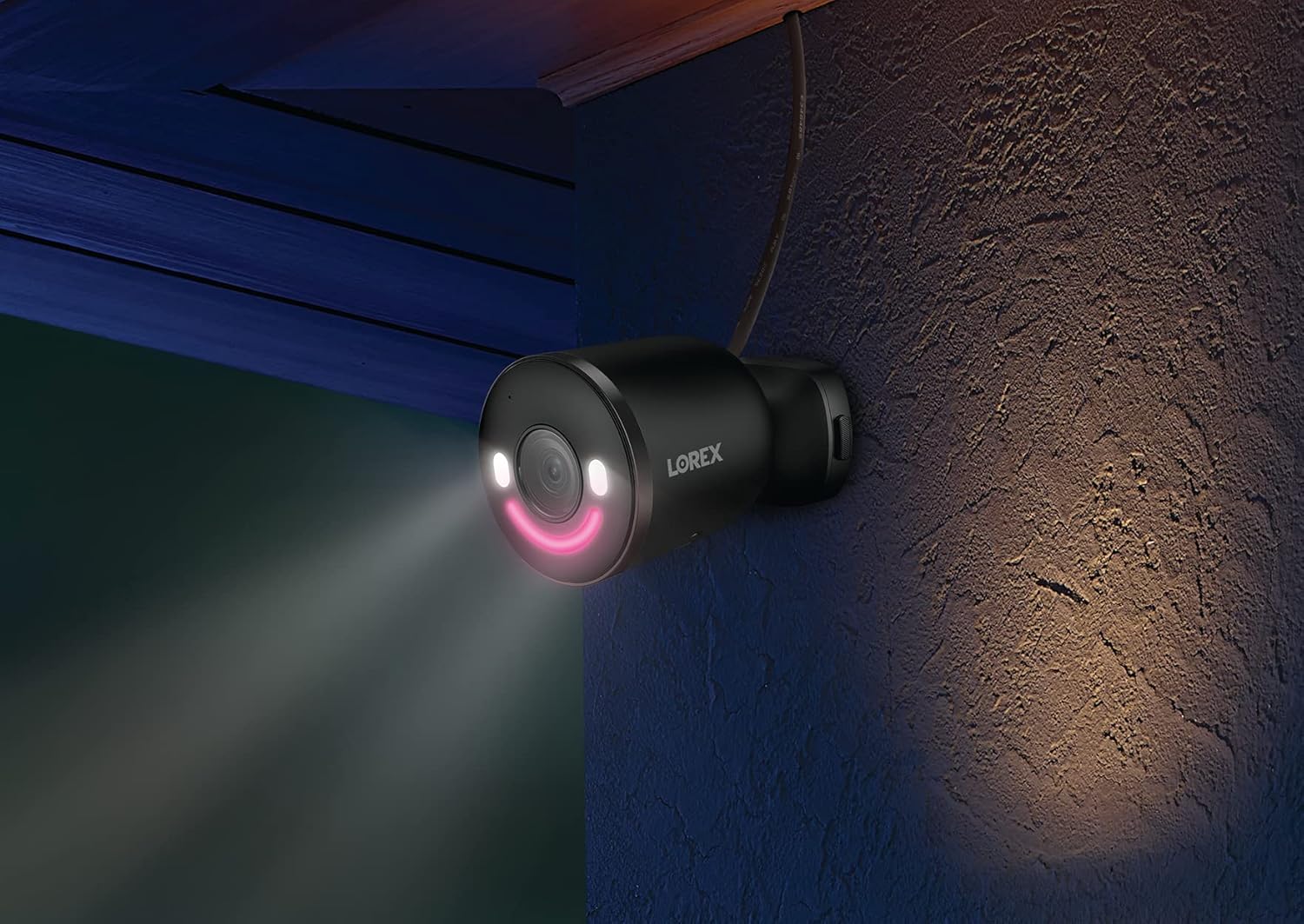
Image: A graphic illustrating three quick installation steps: 1. Install Camera (wrench icon), 2. Connect to AC Power (plug icon), 3. View on the App (smartphone icon). The image shows the camera mounted on a wall.

Image: A Lorex security camera, black with a green LED smile, mounted on a light-colored exterior wall, indicating outdoor installation.
4. カメラの操作
4.1 ライブ View と再生
ライブビデオフィードにアクセスしてview 記録されたfootage through the Lorex Home app. The 4K Ultra HD resolution provides clear and detailed images for effective monitoring.

Image: A split image demonstrating 4K Ultra HD video quality. The left side shows a child playing with a toy in a garden from a distance, while the right side shows a digitally zoomed-in, clear view of the child's hands and the toy, highlighting the detail retention of 4K resolution.
4.2 スマートセキュリティ照明
The camera features an LED band that can be customized in color. This lighting can be used for deterrence or as a welcome light. Adjust settings via the Lorex Home app.

Image: A Lorex camera with its LED band illuminated, alongside a smartphone screen displaying a color wheel for selecting the LED light color within the Lorex Home app. This illustrates the Smart Security Lighting feature.

Image: A Lorex security camera mounted on a wall at night, with its smart security lighting emitting a pink glow, illuminating the immediate area. This demonstrates the camera's lighting capabilities in low-light conditions.
4.3 スマートモーション検出
The camera utilizes advanced motion detection to identify specific objects. You can configure alerts for:
- 人物検出
- 車両検出
- 動物の検出
- 荷物の検出
Note: When Person, Vehicle, and/or Animal Detection are enabled, Package Detection cannot be simultaneously enabled. To use Package Detection, you must disable the other detection types.

Image: A hand holding a smartphone displaying the Lorex Home app. The app shows a notification: "Someone was detected by Front Door Doorbell" with a live view thumbnail, illustrating the smart motion detection alert feature.
4.4 双方向通話
Use the built-in microphone and speaker to communicate with visitors or deter unwanted guests directly through the Lorex Home app.
4.5 Lorex Fusion Integration
This camera can be integrated wirelessly with compatible Lorex Fusion security camera systems, allowing you to combine wired and Wi-Fi cameras for expanded coverage and centralized management.

Image: A diagram illustrating the Lorex Fusion system. A central recorder unit is shown with Wi-Fi signals connecting to various Lorex cameras (bullet, dome, doorbell, spotlight) around a house, demonstrating the ability to combine different camera types into one system.
4.6 ローカルストレージ
The camera supports local storage via a Micro SD card (32GB included), ensuring your video footage is kept private and accessible without monthly fees.

Image: A Micro SD card and an open hard drive, symbolizing local storage for video footage, emphasizing that no monthly fees are required for recording.
5. メンテナンス
- クリーニング: カメラのレンズは定期的に柔らかくてきれいな布で拭いてください。amp 鮮明な画像を保つために布で拭いてください。研磨剤入りの洗剤は使用しないでください。
- ファームウェアの更新: Regularly check the Lorex Home app for available firmware updates to ensure your camera has the latest features and security enhancements.
- 電源接続: Ensure the power connection remains secure and free from damage, especially for outdoor installations.
- マイクロSDカード: If using local storage, periodically check the Micro SD card for proper function and sufficient storage space. Replace if necessary.
6。 トラブルシューティング
| 問題 | 考えられる原因 | 解決 |
|---|---|---|
| カメラがWi-Fiに接続できない | Incorrect Wi-Fi password, camera too far from router, router not Wi-Fi 6 compatible, network interference. |
|
| ビデオ品質が悪い | Dirty lens, low Wi-Fi signal strength, insufficient bandwidth. |
|
| Motion detection alerts are inaccurate | Incorrect sensitivity settings, detection zones not optimized, conflicting detection types enabled. |
|
| No video recording to Micro SD card | SD card full, corrupted, or not properly inserted; recording settings incorrect. |
|
7. 仕様
| 特徴 | 詳細 |
|---|---|
| モデル番号 | W881AADB-E |
| ビデオキャプチャ解像度 | 4KウルトラHD |
| 接続技術 | ワイヤレス(Wi-Fi 6) |
| 屋内/屋外での使用 | 屋外 |
| 電源 | コード式電気(12ワット) |
| の分野 View | 140度 |
| 特集 | Motion Sensor, Night Vision (Night Color), Smart Security Lighting, 2-Way Talk |
| 検出タイプ | Person, Vehicle, Animal, Package |
| ストレージ | Micro SD(最大256GB、32GBを含む) |
| 国際保護格付け | IP65 |
| 動作温度 | 摂氏55度まで |
| 寸法(長さ×幅×高さ) | 307 x 344 x 307インチ (Note: This dimension appears to be a data entry error. Please refer to product packaging for accurate physical dimensions.) |
| アイテム重量 | 1.72ポンド |
| 対応デバイス | Smartphone (Lorex Home App), Amazon Alexa |
8. 保証とサポート
保証情報、テクニカルサポート、その他のリソースについては、Lorexの公式ウェブサイトをご覧ください。 web当サイトをご覧いただくか、Lorexカスタマーサービスまでお問い合わせください。保証請求のために購入レシートを保管してください。
オンラインリソース: www.lorex.com
9. 重要な安全情報
- カメラに付属の電源アダプターのみを使用してください。
- Do not expose the camera to extreme temperatures outside its operating range (up to 55°C).
- Ensure all cables are properly secured and protected, especially in outdoor environments.
- カメラを分解したり改造したりしないでください。保証が無効になります。
- Comply with all local laws and regulations regarding surveillance camera usage.
Ask a question about this manual
Ask about setup, troubleshooting, compatibility, parts, safety, or missing instructions. Manuals+ will review the question and use this page’s manual context to help answer it.