
導入
This manual provides detailed instructions for the installation, operation, and maintenance of your EZoneTronics PCD001 Portable Wireless Car Stereo. Please read this manual thoroughly before using the device to ensure proper functionality and to prevent damage.
製品終了view
主な特徴
- 7-Inch Touchscreen Display: Provides a clear and responsive interface for navigation and media control.
- ワイヤレス Apple CarPlay と Android Auto: Seamlessly integrates with Apple and Android smartphones for navigation, music, and communication.
- FMトランスミッター: Connects to your vehicle's original radio system via AUX Out or FM Out for audio output.
- プラグ アンド プレイのインストール: Designed for easy setup without modifying existing car equipment.
- 多彩な取り付けオプション: Can be mounted on the dashboard or windshield using a suction cup holder.
- 追加機能: Supports Bluetooth connectivity, hands-free calling, voice control (Siri/Google Assistant), video playback, and music streaming.
- メディアの互換性: Supports SD card and USB devices for media playback.
箱の中身
開梱時にすべてのコンポーネントが揃っていることを確認します。
- 1 x EZoneTronics PCD001 Portable Wireless Car Stereo Unit
- 1 x Mounting Bracket (for dash or windshield)
- 1 x Car Charger (power adapter)
- 1 x Driving Recorder (if included in your package)
- 1 x SD Card (if included in your package)
- 1倍 Webcam (if included in your package)
Note: The inclusion of the Driving Recorder, SD Card, and Webcam may vary by package.
セットアップとインストール
デバイスの取り付け
The device can be mounted on your car's dashboard or windshield. Choose a location that does not obstruct your view または車両の制御を妨害します。
- 表面をきれいにする: 選択した取り付け面 (ダッシュボードまたはフロントガラス) が清潔で乾燥していることを確認します。
- 吸盤を取り付けます: 吸盤を表面にしっかりと押し付け、ロック機構を作動させて固定します。
- 角度を調整します: Use the adjustable arm and swivel joint to position the screen for optimal viewing. The mount allows for 360-degree rotation and 180-degree angle adjustment.
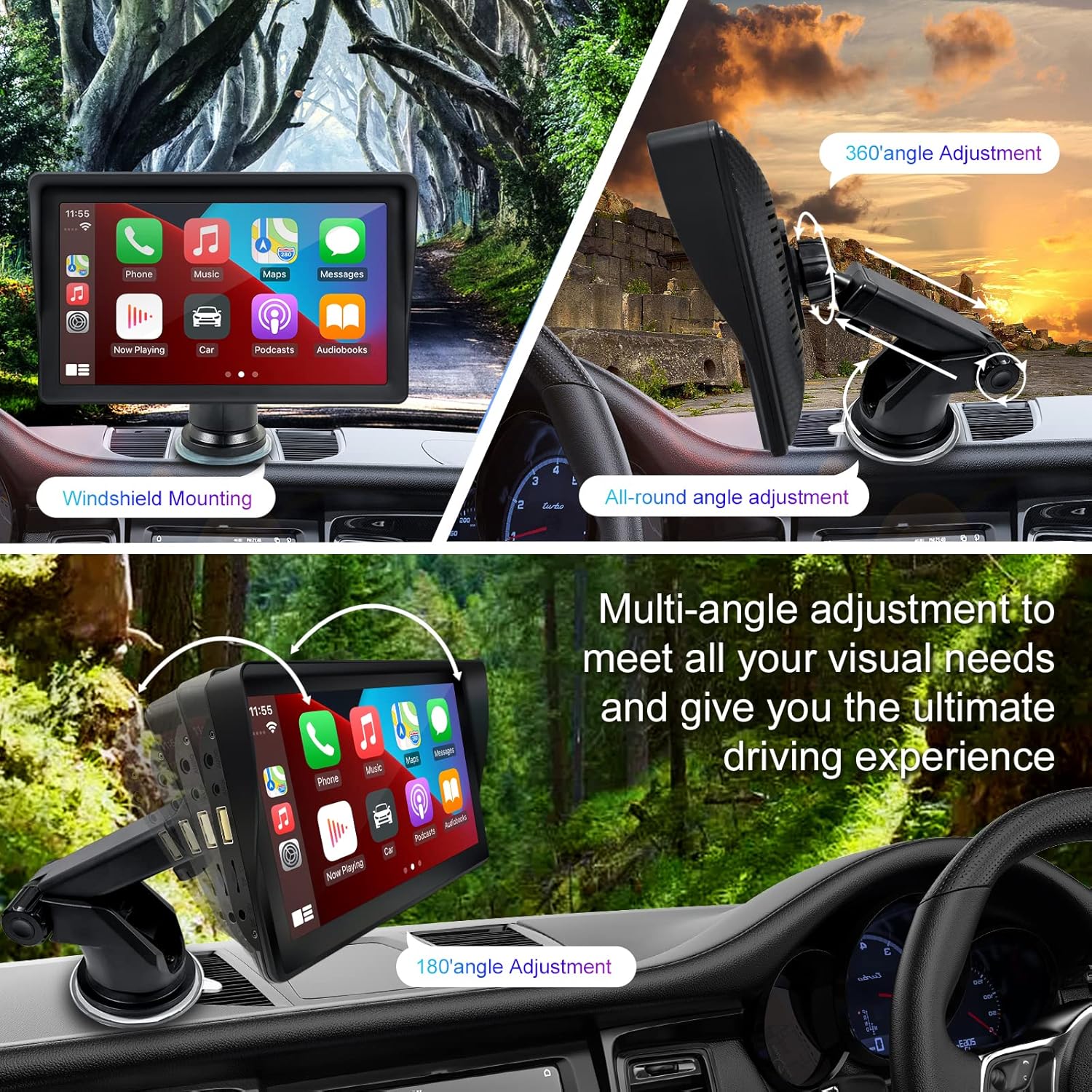
Figure 1: Mounting options and angle adjustments for the portable car stereo.
電源接続
Connect the provided car charger to the device's power input port and then into your vehicle's 12V power outlet (cigarette lighter socket). The device supports 12-24V power input.
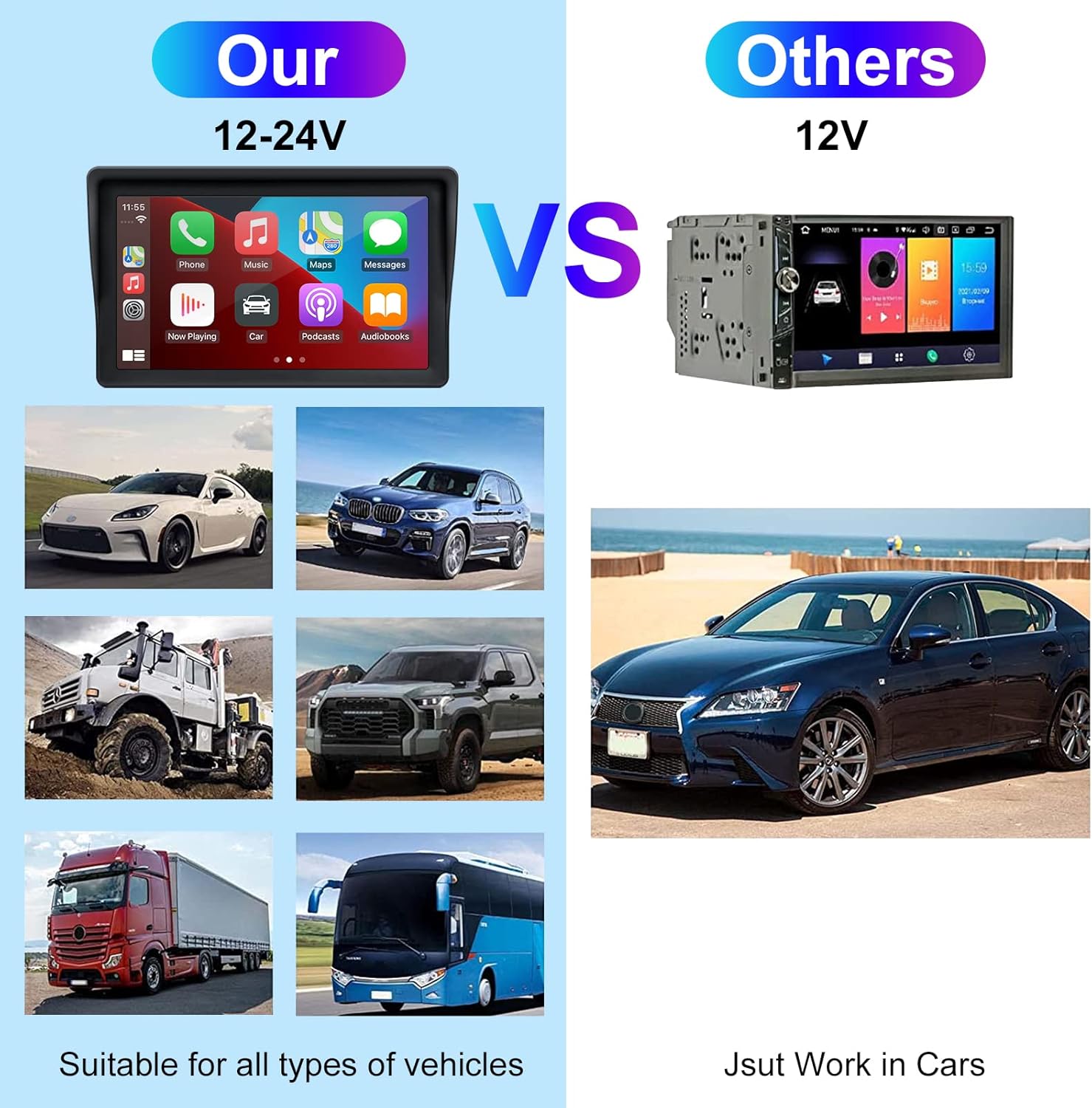
Figure 2: The EZoneTronics unit is compatible with 12-24V vehicle power systems.
操作手順
Initial Power On and Interface
Once powered, the device will boot up and display the main interface. This interface provides access to Apple CarPlay, Android Auto, and other functions.

Figure 3: Main interface displaying Apple CarPlay.
Connecting to Apple CarPlay or Android Auto
The device supports wireless connection for both Apple CarPlay and Android Auto.
- BluetoothとWi-Fiを有効にする: スマートフォンで、Bluetooth と Wi-Fi の両方が有効になっていることを確認します。
- ペアデバイス: カーステレオで Bluetooth 設定に移動し、スマートフォンとペアリングします。
- 自動接続: Once paired, the device should automatically prompt you to connect to Apple CarPlay or Android Auto. Follow the on-screen instructions on both the car stereo and your phone to complete the setup.
- ミラーリンク: For devices not supporting CarPlay or Android Auto, or if you prefer, you can use the Mirror Link function to display your phone's screen on the unit.

Figure 4: Wireless connection for Apple CarPlay and Android Auto.
Audio Output (FM Transmitter / AUX Out)
To output audio from the car stereo to your vehicle's sound system, you have two primary options:
- FMトランスミッター:
- On the EZoneTronics unit, select the FM Transmitter function.
- Choose an unused FM frequency.
- Tune your vehicle's FM radio to the same frequency. Audio from the portable stereo will now play through your car's speakers.
- AUX アウト:
- Connect an AUX cable from the AUX Out port on the EZoneTronics unit to your vehicle's AUX In port.
- Select AUX input on your vehicle's audio system.


Figure 5: FM Transmitter and other core functions.
音声コントロール(Siri / Google アシスタント)
Once connected to Apple CarPlay or Android Auto, you can activate your smartphone's voice assistant (Siri or Google Assistant) for hands-free control. This allows you to make calls, send messages, get directions, and play music using voice commands.
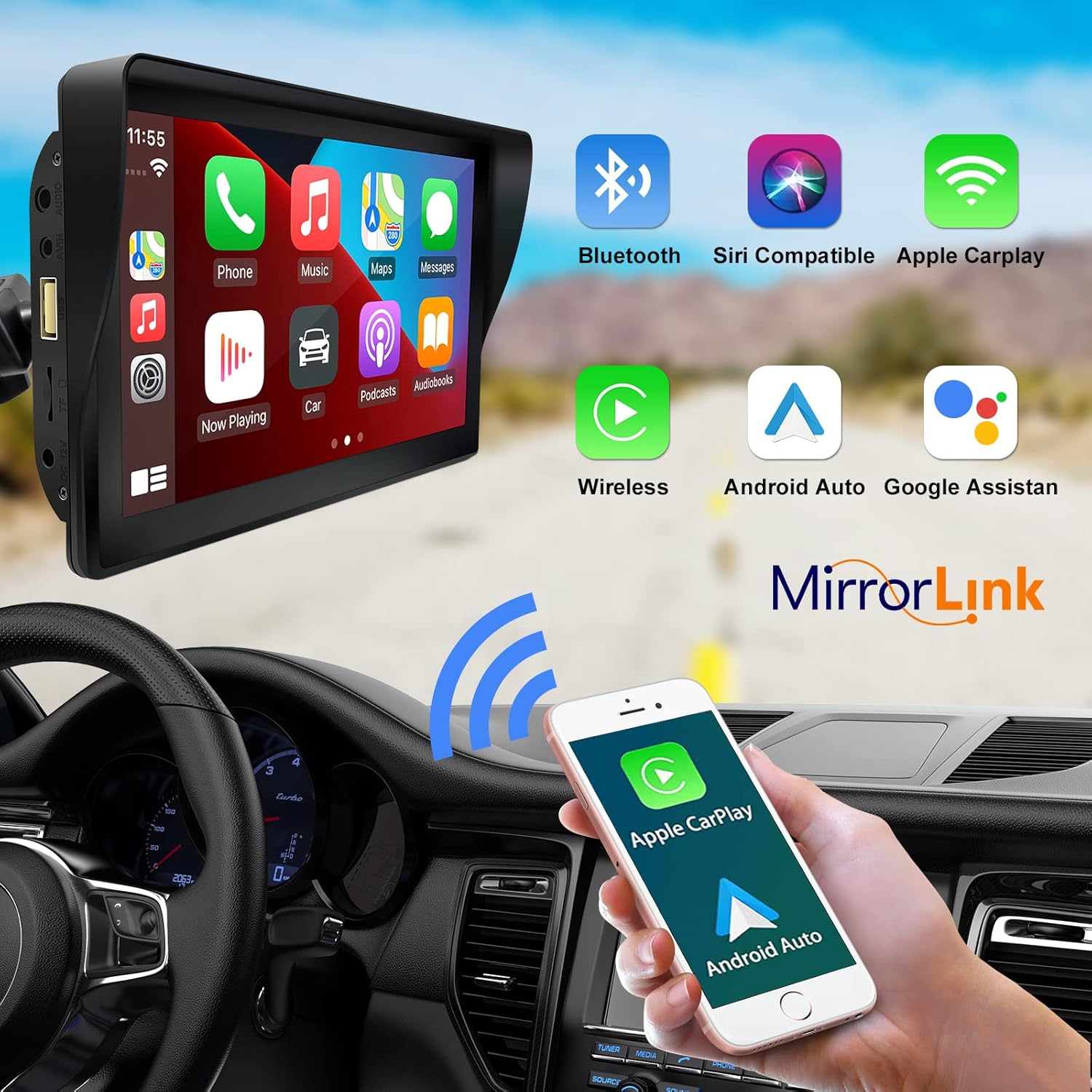
Figure 6: Voice control and connectivity features.
Media Playback (SD Card / USB)
The unit supports media playback from SD cards and USB devices.
- Insert an SD card into the designated slot or a USB drive into the USB port.
- Navigate to the media player application on the car stereo.
- Select the desired audio or video files再生用。


Figure 7: USB and SD card media playback options.
トラブルシューティング
If you encounter issues with your EZoneTronics PCD001, refer to the following common problems and solutions:
| 問題 | 考えられる原因 / 解決策 |
|---|---|
| デバイスの電源が入りません。 |
|
| Cannot connect to Apple CarPlay / Android Auto wirelessly. |
|
| 車のスピーカーから音声が出力されません。 |
|
| タッチスクリーンが反応しません。 |
|
| GPS navigation is inaccurate or not working. |
|
仕様
| 特徴 | 詳細 |
|---|---|
| モデル名 | PCD001 |
| ブランド | EZoneTronics |
| 画面サイズ | 7インチ |
| 表示タイプ | IPS |
| タッチスクリーンタイプ | 静電容量式 |
| オペレーティング·システム | Android (Internal OS for unit functions, supports CarPlay/Android Auto) |
| 接続技術 | Wireless CarPlay, Wireless Android Auto, Bluetooth, FM Transmitter, AUX Out |
| オーディオ出力モード | AUX、ステレオ |
| サポートされている衛星ナビゲーションシステム | GPS (via connected smartphone) |
| 取り付けタイプ | ダッシュボードマウント、フロントガラスマウント |
| 対応デバイス | Smartphones (Apple iOS and Android) |
| 車両サービスタイプ | Car (Universal 12-24V compatibility) |
メンテナンス
Proper maintenance ensures the longevity and optimal performance of your EZoneTronics PCD001.
- 画面の掃除: 柔らかく糸くずの出ない布で画面を優しく拭いてください。頑固な汚れには、軽くamp布を水またはスクリーンに安全なクリーナーで拭いてください。刺激の強い化学薬品や研磨剤は使用しないでください。
- ケーブル管理 Ensure all cables are neatly routed and secured to prevent entanglement or damage.
- 温度: デバイスを長時間、高温や低温などの極端な温度にさらさないでください。
- ソフトウェアアップデート: 定期的にメーカーの website or device settings for any available software updates to improve performance and add features.
保証とサポート
保証情報
The EZoneTronics PCD001 Portable Wireless Car Stereo comes with a 1年間の保証 ご購入日から1年間有効です。本保証は、通常の使用における製造上の欠陥および故障を対象としています。誤用、事故、不正な改造、不適切な取り付けによる損傷は保証の対象外となります。
保証請求のために購入証明書を保管してください。
カスタマーサポート
For technical assistance, warranty claims, or further inquiries, please contact EZoneTronics customer support:
- Webサイト: www.ezonetronics.com
- メールアドレス: support@ezonetronics.com
When contacting support, please provide your product model (PCD001) and a detailed description of the issue.