
PGST PG107-2G-C
PGST PG107 Home Alarm System User Manual
Model: PG107-2G-C | Brand: PGST
1. はじめに
The PGST PG107 Home Alarm System is a comprehensive security solution designed to protect your home. This system supports both Wi-Fi and 2G/GSM connectivity, offering flexible operation modes. It can be controlled remotely via a dedicated mobile application and is compatible with popular smart home platforms like Google Home and Amazon Alexa for voice control. The system includes a central control panel, various sensors, and remote access features to ensure your peace of mind.
主な機能は次のとおりです。
- Dual network support: Wi-Fi and GSM (with SIM card) for reliable communication.
- Remote control via mobile app (Tuya Smart) from anywhere in the world.
- Compatibility with Google Home and Amazon Alexa for convenient voice control.
- Multifunctional home security including door/window sensors, motion detectors, and SOS emergency calls.
- Expandable system with support for additional sensors and accessories.
- Built-in backup battery for continued operation during power outages。
2.システムコンポーネント
The PGST PG107 alarm system typically includes the following components:
- メインコントロールパネル: The central unit with a 4.3-inch display, Wi-Fi, and GSM module.
- リモートコントロール: 武装、武装解除、SOS 機能用。
- RFID Tags: For quick disarming by swiping.
- ドア/窓センサー: Detect opening and closing of entry points.
- Infrared Motion Detector: Detects movement within a designated area.
- サイレン: Produces a loud alarm sound when triggered.

図2.1:以上view of the PGST PG107 Alarm System and its included components.
3. セットアップとインストール
3.1 初回電源投入
Connect the main control panel to a power source using the provided adapter. The system will power on and display the main interface.
3.2 Connecting to Home Wi-Fi (via Tuya App)
To enable remote control and smart home integration, connect the alarm system to your home Wi-Fi network using the Tuya Smart app. Ensure your Wi-Fi is 2.4GHz.
- Tuyaアプリをダウンロードしてください: 検索する "Tuya Smart" in your mobile app store (App Store for iOS or Google Play Store for Android) and install it.
- 装備を追加: Open the Tuya Smart app. Tap on "Add Device" or the '+' icon. Select "Security & Video Surveillance" and then "Alarm (Wi-Fi)" or use the auto-scan feature.
- 自宅のWi-Fiに接続する: アプリに 2.4GHz Wi-Fi ネットワーク名とパスワードを入力します。
- デバイスをペアリングする: On the alarm panel, navigate to the Wi-Fi settings and put it into pairing mode (EZ Mode, usually indicated by a rapidly blinking Wi-Fi indicator). Confirm this in the app and wait for the device to connect.
Video 3.1: Demonstrates the process of connecting the PG107 alarm system to your home Wi-Fi network using the Tuya Smart application.
3.3 Installing Sensors
Place door/window sensors on frames and motion detectors in strategic locations to cover entry points and vulnerable areas. Ensure they are within wireless range of the main panel.
4. 操作手順
4.1 システムの武装と武装解除
The system can be armed or disarmed using the remote control, RFID tag, or the mobile app.
- アーム(離席モード): Press the lock icon on the remote control or select "Arm" in the app. The system will arm all sensors.
- 武装解除: Press the unlock icon on the remote control, swipe an authorized RFID tag on the panel, or select "Disarm" in the app.
- Stay Arm (Home Mode): Press the home icon on the remote control or select "Home" in the app. This arms perimeter sensors while allowing free movement inside.
4.2 アクセサリのペアリング
New remote controls, RFID tags, door sensors, and motion detectors can be easily paired with the main control panel.
- Access Pairing Menu: On the main panel, navigate to the "Parts" or "Accessories" menu.
- リモートコントロールを追加: Select "Remote" and then the add icon. Press any button on the remote control to pair it.
- RFIDの追加 Tag: Select "RFID" and then the add icon. Swipe the RFID tag near the RFID reader on the panel to pair it.
- Add Door Sensor/Motion Detector: Select "Detector" and then the add icon. Trigger the sensor (e.g., separate the door sensor magnets, or wave hand in front of motion detector) to pair it.
Video 4.1: Guide on how to connect and pair various accessories such as remote controls, RFID tags, door sensors, and motion detectors with the PG107 alarm host.
4.3 双方向音声インターコム
The system supports two-way voice communication, allowing you to make and receive calls directly through the control panel. This feature is useful for communicating with family members at home or for emergency situations.
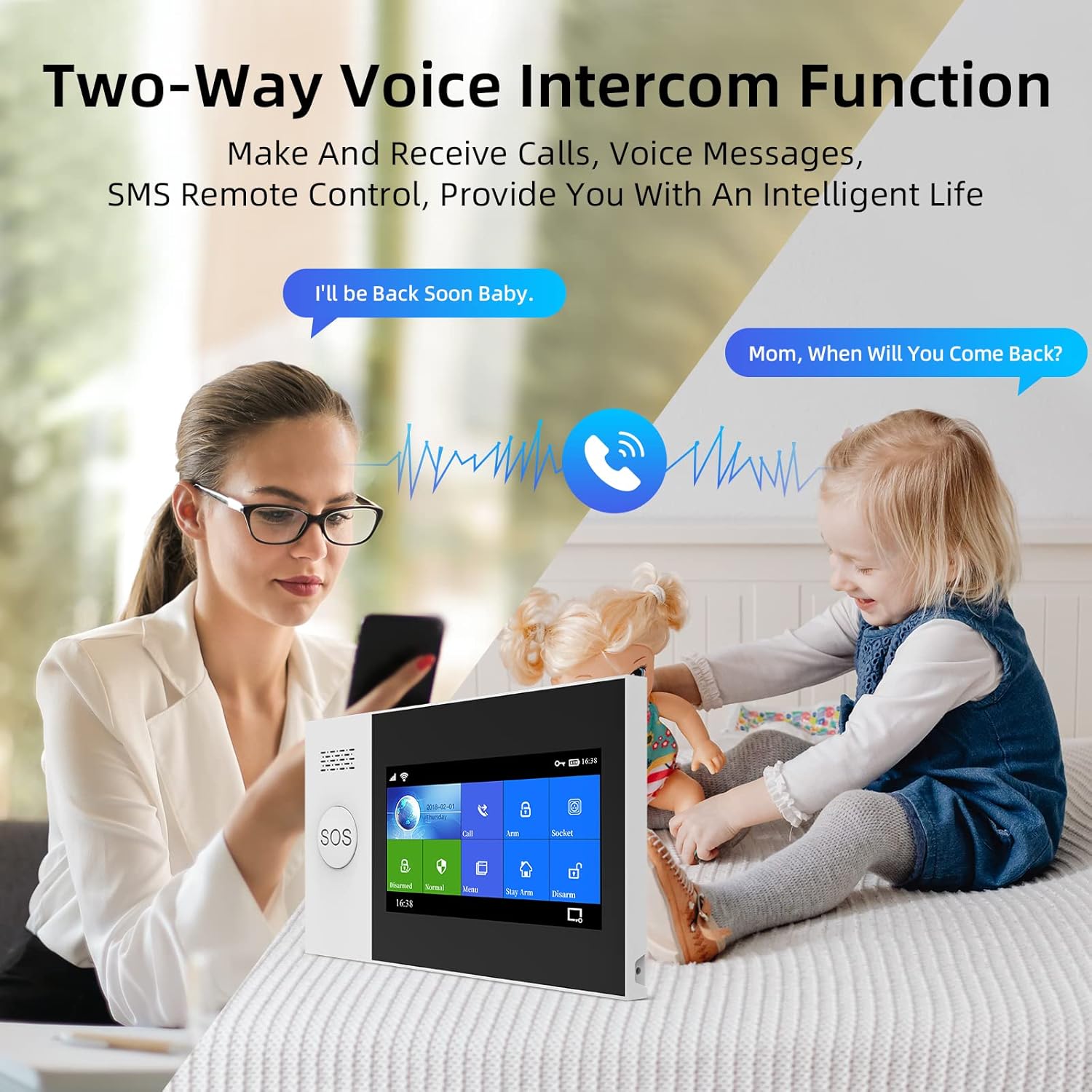
Figure 4.2: The control panel supports two-way voice communication for convenient interaction.
4.4 SOS緊急機能
In case of an emergency, pressing the SOS button on the control panel or remote control will trigger an immediate alarm and send alerts to pre-set emergency contacts. This feature is particularly beneficial for the elderly or individuals who may need quick assistance.

Figure 4.3: The SOS button provides immediate emergency assistance, alerting designated contacts.
4.5 Smart Home Integration (Google Home & Alexa)
The PG107 system is compatible with Google Home and Amazon Alexa, allowing for voice-activated control of arming and disarming functions. Link your Tuya Smart account with your smart assistant app to enable this feature.

Figure 4.4: The alarm system supports voice control through Amazon Alexa and Google Assistant.
5. メンテナンス
5.1 バッテリー監視
The system provides alerts when wireless sensor batteries are low, ensuring continuous protection. Replace batteries promptly when notified.

Figure 5.1: The system notifies you when wireless sensor batteries are running low.
5.2 バックアップバッテリー
The main control panel includes a backup battery, providing approximately 8.5 hours of operation during power outages. This ensures your home remains protected even without grid power.

Figure 5.2: The system features low power consumption and a backup battery for power failure situations.
5.3 クリーニング
Wipe the control panel and sensors with a soft, dry cloth. Avoid using abrasive cleaners or solvents.
6。 トラブルシューティング
- システムが Wi-Fi に接続できない: Ensure your Wi-Fi is 2.4GHz. Check Wi-Fi password. Move the panel closer to the router.
- センサーがアラームをトリガーしない: Check sensor battery levels. Ensure sensors are properly paired and within range. Verify sensor placement (e.g., magnets aligned for door sensors).
- 誤報: Adjust motion detector sensitivity if available. Ensure sensors are not placed near heat sources or in direct sunlight. Check for loose connections.
- リモコンが機能しない: Check remote control battery. Re-pair the remote control with the main panel.
- No sound from siren: Ensure the siren is properly connected to the main panel. Check siren volume settings.
7. 仕様
| 特徴 | 仕様 |
|---|---|
| メーカー | PGST |
| モデル番号 | PG107-2G-C |
| 製品寸法 | 65 x 45 x 25 cm |
| 製品重量 | 960グラム |
| 電源 | バッテリー |
| 電池のタイプ | リチウムイオン1個(必須) |
| インストール方法 | ねじ込み |
| 取り付けタイプ | ウィンドウズ |
| 接続技術 | Wireless (Wi-Fi, GSM) |
| 対応デバイス | スマートフォン |
| アラートの種類 | オーディオとモーション |
| 制御方法 | リモートコントロール |
| 推奨用途 | Home Security, Smart Home Integration |
8. 保証とサポート
For warranty information and technical support, please refer to the official PGST webご購入の際は、ウェブサイトをご覧いただくか、カスタマーサービスまで直接お問い合わせください。保証請求の際は、購入証明としてレシートを保管してください。
Ask a question about this manual
Ask about setup, troubleshooting, compatibility, parts, safety, or missing instructions. Manuals+ will review the question and use this page’s manual context to help answer it.