
Platinum Karaoke DK-88
Platinum Karaoke DK-88 Duo Speaker System
ユーザー取扱説明書
導入
Thank you for choosing the Platinum Karaoke DK-88 Duo Speaker System. This manual provides essential information for the safe and efficient operation of your new device. Please read it thoroughly before use and retain it for future reference.
The DK-88 Duo is an all-in-one karaoke solution, featuring a built-in song library, wireless microphones, and various connectivity options. Its robust design and versatile features make it ideal for home parties, family gatherings, and outdoor events.
安全情報
- 火災や感電を防ぐため、ユニットを雨や湿気にさらさないでください。
- cを開けないでくださいasing. すべての修理は資格を持った担当者に依頼してください。
- ユニット周囲の換気を良好に保ち、通気口を塞がないようにしてください。
- 付属の充電アダプターのみを使用してください。
- ユニットを直射日光、熱源、過度のほこりから遠ざけてください。
- ユニットの上に重い物を置かないでください。
- お子様の手の届かない場所に保管してください。
パッケージ内容
下記のすべてのアイテムがパッケージに含まれていることを確認してください。
- Main Unit (DK-88 Duo Speaker)
- 充電アダプター
- 2xワイヤレスマイク
- リモートコントロール
- Batteries (for remote control and microphones)
- AVケーブル
- ユーザーマニュアル
- 保証書

図1: 付属アクセサリとコンポーネント
製品終了view
フロント View

図2: 前面 View of the DK-88 Duo with LED Lighting
トップパネルコントロール

図3: トップパネルのコントロールと入力
背面パネル

Figure 4: Rear Panel with Connectivity Ports
設定
1. 電源オン/充電
- AC電源: Connect the charging adapter to the 'DC IN 20V/4A' port on the top panel and plug it into a wall outlet. The unit can be used while charging.
- バッテリー電源: The unit has a built-in rechargeable battery providing up to 6 hours of playback. Ensure the unit is charged before portable use. The battery indicator on the display will show the current charge level.
2. マイクの設定
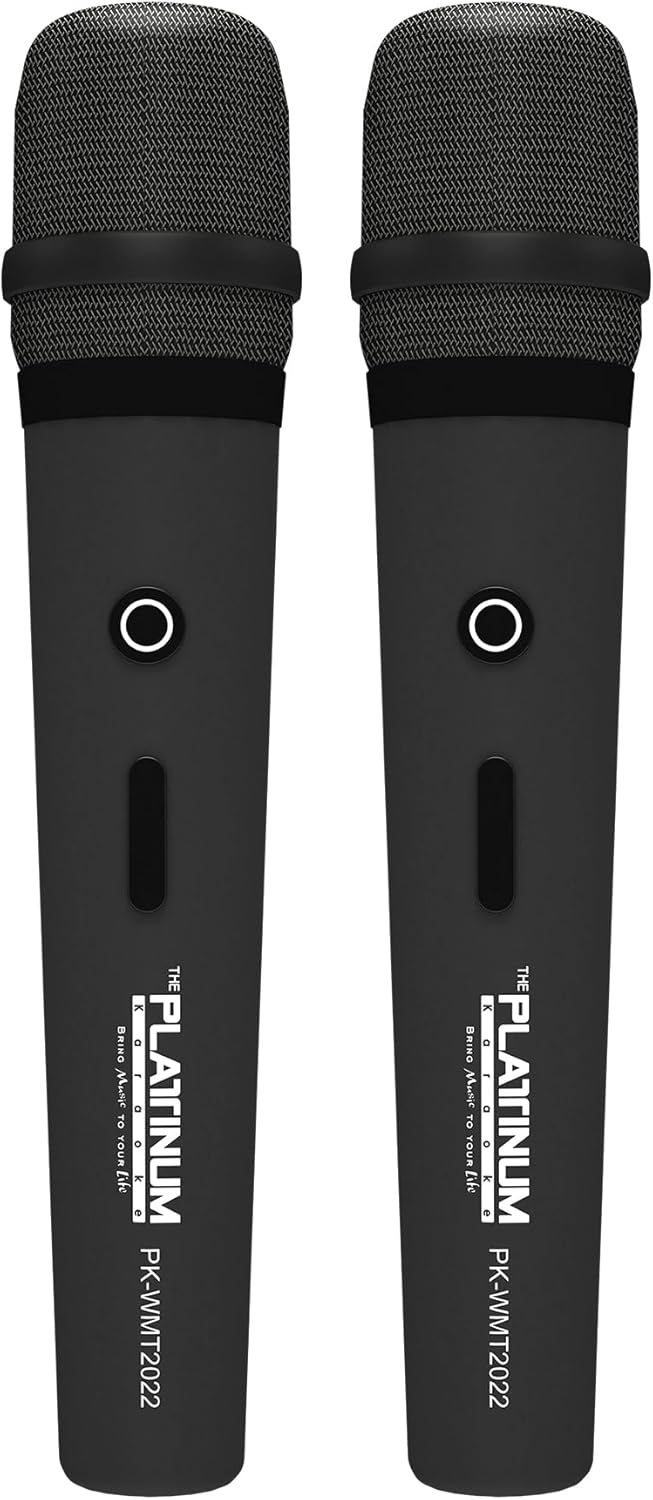
図5: ワイヤレスマイク
- Insert the provided batteries into each wireless microphone.
- Turn on the microphones using their power switches. They will automatically connect to the DK-88 Duo unit.
- Adjust the 'MIC VOLUME' knob on the top panel to control the microphone output level.
3. オーディオソースの接続
- ブルートゥース: Turn on the unit. The Bluetooth indicator will flash. Enable Bluetooth on your mobile device and select 'DK-88 Duo' from the list of available devices to pair.
- USBドライブ: MP3 音楽が入った USB フラッシュ ドライブを挿入します files into the 'USB' port on the top panel. The system will automatically detect and play the files.
- マイクロSDカード: Insert a Micro SD card (up to 32GB, pre-loaded with songs) into the 'MICRO SD' slot on the top panel. The system will automatically detect and play the songs.
- AUX入力: Use the provided AV cable to connect external audio devices (e.g., DVD player, TV) to the 'AUX' input on the top panel.
- ギター入力: Connect a guitar to the 'GUITAR IN' port on the top panel. Adjust the dedicated 'GUITAR' volume knob.
操作手順
1. 基本操作
- 電源オン/オフ: Use the 'POWER' switch on the top panel to turn the unit on or off.
- 音量コントロール: Rotate the 'VOLUME' knob to adjust the overall sound output.
- モード選択: Press the 'MODE' button to switch between input sources (Bluetooth, USB, Micro SD, AUX).
2. カラオケ機能
- 選曲: Use the 'SKIP' buttons (|< / >> |) to navigate through songs.
- エコー効果: Adjust the 'ECHO' knob to add or reduce echo to your vocals. This helps blend your voice with the music.
- 歌の録音: Press the 'REC' button to start recording your performance. The system will save the music and your vocals to the inserted Micro SD card or USB drive. To share, simply copy the recorded file コンピューターに。
- Vocal Assist (Training Songs): For training songs, the main vocals will automatically fade out when you sing into the microphone and reappear when you stop.
3. オーディオ調整
- 高音コントロール: Use the 'TREBLE' knob to adjust the high-frequency sounds of the music.
- 低音コントロール: Use the 'BASS' knob to adjust the low-frequency sounds of the music.
4. 照明効果
- Press the 'LIGHT' button on the top panel to cycle through different colorful fire lighting modes. The lights glow and dance with the music, enhancing the party atmosphere.
5. Platinum Link App
- Download the 'Platinum Link' app from your mobile device's app store (available on Android and iOS).
- Connect your mobile phone to the DK-88 Duo via Bluetooth.
- Use the app to control song selection, browse the song library, reserve songs, and display karaoke lyrics directly on your phone screen.
- The app also features a karaoke recording function to measure your vocal performance and improve your singing skills.
メンテナンス
- 柔らかく乾いた布で本体を拭いてください。液体洗剤やエアゾールは使用しないでください。
- 使用しないときは、ユニットを涼しく乾燥した場所に保管してください。
- Remove batteries from the remote control and microphones if storing for extended periods to prevent leakage.
トラブルシューティング
| 問題 | 考えられる原因 | 解決 |
|---|---|---|
| 電源なし | Unit is not charged or not connected to AC power. | Connect the charging adapter and ensure it's plugged into a working outlet. Check battery level. |
| マイクから音が出ない | Microphones are off, batteries are low, or volume is too low. | Turn on microphones, replace batteries, increase 'MIC VOLUME' knob. |
| Bluetoothが接続されない | Bluetooth is not enabled on the unit or mobile device, or device is too far. | Ensure unit is in Bluetooth mode, enable Bluetooth on your device, move closer to the unit. |
| Cannot play songs from USB/SD | 正しくない file フォーマットが破損しています files, or card/drive not inserted properly. | 確保する files are MP3 format. Reinsert the USB drive/SD card. Try a different drive/card. |
| ライトが点灯しない | ライト機能がオフになっています。 | Press the 'LIGHT' button to activate the lighting effects. |
仕様
| 特徴 | 詳細 |
|---|---|
| モデル番号 | DK-88 |
| 寸法(長さ×幅×高さ) | 35 x 38 x 78 cm |
| 重さ | 13キロ |
| 電源 | Battery Powered (1 x 12V battery included), AC Powered |
| バッテリー再生時間 | 最大6時間 |
| 接続技術 | USB、ブルートゥース |
| USBポート | 1 |
| スピーカーの数 | 2 |
| 特集 | Built-in Song Track |
| 色 | 黒 |
| 推奨用途 | Home parties, family gatherings, karaoke bars, outdoor events, musical performances |
保証とサポート
Your Platinum Karaoke DK-88 Duo comes with a warranty. Please refer to the included Warranty Card for detailed terms and conditions, including warranty period and coverage.
For technical support, service, or inquiries not covered in this manual, please contact Platinum Karaoke customer service. Contact information can typically be found on the Warranty Card or the official Platinum Karaoke webサイト。
Ask a question about this manual
Ask about setup, troubleshooting, compatibility, parts, safety, or missing instructions. Manuals+ will review the question and use this page’s manual context to help answer it.