
導入
Thank you for choosing the Gembird MAXXTER ACT-BTHS-03 Bluetooth Stereo Over-Ear Headphones. This manual provides essential information for the proper setup, operation, and maintenance of your new wireless headphones. Please read these instructions carefully before use to ensure optimal performance and longevity of the product.
製品終了view
The Gembird MAXXTER ACT-BTHS-03 headphones offer a comfortable over-ear design with wireless Bluetooth connectivity, allowing you to enjoy high-quality audio without the constraints of cables. The controls are intuitively placed for easy access to playback, volume, and call management.
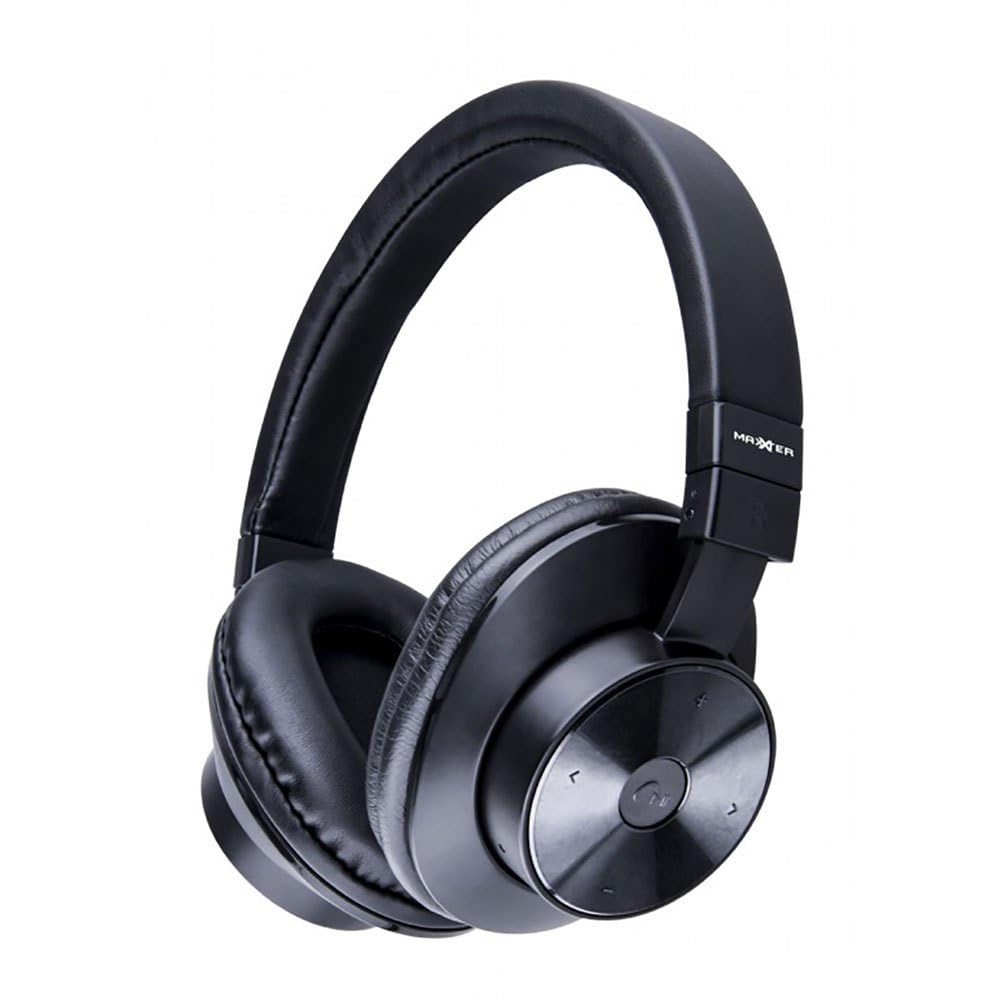
An image showing the Gembird MAXXTER ACT-BTHS-03 Bluetooth Stereo Over-Ear Headphones in black. The headphones feature large, cushioned earcups and an adjustable headband, designed for comfort during extended listening sessions.
設定
1. 初期充電
Before first use, fully charge your headphones. Connect the provided USB charging cable to the charging port on the headphones and the other end to a USB power source (e.g., computer USB port, wall adapter). The LED indicator will typically show red during charging and turn off or change color when fully charged. A full charge usually takes approximately 2-3 hours.
2.Bluetoothペアリング
- ヘッドホンがオフになっていることを確認します。
- Press and hold the Multi-function button (often marked with a power symbol or phone icon) for approximately 5-7 seconds until the LED indicator flashes red and blue alternately. This indicates the headphones are in pairing mode.
- デバイス(スマートフォン、タブレット、コンピューター)で Bluetooth を有効にし、新しいデバイスを検索します。
- Select "ACT-BTHS-03" or a similar name from the list of available devices.
- Once connected, the LED indicator on the headphones will typically flash blue slowly or turn solid blue, indicating a successful pairing.
- パスワードの入力を求められた場合は、「0000」と入力してください。
操作手順
電源オン/オフ
- 電源オン: Press and hold the Multi-function button for about 3 seconds until the LED indicator flashes blue and you hear a power-on tone.
- 電源を切る: Press and hold the Multi-function button for about 3-4 seconds until the LED indicator flashes red and you hear a power-off tone.
音楽再生コントロール
- 再生/一時停止: 多機能ボタンをXNUMX回押します。
- 次のトラック: 音量アップ(+)ボタンを長押しします。
- 前のトラック: 音量ダウン(-)ボタンを押し続けます。
音量調整
- ボリュームアップ: 音量アップ(+)ボタンを短く押します。
- ボリュームダウン: 音量ダウン (-) ボタンを短く押します。
通話管理
- 通話の応答/終了: 多機能ボタンをXNUMX回押します。
- 通話を拒否: Press and hold the Multi-function button for about 2 seconds.
- 最後の番号にリダイヤル: 多機能ボタンをXNUMX回押します。
メンテナンス
- クリーニング: ヘッドホンのお手入れには、柔らかく乾いた布をご使用ください。研磨剤入りの洗剤、溶剤、刺激の強い化学薬品は使用しないでください。
- ストレージ: ヘッドフォンは直射日光や極端な温度を避け、涼しく乾燥した場所に保管してください。
- バッテリーのケア: バッテリー寿命を延ばすため、ヘッドフォンを頻繁に完全に放電することは避けてください。長期間使用しない場合でも、定期的に充電してください。
- 水への露出: このヘッドフォンは防水ではありません。水、湿気、雨にさらさないでください。
トラブルシューティング
| 問題 | 考えられる解決策 |
|---|---|
| ヘッドホンの電源が入りません。 | ヘッドホンが完全に充電されていることを確認してください。電源に接続し、数分後にもう一度お試しください。 |
| デバイスとペアリングできません。 | Ensure headphones are in pairing mode (flashing red/blue). Turn off and on your device's Bluetooth. Move headphones closer to the device. Clear previous Bluetooth connections on your device. |
| 音が出ない、または音量が低い。 | Check volume levels on both headphones and the connected device. Ensure headphones are properly paired. Try re-pairing the headphones. |
| 音質が悪い、または接続が切れる。 | Move closer to the connected device to reduce interference. Avoid obstacles between headphones and device. Ensure no other strong wireless signals are interfering. |
| ヘッドホンが充電されません。 | Check the charging cable and USB power source. Try a different cable or power adapter. Ensure the charging port is clean and free of debris. |
仕様
| 特徴 | 詳細 |
|---|---|
| ブランド | Gembird (MAXXTER) |
| モデル名 | ACT-BTHS-03 |
| 接続技術 | 無線 |
| ワイヤレステクノロジー | ブルートゥース |
| Bluetoothバージョン | 5.0 |
| 耳の位置 | Over-Ear (Supra-auriculaire) |
| フォームファクター | 耳介周囲 |
| 材料 | プラスチックまたはシリコン |
| 色 | 黒 |
| アイテム重量 | 168グラム |
| 対応デバイス | 携帯電話、タブレット、コンピューター、スマートスピーカー |
| 製品の具体的な用途 | 音楽 |
保証とサポート
For warranty information and technical support, please refer to the documentation included with your purchase or visit the official Gembird webサイトでご確認ください。保証請求に備えて購入証明書を保管してください。
For further assistance, you may contact Gembird customer service through their official channels.