
導入
Thank you for choosing the VirtuFit Elite Water Resistance Rower. This manual provides essential information for the safe and effective assembly, operation, and maintenance of your new fitness equipment. Please read this manual thoroughly before use and keep it for future reference.

画像: サイド view of the VirtuFit Elite Water Resistance Rower, showcasing its black finish and water tank.
安全情報
Before starting any exercise program, consult with your physician. It is crucial to understand and follow all safety precautions to prevent injury.
- Always perform a warm-up before and a cool-down after your workout.
- Inspect the rower for any loose or damaged parts before each use. Do not use if any components are compromised.
- Ensure the rower is placed on a stable, level surface with adequate clear space around it.
- 動作中は子供やペットを装置に近づけないでください。
- 適切な運動靴と衣服を着用してください。
- 痛み、めまい、息切れなどの症状が現れた場合は、直ちに運動を中止してください。
設定
1. 組み立て
While specific assembly steps are not detailed here, the rower typically requires some initial setup. Refer to the separate assembly guide included with your product for detailed instructions. Ensure all bolts, nuts, and moving parts are securely fastened before first use.
2. 水タンクに水を入れる
- Locate the water tank cap on the top of the rower's water tank.
- キャップを外します。
- Use the provided hand pump and funnel to fill the tank with clean tap water to the desired resistance level. The water level directly influences resistance.
- Add a water purification tablet (PuriTab) to the tank to keep the water clean and prevent algae growth.
- タンクキャップは確実に取り付けてください。
3. Console Battery Installation
The console is powered by batteries. Locate the battery compartment, typically on the back or underside of the console. Insert 4x AA batteries, ensuring correct polarity. Close the compartment securely.
操作手順
1. Understanding the Console

Image: Close-up of the VirtuFit Elite Rower's LCD console, showing various workout metrics and control buttons.
The backlit LCD console displays key workout metrics such as time, distance, strokes, watts, calories, and pulse (with compatible heart rate monitor). Use the buttons to navigate through different programs and settings:
- モード: 表示モードを切り替えたり、選択を確定したりします。
- 上下: Adjusts values or navigates menus.
- 起動停止: Begins or pauses your workout.
- リセット: 現在のワークアウトデータをクリアします。
- 回復: Initiates the recovery test function.
- ブルートゥース: Activates Bluetooth for app connectivity and heart rate monitor pairing.
2. 抵抗の調整
The water resistance system provides a dynamic and smooth rowing experience. Resistance is naturally adjusted by your rowing intensity and speed. For a higher base resistance, increase the water level in the tank. For lower resistance, remove water from the tank using the provided pump.
3. トレーニングプログラム
The console offers various training programs:
- 手動モード: Start rowing and track your metrics without a predefined program.
- インターバルプログラム: Pre-set or customizable intervals for varied intensity training.
- 対象プログラム: Set goals for time, distance, or calories.
- Recovery Test: Measures your heart rate recovery to assess fitness levels.
4. Bluetooth Connectivity and Apps

Image: The VirtuFit Elite Rower with a tablet mounted on its holder, displaying the Kinomap fitness application during a virtual rowing session.
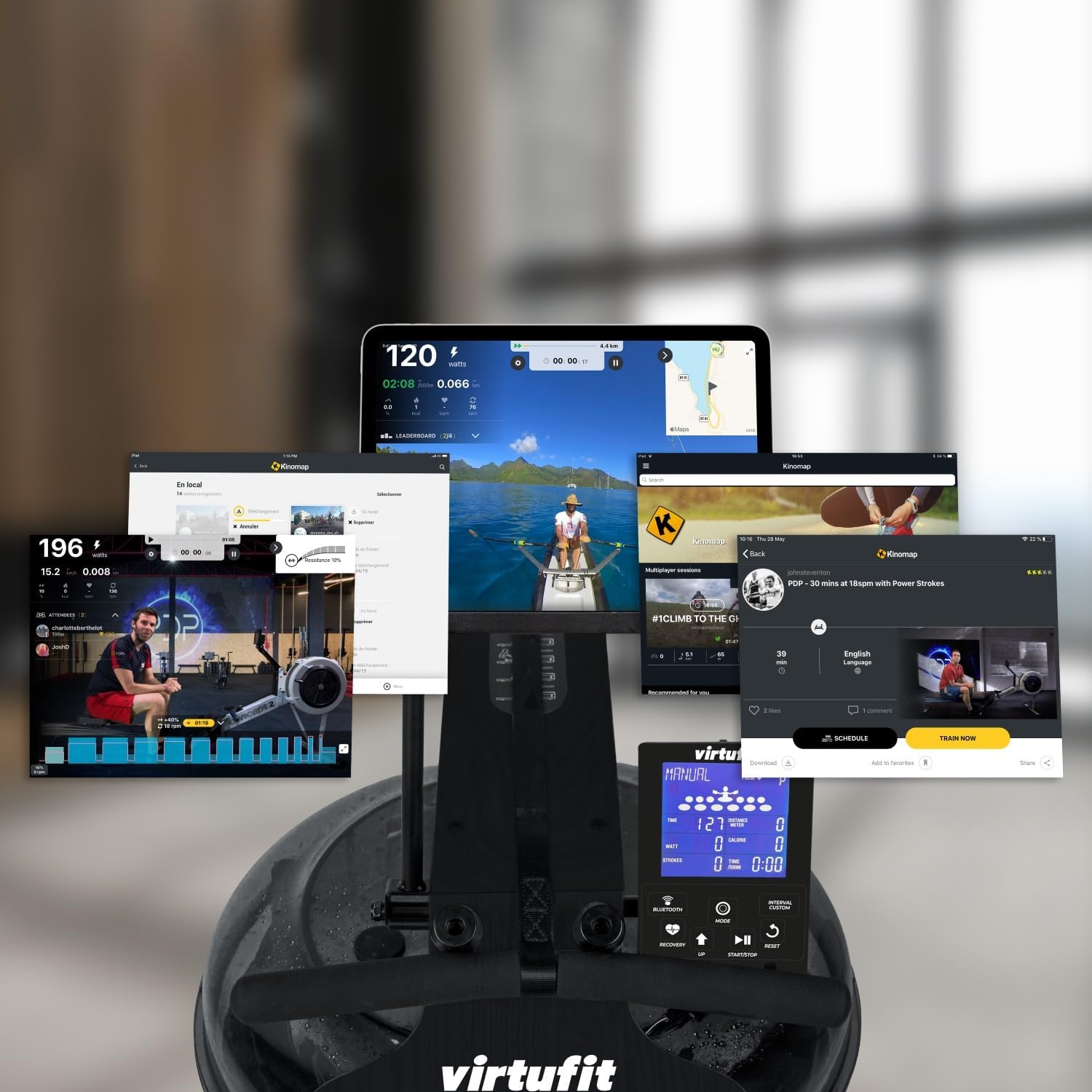
Image: A collage of various screens demonstrating the Kinomap application's diverse features and integration with the VirtuFit Rower, including virtual routes and workout data.
The rower features Bluetooth connectivity for enhanced training options:
- 心拍数モニター: Pair a 5 kHz heart rate chest strap (not included) to monitor your pulse on the console.
- Fitness Apps: Connect your rower to popular fitness applications like Kinomap via Bluetooth. Use the integrated tablet holder to view your device while exercising.
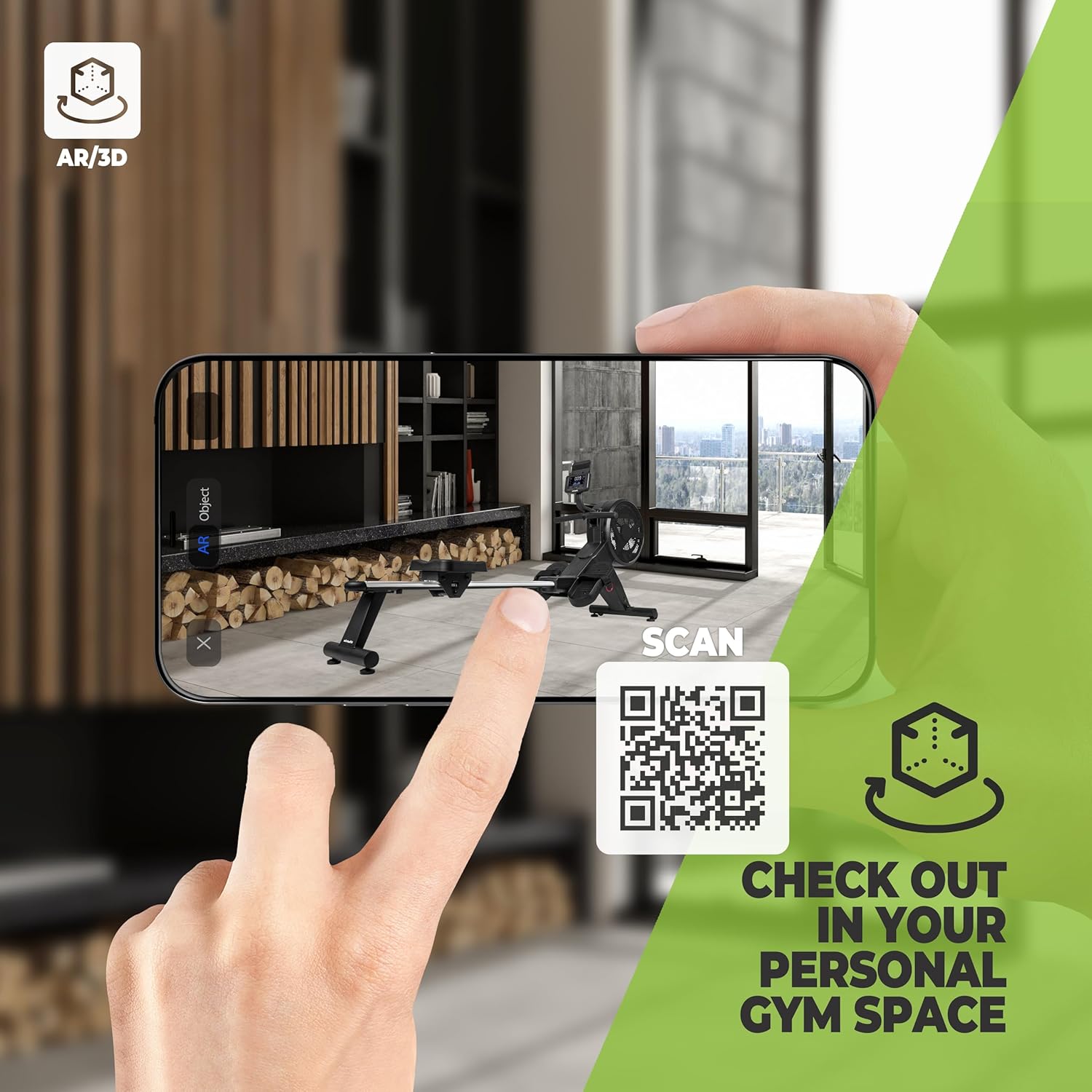
Image: A smartphone screen showing an augmented reality (AR) view of the VirtuFit Rower placed virtually in a room, with a QR code for scanning. This feature allows users to visualize the rower in their space before purchase.
Explore the rower in your space using Augmented Reality: VirtuFit AR Experience
5. Basic Rowing Technique
Proper rowing technique is essential for an effective and safe workout. The rowing stroke consists of four phases:
- 問題点: 膝を曲げ、すねを垂直にし、腕を前に伸ばし、背中をまっすぐにし、肩をリラックスさせます。
- ドライブ: 足で押し出し、背中を振り、最後に腕で引っ張ります。
- フィニッシュ: Legs extended, lean back slightly, handle pulled to your lower chest/upper abdomen.
- 回復: Extend arms forward, then lean forward from the hips, and finally bend your knees to slide forward.

画像: クローズアップ view of the foot straps and the rowing handle, illustrating the connection points for the user during exercise.
メンテナンス
1. 水処理
To maintain water clarity and prevent microbial growth, add a water purification tablet (PuriTab) to the water tank every 3-6 months, or as needed. If the water becomes discolored, it may need to be replaced and the tank cleaned.
2. 清掃
- ローワーを広告で拭き取るamp 使用後は毎回布で汗やほこりを拭き取ってください。
- Avoid using abrasive cleaners or solvents, as these can damage the finish and components.
- Periodically clean the rails and seat rollers to ensure smooth operation.
3. ストレージ
The VirtuFit Elite Rower is designed for convenient storage. After your workout, the rower can be stored vertically to save space. Ensure the rower is stable and secure in its upright position.

Image: The VirtuFit Elite Water Resistance Rower shown in its vertical storage position, demonstrating its space-saving design.
トラブルシューティング
- コンソールが表示されない: 電池の取り付けを確認し、電池が消耗していないことを確認してください。必要に応じて交換してください。
- No Resistance or Uneven Resistance: Verify the water level in the tank. Ensure the impeller is not obstructed.
- 異常な音: Inspect all connections and moving parts for looseness. Lubricate moving parts if recommended in the assembly guide.
- Bluetooth 接続の問題: Ensure Bluetooth is enabled on both the rower console and your device. Try restarting both devices.
仕様
| 特徴 | 詳細 |
|---|---|
| モデル番号 | VFROWRB |
| 寸法(長さ×幅×高さ) | 206 x 63 x 52 cm |
| アイテム重量 | 30キログラム |
| 抵抗メカニズム | 耐水性 |
| フレーム素材 | Aluminium (with natural wood elements as per description) |
| コンソールディスプレイ | LCD(バックライト付き) |
| 電源 | Battery Powered (4x AA batteries included) |
| 特集 | Includes hand pump and funnel, Bluetooth connectivity, Tablet holder, Vertical storage capability. |
保証とサポート
For warranty information, please refer to the documentation provided at the time of purchase or contact your retailer. For technical support or spare parts, please contact VirtuFit customer service or your local distributor. Keep your proof of purchase for warranty claims.


