
1. はじめに
Thank you for choosing the ShanWan Q13Xi-B-1 Smartphone Gaming Controller. This device is designed to enhance your mobile gaming experience on both Android and iOS platforms. It offers precise control and broad compatibility with various cloud gaming services and mobile games.
This manual provides essential information for setting up, operating, maintaining, and troubleshooting your controller. Please read it carefully before use.
2.製品オーバーview およびパッケージの内容
The ShanWan Q13Xi-B-1 controller features an ergonomic design with responsive buttons and joysticks. It supports a telescopic function to securely hold smartphones.
パッケージ内容:
- ShanWan Q13Xi-B-1 Smartphone Gaming Controller
- USB-C充電ケーブル
- ユーザーマニュアル
- Thumb Grips (optional accessories)
- USB-C to USB-A adapters (optional accessories)

Image: The ShanWan Q13Xi-B-1 controller, USB-C cable, user manual, thumb grips, and USB-C to USB-A adapters included in the package.
3. セットアップ手順
3.1 コントローラの充電
Before first use, fully charge the controller using the provided USB-C cable. Connect the USB-C end to the controller and the USB-A end to a compatible power source (e.g., computer USB port, wall adapter).
The controller is powered by a battery and will indicate charging status via an LED indicator (refer to the controller's specific LED behavior in the included quick start guide if available).

Image: An illustration showing the internal battery status of the ShanWan controller, indicating over 25 hours of battery life.
3.2Bluetoothペアリング
- 初めてのペアリング: Press and hold the power button on the controller to turn it on. The controller will enter pairing mode, indicated by a flashing LED. On your smartphone (Android 6.0+ or iOS), go to Bluetooth settings and select "Xbox Wireless Controller" (or similar name) from the list of available devices to connect.
- 再接続中: After the initial pairing, simply press the power button to turn on the controller. It will automatically attempt to reconnect to the last paired device.
The Bluetooth connection is designed for low latency, ensuring a smooth gaming experience.
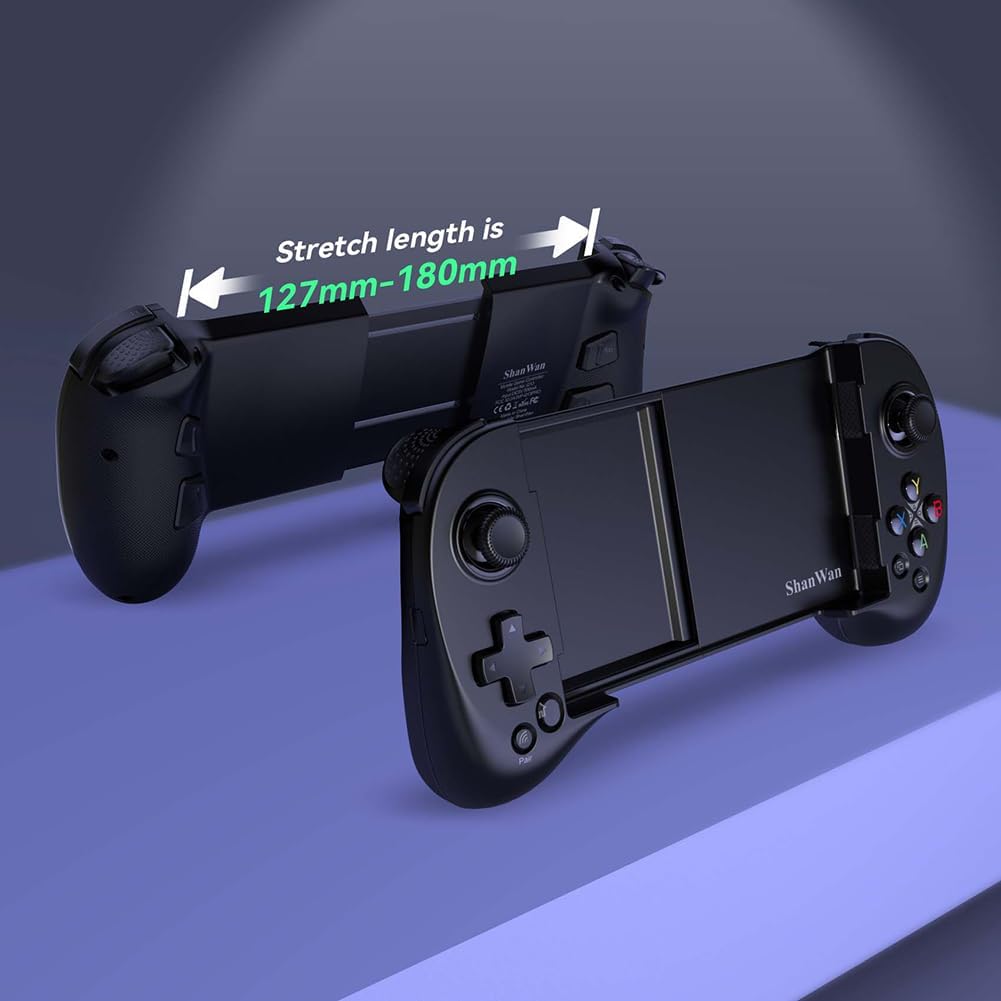
Image: Close-up of the controller showing the power button for initial connection and the pair button for subsequent connections.

Image: The ShanWan controller with a smartphone inserted, showing a Bluetooth connection icon, indicating wireless connectivity.
3.3 スマートフォンを挿入する
The controller features a telescopic design that accommodates smartphones with a length between 127mm and 180mm (approximately 13 cm to 17 cm). Gently extend the controller to fit your phone. The design includes a deepened concave area, allowing most phones to be inserted without removing their protective cases, and helps protect the phone's camera lens.

Image: The ShanWan controller shown in its extended state, illustrating the adjustable stretch length from 127mm to 180mm to fit various smartphone sizes.

Image: The ShanWan controller with a smartphone securely mounted, demonstrating its expandable center to accommodate different phone sizes up to 7.086 inches.
4. 操作手順
4.1 サポートされているゲームプラットフォーム
The ShanWan Q13Xi-B-1 controller is designed for broad compatibility with various mobile gaming platforms and services:
- Android(バージョン6.0以上)
- iOS
- Xbox Game Pass Ultimate (Cloud Gaming)
- Steamリンク
- GeForce NOW
- PSリモートプレイ
- MFiアーケードゲーム
- Hundreds of popular mobile games (e.g., Fortnite, Genshin Impact, Brawlhalla)
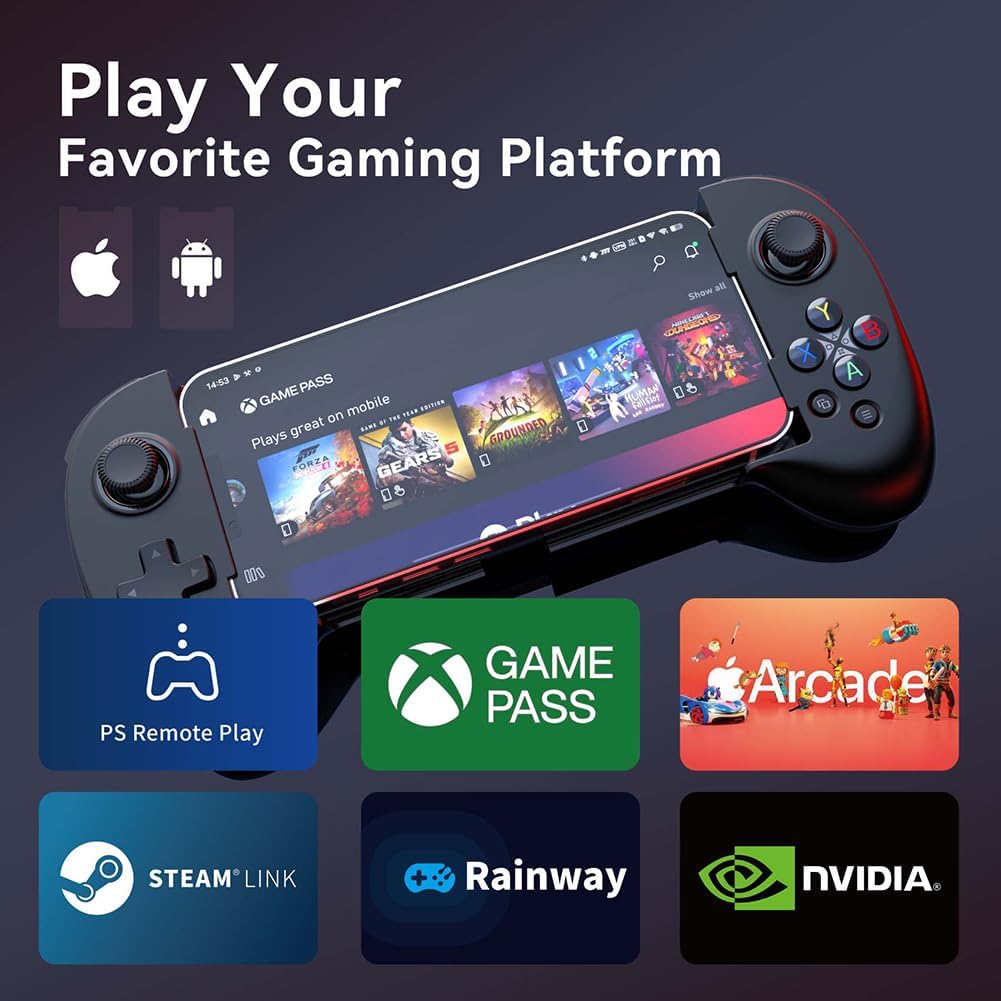
Image: The ShanWan controller with a smartphone displaying a game, surrounded by logos of supported platforms like PS Remote Play, Xbox Game Pass, Arcade, Steam Link, Rainway, and NVIDIA GeForce NOW.
4.2 Key Mapping Function
The controller features a dedicated 'M' button for custom key mapping. According to your preferences, you can assign the A/B/X/Y/Up/Down/Left/Right/L1/L2/R1/R2/L3/R3 buttons to the M1-M4 programmable buttons. This function allows for improved control in complex games.

画像: 背面 view of the ShanWan controller, highlighting the programmable M1-M4 buttons (L3/R3, L4/R4) and other standard controls like LT, RT, LB, RB, and the D-pad and face buttons.
4.3 Adjustable Joystick Height
The joysticks on the controller are adjustable in height, offering a customizable gaming experience. You can adjust them from a minimum height of 3.8mm to a maximum height of 6.3mm.

Image: An illustration demonstrating the adjustable height of the controller's joysticks, showing a minimum of 3.8mm and a maximum of 6.3mm.
4.4 自動電源オフ
To conserve battery life, the controller will automatically power off if left inactive for more than 15 minutes.
5. メンテナンス
To ensure the longevity and optimal performance of your ShanWan Q13Xi-B-1 controller, follow these maintenance guidelines:
- クリーニング: コントローラーの清掃には、柔らかく乾いた布をご使用ください。刺激の強い化学薬品や研磨剤の使用は避けてください。
- ストレージ: コントローラーは、直射日光や極端な温度を避け、涼しく乾燥した場所に保管してください。
- 取り扱い: コントローラーを落としたり、強い衝撃を与えたりしないでください。
- 充電: バッテリーを過充電しないでください。コントローラーが完全に充電されたら、充電ケーブルを外してください。
6。 トラブルシューティング
If you encounter issues with your ShanWan Q13Xi-B-1 controller, refer to the following common solutions:
- コントローラーがオンにならない: コントローラーが完全に充電されていることを確認してください。USB-Cケーブルを使用して電源に接続してください。
- Bluetooth経由でペアリングできません:
- Ensure the controller is in pairing mode (flashing LED).
- Turn off and on your smartphone's Bluetooth.
- Forget the device in your smartphone's Bluetooth settings and attempt to pair again.
- 他の Bluetooth デバイスが干渉していないことを確認します。
- Buttons not responding or incorrect mapping:
- Verify that the game you are playing supports external controllers.
- Check the in-game settings for controller configuration.
- Re-map the keys using the 'M' button if custom assignments are desired.
- 遅延または遅延入力: Ensure your smartphone is not running too many background applications. While the controller's Bluetooth is designed for low latency, device performance can affect overall responsiveness.
- Smartphone not fitting: Ensure your smartphone's length is within the 127mm to 180mm range. Do not force the phone into the controller.
7. 仕様
| 特徴 | 仕様 |
|---|---|
| ブランド | シャンワン |
| モデル番号 | Q13Xi-B-1 |
| 接続技術 | ブルートゥース |
| 対応デバイス | Android (6.0+), iOS |
| コントローラータイプ | ワイヤレスゲームパッド |
| 特集 | Ergonomic, Wireless, Key Mapping Function, Adjustable Joysticks |
| ボタンの数 | 1 (refers to the main power/mode button, excluding standard game buttons) |
| Smartphone Compatibility Length | 127mm - 180mm (approx. 13cm - 17cm) |
| Joystick Height Adjustment | 最小3.8mm、最大6.3mm |
| 電源 | バッテリー駆動(USB-C充電) |
| 自動電源オフ | 15分間操作がない場合 |
| 寸法(長さ×幅×高さ) | 21.6 x 5.1 x 14 cm |
| 起源 | 中国 |
8. 保証とサポート
For warranty information and customer support, please refer to the documentation included with your purchase or contact the ShanWan Official Store directly. Keep your proof of purchase for any warranty claims.