
1. セットアップ
1.1 パッケージ内容
インストールを開始する前に、パッケージにすべてのコンポーネントが含まれていることを確認してください。
- WiFi Camera (x1)
- 3M Power Adapter (x1)
- 防水コネクタ(1個)
- ネジパック (x1)
- ユーザーマニュアル (x1)
- 取り付けテンプレート(x1)
- ストラップ (x1)

Image: All components included in the Techage WiFi Security IP Camera package.
1.2物理的な設置
The camera supports both wall mounting and ceiling hanging for flexible placement.

Image: Illustration showing the camera mounted on a wall and hanging from a ceiling.
- 良好な Wi-Fi 信号強度を確保しながら、適切な設置場所を選択してください。
- 付属の取り付けテンプレートを使用してドリル穴をマークします。
- 必要に応じて穴を開け、壁アンカーを挿入します。
- 付属のネジを使用してカメラベースを固定します。
- 電源アダプターをカメラと電源コンセントに接続します。
1.3 ネットワーク接続とアプリのセットアップ
The camera connects to 2.4GHz Wi-Fi networks. It does not support 5GHz networks.
- Download the ICSEE App from your device's app store (available on App Store and Google Play).
- Register or log in to your ICSEE account.
- Follow the in-app instructions to add your camera to the network. This typically involves scanning a QR code on the camera or manually entering device details.

Image: The VicoHome Security Camera App, used for camera control.
1.4 Amazon Alexa統合
The camera can be integrated with Amazon Alexa for voice control and viewing on compatible devices like Amazon Echo Show.

Image: A user interacting with an Alexa device to view カメラフィード。
Video: A detailed guide on how to connect the Techage WiFi Security IP Camera to Amazon Alexa and control it via voice commands.
- Ensure your camera is successfully added to the ICSEE App.
- Open the ICSEE App, navigate to the 'Me' section, and tap the 'Alexa' icon.
- Click 'Login to Amazon account' and input your Amazon username and password (the same account used for your Alexa device).
- Select the camera you wish to bind.
- Once successfully bound, you can control the camera using voice commands such as "Alexa, show me [camera name]" or "Alexa, rotate [camera name] to the left/right/up/down."
2. カメラの操作
2.1 パン&チルト機能
The camera offers a 355° pan and 90° tilt range, providing a 360° full view of the monitored area. Control is available remotely via the ICSEE mobile application.
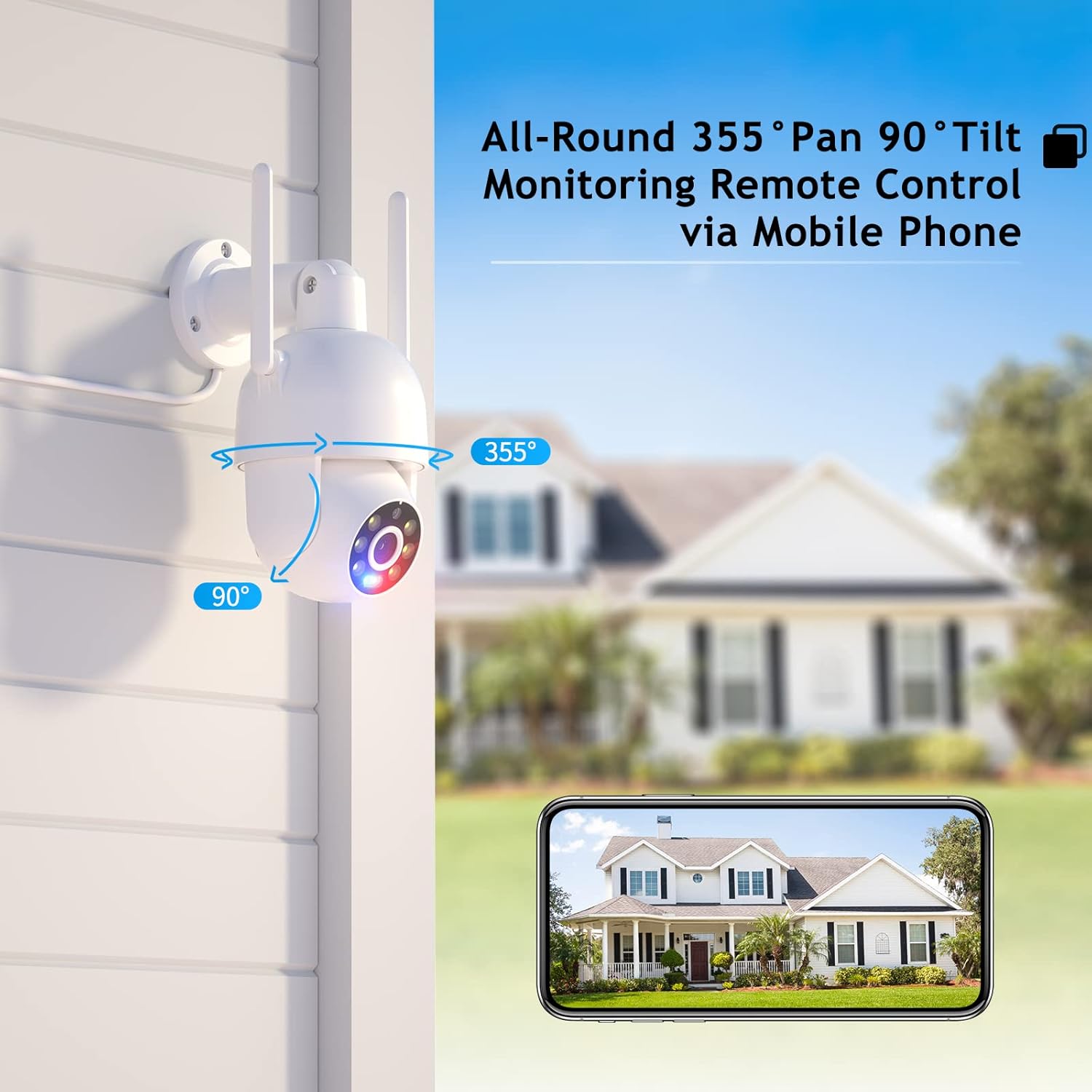
Image: Visual representation of the camera's pan (355°) and tilt (90°) capabilities.
2.2 High-Definition & Night Vision
Experience full HD 4MP picture quality throughout the day. The camera features built-in 6 white lights for color night vision and IR LEDs for traditional infrared night vision, ensuring clear visuals in various lighting conditions.

画像: Examples of day vision, color night vision, and IR night vision captured by the camera.
2.3 双方向オーディオ
The integrated speaker and microphone enable real-time two-way audio communication, allowing you to listen and speak through the camera.

Image: Demonstrating the two-way audio feature for real-time communication.
2.4 Humanoid Motion Auto Tracking & Alerts
When the camera detects a moving person, it will automatically track the target until it is lost or the set tracking duration ends. The camera returns to its preset position after tracking. Motion detection triggers accurate real-time notifications to the ICSEE App, and recorded video is stored on a MicroSD card or Cloud.

Image: The camera's human detection and auto-tracking capabilities in action.
2.5 Smart Spotlight & Siren Alarm
Upon motion detection in the monitoring area, the camera automatically activates its spotlight and siren alarm to deter intruders. This feature enhances security by providing both visual and auditory warnings.
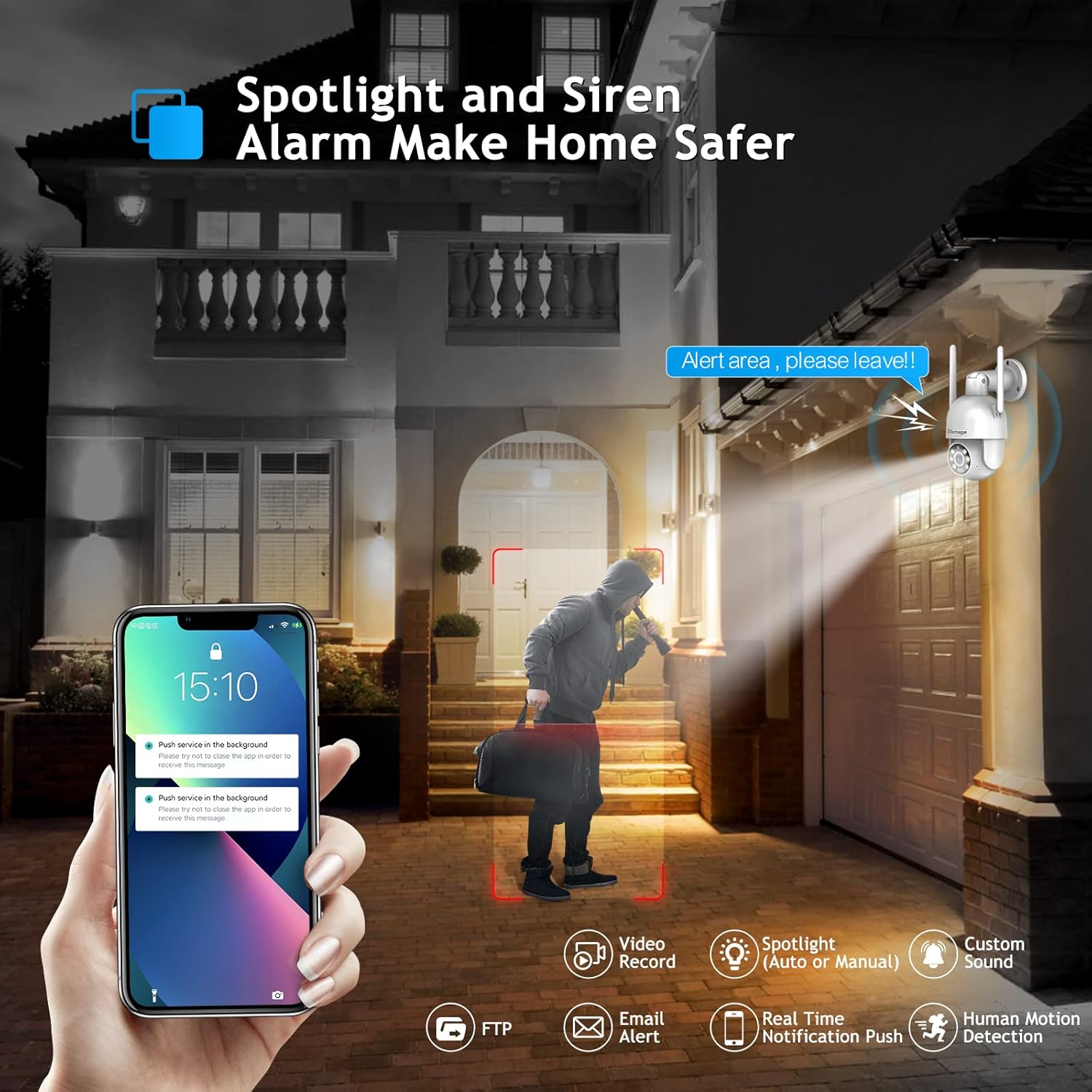
Image: The camera's spotlight and siren alarm activating upon detecting a person.
2.6 Automatic Cruise Function
The camera supports preset cruise points, allowing it to patrol specific areas automatically. You can define the path, time, and speed of the patrol within the app.

Image: The camera's smart cruise function, showing preset patrol points.
3. メンテナンス
3.1 カメラのクリーニング
- カメラのレンズと本体を柔らかく乾いた布で優しく拭いてください。
- カメラの表面やレンズを損傷する可能性のある、強力な化学薬品や研磨剤入りの洗剤の使用は避けてください。
3.2 ストレージオプション
The camera supports local storage via a MicroSD card (up to 128GB) and cloud storage for recorded video.

Image: Depiction of cloud storage and MicroSD card for video recording.
3.3 耐候性
The camera is designed with IP66 weather resistance, offering protection against water, dust, lightning, and extreme temperatures. It operates effectively in environments from -10°C to 45°C with less than 80% RH (non-condensation).

Image: The camera's IP66 rating, showing its resilience to various weather conditions.
4。 トラブルシューティング
よくある質問 4.1 件
- Q: Do I need to pay a monthly payment for this camera?
A: No, a subscription service is optional. Up to 3 days of cloud recording, intelligent notifications, and activity zones are available with a subscription, but the camera functions without one. - Q: How do I set it up with Alexa?
A: Link the camera to the Alexa app and control it via Amazon Echo Show for easy viewing. Refer to Section 1.4 for detailed steps. - Q: Can I use this with 5G Wi-Fi?
A: The camera connects to 2.4GHz Wi-Fi for better range and does not support 5GHz networks.
4.2 一般的なトラブルシューティングのヒント
- 接続の問題: Ensure your Wi-Fi network is 2.4GHz and the camera is within range. Restart the camera and your router.
- 画質が悪い: Check the lens for dirt or obstructions. Ensure adequate lighting for optimal night vision performance.
- 動き検出が機能しない: Verify motion detection settings in the ICSEE App. Adjust sensitivity levels and define activity zones as needed.

Image: Setting up motion detection zones within the camera's software.
4.3 Third-Party Software Compatibility
The camera supports RTSP, FTP, DHCP, NTP, and UPNP protocols. It is compatible with most NVR systems and third-party software such as Ispy, Blue Iris, and Tinycam.

Image: The camera's compatibility with popular third-party surveillance software.
5. 仕様
| 特徴 | 詳細 |
|---|---|
| モデル番号 | XM-PT825-40W |
| ビデオキャプチャ解像度 | 4MP |
| パン/チルト範囲 | 355°パン、90°チルト |
| 接続プロトコル | Wi-Fi(2.4GHzのみ) |
| 屋内/屋外での使用 | 屋内、屋外 |
| 耐水性レベル | IP66防水 |
| ナイトビジョン | Color Night Vision, IR Night Vision (30 Feet Range) |
| オーディオ | 双方向オーディオ |
| モーション検出 | Human Motion Detection, Auto Tracking |
| アラートの種類 | Audio and Motion (Siren Alarm, Spotlight) |
| 電源 | コード式電気 |
| 材料 | アクリロニトリルブタジエンスチレン(ABS) |
| 寸法 | 8.1 x 6.5 x 5.5インチ |
| アイテム重量 | 1.57ポンド |
6. 保証とサポート
Techage provides a 1年間保証 for this product. For any questions or concerns, lifetime support is available via US local phone call or Amazon email service.
For technical assistance, please refer to the contact information provided with your product or visit the official Techage support channels.

Image: Techage offers free technical support for its products.