
導入
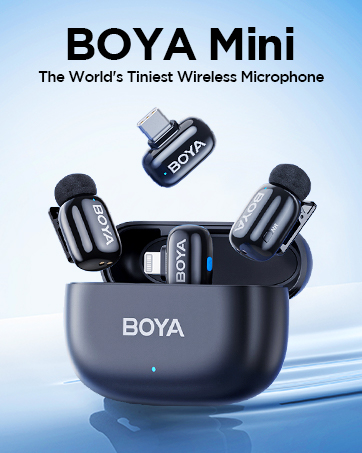
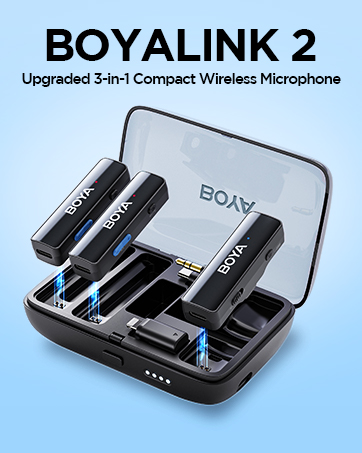
The BOYA BY-XM6-S1 Mini is an ultracompact and easy-to-use 2.4GHz wireless microphone system designed for capturing broadcast-quality sound. It is ideal for content creation, vlogging, mobile journalism, and more, offering exceptional audio performance for DSLR, mirrorless, and video cameras, as well as smartphones, tablets, and computers.
箱の中身
- 1 x BY-XM6 TX Mini Transmitter
- 1×BY-XM6 RXレシーバー
- 2 x USB-C充電ケーブル
- 1 x 内蔵マイク用ファーフロントガラス
- 1 x カメラ用 3.5mm TRS - TRS 出力ケーブル
- スマートフォン用 1 x 3.5mm TRS - TRRS 出力ケーブル
- 1 xポータブルポーチ

製品終了view
Transmitter (BY-XM6 TX Mini)
The ultracompact clip-on transmitter features a high-quality built-in omnidirectional microphone. It also includes a MIC IN jack for connecting an external lavalier microphone (included). Controls include a Power/Mute button and +/-/Pair buttons for easy operation.
受信機(BY-XM6 RX)
The dual-channel receiver is equipped with a 3.5mm headphone jack for real-time monitoring and a 3.5mm TRS output jack for connecting to recording devices. It features an easy-to-use OLED display to show vital information such as audio input level, output volume, mute status, and battery level. Controls include Power/Mute, +/-/SET, and - buttons.

設定
カメラに接続する
- Attach the BY-XM6 RX Receiver to your camera's hot shoe mount.
- Connect the 3.5mm TRS to TRS output cable from the receiver's output jack to your camera's microphone input.
- Power on both the transmitter and receiver. They should automatically pair.
- Clip the BY-XM6 TX Mini Transmitter to the speaker's clothing, ensuring the built-in microphone (or external lavalier mic) is positioned correctly.
- Monitor audio levels via the receiver's OLED display and your camera's audio meters.
スマートフォン/タブレットへの接続
- Connect the 3.5mm TRS to TRRS output cable from the receiver's output jack to your smartphone or tablet's 3.5mm audio jack.
- For devices without a 3.5mm jack (e.g., newer iPhones, Android phones with USB-C only), a compatible adapter (3.5mm-TRS-to-Lightning or 3.5mm-TRS-to-Type-C) is required and sold separately.
- Power on both the transmitter and receiver. They should automatically pair.
- Clip the BY-XM6 TX Mini Transmitter to the speaker's clothing, ensuring the built-in microphone (or external lavalier mic) is positioned correctly.
- Monitor audio levels through the receiver's OLED display and your device's audio recording app.
デバイスのペアリング
The transmitter (TX) and receiver (RX) are pre-paired at the factory. If re-pairing is needed:
- Power on both the TX Mini Transmitter and RX Receiver.
- On the TX Mini, long-press the '+' and '-' buttons simultaneously for 3 seconds to enter pairing mode.
- The pairing indicator on both devices will flash, then turn solid blue once successfully paired.

操作手順
電源オン/オフ
Long-press the Power/Mute button on both the transmitter and receiver to power them on or off.
ボリュームコントロール
Use the '+' and '-' buttons on the receiver to adjust the audio output volume. The OLED display will show the current volume level.
リアルタイム監視
Plug headphones into the 3.5mm headphone jack on the receiver to monitor your audio in real-time, ensuring optimal sound quality during recording.
モノラル/ステレオ出力
The receiver supports selectable mono/stereo output modes. Use the SET button to switch between these modes based on your recording needs. Mono mode combines all audio into a single channel, while stereo mode separates audio into left and right channels.
バッテリー寿命
The transmitter provides approximately 4.5 hours of battery life, while the receiver offers approximately 7 hours. Both units can be charged via USB-C. The charging case (if applicable to your kit) can recharge the units multiple times.
メンテナンス
- デバイスを清潔に保ち、ほこりや湿気を避けてください。清掃には柔らかく乾いた布をご使用ください。
- デバイスを極端な温度や直射日光にさらさないでください。
- Store the microphone system in its portable pouch when not in use to prevent damage.
- Ensure all cables are properly connected and not strained to prevent wear and tear.
トラブルシューティング
音が出ない/音量が低い
- Check if both the transmitter and receiver are powered on and properly paired.
- 送信機のマイクがミュートされていないことを確認してください。
- Adjust the output volume on the receiver using the '+' button.
- Verify that the audio cable is securely connected to both the receiver and your recording device.
- Check your camera/smartphone's audio input settings and volume levels.
干渉/音質が悪い
- Ensure there are no obstacles between the transmitter and receiver that could block the 2.4GHz signal.
- Maintain a clear line of sight between the transmitter and receiver for optimal performance.
- 干渉を引き起こす可能性のある他の 2.4GHz ワイヤレス デバイスの近くでシステムを使用しないでください。
- Use the fur windshield on the built-in microphone to reduce wind noise when recording outdoors.
仕様
| 特徴 | 仕様 |
|---|---|
| トランスミッションタイプ | 2.4GHzデジタル周波数 |
| 動作範囲 | 最大 328 フィート (100 m) (障害物なし) |
| 極性パターン | 全方向 |
| 周波数応答 | 35Hz-18KHz |
| 最大音圧レベル | 120dB音圧レベル |
| 感度 | -39dB |
| SN比 | > 77dB |
| 電力要件 | 内蔵リチウムイオンバッテリーまたはUSB-CDC 5V |
| Built-in Battery Life (TX) | 約4.5時間 |
| Built-in Battery Life (RX) | 約7時間 |
| オーディオ出力コネクタ | 3.5mm Headphone Jack; 3.5mm TRS Output Jack |
| 重量 (TX) | 約14.5g(0.5oz) |
| ディメンション(TX) | 46x23.92x15mm |
| 対応デバイス | Smartphone, Personal Computer, Camera |
保証とサポート
For warranty information, technical support, and further assistance, please refer to the documentation included with your product or visit the official BOYA webサイト。を訪問することもできます。 AmazonのBOYAストア.