
導入
This manual provides detailed instructions for the safe and efficient use of your Plimpton PlimPad P3 10.1-inch Android 12 Tablet. Please read this manual thoroughly before operating the device and keep it for future reference.
製品終了view
The Plimpton PlimPad P3 is a 10.1-inch tablet featuring the Android 12 operating system. It is designed for general use, offering a balance of performance and portability.
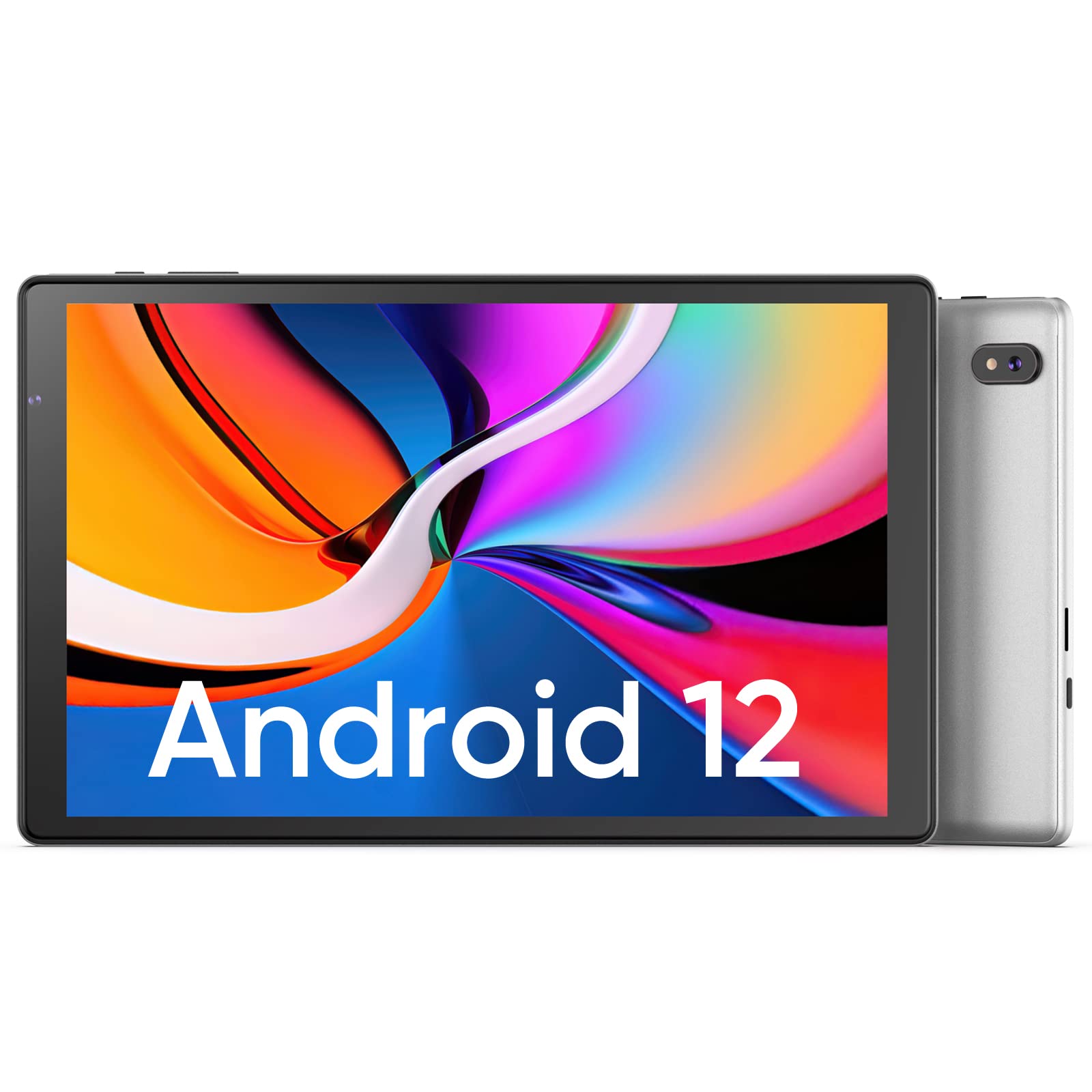
画像: 前面と背面 view of the Plimpton PlimPad P3 Tablet.
主な特徴:
- オペレーティング·システム: Android 12 for a personalized and secure user experience.
- 画面: 10.1-inch HD IPS LCD with 1280x800 resolution for clear visuals.
- パフォーマンス: Powered by an Allwinner A133 1.5GHz 4-core CPU with 4GB RAM for smooth operation.
- ストレージ: 64GBの内部ストレージ、microSDカード経由で最大1TBまで拡張可能。
- 接続性: Dual-band Wi-Fi 6 (5GHz+2.4GHz) and Bluetooth 5.0.
- オーディオ: Dual speakers for an enhanced audio experience.
- バッテリー: 長時間の使用に耐える6000mAhバッテリー。
- デザイン: Premium silver metal body for efficient heat dissipation and a slim profile.

Image: Visual representation of key features including metal body, 10.1-inch screen, split screen functionality, and 6000mAh battery capacity.
セットアップガイド
1. 初期充電
Before first use, fully charge the tablet using the provided USB charger and 1.8M USB Type-C cable. Ensure the tablet is powered off during initial charging. Using non-original chargers may lead to compatibility issues.

Image: Details on battery capacity, charging port, and cable length.
2. 電源のオン/オフ
- 電源を入れるには: 画面が点灯するまで、タブレットの側面にある電源ボタンを押し続けます。
- 電源を切るには: 電源ボタンを長押しし、画面に表示されるオプションから「電源を切る」を選択します。
3。 Wi-Fi接続
The tablet supports Wi-Fi 6 with dual-band (5GHz and 2.4GHz) connectivity for stable internet access. To connect to Wi-Fi:
- へ移動 設定.
- 選択 ネットワークとインターネット.
- タップ Wi-Fi 電源を入れます。
- リストから希望のネットワークを選択し、プロンプトが表示されたらパスワードを入力します。

画像: 上view of Wi-Fi 6, Bluetooth 5.0, and dual-band network support.
4.Bluetooth接続
Bluetooth デバイスを接続するには:
- Bluetooth デバイスがペアリング モードになっていることを確認します。
- へ移動 設定 タブレットで。
- 選択 接続されたデバイス、 それから 接続設定をタップします ブルートゥース.
- Turn Bluetooth on and select your device from the list to pair.
5. SD Card Installation and Initialization
The tablet supports microSD cards up to 1TB. Always insert or remove the SD card when the tablet is powered off to prevent data corruption.
- タブレットの電源をオフにします。
- Locate the microSD card slot on the tablet.
- microSD カードをカチッと音がするまでゆっくりと挿入します。
- タブレットの電源を入れます。
- For the tablet to recognize a new SD card, it may require initialization. Refer to the on-screen prompts or the detailed instructions in the included Japanese manual for the initialization procedure.
6. Installing a Protective Case
To protect your tablet, you may wish to install a compatible protective case. The following video demonstrates how to install a tablet into a case and utilize its stand function.
Video: Demonstration of installing a tablet into a protective case and using the stand function.
操作手順
1. Android 12 OSの機能
The PlimPad P3 runs on Android 12, offering an optimized and user-friendly interface with enhanced privacy controls.
- パーソナライズされたUI: Customize your desktop display style with new UI designs.
- プライバシー管理: New privacy features allow you to manage your data and permissions easily.
- Google Services & Apps: Access stable Google services and install popular third-party applications like LINE, YouTube Kids, Yahoo, and Twitter.
- アクセシビリティ: Features include automatic text-to-speech and an eye protection mode.

Image: Highlights of Android 12 OS features such as improved UI, privacy management, and simplified data transfer.
2.ディスプレイ設定
- 解決: The 10.1-inch IPS LCD offers a 1280x800 resolution for vivid colors and wide view角度を変える。
- 目の保護モード: Activate this mode in settings to reduce eye strain during prolonged use.
3.オーディオ設定
The tablet is equipped with dual speakers for surround sound. Adjust volume using the physical volume buttons or through the sound settings in the Android OS.

Image: Illustration of the tablet's dual stereo speakers and Bluetooth 5.0 connection for reduced interference.
4.ワイヤレスプロジェクション
The tablet supports wireless projection to compatible smart TVs. Refer to your smart TV's manual for instructions on enabling screen mirroring or casting, then initiate the connection from your tablet's display settings.
メンテナンス
1. バッテリーのお手入れ
- To maximize battery life, close unnecessary applications running in the background.
- タブレットを極端な温度にさらさないでください。
- For optimal performance, use the original charger and cable.
2. ストレージ管理
- 定期的にキャッシュと不要なファイルをクリアする fileスムーズな操作を維持します。
- While the tablet has 4GB RAM and 64GB ROM, it is not designed for memory-intensive applications such as high-end games or professional photo editing software (e.g., Photoshop).
- microSDカードスロットを利用してメディアの追加保存が可能 filesおよびドキュメント。
トラブルシューティング
一般的な問題と解決策:
- パフォーマンスが遅い:
- バックグラウンドアプリケーションを閉じます。
- アプリのキャッシュをクリアします。
- 十分な空きストレージ容量を確保してください。
- Note that this tablet is not optimized for demanding games or applications like Genshin Impact.
- 充電の問題:
- Use only the original Plimpton charger and USB Type-C cable.
- 充電ポートが清潔でゴミがないことを確認してください。
- Other Type-C chargers may not be compatible.
- SD カードが認識されません:
- Ensure the tablet is powered off when inserting or removing the SD card.
- A new SD card may require initialization. Refer to the included manual for steps.
- 画面の損傷:
- In case of a cracked or damaged screen, please contact customer support for the best resolution.
- Consider using a P3 Pro dedicated reinforced glass screen protector for added durability.
- No SIM Card Compatibility:
- This is a Wi-Fi model tablet and is not compatible with SIM cards for cellular data.
仕様
| 特徴 | 詳細 |
|---|---|
| ブランド | プリンプトン |
| モデル名 | プリムパッド P3 |
| オペレーティング·システム | アンドロイド12 |
| CPU | Allwinner ARM Cortex A133, 1.8 GHz 4-core |
| ラム | 4ギガバイト |
| 内部ストレージ | 64ギガバイト |
| 拡張可能なストレージ | 最大1TBのMicroSD |
| 画面サイズ | 10.1インチ |
| 表示タイプ | IPS液晶 |
| ディスプレイ解像度 | 1280x800 |
| アスペクト比 | 16:10 |
| タッチスクリーン | はい |
| Wi-Fi | Wi-Fi 6 (Dual-band 5GHz+2.4GHz) |
| ブルートゥース | ブルートゥース5.0 |
| フロントカメラ | はい |
| リアカメラ | 8 MP |
| バッテリー容量 | 6000mAh(リチウムイオン) |
| 重さ | 520グラム |
| 色 | 銀 |
保証とサポート
保証情報
Your Plimpton PlimPad P3 tablet comes with a 24-month free exchange warranty from the date of purchase. If any defects occur within this period, a new product exchange will be provided.
カスタマーサポート
For any inquiries or support needs, please contact us through Amazon:
- On the product page, locate the store name "Plimpton Direct" below the "Add to Cart" button.
- クリック "Plimpton Direct".
- In the upper right corner of the store page, click on 「質問する」 メッセージを送信します。
パッケージ内容
The following items are included in your Plimpton PlimPad P3 package:
- PlimPad P3 Tablet
- USB充電器
- 1.8M USB Type-C Cable
- 日本語取扱説明書