
1.製品オーバーview
The TECHNOVIEW Spy HD WiFi Hidden 1080P Bulb Holder Camera is a discreet security device designed for indoor surveillance. It integrates a high-definition camera into a standard bulb holder, allowing for continuous monitoring of your home, office, or other personal spaces.
主な機能は次のとおりです。
- 2-in-1デザイン: Functions as both a bulb holder and a surveillance camera.
- HD 1080Pビデオ: Provides clear image and video quality with remote viewing 機能。
- ナイトビジョン: Offers clear visibility in low-light or dark conditions.
- ループ録音: 古いものを自動的に上書きします fileメモリカードがいっぱいになると自動的に停止し、連続録画を保証します。
- Wi-Fi接続: Enables remote viewスマートフォンアプリから操作・制御できます。
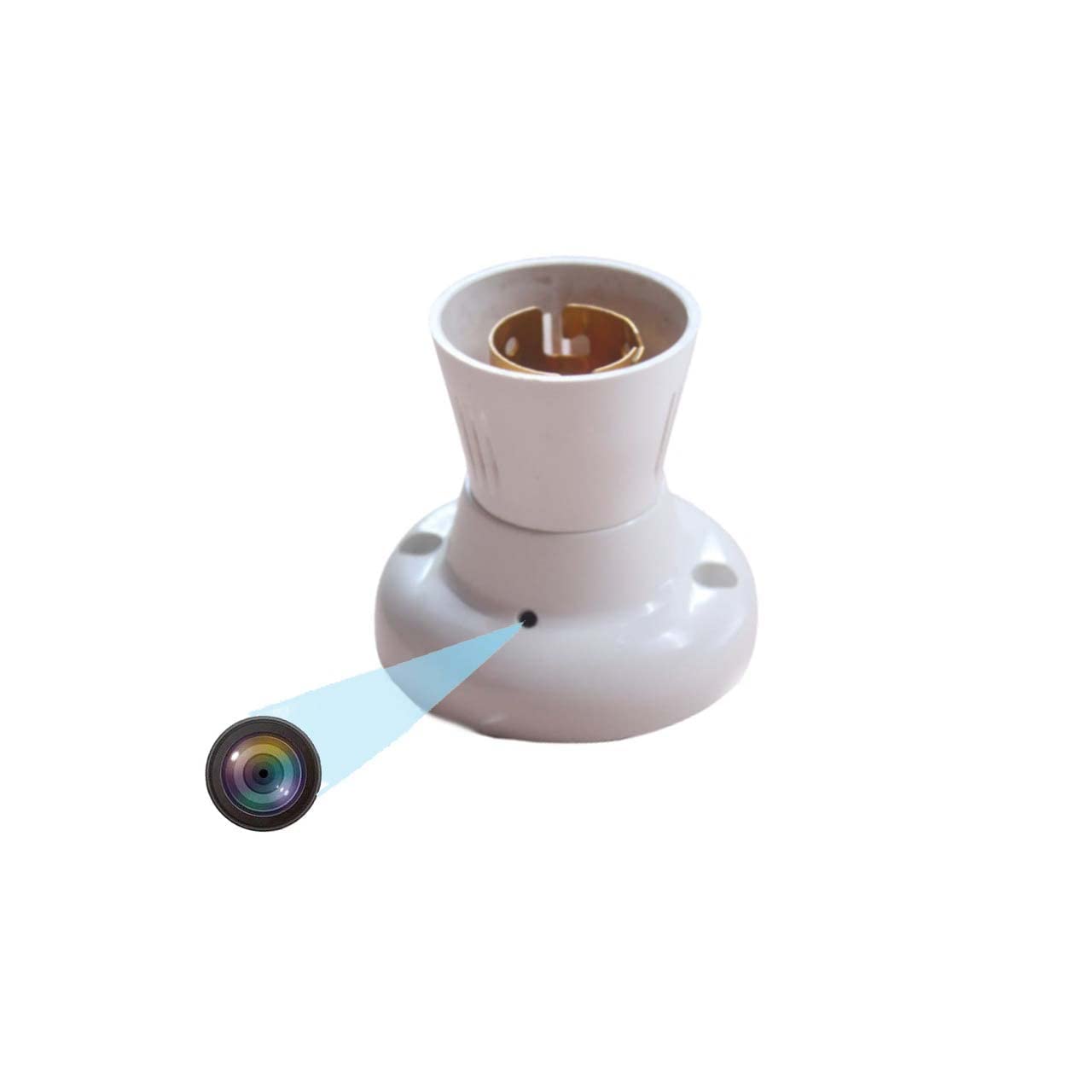
Figure 1.1: TECHNOVIEW Bulb Holder Camera. This image shows the overall design of the bulb holder with the discreetly integrated camera lens.
2. セットアップ手順
Follow these steps to set up your TECHNOVIEW Bulb Holder Camera:
- 電源接続: Ensure the camera is connected to a 220 Volt AC power supply. This device operates directly from the mains power.
- マイクロSDカードの挿入: Locate the Micro SD card slot on the device. Gently insert a Micro SD card (up to 128 GB capacity) for video storage. Ensure it is inserted correctly until it clicks into place.
- アプリのインストール: ダウンロードしてインストールする LOOKCAM PRO APP on your smartphone. This app is available for Android devices.
- デバイスのペアリング: Open the LOOKCAM PRO APP and follow the in-app instructions to connect your camera to your home or office Wi-Fi network. This typically involves scanning a QR code or connecting to the camera's temporary Wi-Fi hotspot.
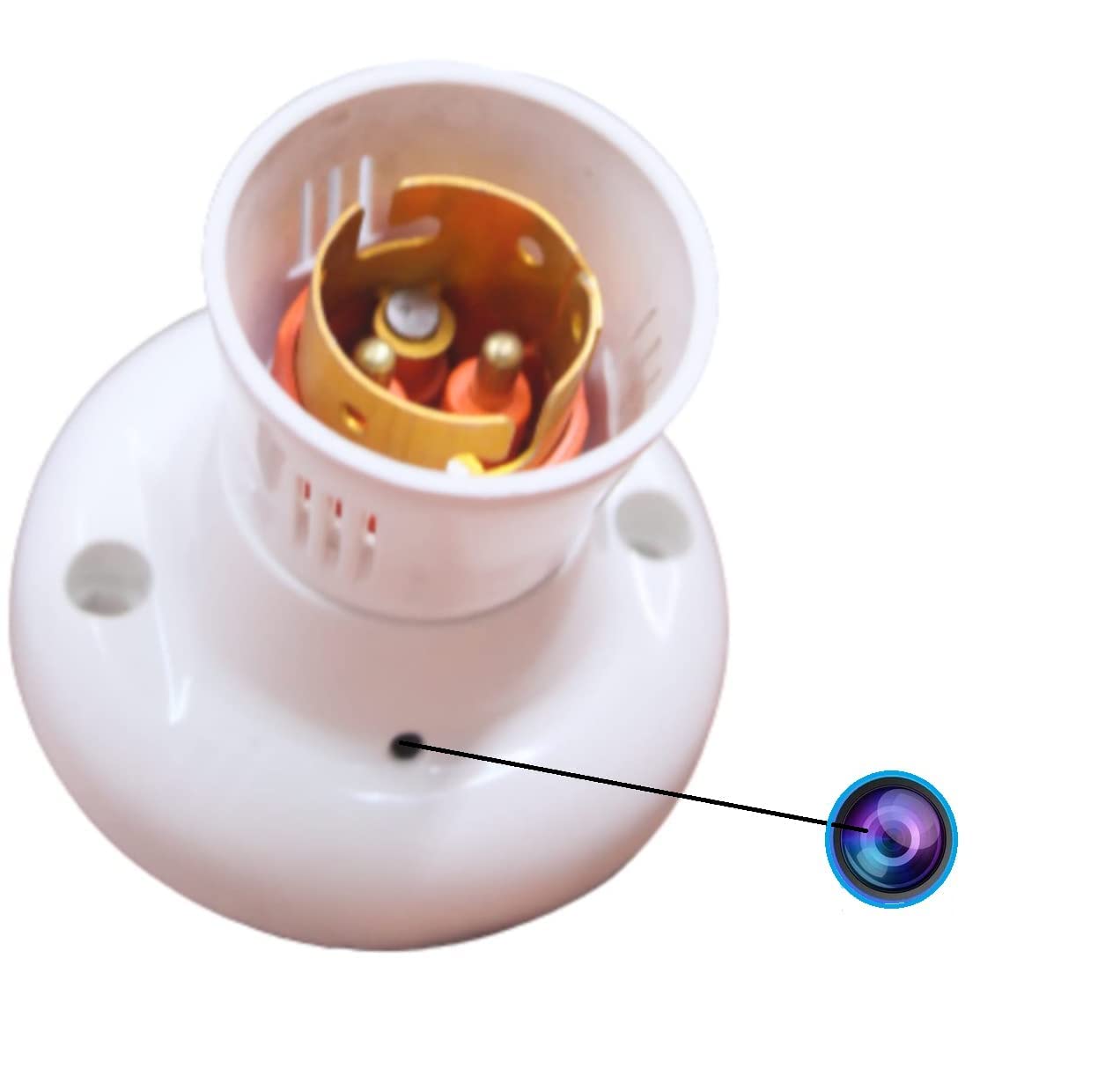
図 2.1: 拡大図 view of the camera lens on the bulb holder, indicating the discreet placement.
3. 操作手順
Once set up, you can operate your camera using the LOOKCAM PRO APP:
- ライブ View: Open the LOOKCAM PRO APP to access the live video feed from your camera. You can switch between 1080P and 720P resolution as needed.
- ビデオ録画: The camera supports continuous loop recording. When the Micro SD card is full, the newest filesは自動的に古いものを上書きします files。 ビデオ files are saved in 10-minute segments.
- ナイトビジョン: The camera is equipped with night vision technology, providing clear surveillance even in complete darkness.
- 写真のキャプチャ: Use the app to take still photos from the live video feed.
- 再生: Access recorded videos and photos directly through the LOOKCAM PRO APP. Files can also be downloaded to your phone or computer for review.
- 複数ユーザー共有: The app allows you to share camera access with authorized users, enabling multiple individuals to view フィード。

図3.1: リモート viewing of the camera feed on a smartphone, accessible anytime, anywhere.

Figure 3.2: Visual representation of the camera's core functionalities, including HD video, Wi-Fi connectivity, and loop recording.

Figure 3.3: Illustration of how multiple family members or authorized users can access and share the camera's live feed through the app.
4. メンテナンス
To ensure optimal performance and longevity of your TECHNOVIEW Bulb Holder Camera, consider the following maintenance tips:
- クリーニング: Gently wipe the camera lens and exterior with a soft, dry cloth. Avoid using harsh chemicals or abrasive materials that could damage the device.
- 電源: Ensure a stable 220V AC power supply. Fluctuations can affect performance.
- メモリカード管理: While the camera features loop recording, it is advisable to periodically back up important footage from the Micro SD card to another storage device.
- ファームウェアの更新: Check the LOOKCAM PRO APP regularly for any available firmware updates for your camera. Updates can improve performance and add new features.
5。 トラブルシューティング
If you encounter issues with your TECHNOVIEW Bulb Holder Camera, refer to the following common problems and solutions:
| 問題 | 考えられる原因 / 解決策 |
|---|---|
| Camera not powering on / Not working |
|
| Interrupted recording / Wireless connection issues |
|
| Not covering full area / Limited view |
|
| アプリがカメラに接続できない |
|
6. 仕様
| 特徴 | 詳細 |
|---|---|
| モデル | Holder-Camera |
| 取り付けタイプ | 埋め込み |
| ビデオキャプチャ解像度 | 4K、1080p |
| 色 | 白 |
| 無線通信技術 | Wi-Fi |
| フォームファクター | ドーム |
| View角度 | 90度 |
| 巻tage | 220ボルト(AC) |
| ワットtage | 5ワット |
| 商品の寸法 (長さ x 幅 x 高さ) | 9 x 3 x 3 センチメートル |
| アイテム重量 | 35グラム |
| フラッシュメモリタイプ | マイクロSD |
| メモリストレージ容量 | 最大128GB |
| オペレーティング システム (アプリ) | アンドロイド |
| 特集 | HD Camera Resolution, Wifi |
| 屋内/屋外での使用 | 屋内 |
| 国際保護格付け | IP54 |
7. 保証とサポート
For technical assistance or product support, please contact TECHNOVIEW 顧客サービス:
- WhatsAppサポート: +91 98106 01293
- 営業時間: Monday to Saturday, 11:30 AM to 6:30 PM (IST)
- Please drop your query or message on WhatsApp. Contact only after purchasin製品。

Figure 7.1: Technical support contact information for TECHNOVIEW 製品。
For more information about TECHNOVIEW products, visit the official テクノVIEW Amazonで購入.