
1. はじめに
This manual provides essential information for the proper use and care of your Microsoft Surface Go 2 LTE Tablet. Please read these instructions thoroughly before using your device to ensure optimal performance and longevity.
2. セットアップ
2.1 開梱と初期検査
Carefully remove the Surface Go 2 LTE Tablet from its packaging. Inspect the device for any signs of damage. Ensure all components are present.
2.2デバイスの充電
Before first use, connect the included power adapter to the charging port on your Surface Go 2 LTE Tablet and then to a power outlet. Allow the device to charge fully. The battery provides up to 9 hours of unplugged power under typical usage conditions.
2.3 初回電源投入とWindowsのセットアップ
Press and hold the power button located on the side of the tablet until the Microsoft logo appears. Follow the on-screen prompts to complete the Windows 10 Pro setup process. This includes selecting your language, connecting to a Wi-Fi network (802.11ac supported), and setting up your user account.
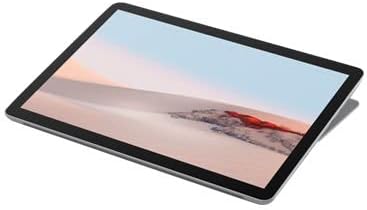
図2.3.1: 角度付き view of the Microsoft Surface Go 2 LTE Tablet.
3. 操作手順
3.1 Touch Display Interaction
The Surface Go 2 features a 10.5-inch PixelSense 10-Point Touch Display. Use multi-touch gestures for navigation, zooming, and interacting with applications. Refer to Windows 10 documentation for detailed touch gesture information.
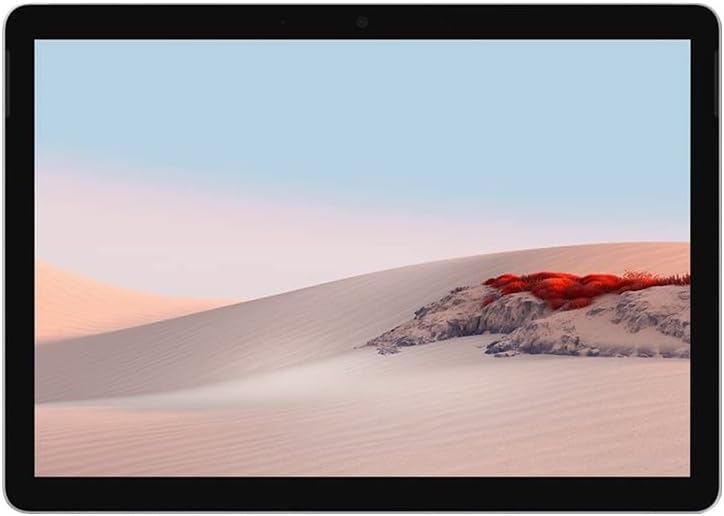
図3.1.1: 前面 view of the Microsoft Surface Go 2 LTE Tablet.
3.2 カメラの使用
The tablet is equipped with an 8MP rear camera and a 5MP front camera. Access the Camera application in Windows 10 to capture photos and videos or for video conferencing.
3.3 接続性
- Wi-Fi: Connect to wireless networks using the integrated Wi-Fi 5 (802.11ac) module.
- ブルートゥース: Pair with Bluetooth 4.1 compatible devices such as headphones or keyboards.
- LTE: Insert a compatible SIM card to utilize LTE mobile data connectivity.
3.4 ポートと拡張
- USBタイプC: For data transfer, charging, and connecting compatible peripherals.
- 3.5 mmヘッドフォンジャック: ヘッドフォンまたは外部スピーカーへのオーディオ出力用。
- MicroSD メディアカードリーダー: Insert a microSD card to expand storage capacity.
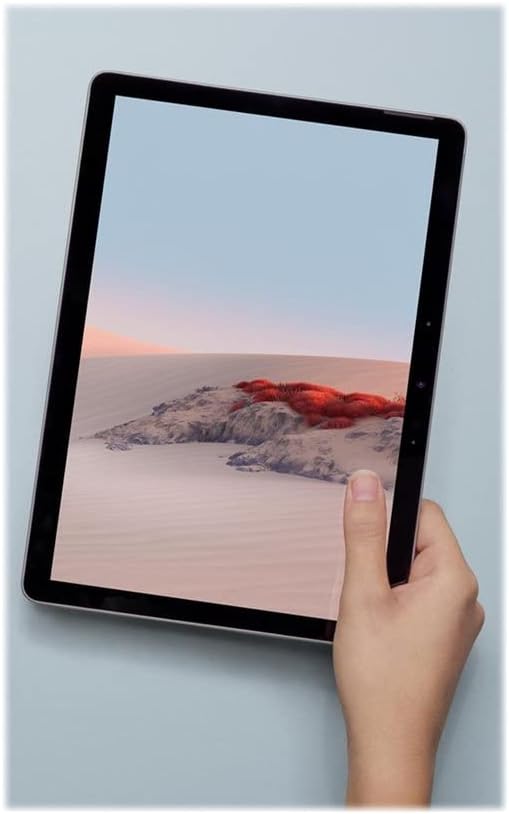
Figure 3.4.1: Microsoft Surface Go 2 LTE Tablet held in hand, demonstrating its portability.
4. メンテナンス
4.1デバイスのクリーニング
Surface Go 2を清掃するには、柔らかく糸くずの出ない布を軽く押し当ててampened with water or an approved screen cleaner. Avoid harsh chemicals, abrasive materials, or excessive moisture. Ensure the device is powered off before cleaning.
4.2バッテリーケア
To maximize battery life, avoid exposing the device to extreme temperatures. For long-term storage, charge the battery to approximately 50% and store in a cool, dry place. Regular software updates can also optimize battery performance.
4.3ソフトウェアアップデート
定期的にWindowsのアップデートを確認し、デバイスに最新のセキュリティパッチとパフォーマンス改善が適用されていることを確認してください。 設定 > 更新とセキュリティ > Windows Update.
5。 トラブルシューティング
5.1 デバイスが応答しない
If the device becomes unresponsive, press and hold the power button for approximately 30 seconds to perform a force shutdown. Then, press the power button again to restart the device.
5.2 パフォーマンスの低下
If the tablet is operating slowly, try the following:
- バックグラウンドで実行されている不要なアプリケーションを閉じます。
- デバイスを再起動します。
- Windows が最新であることを確認します。
- 十分な空きストレージ容量があるかどうかを確認します。
5.3過熱
It is normal for the device to become warm during extended use or when performing intensive tasks. If the device feels excessively hot, close demanding applications, ensure proper ventilation, and allow it to cool down. Avoid using the device on soft surfaces that may block vents.
5.4 Connectivity Issues (Wi-Fi/Bluetooth/LTE)
If you experience issues with Wi-Fi, Bluetooth, or LTE connectivity:
- Toggle the respective wireless feature off and on.
- デバイスを再起動します。
- Ensure drivers are up to date via Windows Update or Microsoft's support webサイト。
- For LTE, verify the SIM card is correctly inserted and activated with your carrier.
6. 仕様
| 特徴 | 仕様 |
|---|---|
| 表示サイズ | 10.5 Inches PixelSense |
| 画面解像度 | 1920 x 1280 Pixels (216 ppi) |
| プロセッサ | Intel Core m3 M3-8100Y (1.1 GHz) |
| ラム | 8GB LPDDR3 |
| ストレージ | 128GB SSD |
| グラフィックス | インテル HD グラフィックス 615 |
| オペレーティング·システム | ウィンドウズ10プロ |
| ワイヤレス接続 | Wi-Fi 5 (802.11ac), Bluetooth 4.1, LTE |
| カメラ | 背面8MP、前面5MP |
| ポート | USB Type-C, 3.5 mm Headphone Jack, MicroSD Card Reader |
| バッテリー寿命 | 最大9時間(平均) |
| 寸法(長さx幅x高さ) | 9.6 x 6.9 x 1.2インチ |
| 重さ | 2 pounds (approx. 1.15 lbs for tablet only) |
| モデル番号 | SUF-00001 |
7. 保証情報
The Microsoft Surface Go 2 LTE Tablet is covered by a limited hardware warranty. For specific details regarding the warranty period, coverage, and terms, please refer to the warranty documentation included with your purchase or visit the official Microsoft support website. Warranty claims typically require proof of purchase.
8. サポート
For further assistance, technical support, or to access additional resources, please visit the official Microsoft Support website. You can find comprehensive guides, FAQs, and contact options there.
マイクロソフト サポート Webサイト: support.microsoft.com
また、 マイクロソフトストア 製品情報およびアクセサリについてはこちらをご覧ください。