
1. はじめに
ご購入ありがとうございますasing the EVICIV 17.3-inch 2K 144Hz Portable Monitor. This manual provides essential information for setting up, operating, and maintaining your device. Please read it thoroughly before use and keep it for future reference.
2 製品の特徴
- ポータブルデザイン: 17.3-inch large screen with a thin and lightweight design, ideal for portability.
- 高解像度とリフレッシュレート: 2560x1440 (2K QHD) resolution with a 144Hz refresh rate for smooth visuals and immersive gaming.
- IPSパネル: 幅178° viewing angle IPS panel ensures vivid image quality from various perspectives.
- Color Accuracy & Brightness: 100% sRGB color gamut for excellent color reproduction, 350nit high brightness, and 1000:1 contrast ratio for clear visibility in bright environments.
- 内蔵スタンド: Integrated stand allows for stable viewing angle adjustment without additional accessories.
- 多彩な接続性: Equipped with Type-C and mini HDMI ports, compatible with various devices including laptops, gaming consoles (X-BOX, Switch), PCs, and Macs.
- Single Cable Connection: Supports single Type-C cable for video signal and power delivery with compatible devices.
- VESA マウント対応: Features VESA mounting holes (75x75mm) for wall or arm bracket installation.
- 内蔵スピーカー: Integrated speakers provide audio for an enhanced viewing の経験。
3. パッケージ内容
パッケージに以下の項目が含まれているか確認してください。
- EVICIV 17.3-inch Portable Monitor
- USBType-C-Type-Cケーブル
- ミニHDMI-HDMIケーブル
- USB Type-A - Type-C電源ケーブル
- 電源アダプター
- ユーザーマニュアル
4. 監視終了view
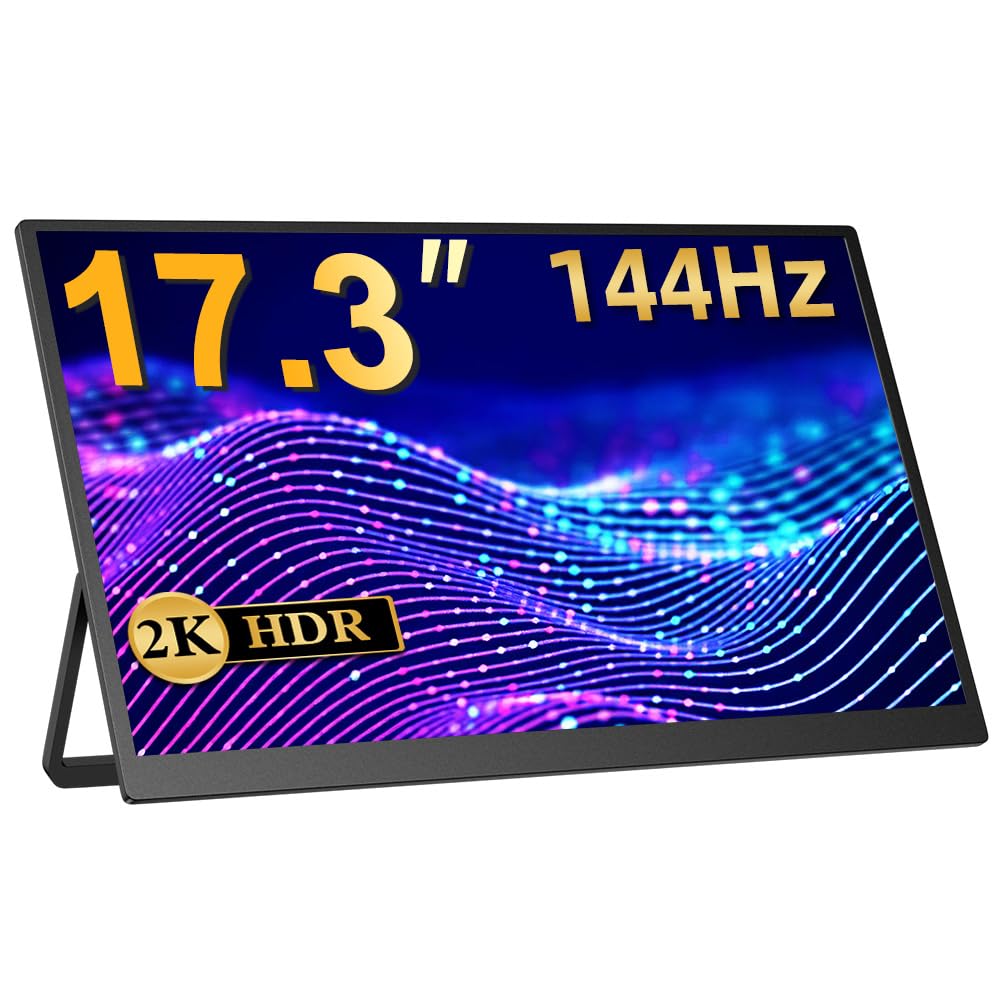
図1: 前面 view of the EVICIV 17.3-inch Portable Monitor.
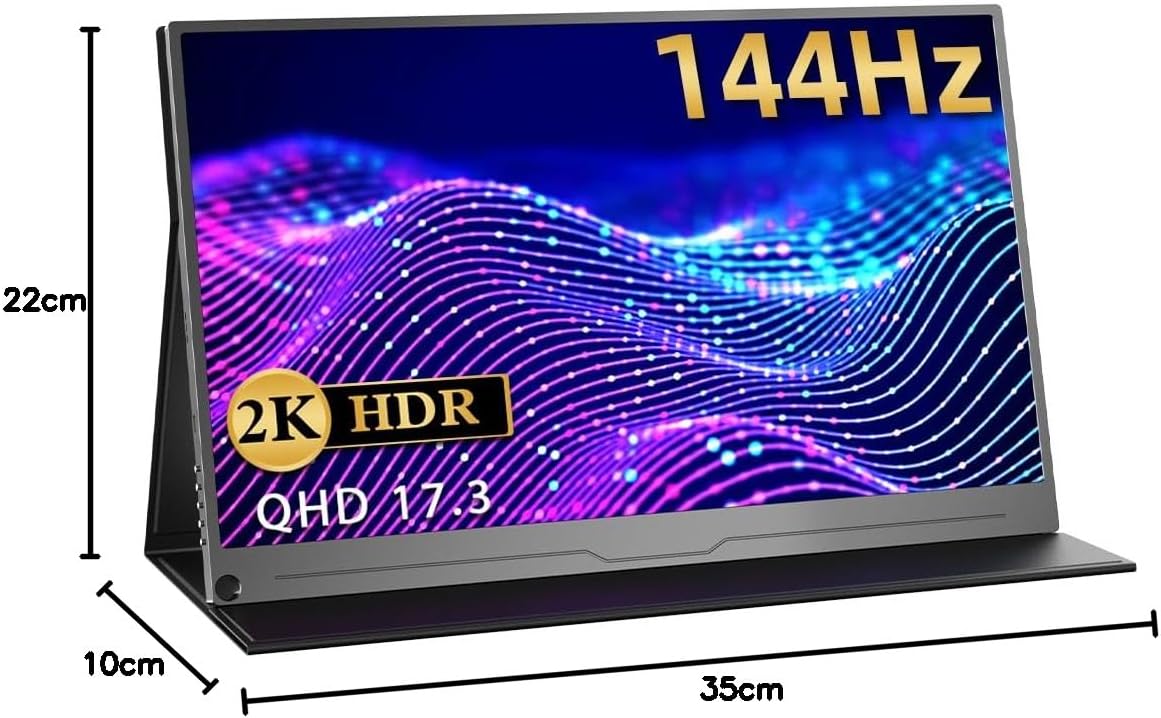
図2:背面 view of the monitor, highlighting the VESA mount compatibility (75x75mm).

図3: サイドプロfile illustrating the thin and lightweight design of the monitor.

Figure 4: Close-up of the monitor's slim bezel, approximately 4mm, for an expansive viewing の経験。

Figure 5: Detail of the built-in speakers, providing integrated audio.
5. セットアップと接続
5.1電源オン
- 電源アダプタをモニターの電源入力に接続します。
- 電源ボタンを押してモニターの電源をオンにします。
5.2 デバイスへの接続
モニターはさまざまな接続方法をサポートしています。
- USB Type-C(フル機能): For compatible devices (e.g., laptops, smartphones, some gaming consoles), a single Type-C cable can transmit video, audio, and power. Ensure your device's Type-C port supports DisplayPort Alternate Mode and power delivery.
- ミニHDMI: Use the provided Mini HDMI to HDMI cable to connect to devices like PCs, laptops, or gaming consoles (e.g., X-BOX, Switch). An additional power source (via Type-C) may be required.

Figure 6: Monitor connected to a smartphone via a single Type-C cable, demonstrating video and power transmission.

Figure 7: Monitor connected to a Nintendo Switch for an enhanced gaming experience.
6. 操作手順
6.1 オンスクリーンディスプレイ(OSD)メニュー
The OSD menu allows you to adjust various display settings. Use the control buttons on the side of the monitor to navigate and select options.
- 輝度コントラスト: 画像の明るさとコントラストのレベルを調整します。
- 色の設定: 色温度、色相、彩度を変更します。
- 入力ソース: Manually select the input source (Type-C, HDMI).
- アスペクト比: Choose between different aspect ratio modes.
- HDRモード: Enable or disable HDR (High Dynamic Range) for compatible content.
- 音量: 内蔵スピーカーまたは接続されたヘッドフォンの音量を調整します。
6.2 スタンドの調整
The integrated stand allows for flexible angle adjustments to suit your viewing preference. Simply unfold the stand to the desired angle for stable positioning.
7. 使用シナリオ
7.1 Dual Display for Productivity
Extend your laptop or PC screen to create a dual-monitor setup, enhancing multitasking and workflow efficiency. Ideal for remote work, presentations, and creative tasks.

Figure 8: Monitor used to extend a laptop display for increased productivity in a work environment.
7.2 Immersive Gaming
Connect to your gaming console (PS5, X-BOX, Switch) via HDMI or compatible Type-C for a larger, more immersive gaming experience with the 144Hz refresh rate.

Figure 9: Monitor displaying a game, illustrating a smooth gaming experience.
7.3 メディア消費
Enjoy movies, videos, and other media content on the vibrant 2K display. Connect your smartphone or tablet for a larger viewingエリア。
Video 1: This video demonstrates the EVICIV 17.3-inch portable monitor (FHD 1920x1200 model) being used for media consumption and gaming. Please note that the resolution shown in the video is FHD (1920x1200), while this product is a 2K (2560x1440) model.
8. 仕様
| ブランド | エビシブ |
| モデル | EVC-1704 |
| 画面サイズ | 17.3インチ |
| 解決 | 2560 x 1440 (QHD 2K) |
| リフレッシュレート | 144Hz |
| パネルタイプ | IPS |
| 輝度 | 350 ニット |
| 色域 | 100% sRGB |
| アスペクト比 | 16:9 |
| 表面処理 | 非光沢 |
| 接続性 | タイプC x 2、ミニHDMI x 1 |
| オーディオ | 内蔵スピーカー、3.5mmオーディオジャック |
| VESAマウント | 75×75mm |
| 寸法 | 44.9 x 29.3 x 6.9 cm (Packaged) |
| 重さ | 1.89 kg (Packaged) |
9。 トラブルシューティング
9.1 信号なし/黒い画面
- Ensure the monitor is powered on and the power adapter is securely connected.
- Verify that the video cable (Type-C or HDMI) is correctly connected to both the monitor and your source device.
- Check if your source device is outputting a video signal. Try connecting it to another display if possible.
- If using a single Type-C cable, ensure your device's Type-C port supports DisplayPort Alternate Mode and power delivery. Try connecting the monitor to an external power source.
- Try switching input sources manually via the OSD menu.
9.2 画像のちらつきや歪み
- ビデオケーブルに損傷や接続不良がないか確認してください。別のケーブルがあればお試しください。
- Ensure the monitor is receiving sufficient power. Use the provided power adapter.
- Adjust the resolution and refresh rate settings on your source device to match the monitor's capabilities (2560x1440, 144Hz).
- Disable any FreeSync or adaptive sync settings on your source device if experiencing issues, as noted in some user reviews.
9.3 音声なし
- Increase the volume on both the monitor (via OSD menu) and your source device.
- ソース デバイスで正しいオーディオ出力デバイスが選択されていることを確認します。
- ヘッドフォンを使用する場合は、3.5mm オーディオ ジャックに正しく接続されていることを確認してください。
10. メンテナンス
- 画面の掃除: Gently wipe the screen with a soft, lint-free cloth. For stubborn marks, use a screen-cleaning solution specifically designed for displays, applied to the cloth, not directly to the screen.
- 本体のクリーニング: モニター本体の拭き取りには、柔らかく乾いた布をご使用ください。研磨剤入りの洗剤や溶剤は使用しないでください。
- ストレージ: When not in use, store the monitor in a cool, dry place, away from direct sunlight and extreme temperatures. Use the protective sleeve or original packaging for transport.
- 取り扱い: 画面に過度の圧力をかけたり、モニターを落としたりしないでください。
11. 保証とサポート
EVICIV products typically come with a manufacturer's warranty. For specific warranty terms, duration, and support inquiries, please refer to the warranty card included in your product packaging or visit the official EVICIV webサイトをご覧ください。販売者に直接問い合わせてサポートを受けることもできます。
For further support, please visit the EVICIV store on Amazon: EVICIV Amazon Store