
1. はじめに
Thank you for choosing the JTEMAN Portable Phone Stand with Bluetooth Speaker. This versatile device combines a stable phone stand with a high-quality Bluetooth speaker, offering convenience for media consumption, video calls, and audio playback. This manual will guide you through the setup, operation, and maintenance of your new device.

Figure 1: JTEMAN Portable Phone Stand with Bluetooth Speaker (White)
2. パッケージ内容
以下の項目のボックスにチェックを入れてください。
- Bluetooth スピーカー付き電話スタンド
- ユーザーマニュアル
- USB-A to Type-C charger cable (1)
3.製品オーバーview
The JTEMAN L9 is designed for multi-functional use, serving as both a phone stand and a Bluetooth speaker. It features an adjustable and foldable design for portability and optimal view角度を変える。
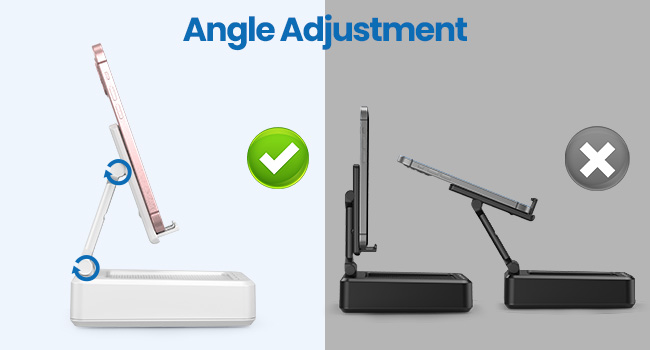
Figure 2: Product Dimensions and Controls
主な特徴:
- 2-in-1 機能: Combines a phone stand with a Bluetooth speaker.
- 幅広い互換性: Supports most 4-13 inch smartphones, tablets, and e-readers with Bluetooth.
- Adjustable & Foldable: 複数 viewing angles and a compact, portable design.
- Stable & Anti-slip: Features anti-slip silicone pads for device protection and stability.
- 内蔵マイク: クリアなハンズフリー通話を可能にします。

Figure 3: Integrated Features
4. セットアップ
4.1デバイスの充電
- Connect the provided USB-A to Type-C charging cable to the charging port on the side of the JTEMAN L9.
- ケーブルのもう一方の端を互換性のある USB 電源アダプター (別売) に接続します。
- The charging indicator light will show red during charging and turn green when fully charged. A full charge takes approximately 4 hours.
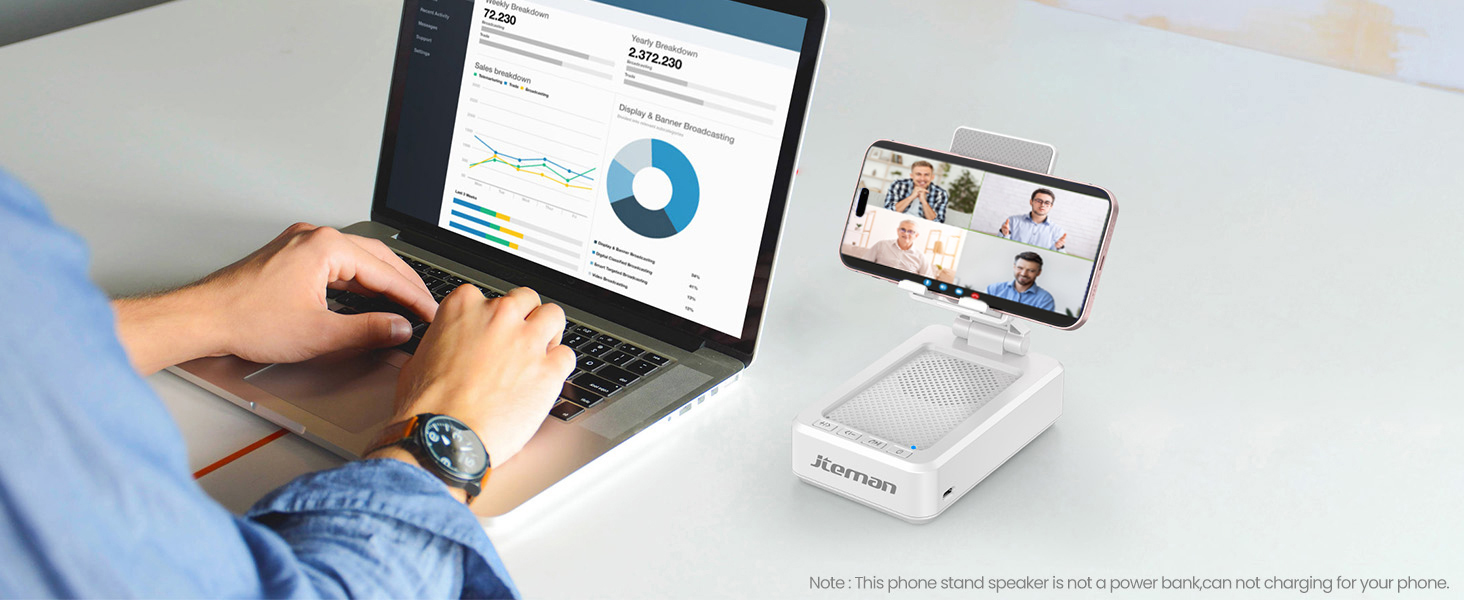
Figure 4: Charging the JTEMAN L9
4.2Bluetoothペアリング
- Press and hold the power button on the JTEMAN L9 until you hear an audible prompt indicating it's powered on and in Bluetooth pairing mode. The Bluetooth indicator light will flash.
- On your smartphone, tablet, or e-reader, go to the Bluetooth settings.
- 検索する available devices and select "JTEMAN L9" from the list.
- Once connected, you will hear a confirmation tone, and the Bluetooth indicator light will remain solid.
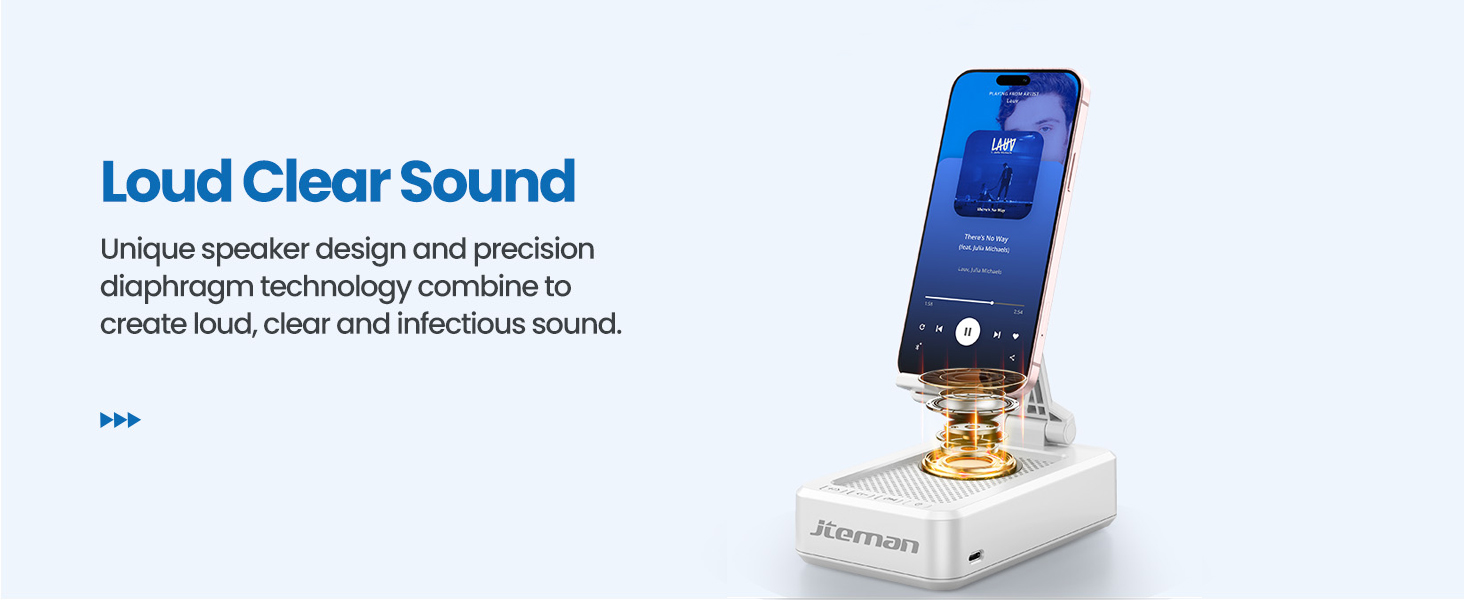
Figure 5: Easy Bluetooth Connection
5. 操作手順
5.1 Using as a Phone/Tablet Stand
- Gently pull up the phone holder arm from its folded position.
- Adjust the angle of the holder to your preferred viewing position. The stand is designed to be stable at various angles.
- Place your smartphone, tablet, or e-reader onto the holder. The anti-slip silicone pads will secure your device.
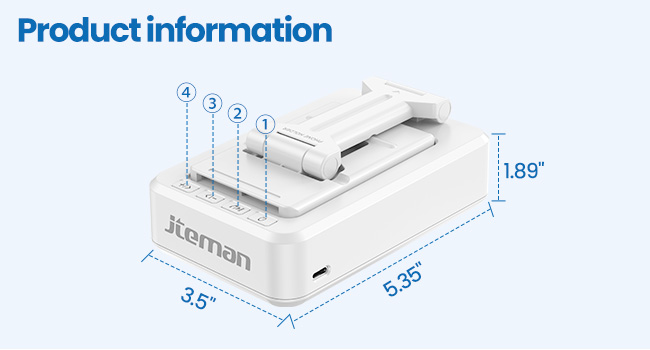
Figure 6: Angle Adjustment for Optimal Viewing
5.2 Bluetoothスピーカーの使用
Once paired with your device, audio will automatically play through the JTEMAN L9 speaker.
- 再生/一時停止: Press the Play/Pause button on the speaker to control media playback.
- 音量コントロール: Use the volume buttons (+/-) on the speaker to adjust the audio level.
- トラックナビゲーション: Use the skip buttons (<< / >>) to go to the previous or next track.
- ハンズフリー通話: The built-in microphone allows for clear hands-free communication. Press the phone icon button to answer or end calls.

Figure 7: Loud and Clear Sound Output
5.3 移植性
When not in use, the phone holder arm can be folded down, making the device compact and easy to carry in a bag.

Figure 8: Foldable and Portable Design
5.4 公式製品ビデオ
Video 1: Demonstrates the sound quality and instant pairing of the JTEMAN L9.
Video 2: Showcases the power and versatility of the JTEMAN L9 speaker and stand.
Video 3: Highlights the compact design, clear sound, and anti-slip base of the JTEMAN L9.
6. メンテナンス
- 本体は乾いた柔らかい布で拭いて清潔に保ってください。
- デバイスを極端な温度、湿気、直射日光にさらさないでください。
- 研磨剤や溶剤は使用しないでください。
7。 トラブルシューティング
| 問題 | 考えられる原因 | 解決 |
|---|---|---|
| デバイスの電源が入らない | バッテリー残量が少ない | 付属の USB-C ケーブルを使用してデバイスを充電します。 |
| Bluetoothでペアリングできない | Bluetooth not enabled on source device; device too far; already paired to another device | Ensure Bluetooth is on and within range (approx. 10m). Disconnect from other devices. |
| 音が出ない、または音量が小さい | Volume too low on speaker or source device; not properly connected | Increase volume on both devices. Re-pair Bluetooth connection. |
| Audio skipping/interruption | 干渉、デバイスが遠すぎる、バッテリー残量が少ない | Move closer to the source device. Ensure no obstructions. Charge the device. |
8. 仕様
| 特徴 | 詳細 |
|---|---|
| 製品寸法 | 5.35 x 3.5 x 1.89インチ |
| アイテム重量 | 11.5オンス |
| 商品型番 | L9 |
| ブランド | ジェイテマン |
| 色 | 白 |
| フォームファクター | スピーカー付き電話スタンド |
| 対応デバイス | Mobile phone, Tablet |
| 互換性のある電話モデル | iPhone, Samsung, iPad mini, Samsung Tab, Google Nexus, Kindle |
| バッテリー容量 | 1800mAh (approx. 8-10 hours play time at medium volume) |
9. 保証とサポート
JTEMAN products are manufactured with high-quality standards. For any issues or support needs, please refer to the contact information provided with your purchase or visit the official JTEMAN webサイトでご確認ください。保証請求に備えて購入証明書を保管してください。