
1. はじめに
Thank you for choosing the MAJORITY Quadriga Internet Radio with CD Player. This device offers a comprehensive audio experience, combining traditional and modern listening options. Enjoy access to thousands of internet radio stations, DAB+ and FM broadcasts, CD playback, Bluetooth streaming, Spotify Connect, and podcasts. With its powerful 120W 2.1 stereo sound and integrated subwoofer, the Quadriga delivers rich and clear audio.

画像: 正面 view of the MAJORITY Quadriga Internet Radio with CD Player.
2. 安全に関する注意事項
- 使用前にすべての指示をよく読んで、今後の参照用に保管してください。
- 装置を液体の滴りや飛び散りにさらさないでください。
- ユニット周囲の換気を十分に確保してください。通気口を塞がないでください。
- ラジエーター、暖房口、ストーブ、その他の機器(電気製品を含む)などの熱源の近くに本製品を置かないでください。 amp熱を発生する装置。
- 特にプラグ、コンセント、および装置から出ている部分で、電源コードが踏まれたり挟まれたりしないように保護してください。
- メーカー指定のアタッチメント/アクセサリのみを使用してください。
- 雷雨の際や長期間使用しない場合は、この装置のプラグを抜いてください。
- すべてのサービスを資格のあるサービス担当者に依頼してください。 装置が何らかの形で損傷した場合は、修理が必要です。
3. 箱の中身
Carefully unpack your MAJORITY Quadriga and ensure all items listed below are present:
- 1x MAJORITY Quadriga Unit
- 電源ケーブル x 1
- リモコン x 1
- 1x AUXケーブル
- RFアンテナ×1
- 単4電池2本(リモコン用)
- ユーザーマニュアル x 1

Image: All components included in the MAJORITY Quadriga package.
4.製品オーバーview
4.1フロントパネル
The front panel features the main display, control knob, function buttons, and CD slot.

画像: 詳細 view of the front panel controls and display.
4.2 背面パネル
The rear panel provides various connectivity options for external devices and the antenna connection.
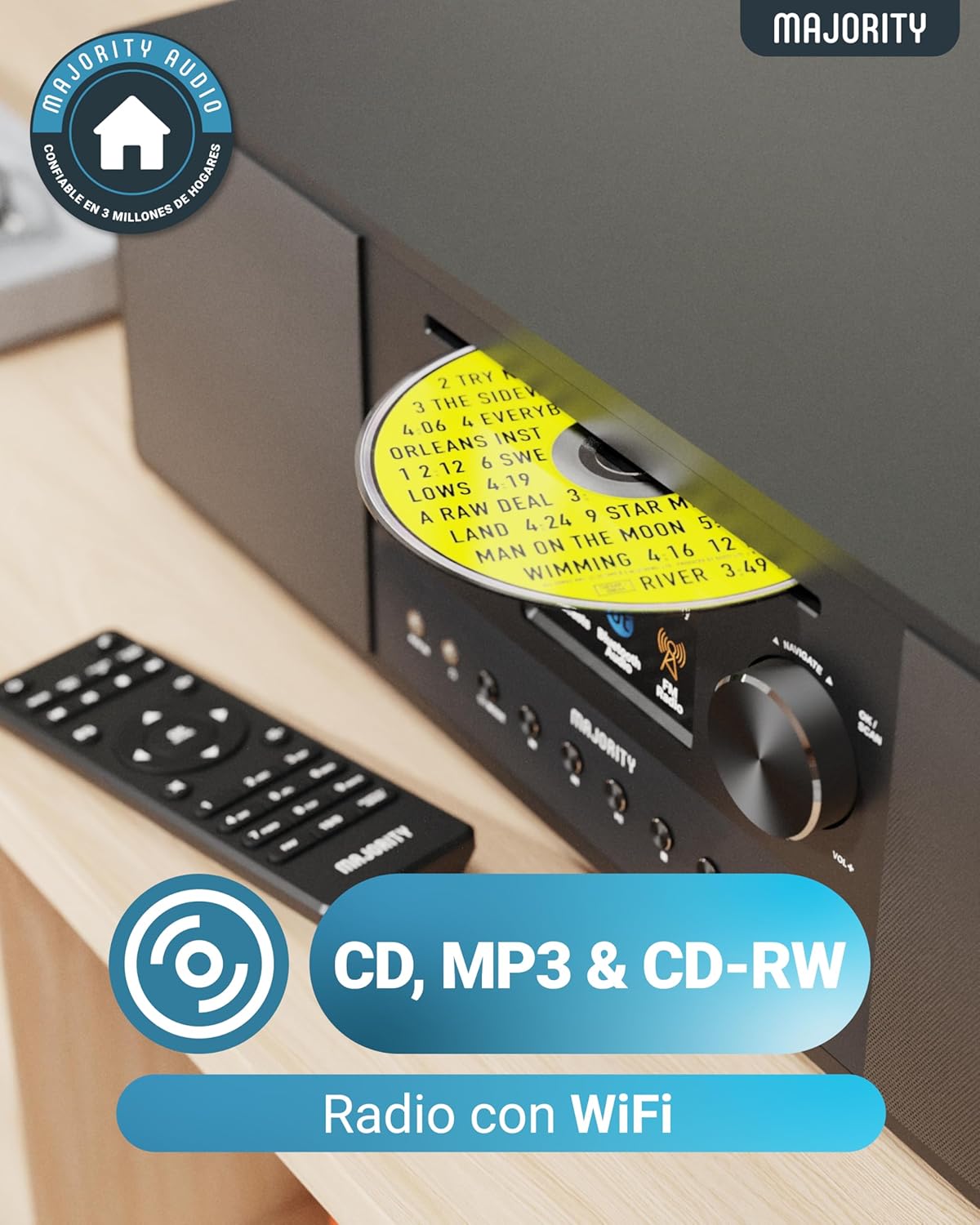
Image: Rear panel with input/output ports and antenna connector.
4.3リモコン
付属のリモコンを使用すると、離れた場所からすべての機能を簡単に操作できます。

Image: The remote control unit.
5. セットアップ
5.1開梱と配置
Remove the unit from its packaging. Place the Quadriga on a stable, flat surface away from direct sunlight, heat sources, and moisture. Ensure there is sufficient space around the unit for proper ventilation.
5.2 電源の接続
Connect the power cable to the DC IN port on the rear of the unit, then plug the other end into a wall socket.
5.3 アンテナの接続
For optimal DAB+ and FM reception, connect the supplied RF antenna to the DAB/FM ANTENNA port on the rear panel. Extend the antenna fully for best signal.
5.4 初期設定とネットワーク接続
Upon first power-on, the unit will guide you through an initial setup process. This typically includes:
- 言語の選択: 画面上のメニューから希望の言語を選択してください。
- ネットワークセットアップ: The unit will scan for available Wi-Fi networks. Select your network and enter the password using the control knob and buttons. A stable internet connection is required for Internet Radio, Spotify Connect, and podcast features.
- 日時: Set the correct time and date, or allow the unit to synchronize automatically via the internet.
6. 操作手順
6.1 基本的な制御
- 電源ボタン: 押すとユニットの電源がオンまたはオフになります。
- コントロールノブ: 回すとメニューを移動したり、音量を調整したりできます。押すと選択が確定します。
- モードボタン: Press to cycle through available modes (Internet Radio, DAB+, FM, CD, Bluetooth, USB, AUX, Optical, RCA).
- プリセットボタン: Use to save and recall your favorite radio stations.
6.2 インターネットラジオ
Select 'Internet Radio' mode. You can browse stations by location, genre, or search for specific stations. Save your favorite stations to presets for quick access.

Image: The Quadriga unit highlighting its radio capabilities.
6.3 DAB+ラジオ
Switch to 'DAB+' mode. The unit will automatically scan for available digital radio stations. Use the control knob to select a station from the list.
6.4FMラジオ
Select 'FM' mode. You can manually tune to frequencies or perform an auto-scan to find available stations.
6.5Bluetoothモード
Select 'Bluetooth' mode. The unit will enter pairing mode. On your smartphone or other Bluetooth device, search for 'MAJORITY Quadriga' and connect. Once paired, you can stream audio wirelessly.

Image: The Quadriga unit showcasing Bluetooth and Spotify features.
6.6 CD再生
Insert a CD into the CD slot on the front panel. The unit will automatically switch to 'CD' mode and begin playback. Supports CD, CD-R, and CD-RW discs.

Image: Close-up of the CD player slot with a disc inserted.
6.7 USB再生
Insert a USB drive into the USB port on the rear panel. Select 'USB' mode. The unit will display the contents of the USB drive, allowing you to browse and play audio files.
6.8 AUX, RCA, and Optical Input
Connect external audio devices using the appropriate cables to the AUX IN, RCA IN, or OPTICAL IN ports on the rear panel. Select the corresponding input mode on the Quadriga to play audio from the connected device.
6.9 Spotify コネクト
To use Spotify Connect, ensure your Quadriga is connected to the internet and you have a Spotify Premium account. Open the Spotify app on your smartphone or tablet, play music, and select the Quadriga from the 'Devices Available' list. This allows direct streaming over Wi-Fi for superior sound quality.
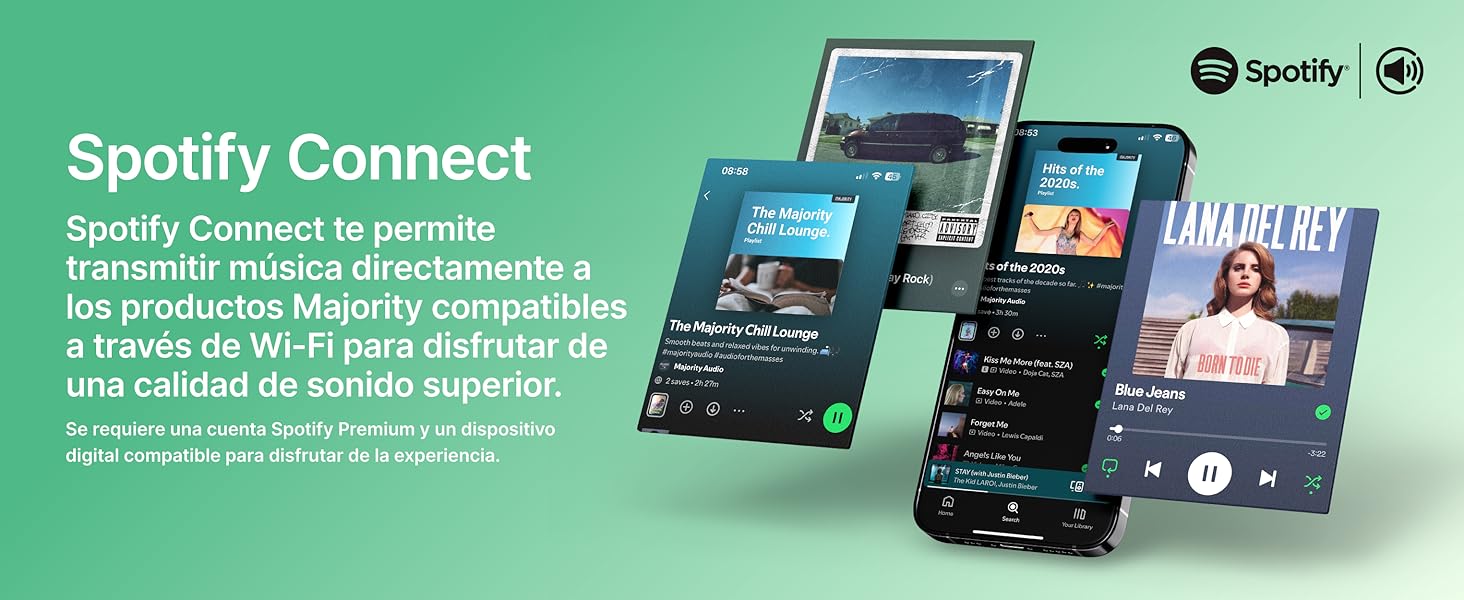
Image: Visual guide to using Spotify Connect with the Quadriga.
6.10 ポッドキャスト
In 'Internet Radio' mode, navigate to the 'Podcasts' section. You can browse and listen to a wide variety of podcasts from around the world.
6.11 OKTIVアプリコントロール
The OKTIV app allows wireless control of your Majority product via Wi-Fi, enabling you to adjust settings and manage music from anywhere in your home. The app is compatible with iOS and Android devices.
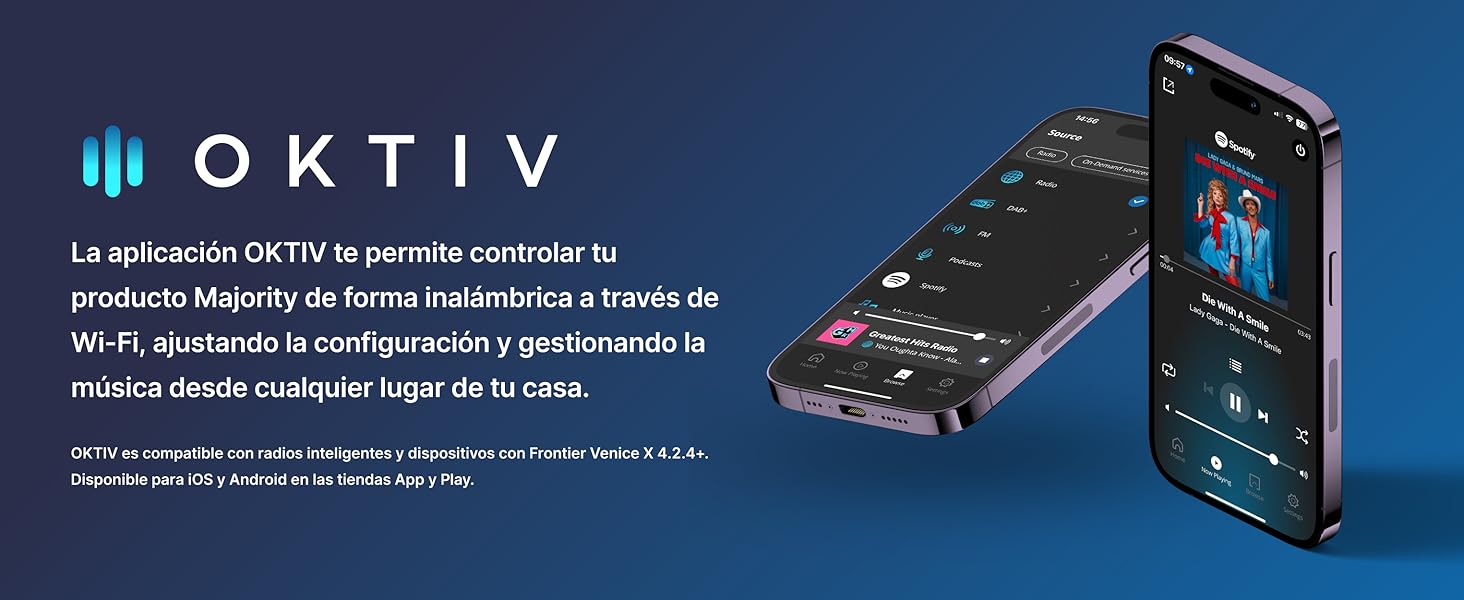
Image: Smartphones displaying the OKTIV app for remote control.
7. メンテナンス
- クリーニング: 本体の清掃には、柔らかく乾いた布をご使用ください。研磨剤入りの洗剤や溶剤は使用しないでください。
- CDプレーヤーのお手入れ: Handle CDs by the edges to avoid fingerprints. If the CD player experiences reading errors, try cleaning the disc with a soft, lint-free cloth.
- 換気: 過熱を防ぐために、通気口にほこりやごみが溜まっていないことを確認してください。
8。 トラブルシューティング
| 問題 | 考えられる原因 | 解決 |
|---|---|---|
| 電源なし | Power cable not connected; Wall socket faulty | Check power cable connection; Try a different wall socket. |
| 音が出ない | Volume too low; Incorrect input mode selected; Mute activated | Increase volume; Select correct input mode; Deactivate mute. |
| ラジオの受信状態が悪い | Antenna not extended; Weak signal; Interference | Extend antenna fully; Reposition the unit; Move away from other electronic devices. |
| Wi-Fiに接続できません | パスワードが間違っている、ルーターが遠すぎる、ネットワークに問題がある | Verify Wi-Fi password; Move unit closer to router; Restart router. |
| CDが再生/読み込まれない | Disc dirty/scratched; Disc type not supported | Clean the CD; Ensure it is a supported CD, CD-R, or CD-RW. |
9. 仕様
- モデル: クアドリガ
- 寸法(長さ×幅×高さ): 43 x 27 x 12.8 cm
- 重さ: 5.4キロ
- オーディオ出力: 120W (2.1 Stereo with Subwoofer)
- 接続性: Wi-Fi、Bluetooth、イーサネット
- ラジオチューナー: インターネットラジオ、DAB+、FM
- ディスクの互換性: CD、CD-R、CD-RW
- 入力: AUX (3.5mm), RCA, Optical, USB
- 特別な機能: Spotify Connect, Podcasts
- 電源: Wired Electric (240 Volts)
- 表示タイプ: 液晶
- 材料: プラスチック

画像: View of the integrated subwoofer and 120W audio output.
10. 保証
The MAJORITY Quadriga comes with a 3年間延長保証. Product registration may be required to activate the full warranty period. Please refer to the warranty card included in your package or visit the official MAJORITY website for detailed terms and conditions regarding warranty claims and registration.
11. サポート
For further assistance, technical support, or to access additional resources, please visit the official MAJORITY website. You can find FAQs, updated manuals, and contact information for customer service there.
Webサイト: www.majority.co.uk